


Are you struggling to get precise holes with your drill press? Understanding how to read the depth gauge can change everything.
It’s the key to drilling exactly where and how deep you want, every single time. You’ll learn simple steps to read your drill press depth gauge confidently. By the end, you’ll save time, avoid mistakes, and make your projects look professional.
Keep reading—you’re about to master a skill that makes all the difference.
Depth Gauge Basics
The depth gauge on a drill press helps control how deep the drill bit goes. It ensures holes are precise and consistent in depth. Understanding the depth gauge basics makes your drilling work easier and safer.
Knowing the purpose and types of depth gauges helps you use them correctly. This guide explains these key points clearly and simply.
Purpose Of Depth Gauge
The depth gauge stops the drill bit at the right depth. It prevents drilling too deep or too shallow. This is important for projects needing exact hole depths. The gauge saves time by avoiding guesswork. It also protects the material from damage caused by over-drilling.
Types Of Depth Gauges
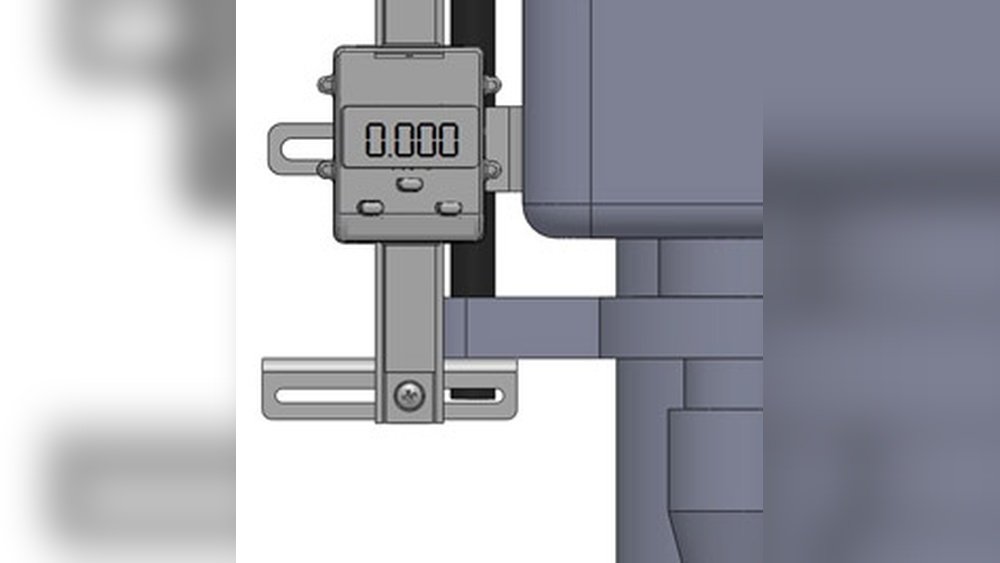
There are several types of depth gauges on drill presses. The most common is the adjustable rod gauge. It slides up and down to set the drilling depth. Some drill presses have a dial gauge for precise readings. Another type is a digital depth gauge, which shows depth on a screen. Each type helps control drilling depth with different levels of ease and accuracy.

Credit: www.wixey.com
Parts Of A Depth Gauge
The depth gauge on a drill press helps control how deep the drill bit goes. It has several important parts. Knowing these parts makes it easier to read and set the depth accurately. Each part works together to give precise drilling results. Understanding these parts helps avoid mistakes and saves time.
Scale And Markings
The scale shows measurements in inches or millimeters. Markings on the scale help set the exact depth. They are usually clear and easy to read. The scale runs along the depth rod or bar. This part tells you how deep the drill bit will go.
Stop Collar
The stop collar is a ring around the depth rod. It stops the drill bit from going deeper than the set point. You can move the collar up or down the rod. This sets the maximum drilling depth. The collar keeps drilling consistent and prevents damage.
Locking Mechanism
The locking mechanism holds the stop collar in place. It prevents the collar from moving during drilling. Usually, it is a screw or a clamp. Tighten the lock after setting the depth. This keeps the depth gauge steady and reliable.
Setting The Depth Gauge
Setting the depth gauge on a drill press helps control how deep the drill bit goes into the material. This setting keeps your work precise and prevents drilling too far. Follow simple steps to set the depth gauge correctly before starting your project.
Measuring Drill Bit Length
First, measure the length of the drill bit. Use a ruler or tape measure to find the full length from tip to base. This measurement shows how far the bit can go into the material. Note this length carefully for the next step.
Adjusting Stop Collar
Next, adjust the stop collar on the drill bit shaft. Slide it to the desired depth based on your measurement. The stop collar will hit the drill press table and stop the bit from going deeper. Tighten the collar in place to hold the depth.
Securing The Gauge
Finally, secure the depth gauge on the drill press. Lock it firmly so it does not move during drilling. Test the setup by lowering the drill to the stop collar. The drill should stop exactly at your set depth every time.

Credit: www.chipsfly.com
Reading The Depth Gauge
Reading the depth gauge on a drill press helps you control how deep the drill bit goes. This is important for making precise holes. Understanding how to read the gauge ensures your work is accurate and safe.
The depth gauge shows measurements that tell you the drill bit’s position. You can set the depth before drilling. This way, the bit stops at the right point every time.
Aligning Scale With Stop Collar
The stop collar holds the drill bit at the set depth. To set it right, move the collar to the desired mark on the depth scale. The scale is usually marked in inches or millimeters.
Make sure the collar touches the exact number on the scale. This alignment sets the drill bit’s maximum depth. Tighten the collar to keep it from moving during drilling.
Interpreting Measurements
The depth scale shows numbers and small lines between them. Each line means a small unit of measurement. Count the lines to find exact depths between numbers.
Use the scale to choose how deep the drill bit should go. For example, if you want a half-inch hole, set the collar at the 0.5 mark on the scale.
Common Reading Errors
One common error is not aligning the stop collar correctly. This can cause the drill to go too deep or not deep enough. Always double-check the collar’s position.
Another mistake is misunderstanding the scale units. Some scales use inches, others use millimeters. Know which unit your drill press uses to avoid wrong settings.
Also, avoid reading the scale at an angle. Look straight at the numbers for an accurate reading.
Tips For Accurate Drilling
Accurate drilling depends on careful steps before and during the process. Setting the depth gauge correctly is just the start. Follow simple tips to improve precision and avoid mistakes. These practices help you drill clean holes and protect your materials.
Double Checking Settings
Always check the depth gauge setting twice before drilling. Measure the depth on the gauge and compare it to your project needs. Confirm the drill bit is tight and the gauge does not move. Small errors here can cause big problems later.
Using Test Pieces
Use scrap wood or metal to test your settings. Drill a hole in the test piece to see if the depth matches your gauge. Adjust the depth gauge if the hole is too shallow or too deep. This prevents damage to your actual workpiece.
Maintaining The Drill Press
Keep your drill press clean and well-oiled for smooth operation. Check the depth gauge and locking mechanism regularly. Tighten any loose parts to keep settings stable. Regular maintenance helps maintain drilling accuracy over time.

Credit: www.youtube.com
Troubleshooting Depth Gauge Issues
Troubleshooting issues with your drill press depth gauge ensures accurate drilling. Problems with the depth gauge can cause poor results and damage your workpiece. This section covers common depth gauge problems and how to fix them quickly.
Gauge Not Holding Position
A loose depth gauge will shift during drilling. Check the locking mechanism and tighten it firmly. Clean any dirt or debris around the gauge to help it stay in place. If the locking screw is worn, replace it to keep the gauge steady.
Inconsistent Drill Depths
Uneven drill depths often mean the gauge is not set correctly. Reset the gauge to the desired depth before each use. Make sure the drill press table is level and the bit is sharp. Loose parts in the drill press can also cause depth changes, so inspect and tighten all components.
Worn Or Faded Scale
A faded depth scale makes it hard to read measurements. Clean the scale gently with a soft cloth to improve visibility. If the numbers are worn off, apply a new scale sticker or mark the measurements yourself. Keeping the scale clear helps maintain precise depth settings.
Frequently Asked Questions
How Do I Read A Depth Gauge On A Drill Press?
To read a depth gauge, lower the drill bit to the workpiece. Align the gauge’s pointer with the scale. The number at the pointer shows the drilling depth.
Why Is Depth Gauge Important On Drill Press?
A depth gauge ensures consistent hole depth. It prevents drilling too deep or too shallow. This improves accuracy and protects materials from damage.
Can I Adjust The Depth Gauge On My Drill Press?
Yes, you can adjust it by loosening the lock. Slide the gauge to the desired depth. Then, securely tighten the lock to fix the setting.
What Units Are Used On A Drill Press Depth Gauge?
Depth gauges usually use inches or millimeters. Check your drill press manual to confirm which unit it uses. This helps in precise depth measurement.
Conclusion
Reading the depth gauge on a drill press is simple. Set the gauge to the exact depth you need. Always check the measurement before you start drilling. This helps avoid drilling too deep or too shallow. Practice a few times to get comfortable with the gauge.
This skill saves time and improves your work’s accuracy. Keep your drill press gauge clean and clear for easy reading. Now, you can drill with confidence and precision every time.
