


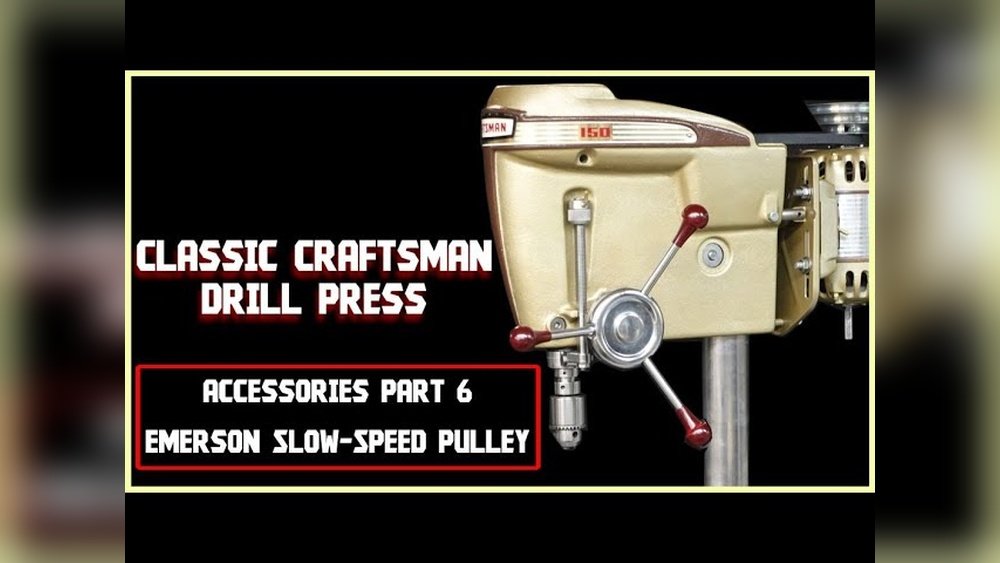
If you’ve ever needed to fix or adjust your Craftsman 150 Drill Press, you know how tricky removing the pulley can be. Without the right steps, you might waste time or even damage your machine.
But don’t worry—this guide will walk you through the exact process, making it simple and stress-free. By the end, you’ll have the confidence to handle your drill press pulley like a pro. Ready to get started? Let’s dive in!
Tools Needed
Removing the pulley on a Craftsman 150 drill press needs the right tools. Having these tools ready makes the job easier and safer. Each tool plays a role in loosening and removing the pulley smoothly.
This section lists the essential tools you need. Prepare them before starting the task to avoid interruptions.
Wrench Set
A good wrench set helps loosen nuts and bolts on the pulley. Use the right size to avoid stripping the fasteners.
Pulley Puller
A pulley puller is designed to remove pulleys without damage. It grips the pulley and pulls it off the shaft evenly.
Screwdrivers
Flathead and Phillips screwdrivers help remove screws or covers blocking access. Keep both types handy for different screws.
Hammer
A small hammer can gently tap the pulley or tools. Use light taps to avoid damaging parts.
Penetrating Oil
Penetrating oil loosens rusted or stuck parts. Spray it on the pulley shaft and let it sit before removal.

Credit: www.youtube.com
Safety Precautions
Safety comes first when removing the pulley on a Craftsman 150 drill press. Taking the right precautions protects you from injury and damage. This task involves tools and moving parts. Careless actions can cause accidents. Follow these safety steps carefully before you start.
Turn Off And Unplug The Drill Press
Always switch off the drill press before working on it. Unplug the machine from the power outlet. This stops the drill from turning on by accident. It keeps you safe from electric shocks and moving parts.
Wear Proper Safety Gear
Use safety glasses to protect your eyes from dust and debris. Wear gloves to avoid cuts and scrapes on your hands. Avoid loose clothing or jewelry that can get caught in the machine.
Use The Right Tools
Choose the correct tools for pulley removal. Using the wrong tools can cause slips or damage to the pulley. Tools should be in good condition and fit the bolts or screws properly.
Work In A Clean, Well-lit Area
Clear the workspace of clutter before starting. Good lighting helps you see small parts clearly. A tidy area reduces the risk of trips or falls.
Follow Manufacturer Instructions
Read the drill press manual for pulley removal steps. The guide often includes important safety tips. Following instructions reduces the chance of mistakes and injury.
Locate The Pulley
Start by finding the pulley on the Craftsman 150 drill press. It sits near the motor and connects to the belt. Clear the area around it before removal.
Understanding The Pulley Location On Your Drill Press
Finding the pulley is the first step to removing it safely. The pulley controls the drill press speed by changing belt positions.
On the Craftsman 150 drill press, the pulley sits near the top of the machine. It connects to the motor and the spindle shaft.
Identifying Visible Parts Around The Pulley
The pulley looks like a round wheel with grooves. The belt fits into these grooves to transfer power.
Look for the motor housing and the spindle shaft. The pulley is usually between these two parts.
Accessing The Pulley Area
Clear any covers or guards blocking the pulley. These protect moving parts but can be removed with a screwdriver.
Make sure the drill press is unplugged before touching any parts. Safety first.
Spotting The Set Screws On The Pulley
Set screws hold the pulley tightly on the spindle. They are small but important for removal.
Check the side of the pulley for one or two small screws. These need loosening before the pulley can come off.
Loosen The Belt
Loosening the belt on your Craftsman 150 drill press is the key step before removing the pulley. The belt holds the pulley tight and controls the speed of the drill. Without loosening it, the pulley won’t move. This step is simple but needs care to avoid damage to the belt or machine.
Start by understanding how the belt fits on the drill press. The belt runs between two pulleys: one on the motor and the other on the spindle. Loosening the belt releases tension, making it easier to take off the pulley.
Locate The Motor Mount Bolts
Find the bolts that hold the motor in place. These bolts allow the motor to move forward or backward. Moving the motor changes the belt tension. Use a wrench or socket set to loosen these bolts slightly. Do not remove the bolts completely.
Slide The Motor To Loosen The Belt
Push the motor gently away from the drill press frame. This action loosens the belt tension. You should see the belt become slack. If the belt is still tight, try moving the motor a bit more. Avoid forcing the motor too hard to prevent damage.
Check The Belt Slack
Once the motor moves, test the belt slack with your fingers. The belt should move easily with light pressure. If the belt feels tight, repeat sliding the motor. Proper slack makes pulley removal smoother and safer for the parts.
Remove The Pulley Set Screw
Start by locating the pulley set screw on the Craftsman 150 drill press. Use the correct Allen wrench to loosen and remove the screw carefully. This step allows the pulley to slide off smoothly without damage.
Locate The Set Screw
The pulley set screw holds the pulley on the drill press shaft. It prevents the pulley from slipping during operation. First, find the set screw on the side of the pulley. It is usually a small screw that fits into a groove on the shaft. This screw is often hidden or hard to see. Use a flashlight if needed. Identifying the set screw correctly is important before removal.
Choose The Right Tool
Use the correct tool to loosen the set screw. Most Craftsman 150 drill presses use an Allen wrench or hex key. Check the size of the set screw head to pick the matching wrench. Using the wrong tool can strip the screw head. A good fit ensures smooth removal without damage.
Loosen The Set Screw
Insert the Allen wrench firmly into the set screw. Turn it counterclockwise to loosen. Apply steady pressure. Avoid sudden force to prevent rounding off the screw. If the screw is stuck, apply a drop of penetrating oil. Let it sit for a few minutes. Then try loosening again. The screw should start to turn with ease.
Remove The Set Screw
Once loose, unscrew the set screw completely. Keep the screw safe for reassembly later. Do not lose this small part. After removal, check the pulley for any damage or debris. Cleaning the area helps when reinstalling the pulley or a new part.

Credit: www.reddit.com
Detach The Pulley
Detaching the pulley from your Craftsman 150 drill press is a key step for maintenance or part replacement. This process requires care to avoid damage to the pulley or the drill press spindle. Follow clear steps to remove the pulley safely and efficiently.
Use A Pulley Puller
A pulley puller is a tool designed to remove pulleys with minimal effort. Attach the arms of the puller around the pulley edges. Tighten the center bolt slowly to pull the pulley off the shaft. This method prevents damage to the pulley and spindle. Use steady pressure and avoid sudden force. The pulley should slide off smoothly.
Manual Removal Techniques
Without a pulley puller, manual methods can work but require caution. First, loosen any set screws holding the pulley in place. Use a rubber mallet to tap the pulley gently. Tap evenly around the pulley to avoid warping it. If the pulley is stuck, apply penetrating oil and wait a few minutes. Then try tapping again. Never use excessive force that might break the pulley or shaft.
Inspect And Clean Components
Inspecting and cleaning the components of your Craftsman 150 drill press is a crucial step before removing the pulley. Dirt and debris can cause damage or make parts hard to remove. Careful inspection helps spot wear or damage early. Clean parts ensure smooth operation and easier reassembly.
Take your time to check every part. Use simple tools and cleaning supplies for the best results. This step saves time and prevents future problems with your drill press.
Check The Pulley For Damage
Look closely at the pulley surface. Check for cracks, chips, or worn areas. A damaged pulley may need replacement instead of cleaning. Also, check the grooves where the belt sits. Clean grooves help the belt move smoothly.
Clean The Pulley And Shaft
Remove dirt and grease from the pulley and shaft. Use a clean cloth or soft brush. Avoid harsh chemicals that can damage metal parts. A little oil can help loosen grime but wipe off excess to prevent buildup.
Inspect The Key And Keyway
The key fits into the shaft and pulley to keep them aligned. Check the key for bends or breaks. Clean the keyway slot in both pulley and shaft. Dirt or rust here can cause the pulley to slip.
Examine The Set Screw And Threads
Look at the set screw that holds the pulley in place. Check for stripped threads or damage. Clean the threads on the shaft and screw. This ensures a tight fit and easy removal later.
Reassemble After Removal
After removing the pulley from your Craftsman 150 drill press, reassembly is the next key step. Proper reassembly ensures the drill press runs smoothly and safely. Take your time and follow the steps carefully. Double-check each part as you go.
Clean And Inspect Parts
Start by cleaning all parts thoroughly. Remove dust, grease, and any debris. Check the pulley and shaft for damage. Look for cracks or wear. Replace any parts that look damaged. Clean parts fit better and last longer.
Align The Pulley On The Shaft
Place the pulley back onto the drill press shaft. Make sure it sits straight and aligned. The pulley should slide on without force. Proper alignment prevents wobbling and noise during use.
Tighten The Set Screws Securely
Locate the set screws on the pulley. Tighten them using the correct tool. Secure screws prevent the pulley from slipping. Tighten screws evenly to avoid damage to the shaft.
Check Belt Position And Tension
Reinstall the belt over the pulley. Adjust the belt tension to the correct level. The belt should be snug but not tight. Proper tension helps the drill press work efficiently.
Test The Drill Press Operation
Turn the drill press on at low speed. Listen for unusual sounds or vibrations. Watch the pulley and belt for smooth movement. Stop the machine if anything seems wrong. Correct issues before full use.

Credit: www.hobby-machinist.com
Frequently Asked Questions
How Do I Safely Remove The Pulley On Craftsman 150 Drill Press?
First, unplug the drill press for safety. Loosen the set screws on the pulley using an Allen wrench. Use a pulley puller tool to gently remove it without damage. Avoid forcing the pulley off to prevent shaft damage.
What Tools Are Needed To Remove The Pulley On Drill Press?
You need an Allen wrench to loosen set screws. A pulley puller tool helps safely extract the pulley. Optionally, penetrating oil can ease removal if the pulley is stuck. Having a clean cloth handy is also useful for cleaning parts.
Can I Remove The Pulley Without A Pulley Puller Tool?
Using a pulley puller is recommended. Without it, removal risks damaging the pulley or shaft. If you lack a puller, try gently tapping the pulley with a rubber mallet after loosening set screws. Proceed carefully to avoid harm.
How To Prevent Damage When Removing The Drill Press Pulley?
Always loosen set screws fully before removal. Use a proper pulley puller tool to apply even pressure. Avoid using excessive force or metal hammers. Applying penetrating oil helps loosen stuck pulleys and reduces damage risk.
Conclusion
Removing the pulley on a Craftsman 150 drill press can be simple. Follow each step carefully and use the right tools. Take your time and work safely to avoid damage. Once done, your drill press will be ready for repairs or upgrades.
Practice makes the process easier next time. Keep your workspace clean and organized. Now, you can maintain your drill press with confidence.
