


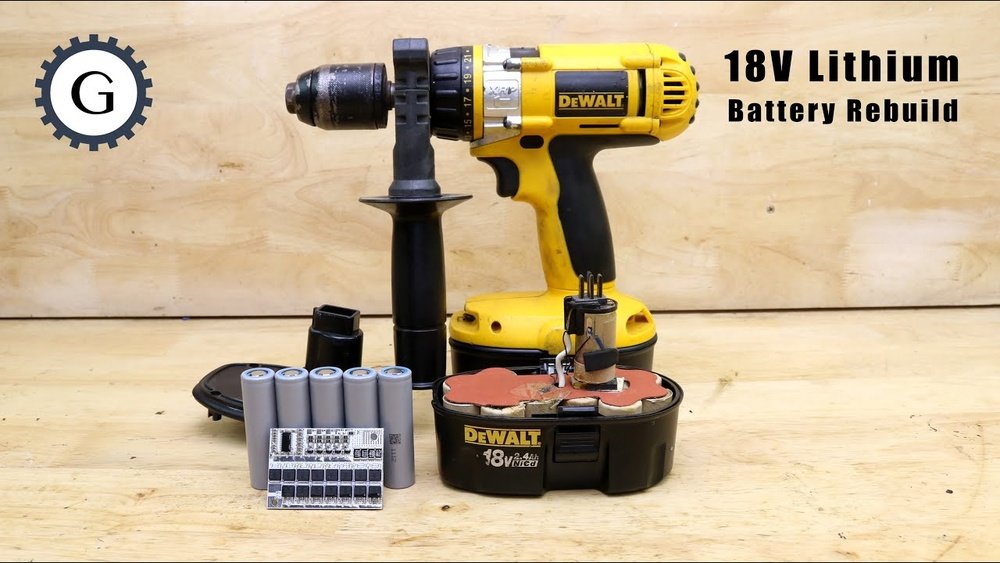
Is your Dewalt cordless drill not working like it used to? Don’t rush to buy a new one just yet.
You can save time and money by learning how to rebuild your drill yourself. Imagine restoring your trusted tool to peak performance with just a few simple steps. You’ll discover clear, easy instructions that anyone can follow—even if you’ve never taken a drill apart before.
Keep reading, and you’ll be back to drilling with confidence in no time.
Tools And Materials Needed
Rebuilding a Dewalt cordless drill requires the right tools and materials. Having everything ready makes the process easier and safer. This section lists the essential items you need to complete the job.
Essential Tools
A set of screwdrivers is a must. Use both flathead and Phillips screwdrivers. Needle-nose pliers help with small parts and wires. A small wrench or socket set may be needed. A soldering iron is useful for electrical connections. A multimeter checks battery and wiring issues. A cleaning brush removes dust and debris.
Replacement Parts
Start with a new battery if the old one is weak. Replacement brushes keep the motor running smoothly. Switches and triggers may wear out over time. New gears help if the drill is grinding or slipping. Wires and connectors should be intact or replaced. Find parts that fit your Dewalt drill model exactly.
Safety Gear
Wear safety glasses to protect your eyes. Use gloves to avoid cuts and scrapes. Work in a well-lit area for better visibility. Keep your workspace clean and organized. A mask can help if dust or fumes appear. Safety prevents accidents and keeps the repair smooth.
Preparing The Drill
Preparing your Dewalt cordless drill is the first step in rebuilding it properly. This stage makes the process safer and easier. It also helps avoid damage to the drill or yourself. Taking time to prepare will save effort later.
Removing The Battery
Always remove the battery before starting any work. This stops the drill from turning on by accident. Press the release buttons on the battery pack and pull it out carefully. Keep the battery in a safe place away from tools and metal objects.
Cleaning The Exterior
Wipe the outside of the drill with a dry cloth. Remove dust, dirt, and grease that can hide problems. Use a soft brush to clean tight spaces. Avoid water or liquids that may damage the drill’s parts. A clean drill lets you see screws and cracks clearly.
Organizing Workspace
Set up a clean, flat surface to work on. Gather all tools and containers for small parts. Use trays or bowls to keep screws and pieces organized. Good organization prevents losing important parts. It also helps you focus on the rebuild without distractions.
Disassembling The Drill
Disassembling a Dewalt cordless drill is the first step to rebuilding it. Careful handling ensures no parts get lost or damaged. Follow each step to take apart the drill safely. This process helps you understand how the drill works inside.
Removing Screws And Casing
Start by removing all screws on the drill’s outer shell. Use the correct screwdriver to avoid stripping screws. Keep the screws in a safe place for reassembly. Gently pry open the casing once screws are removed. Avoid forcing the case apart to prevent cracks.
Extracting The Chuck
The chuck holds the drill bit in place. To remove it, first loosen the chuck by turning it counterclockwise. Use a chuck key if available for better grip. Some models have a small screw inside the chuck. Remove this screw to free the chuck from the shaft.
Separating Internal Components
Inside the drill, find the motor, gears, and trigger switch. Carefully detach wires connecting these parts. Note the position of each component for easy reassembly. Use a small tool to lift gears without damage. Keep all parts organized on a clean surface.

Credit: www.battrx.com
Inspecting And Replacing Parts
Inspecting and replacing parts is a key step in rebuilding a Dewalt cordless drill. This process helps the drill run smoothly and last longer. Careful checks of each component reveal problems early. Replacing damaged parts restores power and efficiency. The focus here is on the motor, gears, and worn components. Each part must work well for the drill to perform at its best.
Checking The Motor
The motor powers the drill’s rotation. Start by removing the drill casing to access the motor. Look for signs of wear like burnt smells or visible damage. Test the motor with a multimeter to check electrical continuity. Clean dirt and dust from the motor to improve performance. Replace the motor if it shows serious damage or does not run.
Examining The Gears
Gears control the drill’s speed and torque. Open the gear housing carefully to inspect each gear. Check for cracks, missing teeth, or excessive wear. Worn gears cause slipping or strange noises during use. Clean gears thoroughly to remove grease and debris. Replace any gear that looks damaged or worn out.
Replacing Worn Components
Other parts like brushes, bearings, and switches wear out over time. Inspect the carbon brushes for wear; replace them if they are short. Bearings should spin smoothly without noise or resistance. Test the switch for proper function and replace if faulty. Use only genuine Dewalt parts for replacements to ensure compatibility and safety.
Cleaning Internal Components
Cleaning the internal parts of your Dewalt cordless drill is key to its performance. Dirt and dust can build up inside. This buildup can cause the drill to work less smoothly or even break.
Taking time to clean helps the drill last longer. It also keeps the tool running like new. Below are simple steps to clean the inside parts.
Removing Dust And Debris
Start by opening the drill carefully. Use a small brush to clear out dust and debris. Compressed air can blow out hard-to-reach dirt. Make sure all visible dirt is gone. This step prevents damage during use.
Lubricating Moving Parts
After cleaning, apply light machine oil to moving parts. Use a small amount to avoid over-lubrication. Focus on gears and the chuck. Lubrication reduces friction and wear. It helps parts move smoothly.
Ensuring Smooth Operation
Once cleaned and lubricated, reassemble the drill. Test the drill by running it at low speed. Listen for any strange sounds or resistance. A smooth, quiet drill means the cleaning worked well. Repeat cleaning if needed for best results.

Credit: www.youtube.com
Reassembling The Drill
Reassembling the drill is an important step in rebuilding your DeWalt cordless drill. It brings all the parts back together. This step needs care to ensure the drill works well. Follow each step carefully to avoid mistakes and damage.
Aligning Internal Parts
Place each internal part in its correct position. Check that gears and springs fit perfectly. Misaligned parts cause the drill to jam or fail. Take your time to line everything up properly. Use the original diagrams or photos as a guide.
Securing The Casing
Once internal parts are aligned, close the casing carefully. Make sure no wires or parts get pinched. Tighten screws evenly to keep the drill strong. Avoid overtightening to prevent cracks in the casing. A well-secured casing protects internal parts from damage.
Testing The Assembly
Test the drill before full use. Insert the battery and switch it on. Listen for smooth motor sounds and check the chuck operation. If anything feels off, open the casing and check again. Testing early saves time and prevents further problems.
Final Testing And Maintenance Tips
After rebuilding your Dewalt cordless drill, testing and maintenance are key. These steps ensure your drill works well and lasts longer. Proper care helps avoid future problems. Follow these tips to keep your tool in top shape.
Battery Installation And Power Check
Insert the battery firmly into the drill. Make sure it clicks into place. Turn on the drill to check power. Watch for smooth starts and steady speed. If it feels weak, remove the battery. Clean contacts with a dry cloth. Reinstall and test again.
Troubleshooting Common Issues
Drill does not start? Check the battery charge. Loose wires can cause power loss. Tighten any loose connections inside. Drill stalls under load? Gear or motor may need cleaning. Strange noises? Look for worn parts. Replace damaged components for safety.
Regular Maintenance Practices
Clean your drill after each use. Remove dust and debris from vents. Lubricate moving parts with light oil. Store the drill in a dry place. Charge batteries fully before storing. Check for wear monthly to avoid breakdowns.

Credit: batteryrepair.wordpress.com
Frequently Asked Questions
How Do I Disassemble A Dewalt Cordless Drill Safely?
Start by removing the battery to avoid electric shock. Use the right screwdriver to open the casing. Keep screws organized for easy reassembly. Handle internal parts gently to prevent damage.
What Tools Are Needed To Rebuild A Dewalt Drill?
You need screwdrivers, pliers, a multimeter, cleaning brushes, and replacement parts. Having a small container for screws helps. These tools ensure a smooth and accurate rebuild.
How Can I Test The Motor After Rebuilding?
Reassemble the drill partially and insert a charged battery. Turn it on and listen for smooth operation. Check for unusual noises or vibrations. This confirms motor functionality.
When Should I Replace The Drill’s Battery?
Replace the battery if it won’t hold a charge or causes power drops. Swollen or damaged batteries are unsafe. Always use compatible Dewalt batteries for best results.
Conclusion
Rebuilding a Dewalt cordless drill saves money and extends its life. You can fix common problems by replacing worn parts carefully. Taking your time helps avoid mistakes and keeps the drill working well. Regular cleaning and maintenance also improve performance.
Try these steps to bring your drill back to good shape. Keep your tools ready for any job ahead. Simple repairs make a big difference in tool durability. Give it a try and enjoy using your drill again.
