


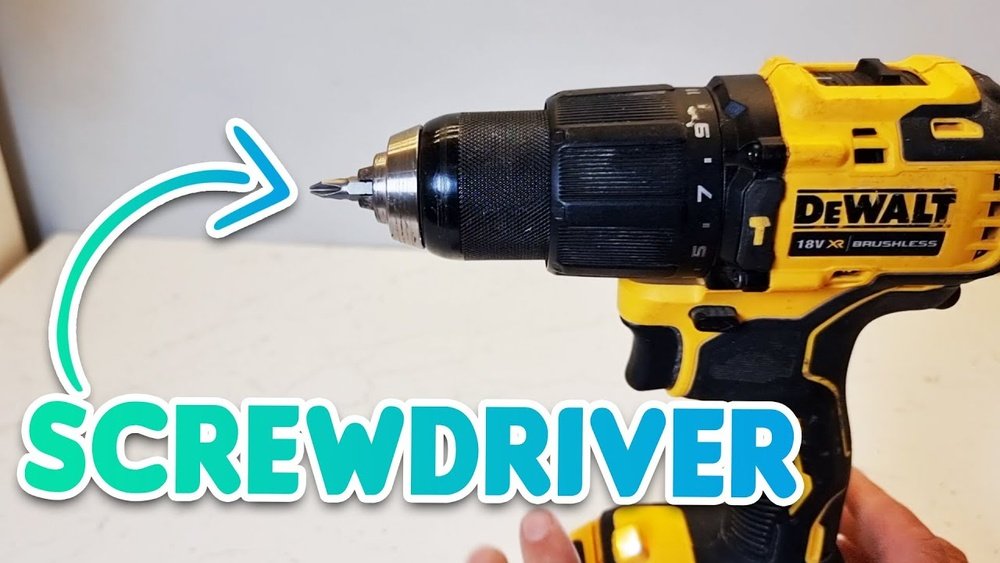
Are you struggling to put a screw into your cordless Dewalt drill? You’re not alone.
Even if you have the best tools, using them the right way can make all the difference. Imagine finishing your project faster and with less effort just by knowing the correct steps. In this guide, you’ll learn exactly how to put a screw in your Dewalt cordless drill quickly and safely.
Keep reading, and you’ll gain the confidence to handle your drill like a pro every time.
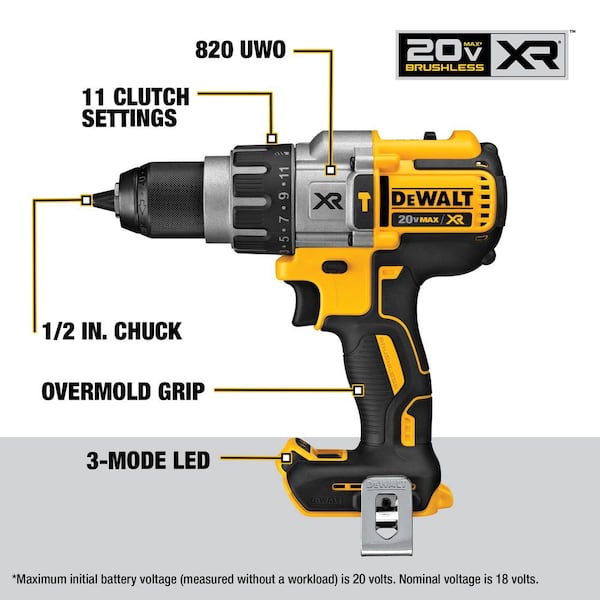
Credit: www.homedepot.com
Choosing The Right Screw
Choosing the right screw is key to using your Dewalt cordless drill properly. The correct screw fits your project and works well with the drill. Picking the wrong screw can cause problems like stripped heads or weak joints. This guide helps you understand what screws to use and how to match them to your work.
Types Of Screws For Dewalt Drills
Screws come in many types. Wood screws are great for timber. They have sharp points and coarse threads. Sheet metal screws work on thin metal sheets. They have finer threads and are strong. Drywall screws fix plasterboard to wood or metal studs. They are thin and long. Deck screws resist weather and rust, perfect for outdoor wood. Each screw type fits different materials and jobs.
Matching Screw Size To Project
Choose screw length based on material thickness. A screw too short won’t hold well. Too long may damage the material or poke through. The screw diameter matters too. Thicker screws hold more weight but need bigger holes. Use a drill bit that matches the screw size. The screw head type also affects the finish. Flat heads sit flush, while pan heads stand out. Pick sizes that fit your drill and project needs.
Preparing The Dewalt Drill
Preparing your Dewalt cordless drill is the first step to ensure smooth and safe operation. Proper preparation helps avoid issues during drilling and keeps your work efficient. This section covers essential tasks to get your drill ready for use.
Checking Battery Charge
Always check the battery charge before starting. A low battery can stop your work suddenly. Remove the battery from the drill and look at the charge indicator. If the battery is low, place it in the charger until fully charged. A fully charged battery provides consistent power for better drilling.
Selecting The Correct Drill Bit
Choose the drill bit that matches the screw size and material. Using the wrong bit can damage the screw or drill. Dewalt offers many drill bits for wood, metal, and plastic. Pick the right type for your project to get clean and precise holes.
Attaching The Drill Bit Securely
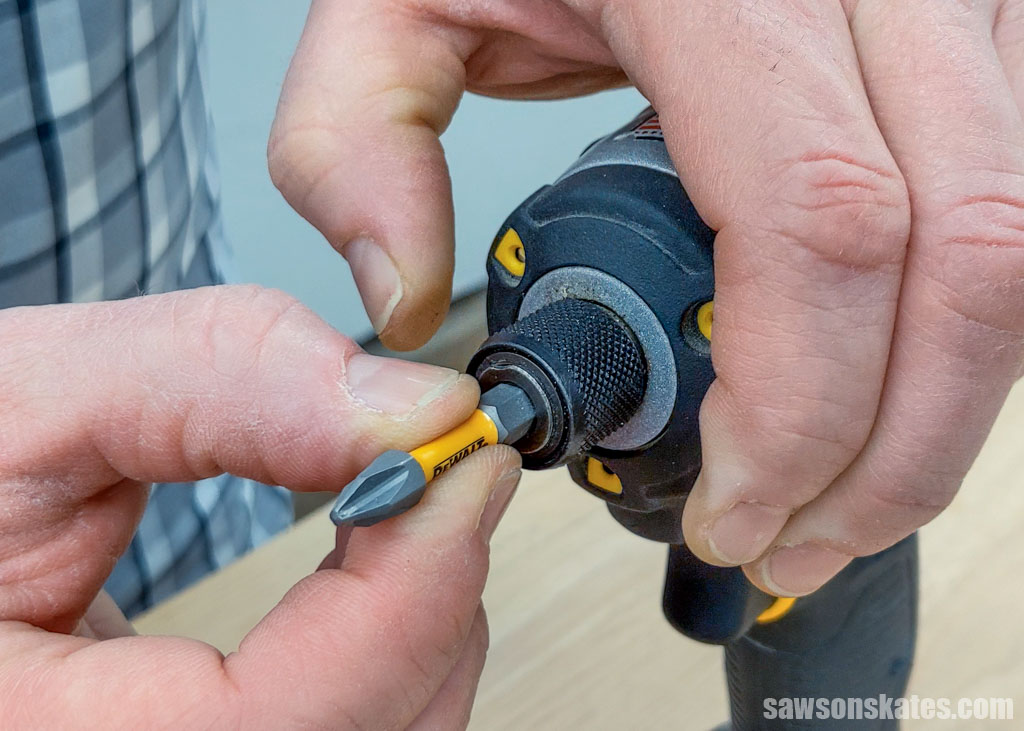
Attach the drill bit firmly to prevent slipping. Open the drill chuck by turning it counterclockwise. Insert the drill bit straight into the chuck. Tighten the chuck by turning it clockwise until the bit is secure. Check the bit by pulling it gently to ensure it does not move.
Setting Drill Speed And Torque
Setting the right drill speed and torque is key for efficient screwing with a Dewalt cordless drill. These settings help control how fast the drill spins and how much force it uses. Proper adjustments prevent damage to screws and materials. They also improve your work speed and accuracy.
Understanding how to adjust speed and torque makes your drilling tasks easier and safer. Let’s explore how to set these features on your Dewalt drill.
Adjusting Speed Settings
Dewalt cordless drills usually have two speed options. Low speed offers more power but less rotation speed. It works well for driving screws into hard materials.
High speed spins faster but with less force. It suits drilling holes and driving screws into soft wood.
Switch between speeds using the speed selector on top of the drill. Start with low speed for screwing tasks. Change to high speed for faster drilling.
Choosing Torque Levels For Screwing
Torque controls how much twisting force the drill applies. Dewalt drills have adjustable torque settings shown on a ring near the chuck.
Lower torque settings are best for small screws and soft materials. This avoids stripping the screw head or damaging the workpiece.
Higher torque settings suit larger screws and tougher materials. Turn the torque ring to the right to increase force. Turn it left to decrease force.
Test the torque on a scrap piece before starting your project. Adjust as needed to match the screw size and material hardness.

Credit: www.youtube.com
Positioning The Screw
Positioning the screw correctly is key to a strong hold and clean finish. It helps avoid slipping and damage to the material. Taking time to place the screw precisely makes the job easier and safer.
Marking The Screw Spot
Start by marking the spot where the screw will go. Use a pencil or a small nail to make a light mark. This mark guides the drill bit and keeps it from wandering. Accurate marking saves time and prevents mistakes.
Holding The Drill Properly
Hold the drill steady and straight over the marked spot. Keep the drill perpendicular to the surface. A firm grip on the drill helps control the speed and direction. Avoid tilting the drill to stop the screw from going in crooked. Steady hands give the best results.
Driving The Screw
Driving the screw with a DeWalt cordless drill requires focus and control. Proper technique ensures the screw goes in smoothly and holds tight. This section covers key steps for effective screw driving. Follow these tips to avoid common problems and get the best results.
Starting With Low Speed
Begin by setting your drill to low speed. This helps you control the screw better at the start. Slow speed prevents the screw from slipping or damaging the material. It also reduces the chance of stripping the screw head. Take your time to get the screw started straight.
Applying Steady Pressure
Push the drill forward with steady pressure. Too little pressure makes the screw slip out. Too much pressure can break the screw or drill bit. Keep a firm but gentle push to guide the screw in cleanly. Balance is key for smooth driving and a strong hold.
Avoiding Overdriving
Stop driving once the screw head is flush with the surface. Overdriving can strip the hole or break the screw. It may also damage the material around the screw. Pay attention to the feel and sound of the drill. Stop as soon as the screw is secure and tight.
Troubleshooting Common Issues
Troubleshooting common issues helps you use your Dewalt cordless drill better. Small problems can stop your work. Fixing them fast saves time and effort. Here are simple solutions for typical troubles.
Dealing With Stripped Screws
Stripped screws happen when the drill slips out of the screw head. This makes it hard to turn the screw. Use a rubber band for extra grip. Place it between the screw and drill bit. Press the drill slowly to avoid further damage. Change the bit if it is worn out. Choose the right size bit for the screw.
Fixing Slipping Drill Bits
Slipping drill bits reduce control and slow your job. Tighten the chuck firmly to hold the bit. Clean dust or debris inside the chuck. Use pliers to adjust the chuck if it is loose. Replace the chuck if it no longer holds bits tightly. Always check the bit before starting work.
Handling Battery Drain
Battery drain stops your drill suddenly. Charge the battery fully before use. Avoid using the drill continuously for a long time. Keep spare batteries ready for long jobs. Store batteries in cool, dry places to keep them healthy. Replace old batteries that no longer hold charge well.
Safety Tips For Using Cordless Drills
Using a cordless drill like the Dewalt is easy and quick. Safety must always come first. Following simple safety tips protects you from injury and keeps your work smooth. Always prepare before starting your project.
Wearing Protective Gear
Wear safety glasses to protect your eyes from dust and debris. Gloves help protect your hands from sharp materials. Use ear protection if the drill sounds too loud. Proper shoes stop slips and falls. Dress in close-fitting clothes to avoid getting caught.
Keeping Workspace Clear
Keep your work area free of clutter. Remove tools and materials not in use. Clear the floor of cords and obstacles. Good lighting helps you see clearly and work safely. A tidy space reduces accidents and helps focus on the task.
Credit: culturahistorica.org
Frequently Asked Questions
How Do I Insert A Screw Into A Dewalt Cordless Drill?
To insert a screw, first select the correct drill bit. Open the chuck by turning it counterclockwise. Insert the bit firmly, then tighten the chuck by turning it clockwise. Ensure the bit is secure before drilling.
What Type Of Screws Work With Dewalt Cordless Drills?
Dewalt cordless drills are compatible with various screw types. Commonly, wood screws, metal screws, and drywall screws work well. Always match the screw size with the drill bit to ensure proper fit and avoid damage.
How Can I Prevent Screws From Stripping With My Dewalt Drill?
Use the correct bit size and type for your screw. Apply steady, moderate pressure when driving screws. Avoid over-tightening by releasing the trigger once the screw is flush with the surface.
Is It Necessary To Adjust Torque Settings On Dewalt Drills?
Yes, adjusting torque settings helps prevent screw damage. Lower torque is ideal for small screws or soft materials. Higher torque suits larger screws or harder materials, ensuring better control and accuracy.
Conclusion
Putting a screw in a Dewalt cordless drill is simple and quick. Choose the right bit and secure it tightly. Hold the drill steady and control the speed as you screw. Practice makes the process smoother and more confident. This skill saves time and effort on many projects.
Keep your drill charged and bits organized for easy use. You can complete tasks without needing extra help. A little care goes a long way in using your drill well. Try it today and see how easy it feels.
