


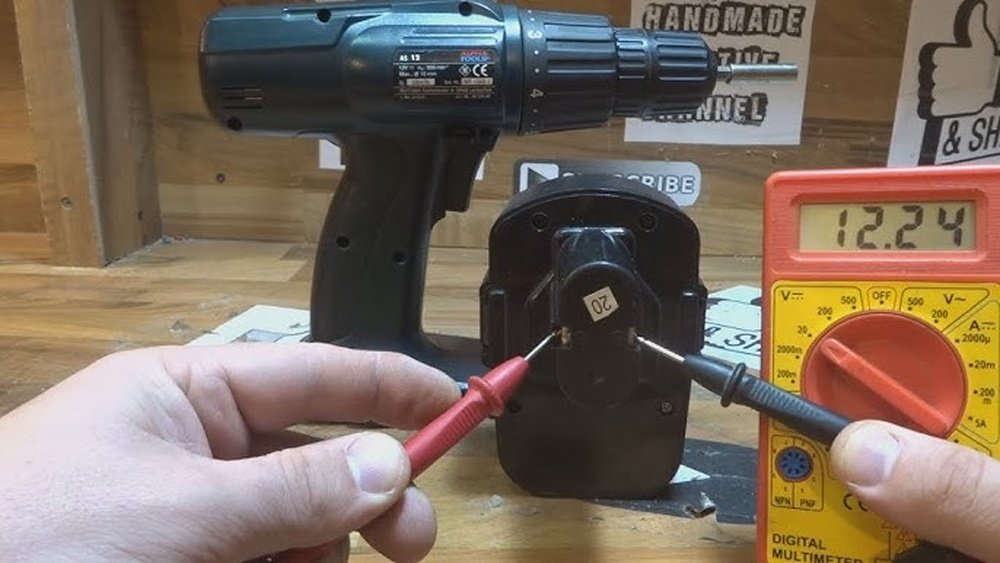
You rely on your cordless drill to get important jobs done quickly and efficiently. But what happens when the battery runs out at the worst possible moment?
Knowing how to charge your cordless drill battery the right way can save you time, extend battery life, and keep your projects on track. You’ll discover simple, practical steps to power up your drill safely and effectively. Keep reading to avoid common mistakes and get the most out of your tool every time you plug it in.
Credit: www.reddit.com
Choosing The Right Charger
Choosing the right charger is important for your cordless drill battery. The charger affects how fast and safely your battery charges. Using the wrong charger can damage your battery or reduce its life. Understanding different types of chargers helps you pick the best one for your needs.
Types Of Chargers
There are several types of chargers for cordless drill batteries. Basic chargers provide a steady charge at a fixed rate. Fast chargers fill the battery more quickly but need careful use. Some chargers offer multiple charging modes for different battery types. Knowing these types helps you decide which fits your drill battery best.
Compatibility With Battery
Not all chargers work with every battery. Battery voltage and shape must match the charger’s design. Using an incompatible charger can cause poor charging or damage. Always check the battery’s label and the charger’s specifications. This step ensures safe and effective charging.
Smart Chargers Vs. Standard Chargers
Standard chargers supply power at a fixed rate. They stop charging when the battery is full. Smart chargers use sensors to monitor battery condition. They adjust the charge to protect battery life and prevent overheating. Smart chargers cost more but offer better battery care. Choose based on your charging needs and budget.
Credit: www.reddit.com
Preparing The Battery For Charging
Preparing the battery for charging is an important step to keep your cordless drill working well. It helps the battery last longer and charge safely. Taking time to prepare the battery saves problems and improves performance.
Inspecting The Battery
Start by looking closely at the battery. Check for cracks, dents, or leaks. Any damage can cause charging issues or be unsafe. If the battery looks damaged, do not charge it. Use a battery that is clean and intact.
Cleaning Battery Contacts
Battery contacts are the metal parts that connect to the charger. Dirt or dust on these contacts can stop the battery from charging properly. Use a dry cloth or a soft brush to clean the contacts. Make sure no moisture stays on the contacts before charging.
Checking Battery Temperature
Before charging, feel the battery temperature. If the battery is very hot or cold, wait until it cools or warms to room temperature. Charging a battery at the wrong temperature can damage it. Always charge the battery in a safe, normal temperature range.
Step-by-step Charging Process
Charging a cordless drill battery is simple when you follow clear steps. Proper charging helps your drill last longer and work better. This guide breaks down the charging process into easy parts.
Connecting The Charger
Start by placing the battery into the charger slot. Make sure it fits securely and clicks into place. Then, plug the charger into a power outlet. Check the charger’s instructions for any special setup steps.
Monitoring Charging Indicators
Look at the charger’s lights or display to see the battery status. A red or blinking light often means charging is in progress. A green or steady light usually means the battery is fully charged. Keep an eye on these indicators to know when charging finishes.
Avoiding Overcharging
Remove the battery from the charger once it is fully charged. Leaving it plugged in too long can damage the battery. Overcharging reduces battery life and performance. Always charge in a safe place to avoid overheating or accidents.
Safety Tips During Charging
Charging a cordless drill battery safely is important. It protects you and your tools. Following safety tips can stop accidents. This section covers key safety steps during charging.
Charging In A Safe Environment
Choose a dry, clean place for charging. Avoid dusty or wet areas. Keep the charger on a flat, hard surface. Do not charge near flammable materials. Ensure good air flow around the charger. Never charge the battery in direct sunlight.
Handling Battery Issues
Check the battery for damage before charging. Look for cracks, leaks, or swelling. Stop using batteries that look damaged. Use only the charger made for your battery. Do not force the battery into the charger. If the battery gets hot, unplug the charger immediately.
Preventing Fire Hazards
Never leave the battery charging unattended. Unplug the charger once the battery is full. Keep batteries away from heat sources. Do not charge batteries overnight. Store batteries in a cool, dry place after use. Dispose of old batteries safely at recycling centers.
Maintaining Battery Health
Maintaining the health of your cordless drill battery helps it last longer and work better. Good care keeps the battery strong and ready for use. Small habits can protect the battery from damage and loss of power. This section explains how to store, charge, and check your battery to keep it in top shape.
Proper Storage Practices
Store the battery in a cool, dry place. Avoid hot or cold areas like direct sunlight or freezing spots. Remove the battery from the drill if you won’t use it for a long time. Keep it away from metal objects that can cause short circuits. Proper storage slows down battery wear and keeps it safe.
Regular Charging Habits
Charge the battery before it is completely empty. Avoid letting the battery drain fully each time. Use the charger made for your drill model. Do not overcharge; unplug the charger when full. Regular charging keeps the battery cells healthy and ready to deliver power.
Signs Of Battery Wear
The battery may show less power during use. It might take longer to charge than before. Notice if the battery heats up more than usual. Swelling or leaking are serious warning signs. Recognizing these signs early helps avoid damage and plan for a replacement.

Credit: www.youtube.com
Frequently Asked Questions
How Long Does It Take To Charge A Cordless Drill Battery?
Charging time varies by battery type and charger. Typically, it takes 30 minutes to 3 hours for a full charge. Fast chargers reduce charging time, while standard chargers take longer. Always follow manufacturer guidelines for best results and battery longevity.
Can I Use My Drill While The Battery Charges?
No, most cordless drills cannot be used while charging. Using the drill during charging may damage the battery or charger. Always wait until the battery is fully charged before operating the drill to ensure optimal performance and safety.
How Do I Know When The Battery Is Fully Charged?
Most chargers have indicator lights showing charging status. A green or solid light usually means the battery is fully charged. Some advanced models beep or display a message. Always refer to your charger’s manual for specific signals.
Is It Safe To Leave The Drill Battery On The Charger?
Yes, modern chargers prevent overcharging by switching to trickle charge mode. However, avoid leaving the battery on the charger for days to prevent potential damage. Remove the battery once fully charged for best battery health.
Conclusion
Charging a cordless drill battery is simple and safe. Always use the charger made for your drill. Keep the battery clean and dry before charging. Avoid overcharging to protect battery life. Store batteries in a cool, dry place. Regular charging helps your drill work better and longer.
Follow these easy steps to keep your drill ready. Practice good battery care for smooth projects every time. Stay safe and enjoy your cordless drill’s power.
