


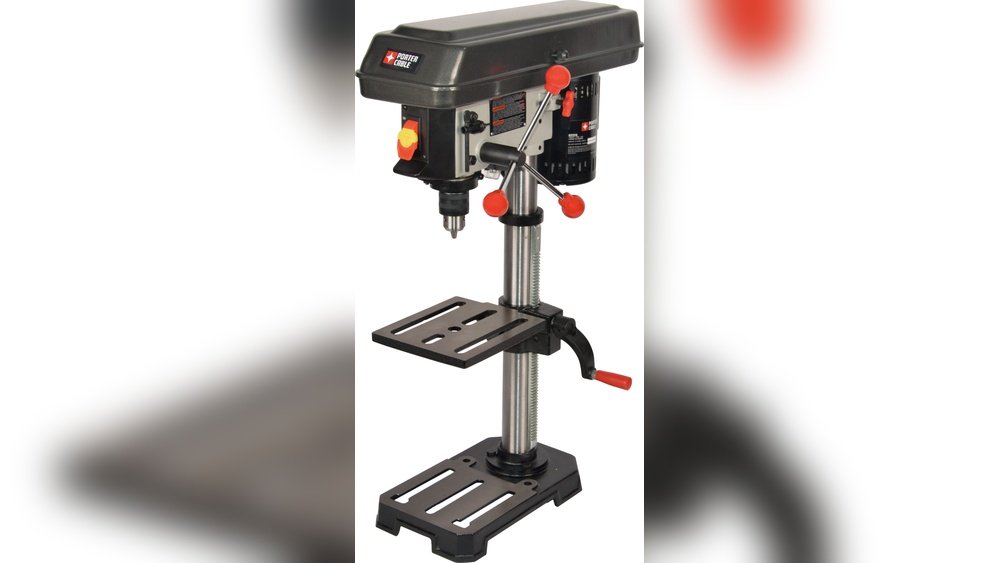
Is your Porter Cable drill press louder than you’d like? The constant noise can be distracting and even tiring, especially during long projects.
Imagine working with a much quieter drill press that lets you focus better and keeps your workspace peaceful. You’ll discover simple and effective ways to make your Porter Cable drill press run more quietly. Keep reading, and you’ll learn easy tips that anyone can use to reduce noise and improve your drilling experience.
Common Noise Sources
Noise from a Porter Cable drill press can come from several parts. Understanding these sources helps reduce sound effectively. Most noise comes from the motor, gears, bearings, and vibrations. Each part makes different sounds that affect your work environment.
Motor Sounds
The motor is the heart of the drill press. It often makes a humming or buzzing noise. This happens when the motor runs at high speed. Dirt and dust in the motor can increase noise levels. Also, worn brushes or loose parts create louder sounds. Regular cleaning and maintenance keep motor noise low.
Gear And Bearing Noise
Gears and bearings transfer power inside the drill press. These parts can produce grinding or squealing sounds. Worn or dry gears cause friction noises. Bearings without enough grease may make a whirring sound. Checking lubrication and replacing old parts reduces these noises.
Vibration Effects
Vibration is a common noise source in drill presses. It happens when parts are loose or unbalanced. Vibrations can rattle the frame and workbench. This shaking increases overall noise and lowers precision. Tightening screws and using rubber pads can lessen vibrations.
Credit: www.homedepot.com
Maintenance Tips
Keeping your Porter Cable drill press quiet starts with regular maintenance. Small steps can reduce noise and improve performance. Follow these simple tips to keep your tool running smoothly and quietly.
Lubricating Moving Parts
Lubricate all moving parts often. Use machine oil or grease on gears and shafts. This reduces friction and noise. Avoid using too much oil; just a thin layer works best. Check the manual for recommended lubricants.
Tightening Loose Components
Check all screws, bolts, and nuts regularly. Tighten any loose parts you find. Loose components cause rattling sounds and vibration. Use the correct tools to avoid damage. Secure parts help keep the drill press stable and quiet.
Cleaning Dust And Debris
Remove dust and debris from the drill press daily. Use a brush or compressed air to clean hard-to-reach spots. Dust buildup can block vents and cause the motor to work harder and louder. Keeping it clean helps maintain quiet operation.
Noise Reduction Techniques
Noise from a drill press can be distracting and tiring. Reducing this noise makes your workspace calmer and safer. Several simple techniques help cut down the sound without extra tools.
These noise reduction techniques focus on stopping vibrations and softening sounds. Each method works to make your Porter Cable drill press quieter and more pleasant to use.
Adding Sound Dampening Materials
Sound dampening materials absorb noise and stop it from spreading. You can place foam or rubber mats around the drill press base. These materials catch sound waves and reduce echo. Adding soft panels to nearby walls also lowers noise reflection.
Using Vibration Pads
Vibration pads stop shaking that creates loud noise. Put these pads under the drill press feet. They act like cushions and absorb movement. This reduces both noise and wear on the machine. Choose pads made from thick rubber or silicone for best results.
Isolating The Drill Press
Isolating the drill press keeps noise from traveling through surfaces. Place the machine on a separate table or platform. Avoid direct contact with walls or floors that carry sound. Using isolation mounts or brackets can further prevent noise spread.

Credit: www.homeconstructionimprovement.com
Upgrading Components
Upgrading key parts of your Porter Cable drill press can reduce noise significantly. Some components wear out or cause extra vibration. Replacing or upgrading these parts can make your drill press quieter and smoother. Focus on bearings, belts, and the motor for the best results.
Replacing Bearings
Old bearings often cause loud grinding or rattling sounds. New, high-quality bearings spin more smoothly and quietly. Choose sealed bearings to keep dust out and extend life. Properly lubricate them to reduce friction and noise. This simple upgrade can lower overall machine noise a lot.
Installing Quieter Belts
Standard belts may create a loud whine during operation. Opt for belts made from quieter materials like polyurethane. These belts reduce vibration and noise while running. Check belt tension often; loose belts make more noise. Correct tension and quieter belts improve sound and performance.
Upgrading The Motor
The motor generates most noise in a drill press. Switching to a motor designed for low noise cuts sound levels. Look for motors with better insulation and quieter bearings. A smoother motor means less vibration and less noise. This upgrade requires care but greatly improves quietness.
Operating Practices
Operating practices play a key role in making the Porter Cable drill press quieter. Using the right techniques reduces noise and helps the machine last longer. Good habits protect the drill press and improve your work quality.
Proper Speed Settings
Set the drill press speed according to the material. Slow speeds for hard materials, faster for soft ones. Using the correct speed cuts down noise and prevents damage. Check the manual to find the right speed for each job.
Correct Drilling Pressure
Apply steady and moderate pressure on the drill. Too much force causes the motor to strain and get louder. Too little pressure wastes time and may cause slipping. Keep the pressure even for smooth, quiet drilling.
Avoiding Overloading
Do not push the drill press beyond its capacity. Overloading causes the motor to work harder and make more noise. Use the right drill bits and avoid forcing thick materials. Let the drill work at its own pace for quieter operation.
Credit: www.lowes.com
Frequently Asked Questions
How Can I Reduce Noise From My Porter Cable Drill Press?
Apply lubrication to moving parts and tighten loose components. Use sound-dampening mats under the drill press. Regularly clean and maintain the machine to prevent extra noise caused by wear or debris.
What Type Of Lubricant Is Best For Drill Press Noise Reduction?
Use a light machine oil or silicone-based lubricant. These reduce friction and noise without damaging metal or plastic parts. Apply sparingly to gears, bearings, and moving joints for best results.
Can Adding Sound Insulation Help Make The Drill Press Quieter?
Yes, installing foam panels or rubber mats around the workspace absorbs sound. This minimizes noise reflection and creates a quieter environment. Ensure insulation materials don’t interfere with machine ventilation or operation.
How Often Should I Maintain My Porter Cable Drill Press?
Regular maintenance every 3 to 6 months is ideal. Clean debris, lubricate parts, and check for loose screws. Proper upkeep prevents noise issues and extends the drill press’s lifespan.
Conclusion
Reducing noise on your Porter Cable drill press improves your work experience. Small fixes like tightening parts and adding lubrication help a lot. Using sound dampening mats also cuts down noise effectively. Regular maintenance keeps the drill press running smoothly and quietly.
A quieter drill press means less stress and better focus. Try these tips and enjoy a calmer workspace today.
