


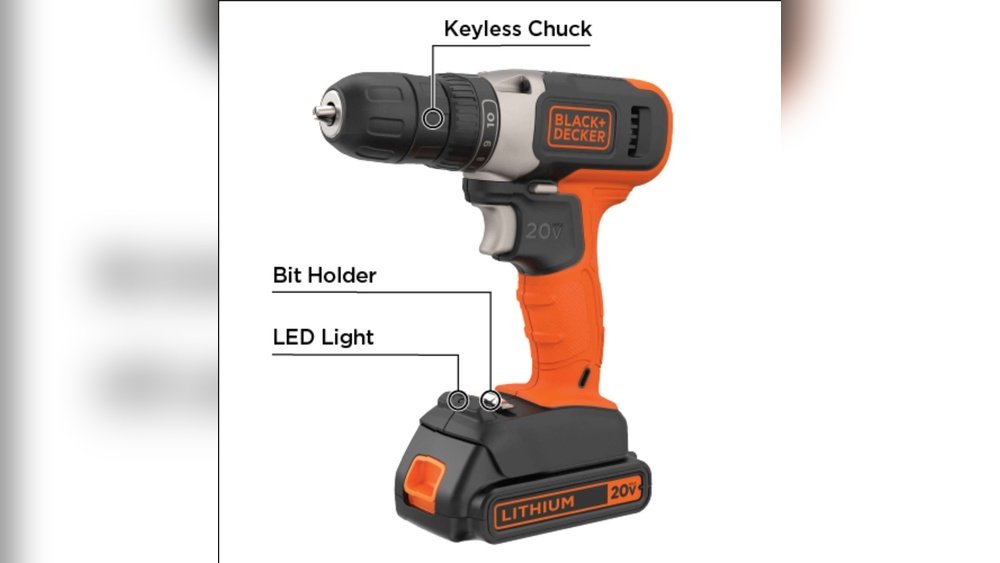
Are you wondering if you can replace the brushes in your Black and Decker cordless drill? Knowing the answer could save you time and money, and keep your drill working like new.
If your drill is losing power or making strange noises, worn brushes might be the cause. You’ll discover how to spot when your brushes need replacing and exactly what steps to take to fix them. Keep reading to learn how to extend the life of your drill and get your projects back on track without hassle.
Signs Brush Replacement Is Needed
Brushes in Black and Decker cordless drills wear down over time. This wear affects how well your drill works. Spotting early signs helps keep your drill in good shape. Knowing these signs lets you fix the brush before bigger problems start.
Reduced Drill Performance
Your drill may slow down or lose power. It might struggle to drill through materials it handled easily before. The drill can stop spinning smoothly or stall under load. These are clear signals that brushes might be worn out.
Unusual Noises
Listen for odd sounds when the drill runs. Grinding, squealing, or rattling noises are common brush issues. These sounds come from poor contact between the brushes and motor. Ignoring these noises can cause more damage to the drill.
Sparking Near Motor
Check for sparks inside the drill near the motor area. Sparks often mean brushes are not making proper contact. This can lead to motor damage or failure. Sparks are a serious warning to replace brushes soon.

Credit: www.youtube.com
Tools Required For Replacement
Replacing brushes in a Black and Decker cordless drill needs the right tools. Using the correct tools makes the job faster and safer. Gather everything before you start to avoid interruptions.
Screwdrivers And Pliers
Screwdrivers help remove screws holding the drill parts. A Phillips screwdriver is usually needed for most Black and Decker models. Pliers assist in pulling out old brushes and handling small parts carefully. Choose tools with comfortable grips to work easily.
Replacement Brushes
Buy brushes made for your exact drill model. Using the right size and type ensures proper function and longer drill life. Check the manual or product listing to confirm compatibility. Avoid generic brushes that can cause damage or poor performance.
Safety Gear
Wear safety glasses to protect eyes from dust and debris. Gloves protect your hands from sharp edges and dirt. Work in a clean area with good lighting to avoid accidents. Safety keeps the process smooth and worry-free.
Locating Brushes In The Drill
Finding the brushes inside a Black and Decker cordless drill is the first step for repair or replacement. Brushes help the motor work by sending electricity to the spinning part. Over time, brushes wear out and need changing. Knowing where the brushes sit in your drill makes fixing easier and saves money.
Removing The Drill Housing
Start by taking out the battery for safety. Use a screwdriver to remove all screws holding the drill’s outer shell. Carefully separate the two halves of the housing. Some parts may snap together, so pull gently to avoid damage. With the housing off, you can see the internal parts clearly.
Identifying The Brush Holders
Look for small rectangular parts near the motor. These are the brush holders. They have wires attached and usually slide in and out for easy replacement. Brushes sit inside these holders and touch the motor’s spinning part. Check for worn or broken brushes here to decide if they need to be replaced.

Credit: www.youtube.com
Step-by-step Brush Replacement
Replacing brushes in your Black and Decker cordless drill keeps it running smoothly. This process is simple and saves money. Follow these clear steps to change the brushes safely and quickly. No special tools are needed, just a small screwdriver and new brushes.
Removing Old Brushes
First, unplug the drill or remove the battery. Locate the brush caps on each side of the drill motor. Use a small screwdriver to unscrew the caps carefully. Gently pull out the old brushes from the holders. Check the brushes for wear or damage before disposal.
Installing New Brushes
Take the new brushes and align them with the holders. Insert them gently into the slots, ensuring a snug fit. Avoid forcing them, as this can damage the drill. Screw the brush caps back in place securely but not too tight. This keeps the brushes stable during use.
Reassembling The Drill
Once the brushes are installed, reattach any parts removed earlier. Put the battery back or plug in the drill. Test the drill by running it at a low speed. Listen for smooth operation and no unusual sounds. Your drill is now ready to work like new.
Tips For Maintaining Brushes
Maintaining the brushes in your Black and Decker cordless drill helps it last longer. Clean and care for these parts often. This keeps your drill working well and avoids damage. Follow simple tips to keep brushes in good shape.
Regular Cleaning
Remove dust and dirt from the brushes carefully. Use a soft brush or cloth to wipe away debris. Clean the brush holder and surrounding parts too. This prevents buildup that can cause poor contact or wear.
Avoiding Overheating
Give your drill breaks during heavy use. Overheating can wear out brushes quickly. Use the drill at the right speed for the task. Watch for any unusual smells or smoke. Stop and cool the drill if it gets too hot.
Proper Storage
Store the drill in a dry, cool place after use. Avoid damp or dusty environments that harm the brushes. Keep the drill away from extreme heat or cold. Store it with the battery removed for extra care.
When To Seek Professional Help
Replacing brushes in a Black and Decker cordless drill can be a simple task for many. Sometimes, the problem may be beyond basic brush replacement. Knowing when to seek professional help saves time and avoids damage. Professional technicians have the right tools and skills to handle complex issues safely.
Complex Internal Damage
Some problems hide inside the drill’s motor or wiring. These issues need expert knowledge to fix. Attempting repairs without experience can cause more damage. Professionals can inspect and repair internal parts correctly. They ensure the drill works well after the repair.
Warranty Considerations
Many drills come with a warranty that covers repairs. Opening the drill or fixing it yourself may void this warranty. Professionals know how to handle repairs without breaking warranty rules. Checking warranty terms before any repair is important. Using authorized service centers protects your warranty rights.

Credit: ewik.com.pl
Frequently Asked Questions
Can You Replace Brushes In Black And Decker Cordless Drills?
Yes, you can replace brushes in Black and Decker cordless drills. Brushes wear out over time and need replacement to maintain performance.
How Do I Know If The Drill Brushes Need Replacement?
If your drill loses power or runs intermittently, the brushes may be worn out and need replacement.
Where Can I Buy Replacement Brushes For My Drill?
Replacement brushes for Black and Decker drills can be purchased online or at hardware stores.
Is Replacing Drill Brushes Difficult For Beginners?
Replacing brushes is usually simple and can be done with basic tools by following a guide or manual.
Conclusion
Replacing brushes in a Black and Decker cordless drill keeps it working well. This simple fix saves money and extends tool life. You can do it with basic tools and a bit of care. Regular checks help spot worn brushes early.
Keep your drill ready for any job by maintaining it. A small effort goes a long way in tool performance. Stay safe and follow the instructions step-by-step. Your drill will thank you with better power and smooth use.
