


Have you ever wondered if your cordless impact driver can do more than just drive screws? If you’re looking to save time, space, and money, knowing whether you can drill with your impact driver is a game-changer.
Imagine tackling multiple tasks with just one tool—no need to switch between gadgets or carry heavy equipment. You’ll discover the truth about using your cordless impact driver for drilling, the right way to do it, and what to watch out for.
Keep reading, and you’ll unlock tips that make your DIY projects easier and more efficient than ever.
Cordless Impact Drivers Basics
Cordless impact drivers are popular tools for many home and work projects. They offer power and mobility without the hassle of cords. Understanding their basics helps you use them better and choose the right tool for your needs.
These tools are designed to handle tough tasks like driving screws quickly and with less effort. They work differently than regular drills, which affects how you use them for drilling or fastening.
How Impact Drivers Work
Impact drivers combine rotation with strong bursts of force. This force is called “impacts” and happens many times per second. It helps drive screws into hard materials without slipping.
The tool has a special mechanism that delivers these impacts. It reduces the effort your hand needs to apply. This makes it easier to work on tough jobs for longer periods.
Differences From Drills
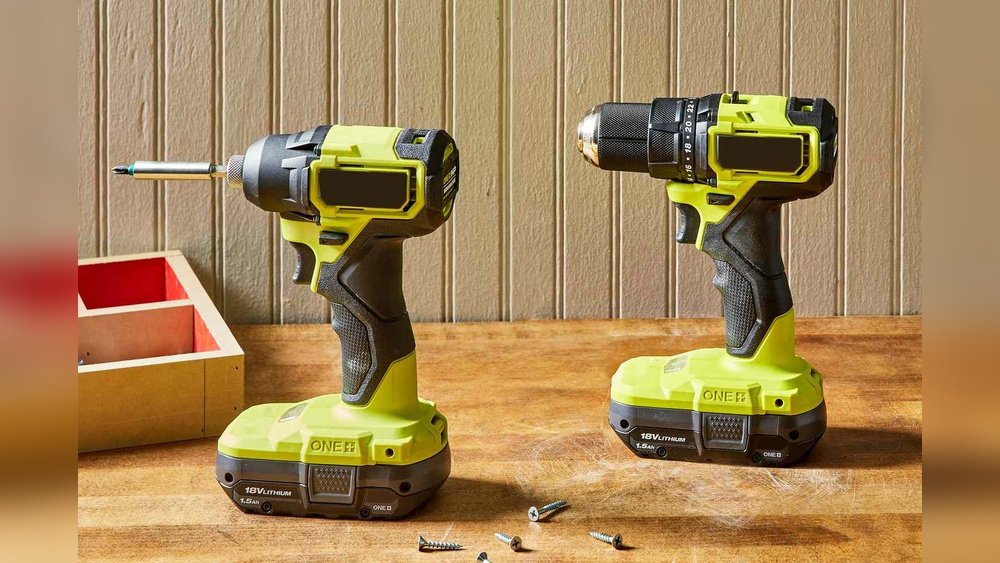
Impact drivers and drills look similar but serve different purposes. Drills spin smoothly and are great for making holes. Impact drivers use quick, strong hits to drive screws.
Drills often have a chuck that holds different bits. Impact drivers use a hex collet for quick bit changes. This design suits driving screws but limits drilling options.
Impact drivers usually have more torque than drills. Torque is the twisting force needed to turn screws. This makes impact drivers better for tough fastening tasks.
Drilling Capabilities
Cordless impact drivers can drill holes, but they work best with certain drill bits. They offer good power for light tasks. For heavy drilling, a regular drill is better.
A cordless impact driver can drill holes, but it works differently from a drill. It uses quick, strong bursts of force. This makes it great for driving screws and bolts.
You can use it for drilling, but only for light jobs. It is best for soft materials and smaller holes. Heavy drilling tasks may be too much for it.
Types Of Materials
Cordless impact drivers work well on wood and soft plastics. They can handle thin metal sheets if you use the right bit. Hard metals and concrete are usually too tough for them.
For wood, they create clean holes quickly. Thin metal needs gentle pressure to avoid damage. Avoid thick metal and masonry with impact drivers.
Suitable Drill Bits
Use drill bits designed for impact drivers. These bits have stronger shanks to handle the impact force. Standard drill bits may break or wear out fast.
Spade bits and driver bits work well in an impact driver. Choose bits made from high-speed steel or carbide for better durability. Always check bit compatibility before use.
Benefits Of Using Impact Drivers For Drilling
Impact drivers are not just for driving screws. They can also be useful for drilling tasks. Many people wonder if a cordless impact driver can replace a drill. Understanding the benefits helps decide when to use an impact driver for drilling.
Impact drivers offer unique features that make drilling easier in some cases. They combine speed, power, and ease of use in a compact tool. These advantages can save time and effort during projects.
Portability And Convenience
Impact drivers are lightweight and compact. This makes them easy to carry around a job site or home. The cordless design means no tangled cords or limited reach. You can work in tight or hard-to-reach spaces with ease.
Changing bits on an impact driver is quick. This reduces downtime during drilling or driving tasks. The tool’s design fits comfortably in hand, reducing fatigue during long work sessions.
Torque And Power Advantages
Impact drivers deliver high torque in short bursts. This helps drive screws and drill holes efficiently. The strong twisting force makes it easier to drill into tough materials like wood and metal.
Compared to regular drills, impact drivers maintain power without stalling. This means smoother drilling and less chance of damaging materials. The powerful motor helps complete tasks faster and with less effort.
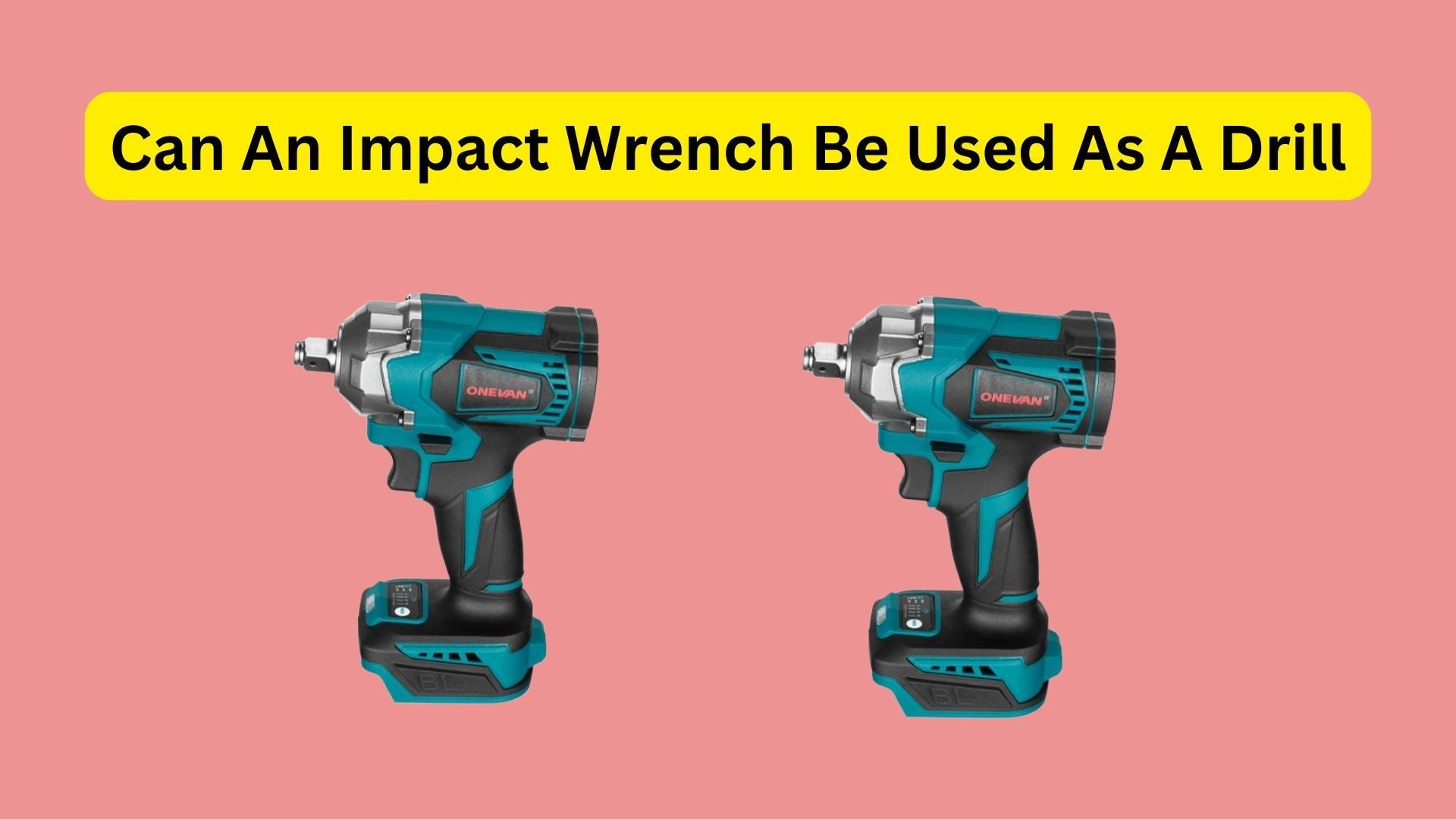
Credit: onevantool.com
Limitations To Consider
Using a cordless impact driver for drilling has its limits. These tools work great for many tasks but may not fit all drilling needs. Knowing these limits helps you choose the right tool for your job.
Speed Control Challenges
Impact drivers often lack precise speed control. This makes it hard to drill slowly or start drilling gently. Fast speeds can cause the drill bit to slip or damage the material. Some cordless drills offer better speed settings for delicate work.
Precision Issues
Impact drivers deliver strong, sudden bursts of torque. This can make it tough to drill straight holes. The tool may jump or twist, leading to uneven or crooked holes. For fine, precise drilling, a regular drill is often better.
Tips For Effective Drilling
Drilling with a cordless impact driver needs some care to get good results. Small steps can make a big difference. These tips help you drill better and safer.
Focus on the right tools and how you hold the driver. This helps you work faster and avoid damage.
Choosing The Right Bit
Pick a drill bit that matches your material. Wood, metal, and masonry need different bits. Using the right bit makes drilling easier and cleaner.
Check the bit size before starting. A bit too big or small can cause problems. Also, look for bits made for impact drivers for better fit and strength.
Proper Handling Techniques
Hold the impact driver firmly with both hands. This keeps it steady and prevents slipping. Keep your body balanced and use a slow speed at first.
Apply steady pressure but do not force the bit. Let the tool do the work. Stop if the bit gets stuck or overheats. Give it time to cool down before continuing.

Credit: www.youtube.com
Comparing Impact Drivers With Cordless Drills
Impact drivers and cordless drills are both popular tools for DIY and professional projects. They look similar but work differently. Understanding their differences helps you pick the right tool for the job. This section compares their performance and best use cases.
Performance Differences
Cordless drills spin in a smooth, steady motion. They control speed and torque well. This makes them great for drilling holes in wood, metal, and plastic. Impact drivers use quick bursts of force. This force helps drive screws and bolts faster and deeper.
Drills have adjustable clutch settings to prevent overdriving screws. Impact drivers do not have clutch control. They provide higher torque but less precision. Drills usually have a keyless chuck to hold drill bits. Impact drivers use a hex collet for quick bit changes.
Best Use Cases
Cordless drills work best for drilling clean holes. They fit tasks like building furniture or hanging shelves. Impact drivers excel at driving screws and fasteners. They handle tough materials and long screws well. Impact drivers reduce hand fatigue during long jobs.
For general drilling and light screwdriving, drills suit most users. For heavy-duty fastening or construction work, impact drivers perform better. Some users keep both tools for different tasks. Choosing depends on the type of work and project needs.
Maintenance And Safety
Using a cordless impact driver for drilling tasks can be very handy. Proper maintenance and safety keep the tool working well and protect the user. Taking care of your tool and following safety rules helps avoid accidents and extends tool life.
Tool Care Tips
Clean the impact driver after each use. Remove dust and dirt from vents and moving parts. Check the battery regularly and charge it properly. Store the tool in a dry place to prevent rust. Tighten loose screws and replace worn parts fast. Use the correct drill bits designed for impact drivers. Avoid dropping the tool or exposing it to water. Regular care keeps the driver strong and reliable.
Safety Precautions
Wear safety glasses to protect your eyes from flying debris. Use ear protection to reduce noise exposure. Hold the tool firmly with both hands while drilling. Make sure the drill bit is tightly secured in the chuck. Avoid wearing loose clothes or jewelry near the tool. Keep your work area clean and well-lit. Turn off and remove the battery before changing bits. Follow these steps to reduce injury risk and work safely.
:max_bytes(150000):strip_icc()/SPR-impact-driver-vs-drill-5116867-hero-37b95592c1a44e97baa3de9f859fbd0a.jpg)
Credit: www.thespruce.com
Frequently Asked Questions
Can You Drill Holes With A Cordless Impact Driver?
Yes, you can drill holes with a cordless impact driver. It works well for small to medium drilling tasks, especially in wood and metal. However, it is less precise than a drill driver for delicate jobs.
How Effective Is An Impact Driver For Drilling Tasks?
An impact driver is effective for quick, rough drilling and driving screws. It provides high torque but less speed control, making it ideal for tough materials but not for precise drilling.
What Drill Bits Work Best With Impact Drivers?
Hex-shank drill bits are best for impact drivers. They fit securely and handle the high torque better than round-shank bits, preventing slipping during drilling.
Can An Impact Driver Replace A Drill Driver Completely?
No, an impact driver cannot fully replace a drill driver. It excels in driving screws and tough drilling but lacks speed control and precision for delicate drilling tasks.
Conclusion
Cordless impact drivers can drill small holes well. They work best on wood, metal, and plastic. For bigger holes, a drill is better. Batteries make them easy to carry anywhere. Keep the right drill bit for each job. Don’t force the tool; let it do the work.
Choose the tool that fits your project needs. This way, you get good results every time.
