



Are you wondering if you really need both a cordless driver and a drill? It’s a common question that can save you time, money, and space in your toolbox.
Choosing the right tools can make your projects easier and more efficient. But how do you decide which one is essential for your needs? Keep reading, and you’ll discover the key differences and which tool is best for you. Don’t start your next project without this crucial knowledge!
Cordless Drill Basics
Cordless drills are handy tools for many projects at home or work. They do not need a power cord, so you can carry them anywhere. This makes your work easier and faster. Knowing the basics helps you choose the right drill for your needs.
Understanding the types and features of cordless drills helps you buy the best one. This section explains the main types and what to look for.
Types Of Cordless Drills
There are mainly two types of cordless drills: drill drivers and hammer drills. Drill drivers are good for drilling holes and driving screws. Hammer drills can also drill into harder surfaces like concrete by adding a hammering action. Some drills combine both functions for more versatility. Choose the type that fits the tasks you plan to do.
Key Features To Consider
Battery life is very important. A stronger battery means longer use without charging. Look for drills with lithium-ion batteries for better power and weight. Torque shows how strong the drill is. Higher torque helps with tougher jobs. Speed settings allow you to control the drill better. A lightweight drill is easier to handle for long periods. Check for comfortable grips and a balanced design for ease of use.
Cordless Driver Essentials
A cordless driver is a handy tool for many home and DIY projects. It is light and easy to carry. It lets you work without worrying about wires or power outlets. Knowing what it does and how it differs from a drill helps you decide if you need both tools.
The cordless driver has unique features. It fits well in small spaces. It works fast and with good control. These qualities make it a must-have for certain tasks.
Functions And Uses
A cordless driver helps insert and remove screws quickly. It uses less force than a drill. This makes it ideal for delicate jobs. It can handle tight corners and small screws easily. You can also use it for assembling furniture and fixing appliances. The tool is perfect for tasks that need precision and speed.
How It Differs From A Drill
A drill mainly makes holes in wood, metal, or plastic. It uses higher power to drill through tough materials. The cordless driver focuses on driving screws and bolts. It has less torque but more control. Drills often have a hammer feature for concrete. Drivers usually do not. Each tool serves a different purpose in your toolbox.
Comparing Drill And Driver
Choosing between a cordless drill and a cordless driver can be confusing. Both tools look similar but serve different purposes. Understanding their differences helps you decide if you need both for your projects.
Performance Differences
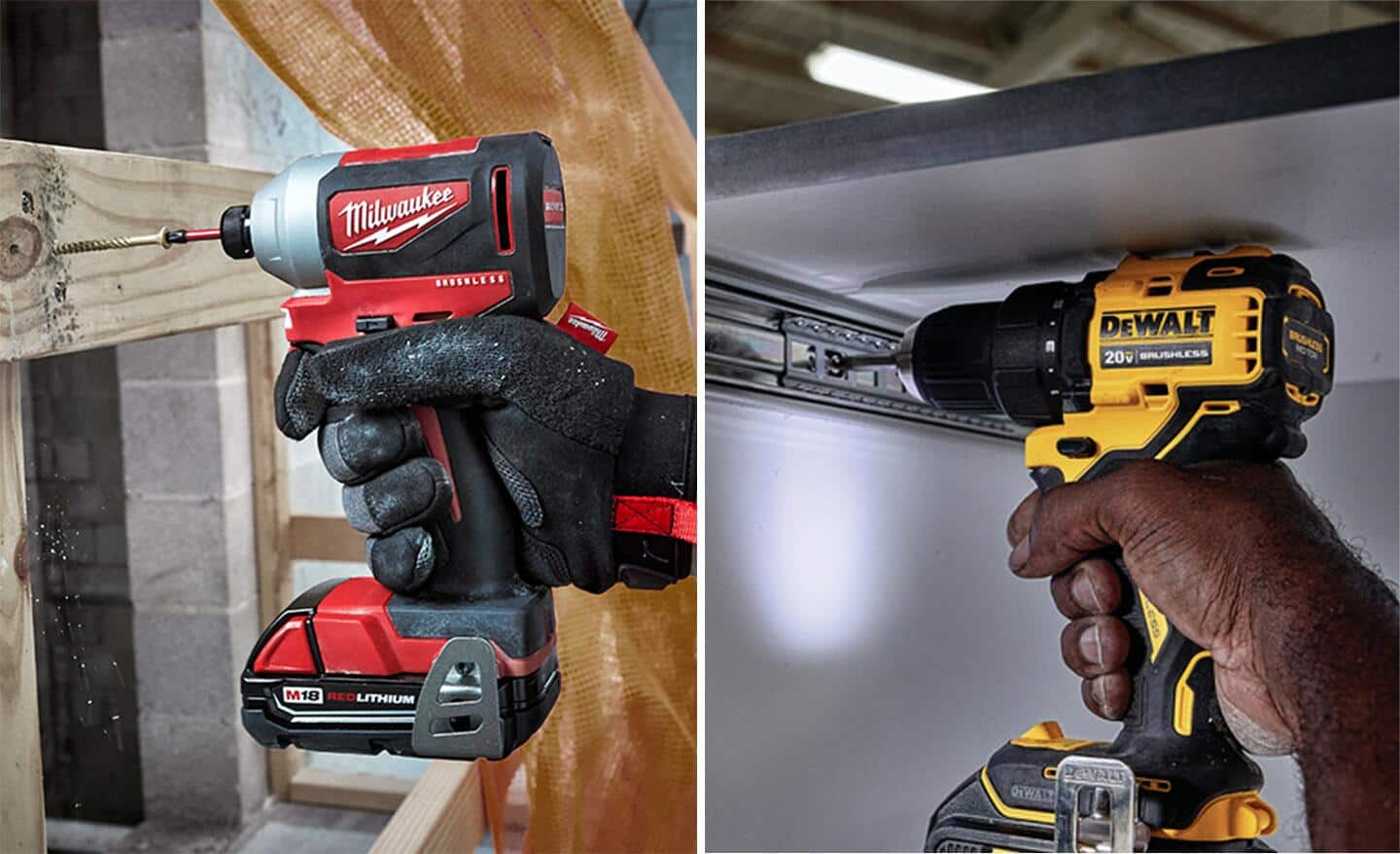
A drill is designed for drilling holes in wood, metal, and plastic. It has a higher speed and more torque for drilling tasks. A driver is built to drive screws quickly and efficiently. It uses less speed but delivers more torque for tightening screws. Each tool performs best in its own task.
Battery Life And Power
Both tools use rechargeable batteries, but their power use varies. Drills often need more power because drilling requires more force. Drivers use less power but can run longer on one charge. Battery life depends on the size of the battery and the tool’s power needs.
Size And Weight
Drivers are usually smaller and lighter than drills. This makes them easier to handle during long tasks. Drills tend to be bigger and heavier because of their stronger motors. Size and weight affect comfort and control during use.
Credit: www.homedepot.com
When You Need Both
Deciding to own both a cordless driver and a drill can solve many worksite challenges. Each tool has strengths that support different tasks. Using both tools can make your projects smoother and faster.
Project Requirements
Some projects need drilling holes and driving screws quickly. A drill is best for tough holes in wood or metal. A cordless driver handles screws with ease and speed. Having both lets you switch tools without stopping work. Large projects often call for this flexibility. It saves time and avoids damage to materials.
Efficiency And Convenience
Using both tools cuts down work time significantly. Switching between drill and driver means less strain on your hands. Cordless models offer great freedom to move around. No cords to tangle or limit your reach. Carrying both tools keeps you ready for all tasks. This convenience helps maintain a steady workflow.
Choosing The Right Tool
Choosing the right tool for your project can save time and effort. It depends on what tasks you plan to do and how often. A cordless driver and a drill look similar but serve different purposes. Understanding their differences helps you pick the right one for your needs.
Think about the kinds of jobs you will tackle. Some tasks need more power, others need precision. Picking the right tool means you get better results and avoid frustration.
Budget Considerations
Set a clear budget before buying any tool. Cordless drivers are often cheaper than drills. But if you need both, the cost adds up. Consider how often you will use each tool. Spending more on one high-quality tool can be smarter than buying two cheap ones. Don’t forget to include battery and charger costs. These can increase the total price.
Brand And Compatibility
Choose tools from the same brand to save money. Batteries and chargers usually work only with one brand. Mixing brands means extra costs for different batteries. Brands offer different warranty and support. Pick a trusted brand for better service and parts. Check if the tool fits your existing equipment. Compatibility avoids hassles and extra expenses.
:max_bytes(150000):strip_icc()/SPR-impact-driver-vs-drill-5116867-hero-37b95592c1a44e97baa3de9f859fbd0a.jpg)
Credit: www.thespruce.com
Maintenance Tips
Proper maintenance keeps your cordless driver drill working well for years. It saves money and helps avoid tool breakdowns. Simple care steps make a big difference in tool performance.
Battery Care
Charge the battery fully before first use. Avoid letting the battery drain completely. Store batteries in a cool, dry place away from direct sunlight. Remove batteries from the drill if you won’t use it for a long time. Clean battery contacts with a dry cloth to keep a good connection. Use only the charger designed for your battery type.
Tool Longevity
Keep your drill clean by wiping it with a dry cloth after use. Avoid dropping or banging the drill on hard surfaces. Check for loose screws or parts and tighten them regularly. Lubricate moving parts as the manual suggests. Store the drill in a case or safe place to prevent dust build-up. Regular care reduces wear and keeps your drill ready for every job.

Credit: www.youtube.com
Frequently Asked Questions
Do I Need Both A Cordless Driver And Drill?
Having both tools offers versatility. A drill handles holes well, while a driver excels in fastening screws. Together, they cover most DIY and professional tasks efficiently. However, if your projects are simple, a combo tool might suffice.
Can A Cordless Drill Replace A Driver?
A cordless drill can perform some driver tasks but lacks precision. Drivers have better torque control for screws. For heavy screwing or delicate work, a driver is preferable. Otherwise, a drill may work for light fastening jobs.
What Are The Main Differences Between Driver And Drill?
Drivers provide higher torque and better screw control. Drills focus on drilling holes with speed and accuracy. Drivers usually have shorter chucks for quick bit changes. Drills have adjustable speed settings for various materials.
Are Cordless Drivers More Powerful Than Cordless Drills?
Cordless drivers typically offer higher torque for screwing. Drills prioritize speed for drilling holes. Power depends on battery and motor quality. For heavy-duty screwing, drivers perform better. Drills are more versatile for mixed tasks.
Conclusion
Choosing the right cordless driver drill depends on your needs. Some tasks need both a driver and a drill. Others can be done with just one tool. Think about how often you use them. Also, consider the types of projects you do.
Having both tools can save time and effort. But one good quality tool may be enough for small jobs. Weigh your options carefully before buying. This helps you get the best tool for your work. Simple and smart choices work best.
