


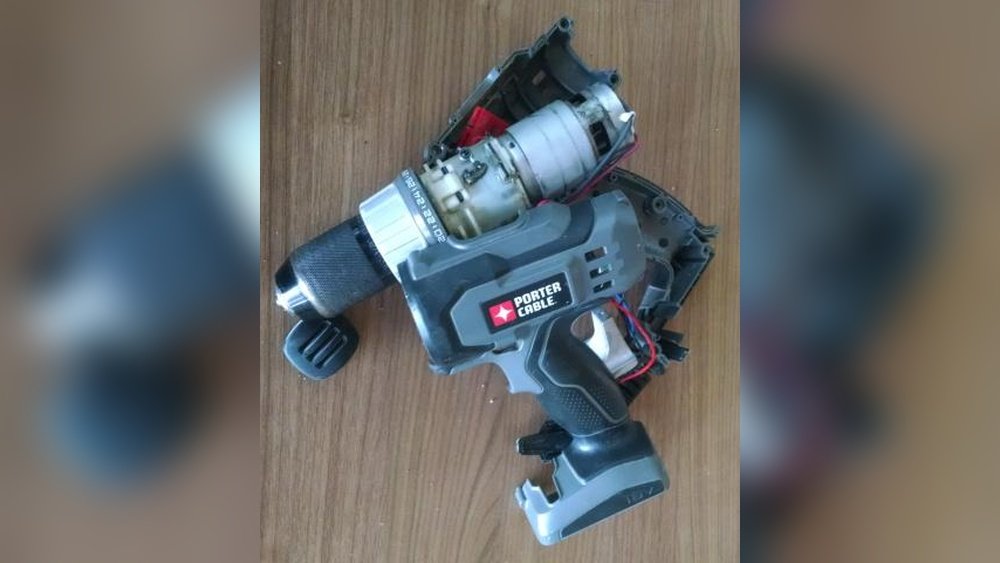
Is your cordless Porter Cable drill battery losing its power faster than you’d like? You depend on your drill for countless projects, and a weak battery can bring everything to a frustrating halt.
But what if you could bring that battery back to life instead of buying a new one? In this post, you’ll discover simple, effective steps to recondition your Porter Cable drill battery right at home. Keep reading, because restoring your battery’s strength might be easier than you think—and it could save you time and money.

Credit: www.ebay.com
Signs Of A Failing Battery
Knowing the signs of a failing cordless Porter Cable drill battery helps you act early. It saves you from sudden tool stops and extra costs. Spotting these signs lets you decide if reconditioning is possible or a new battery is needed.
Decreased Run Time
Your drill runs shorter than before. It stops working quickly during tasks. The battery cannot hold charge as it used to. This drop in power shows the battery is wearing out.
Slow Charging
The battery takes much longer to charge. Even after hours, it may not be full. Slow charging points to internal damage or aging cells. This issue affects how well the battery performs.
Overheating Issues
The battery gets hot while charging or in use. Overheating can damage battery parts inside. It also reduces the battery’s lifespan. This is a clear warning sign of battery failure.

Credit: www.youtube.com
Safety Precautions
Safety is the top priority when reconditioning a cordless Porter Cable drill battery. Batteries, especially lithium-ion types, can be risky if handled carelessly. Taking the right safety steps protects you and your tools from harm. Always prepare yourself and your workspace before starting the process.
Handling Lithium-ion Batteries
Lithium-ion batteries need careful handling. Avoid dropping or puncturing the battery pack. Never expose the battery to heat or flames. Keep it away from water and moisture. Do not use damaged batteries. If the battery looks swollen or leaks, stop immediately. Use a multimeter to check voltage safely. Always follow the battery manufacturer’s guidelines.
Protective Gear
Wear safety gloves to protect your hands from chemicals and sharp edges. Use safety goggles to shield your eyes from sparks or debris. A dust mask helps avoid inhaling harmful dust or fumes. Dress in long sleeves to protect your skin. Keep a fire extinguisher nearby for emergencies. Proper gear reduces the risk of injury significantly.
Safe Workspace Setup
Choose a clean, dry, and well-ventilated area for battery work. Keep your workspace free of flammable materials. Use a non-conductive surface like a wooden table. Have good lighting to see all details clearly. Keep tools organized and within reach. Avoid working near children or pets. A tidy space helps prevent accidents and keeps you focused.
Tools And Materials Needed
Reconditioning a cordless Porter Cable drill battery requires some basic tools and materials. These items help you test, repair, and restore the battery’s power. Having the right equipment makes the process easier and safer.
Gather everything before you start. This saves time and prevents mistakes. Each tool plays a key role in checking and fixing the battery cells.
Multimeter
A multimeter measures voltage, current, and resistance. Use it to check each battery cell’s health. It shows if a cell is dead or working. A good multimeter is simple to use and gives accurate readings.
Battery Charger
A battery charger is essential to charge the battery after repair. It ensures the battery gets the right voltage and current. Use the charger designed for Porter Cable batteries. This keeps the battery safe from damage.
Replacement Cells
Replacement cells swap out damaged or weak battery parts. Use the same type and size as the original cells. Quality cells improve battery life and performance. Have extra cells ready for quick replacement.

Credit: www.lowes.com
Removing The Battery Pack
Removing the battery pack is the first step in reconditioning your cordless Porter Cable drill battery. This process lets you access the battery cells inside. Handle the battery carefully to avoid damage or injury. Follow these steps to remove the battery pack safely and correctly.
Detaching From Drill
Start by turning off the drill and unplugging it from any power source. Hold the drill firmly and locate the release button on the battery pack. Press the button and pull the battery pack away from the drill body. The pack should slide out smoothly. Avoid using force to prevent breaking the connectors.
Opening The Battery Case
Place the battery pack on a flat surface. Use a small screwdriver to remove the screws holding the case together. Keep the screws safe for reassembly. Gently pry the case open using a plastic tool or a flathead screwdriver. Avoid damaging the plastic housing. Inside, you will see the battery cells and wiring.
Testing Battery Cells
Testing the battery cells is a key step in reconditioning a cordless Porter Cable drill battery. This process helps find weak or dead cells inside the battery pack. Knowing the condition of each cell allows you to take the right action and improve battery life.
Each battery cell stores energy and delivers power to the drill. Over time, some cells lose their capacity or stop working. Testing reveals which cells perform well and which do not. This saves time and money by focusing on the problem cells only.
Checking Voltage Levels
Start by measuring the voltage of each battery cell. Use a digital multimeter for accurate results. Set the meter to DC voltage mode. Touch the meter probes to the cell terminals carefully. Note the voltage reading for every cell.
Healthy cells usually show a voltage near the rated value. Low voltage means the cell is weak or damaged. Record all readings to compare later. This step gives a clear picture of cell health inside the battery pack.
Identifying Faulty Cells
Compare the voltage readings of all cells. Cells with much lower voltage than others are faulty. These cells cause battery failure and reduce drill performance. Mark these cells for replacement or repair.
Look for cells with zero voltage too. These are completely dead and must be removed. Testing helps avoid replacing the whole battery unnecessarily. Fixing only the bad cells saves cost and effort.
Reconditioning Methods
Reconditioning a cordless Porter Cable drill battery can bring back its power. This process saves money and reduces waste. Different methods work for different battery conditions. Some are simple, others need tools and care. Understanding these methods helps you pick the best one.
Each method focuses on restoring battery cells. This improves charging and extends battery life. Follow safety steps and handle batteries carefully.
Deep Charging And Discharging
This method resets the battery’s memory. First, fully charge the battery. Then, use the drill until the battery is empty. Repeat this cycle two or three times. It helps the battery hold charge better. This process can fix minor battery issues.
Freezing Technique
Put the battery in a plastic bag. Seal the bag to keep moisture out. Place it in the freezer for 12 to 24 hours. Take it out and let it warm to room temperature. Charge the battery fully after warming. This method may revive some dead cells.
Cell Replacement Process
Open the battery case carefully. Identify the damaged or weak cells inside. Remove these old cells using basic tools. Replace them with new, compatible cells. Reassemble the battery and charge it fully. This method needs knowledge of battery safety and electronics.
Reassembling The Battery Pack
Reassembling the battery pack is a key step in reconditioning your cordless Porter Cable drill battery. This stage brings all parts back together to restore power and functionality. It requires care and precision to ensure the battery works safely and effectively.
Securing Cells
Arrange the battery cells in the original layout. Keep them tight and stable to avoid movement. Use electrical tape or a battery holder to secure them firmly. Proper alignment prevents damage and maintains good contact between cells. Check connections for any loose wires or corrosion. Strong connections improve battery performance and lifespan.
Sealing The Case
After securing the cells, close the battery case carefully. Snap the cover back onto the battery pack frame. Use screws or clips to lock the case tightly. A sealed case protects the cells from dust and moisture. Make sure no gaps remain to keep the battery safe. Proper sealing also helps prevent short circuits and damage during use.
Charging And Testing After Reconditioning
After reconditioning your cordless Porter Cable drill battery, charging and testing are important steps. These steps confirm the battery works well and holds power. Proper charging revives the battery’s strength. Testing shows if the battery lasts during use.
Initial Charge Cycle
Start with a full charge before testing the battery. Use the charger made for Porter Cable batteries. Connect the battery and let it charge completely. This usually takes a few hours. Avoid removing the battery early. A full charge resets the battery’s internal cells. This step improves battery life and performance.
Performance Testing
Check the battery’s power by using it in your drill. Run the drill at different speeds and watch for power drops. Note how long the battery lasts during use. A good battery should hold power for a reasonable time. If the battery dies quickly, consider reconditioning again or replacing it. Testing helps confirm if the reconditioning was successful.
Tips To Extend Battery Life
Extending the life of your cordless Porter Cable drill battery saves money and time. Simple habits keep your battery healthy and working longer. Small steps make a big difference in battery performance. Here are easy tips to help your battery last more.
Proper Storage
Store the battery in a cool, dry place. Avoid hot or cold spots like direct sunlight or freezing areas. Keep the battery at about 40-60% charge if not in use for weeks. Remove the battery from the drill before storing. This prevents slow discharge and damage.
Regular Maintenance
Clean battery contacts with a dry cloth to remove dirt. Check for cracks or damage often. Charge the battery fully before first use. Use the charger made for your Porter Cable battery only. Charge the battery regularly, even if you do not use it.
Avoiding Overheating
Do not use the drill continuously for too long. Let the battery cool down between uses. Overheating lowers battery capacity and shortens life. Keep the drill and battery clean to help air flow. Stop charging if the battery feels hot.
Frequently Asked Questions
How Do You Know If A Porter Cable Battery Needs Reconditioning?
If your drill battery drains quickly or won’t hold charge, it likely needs reconditioning. Diminished power and shorter runtime are clear signs.
What Is The Best Method To Recondition A Cordless Drill Battery?
Fully discharge the battery, then charge it slowly to full capacity. Repeat this cycle 3-4 times to restore battery health.
Can Reconditioning Extend My Porter Cable Battery’s Lifespan?
Yes, reconditioning can significantly extend your battery’s life by restoring capacity and improving performance, delaying the need for replacement.
How Often Should I Recondition My Porter Cable Drill Battery?
Recondition your battery every 3-6 months or when you notice reduced power and shorter run times for best results.
Conclusion
Reconditioning your cordless Porter Cable drill battery saves money and reduces waste. Follow the steps carefully for best results. Regular maintenance helps the battery last longer. You don’t need to buy a new one right away. A healthy battery keeps your drill working strong.
Try these tips and see the difference. Simple actions make a big impact. Keep your tools ready for any job. Battery care is easy with a little effort. Stay powered up and work with confidence.
