



If you’ve ever started a project only to realize your drill bit isn’t the right fit, you know how frustrating that can be. Changing the drill bit on your Bosch cordless drill might seem tricky, but it’s actually simple once you know the steps.
You’ll learn exactly how to swap out your drill bits quickly and safely, so your work stays smooth and efficient. Keep reading, and you’ll never struggle with your drill again.
Preparing Your Drill
Preparing your Bosch cordless drill before changing the drill bit is key for a smooth task. Taking small steps early saves time and avoids mistakes. Proper preparation helps protect you and your tool from damage. Follow these easy steps to get ready.
Safety Precautions
Unplug or remove the battery from the drill. This stops the drill from turning on by mistake. Wear safety glasses to protect your eyes from dust or small bits. Work in a clean, well-lit area to see clearly. Keep your hands dry and away from the drill bit area. Avoid loose clothing or jewelry that can catch on the drill.
Gathering Necessary Tools
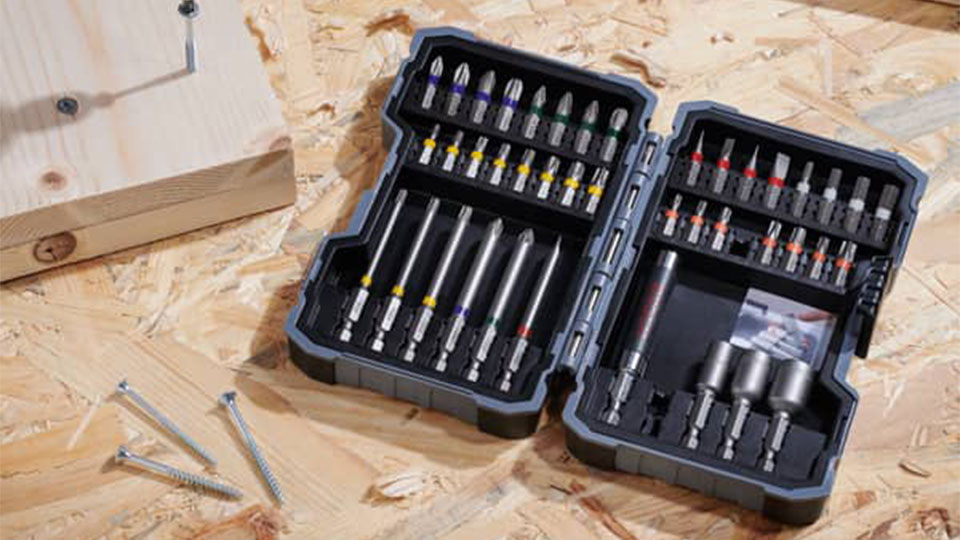
Find the new drill bit you want to use. Have a small wrench or chuck key ready if your drill needs one. Use a cloth to clean the drill chuck before inserting the new bit. Keep a container nearby to hold old drill bits safely. Check the drill manual for any special tools or tips. Having everything ready helps the bit change go fast and easy.
Locating The Chuck
Knowing where the chuck is on your Bosch cordless drill is the first step to changing the drill bit. The chuck is the part that holds the drill bit tightly. It sits at the front of the drill. Finding it is simple once you know what to look for. This helps you change bits quickly and safely.
Types Of Chucks On Bosch Drills
Bosch cordless drills use mainly two types of chucks. The first type is the keyless chuck. It allows you to tighten or loosen the drill bit by hand. No tools are needed. The second type is the keyed chuck. This type needs a special key to open or close the chuck. Keyless chucks are common in newer models. Keyed chucks appear in older or heavy-duty drills.
Identifying The Chuck Mechanism
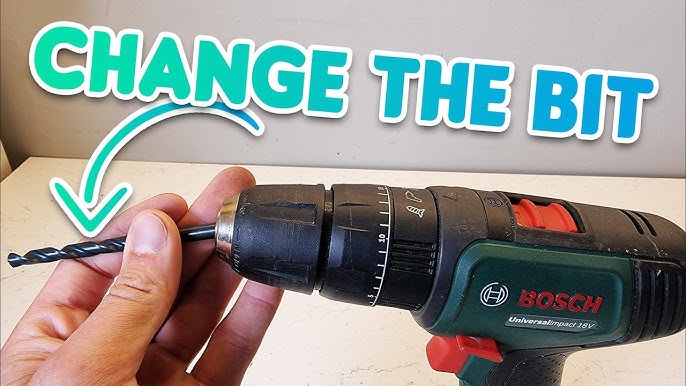
The chuck is the round part at the drill’s front end. It has jaws inside that grip the drill bit. On a keyless chuck, you can turn the outer shell by hand. It spins to open or close the jaws. On a keyed chuck, look for a small hole on the side. Insert the chuck key into this hole to turn the jaws. Recognizing these parts makes changing bits easier and faster.
Removing The Old Drill Bit
Removing the old drill bit is the first step to change it on a Bosch cordless drill. This step ensures safety and prepares the drill for the new bit. The process depends on the type of chuck your drill has. Bosch cordless drills mostly use either a keyless chuck or a keyed chuck. Each type requires a slightly different method to remove the bit.
Using The Keyless Chuck
Hold the drill with one hand. With the other hand, grip the chuck sleeve firmly. Turn the sleeve counterclockwise. This loosens the jaws that hold the drill bit. Keep turning until the bit is free. Pull the old bit straight out. The keyless chuck makes bit removal quick and easy.
Using A Keyed Chuck
Insert the chuck key into the hole on the chuck. Turn the key counterclockwise. This opens the chuck jaws. Continue turning until the bit feels loose. Pull the old bit out carefully. Keep the chuck key in a safe place. It helps to tighten and loosen the chuck securely.

Credit: www.ebay.com
Inserting The New Drill Bit
Inserting the new drill bit into your Bosch cordless drill is a simple task. It ensures your drill works well and safely. Taking the right steps helps you finish your job faster and with less effort.
Follow these steps carefully to insert the bit correctly. This will keep your drill bit stable and secure during use.
Aligning The Bit Correctly
Start by choosing the right drill bit for your task. Hold the bit near the chuck, the part that holds the bit. Line up the bit so the flat side fits into the chuck slot. Make sure it is straight and not tilted. A proper fit prevents slipping and damage.
Securing The Bit Firmly
Once aligned, push the bit into the chuck as far as it will go. Turn the chuck sleeve clockwise to tighten it around the bit. Use your hand or a small wrench if your drill has one. Check the bit is tight by pulling it gently. A firm hold keeps the bit from falling out during work.
Testing The New Bit
Testing the new drill bit ensures it fits and works correctly. This step helps avoid damage to your drill or project. Take time to check the bit’s stability and performance. Small tests save you trouble later.
Checking For Stability
Hold the drill with the new bit installed. Wiggle the bit gently to check for any movement. The bit should feel tight and firm in the chuck. If it feels loose, tighten the chuck again. A stable bit prevents slipping and improves drilling accuracy.
Running A Trial Drill
Choose a scrap piece of wood or similar material. Turn on the drill at a low speed. Drill a small hole to see how the bit performs. Listen for unusual sounds or vibrations. A smooth, steady drill means the bit is working well.
Credit: westtnmedicalnews.com
Troubleshooting Common Issues
Changing a drill bit on a Bosch cordless drill is usually simple. Sometimes, small problems happen. These can stop your work or cause damage. Knowing how to fix common issues helps you work faster. Below are common problems and easy fixes.
Bit Slipping
Bit slipping means the drill bit moves while drilling. This happens if the chuck does not hold the bit tightly. Dirt or dust inside the chuck can cause slipping. Clean the chuck with a dry cloth. Make sure the bit is the right size for the chuck. Push the bit in firmly before tightening. Tighten the chuck by hand or with the drill’s key.
Difficulty Tightening Chuck
Sometimes the chuck is hard to turn or lock. This can happen if the chuck is rusty or dirty. Use a small brush to clean inside the chuck. Apply a drop of oil to the moving parts. Move the chuck back and forth to spread the oil. Avoid using too much force to prevent damage. If the problem continues, check the drill’s manual for specific tips.
Maintaining Your Drill And Bits
Maintaining your Bosch cordless drill and its bits is key for long-lasting use. Regular care keeps the tool working smoothly. It also protects your investment and saves money on repairs or replacements.
Simple steps like cleaning, lubrication, and proper storage help maintain performance. These actions prevent rust, dullness, and mechanical issues. A well-kept drill makes every project easier and safer.
Cleaning And Lubrication
Remove dirt and dust after each use. Use a dry cloth to wipe the drill body and bits. Avoid water or harsh chemicals that can damage parts.
Lubricate moving parts with light machine oil. Focus on the chuck and any rotating components. This reduces friction and prevents wear.
Do not over-lubricate. Excess oil attracts dust and grime. Wipe off extra oil with a clean cloth.
Proper Storage Tips
Store the drill and bits in a dry place. Moisture causes rust and corrosion. Use a case or toolbox to keep parts organized and protected.
Keep bits separate to avoid dulling. Use a bit holder or small containers. Label them for quick access during projects.
Charge the drill battery before storing it long-term. Avoid leaving the battery empty or fully drained. This extends battery life and readiness.
Credit: www.youtube.com
Frequently Asked Questions
How Do I Unlock The Chuck On A Bosch Cordless Drill?
To unlock the chuck, hold the drill firmly and rotate the chuck sleeve counterclockwise. This loosens the grip on the drill bit, allowing you to remove or insert a new bit easily.
What Is The Correct Way To Insert A Drill Bit?
Insert the drill bit straight into the chuck’s center. Tighten the chuck by rotating it clockwise until the bit is secure and doesn’t wobble during use.
How Can I Tighten The Drill Bit Securely?
After inserting the bit, rotate the chuck clockwise firmly. Some Bosch drills have a keyless chuck, so hand-tightening is usually sufficient to hold the bit in place.
Can I Change The Drill Bit Without Tools?
Yes, most Bosch cordless drills feature a keyless chuck. This allows you to change drill bits quickly by hand without any additional tools.
Conclusion
Changing the drill bit on your Bosch cordless drill is quick and simple. Just loosen the chuck, remove the old bit, and insert the new one firmly. Tighten the chuck securely to keep the bit in place. Always check the drill’s power is off before starting.
This small step helps your tools work better and last longer. Practice these steps to feel confident using your drill every time. Safe and easy—just the way it should be.
