


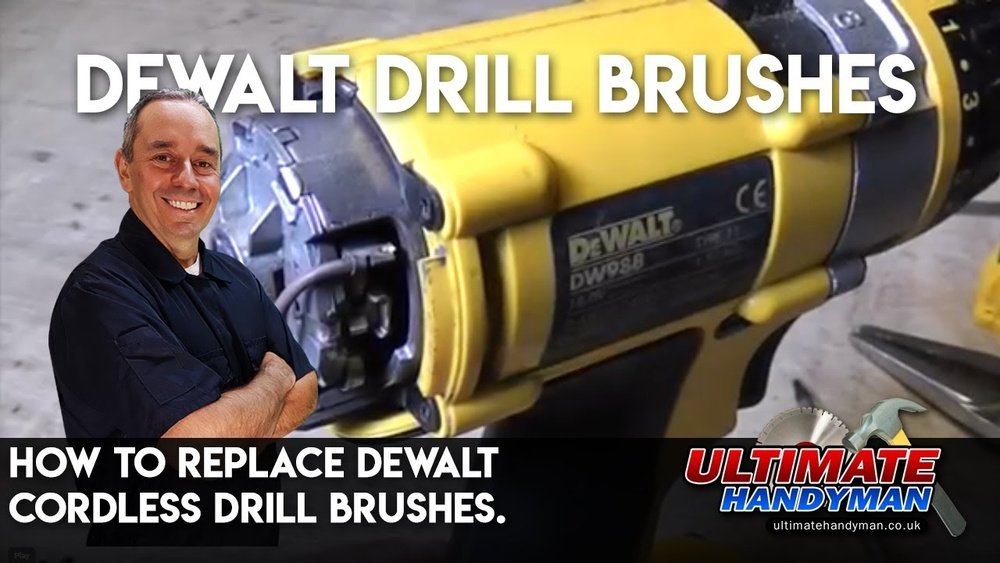
If your Dewalt hammer drill isn’t running as smoothly as before, the problem might be simple: worn-out brushes. Knowing how to change the brushes on your drill can save you time and money while keeping your tool in top shape.
In this guide, you’ll learn easy, step-by-step instructions to replace the brushes yourself—no expert help needed. Keep reading, and you’ll get your drill working like new again in no time.

Credit: www.youtube.com
Tools Needed
Changing the brushes on a Dewalt hammer drill requires a few basic tools. These tools help you open the drill and replace the worn brushes safely. Having the right tools makes the task easier and faster.
Prepare all tools before starting. This saves time and avoids frustration. Keep everything close to your workspace for easy access.
Phillips Head Screwdriver
A Phillips head screwdriver is needed to remove screws on the drill casing. Choose a size that fits the screws perfectly. This prevents stripping the screw heads.
Flat Head Screwdriver
A flat head screwdriver helps pry open the casing gently. Use it carefully to avoid damaging the plastic parts. It also assists in removing the old brushes.
Replacement Carbon Brushes
Use new carbon brushes made for your Dewalt hammer drill model. Old brushes wear out and reduce drill power. Always check the model number before buying.
Clean Cloth
A clean cloth helps wipe dust and debris inside the drill. Keeping the inside clean improves drill performance. Use it to clean the brush holders too.
Safety Gloves
Wear safety gloves to protect your hands from sharp parts. Gloves also help keep a firm grip on small tools. Safety first during any tool repair.

Credit: www.ifixit.com
Safety Tips
Changing the brushes on a Dewalt hammer drill requires careful attention to safety. Brushes are small but important parts inside the drill. They help the motor run smoothly. Handling these parts without care can cause injury or damage to the tool.
Follow these safety tips to protect yourself and your drill. Work in a clean, well-lit area. Keep your hands dry and free from grease or oil. Always unplug the drill before starting any work. This prevents accidental starts that can hurt you.
Wear Protective Gear
Wear safety glasses to protect your eyes from dust and small parts. Gloves can protect your hands from sharp edges. Avoid loose clothing or jewelry that could get caught in the drill parts.
Use The Right Tools
Use the proper screwdriver and tools designed for your drill. Wrong tools can slip and cause injury. They also may damage the screws or brushes.
Handle Brushes Carefully
Brushes are fragile and can break easily. Remove and install them gently. Avoid touching the brush surface with dirty or oily hands.
Check For Damage
Inspect the brushes and other parts before installation. Do not use cracked or worn brushes. Replace any damaged parts to avoid tool failure.
Keep Work Area Clean
Remove dust and debris regularly. A clean workspace reduces the risk of slipping or losing small parts. It also helps you work more efficiently.
Locating The Brushes
Locating the brushes in a Dewalt hammer drill is the first step to replacing them. These brushes are small parts that help the drill work properly. They need to be in good shape for the drill to run smoothly. Finding the brushes is simple once you know where to look.
The brushes are inside the drill’s body, near the motor. You must open the drill carefully to find them. This part is easy if you follow the right steps. Knowing where the brushes sit helps you check their condition fast.
Removing The Drill Housing
Start by unplugging the drill or removing its battery. Use a screwdriver to remove screws from the drill’s casing. Keep the screws safe to avoid losing them. Gently separate the two halves of the housing. Avoid forcing it open to prevent damage.
Finding The Brush Caps
Look near the motor for small round caps. These caps cover the brushes inside. They are usually black or dark-colored. The caps often have slots for a flathead screwdriver. This design makes removing the brushes easier.
Accessing The Brushes
Use a flathead screwdriver to twist off the brush caps. Do this carefully to avoid breaking the caps. Once removed, the brushes will be visible inside. Check if they are worn out or damaged before replacing them.
Removing The Old Brushes
Removing the old brushes from a Dewalt hammer drill is the first step in maintenance. Brushes wear out with use and must be replaced for best drill performance. This part of the process is simple but requires care and the right tools.
Always unplug the drill before starting. Safety first. The brushes are inside the drill near the motor. You need to open the drill case to reach them. Follow the steps carefully to avoid damage.
Gather Necessary Tools
Prepare a screwdriver that fits the drill screws. A small flathead or Phillips screwdriver usually works. Also, have a clean cloth ready to wipe dust and debris.
Open The Drill Case
Remove screws holding the drill case together. Keep the screws safe for reassembly. Gently separate the case parts to expose the motor and brushes inside.
Locate The Brushes
Find the brush holders near the motor. They look like small rectangular blocks. Each brush is connected with a spring and wire.
Remove The Old Brushes
Press the spring gently to release the brush. Pull the brush out carefully by the wire or the holder. Avoid pulling too hard to prevent wire damage.
Installing New Brushes
Installing new brushes on a Dewalt hammer drill is a simple task. It helps keep the tool running smoothly. Clean, fresh brushes improve performance and extend the drill’s life. Follow these steps carefully to put in new brushes safely and correctly.
Prepare Your Workspace And Tools
Find a clean, flat surface to work on. Gather a screwdriver, replacement brushes, and safety glasses. Unplug the drill or remove the battery. This prevents accidental starts and keeps you safe during the process.
Remove The Old Brushes
Locate the brush caps on the drill’s motor housing. Use the screwdriver to unscrew the caps gently. Pull out the worn brushes carefully. Note how the brushes sit so you can install the new ones the same way.
Insert The New Brushes
Take the new brushes and place them into the brush holders. Make sure the springs and contacts fit properly. Press the brushes in until they sit firmly. Avoid forcing them to prevent damage.
Secure The Brush Caps
Replace the brush caps and screw them back tightly. Ensure the caps sit flush with the housing. This keeps the brushes secure and maintains good contact with the motor.
Test The Drill
Reconnect the battery or plug in the drill. Turn it on for a few seconds to check brush contact. Listen for any unusual sounds. The drill should run smoothly without sparks or noise.
Testing The Drill
Testing the drill after changing the brushes is important. It helps confirm the tool works well. This step prevents damage and ensures safety. The drill needs a smooth start and steady speed. Listen for unusual sounds or vibrations during the test. These signs show if the brushes are installed correctly or not.
Preparing The Drill For Testing
Place the drill on a flat surface. Make sure the battery is fully charged. Attach the drill bit tightly to the chuck. Wear safety glasses before starting the test. Clear the area of any objects or people.
Running The Drill At Low Speed
Turn the drill on using the low-speed setting. Watch for smooth rotation of the drill bit. Check if the drill runs quietly without sparks. Feel for any shaking or excessive heat on the drill. Stop the drill immediately if you notice problems.
Testing The Drill At High Speed
Switch to the high-speed mode carefully. Observe the drill’s performance under more stress. The drill should maintain a steady speed without jerks. Listen for any grinding or unusual noise. Turn off the drill if performance drops or sounds change.
Final Inspection And Troubleshooting
After testing, unplug or remove the battery. Look for visible sparks near the brush area. Check if the brushes move freely inside the brush holder. Tighten any loose parts or reinstall brushes if needed. Repeat testing until the drill runs smoothly.
Troubleshooting Common Issues
Troubleshooting common issues is important when changing brushes on a Dewalt hammer drill. Small problems can stop the drill from working well. Knowing how to fix these can save time and money.
Brushes wear out with use and cause many problems. Some signs show you need to check the brushes. This section helps you find and fix those problems fast.
Checking For Brush Wear
Brushes wear down after heavy use. If the drill loses power or stops, the brushes might be too short. Remove the brushes and measure their length. Replace them if they are less than 1/4 inch long.
Cleaning Brush Holders
Dirt and dust can block the brush holders. This stops the brushes from touching the motor properly. Use a small brush or compressed air to clean the holders. Clean holders help brushes work better and last longer.
Testing Brush Spring Tension
Brush springs push brushes against the motor. Weak springs cause poor contact and reduce drill power. Check if springs move freely and press brushes tightly. Replace any broken or weak springs.
Ensuring Correct Brush Installation
Placing brushes incorrectly can cause damage. Make sure the brushes fit the holders properly. Align them with the motor contact points. Secure the brushes with their caps or screws firmly.
Maintaining Your Drill Brushes
Maintaining the brushes of your Dewalt hammer drill helps the tool last longer. Brushes wear out over time and affect drill performance. Regular checks and cleaning keep your drill running smoothly.
Checking The Brush Condition
Remove the brush caps carefully. Look at the brushes inside. They should be at least 1/4 inch long. If they are shorter, replace them soon. Worn brushes can cause poor motor contact and reduce power.
Cleaning The Brushes And Holder
Use a soft cloth to wipe dirt from the brushes. Remove dust from the brush holder too. Clean parts help the brushes move freely. Avoid using water or harsh chemicals.
Proper Brush Storage
Keep spare brushes in a dry place. Avoid storing them in humid areas. Dry brushes last longer and work better. Always use original Dewalt brushes for best fit and quality.

Credit: www.sietesetenta.com.ar
Frequently Asked Questions
How Often Should I Change Brushes On A Dewalt Hammer Drill?
Brushes should be replaced every 6 to 12 months with regular use. Worn brushes cause poor performance and motor damage. Check brushes if you notice sparking or loss of power. Timely replacement ensures optimal drill efficiency and longer tool life.
What Tools Do I Need To Change Dewalt Drill Brushes?
You need a screwdriver, replacement brushes, and safety gloves. A clean workspace helps avoid losing small parts. Use the correct brush model for your drill. Following the manual ensures safe and proper brush replacement.
Can I Use Any Brushes For Dewalt Hammer Drills?
No, use only brushes compatible with your Dewalt model. Using incorrect brushes can cause damage and reduce tool performance. Always check the model number on the brush packaging. Genuine brushes ensure durability and proper fit.
How Do I Access The Brushes Inside A Dewalt Hammer Drill?
First, unplug the drill and remove the battery. Use a screwdriver to open the brush caps on the motor housing. Carefully take out the old brushes and replace them with new ones. Reassemble the drill securely after replacement.
Conclusion
Changing the brushes on a Dewalt hammer drill keeps it working well. Regular brush checks help avoid motor problems and save money. Follow the steps carefully for a safe and easy change. Use the right tools and take your time.
A well-maintained drill lasts longer and works better. Keep your drill ready for any job ahead. Simple care makes a big difference in performance. Now, your Dewalt drill is ready to use again.
