


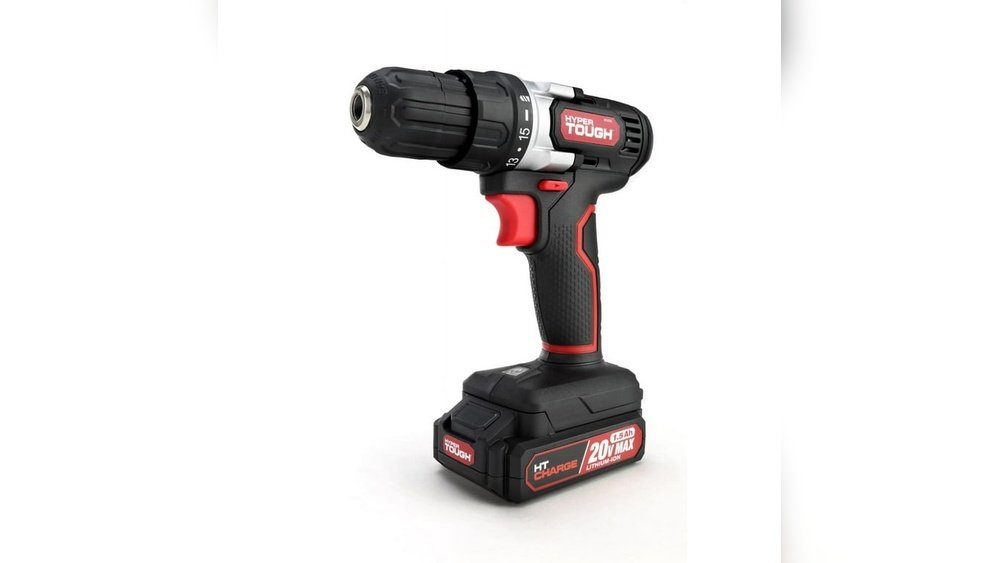
If you own a 20V lithium cordless drill, you know how important it is to keep the battery charged and ready. But are you sure you’re charging it the right way?
Charging your battery correctly can extend its life and ensure your drill performs at its best every time you pick it up. In this guide, you’ll discover simple steps to charge your 20V lithium drill battery safely and efficiently. Keep reading to unlock the secrets that will save you time, protect your battery, and keep your tools powered up when you need them most.

Credit: www.powerbuilt.com
Choosing The Right Charger
Choosing the right charger is important for your 20V lithium cordless drill battery. The charger must match the battery to work safely and efficiently. Using the wrong charger can damage the battery or reduce its life. It also affects how fast and well your battery charges.
Compatibility With 20v Batteries
Check the charger’s voltage before use. It must support 20V batteries exactly. Some chargers fit multiple voltages but confirm it includes 20V. Also, see if the charger matches the battery brand. Some brands use special connectors or technology. Using a charger from the same brand ensures better compatibility and safety.
Types Of Chargers Available
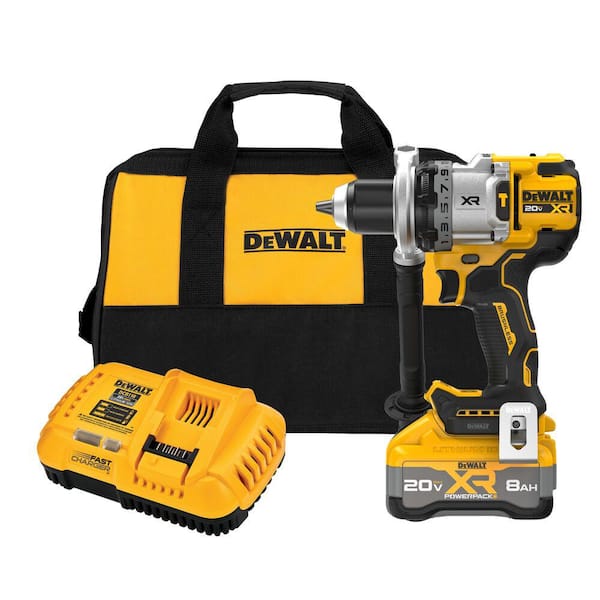
There are standard and fast chargers for 20V batteries. Standard chargers take longer but protect battery health. Fast chargers refill batteries quickly but may reduce battery life over time. Some chargers have cooling features to prevent overheating. Choose a charger type that fits your charging needs and drill usage.

Credit: www.blackanddecker.com
Preparing The Battery For Charging
Preparing the battery for charging is a crucial step. It helps the battery last longer and work better. Before placing the battery on the charger, some simple checks and cleaning can make a big difference. Proper preparation keeps the drill ready for use and avoids damage.
Inspecting The Battery Condition
First, look over the battery carefully. Check for cracks, leaks, or swelling on the case. Any damage means the battery should not be charged. Also, check if the battery feels unusually hot. Let it cool down before charging. A damaged or hot battery can be unsafe and may not charge properly.
Cleaning Battery Contacts
Next, clean the metal contacts on the battery. Dirt or dust can stop the charger from working well. Use a dry cloth or a soft brush to wipe the contacts gently. Avoid using water or cleaning liquids. Clean contacts improve the connection and speed up charging.
Step-by-step Charging Process
Charging a 20V lithium cordless drill battery is simple. Follow these clear steps to ensure your battery charges safely and fully. Proper charging keeps your drill ready for work and extends battery life.
Connecting The Charger
First, plug the charger into a power outlet. Make sure the outlet matches your charger’s voltage. Next, align the battery with the charger’s slot. Slide the battery in until it clicks securely. Do not force the battery; it should fit easily.
Charging Indicators To Watch
Most chargers have lights to show charging status. A red light means charging is in progress. A green light usually means the battery is fully charged. Some chargers blink lights to indicate errors or issues. Check your charger manual for specific light meanings.
Estimated Charging Time
Charging time varies by battery capacity and charger power. Typically, a 20V lithium battery takes 30 to 60 minutes. Avoid removing the battery too soon to get full charge. Overcharging is rare with smart chargers but unplug after full charge for safety.
Credit: www.homedepot.com
Safety Tips During Charging
Charging a 20V lithium cordless drill battery needs care and attention. Safety is key to avoid damage or accidents. Follow simple tips to keep the battery and yourself safe while charging.
Avoiding Overheating
Overheating can damage the battery and reduce its life. Charge the battery in short sessions. Stop charging if it feels hot. Never leave the battery charging unattended for long periods.
Proper Ventilation
Good airflow prevents heat build-up. Charge the battery in a cool, open area. Avoid charging in direct sunlight or closed spaces. Proper ventilation helps the battery cool down faster.
Handling Damaged Batteries
Do not charge a battery with cracks or leaks. Damaged batteries can cause fire or explosion. Dispose of damaged batteries properly at a recycling center. Always check the battery before charging for any damage.
Maintaining Battery Health
Maintaining the health of your 20V lithium cordless drill battery is key to its long life. Proper care helps the battery hold charge longer and work efficiently. Poor maintenance can reduce battery capacity and shorten its lifespan. Follow simple steps to keep your battery in good shape.
Optimal Charging Practices
Use the charger made for your battery only. Avoid fast chargers unless specified by the manufacturer. Charge the battery fully before first use. Do not overcharge; remove it from the charger once full. Avoid letting the battery drain completely before charging. Partial charging is better than deep discharge for lithium batteries.
Storage Recommendations
Store the battery in a cool, dry place. Avoid direct sunlight or heat sources. Keep the battery at about 40-60% charge if storing for a long time. Remove the battery from the drill during storage. Check the battery charge every few months and recharge if low. Proper storage prevents capacity loss and damage.
Signs Of Battery Wear
Notice if the battery drains quickly during use. The drill may run slower or lose power. The battery may get unusually hot when charging or using. Swelling or leaking are serious signs of damage. A worn battery may not charge fully or hold charge. Replace the battery if you see these signs to avoid damage to your tool.
Troubleshooting Common Issues
Troubleshooting common issues with your 20V lithium cordless drill battery helps keep your tool ready. Problems may stop your battery from charging or reduce its life. Knowing simple fixes saves time and money.
Battery Not Charging
Check if the battery fits correctly into the charger. Dirt or debris can block connections. Clean the battery terminals with a dry cloth. Make sure the charger is plugged into a working outlet. Try another outlet to rule out power issues.
If the battery still won’t charge, test with a different charger. Batteries have a built-in safety feature that stops charging if overheated. Let the battery cool down before trying again.
Charger Malfunctions
Look for damage to the charger cable or plug. Broken wires cause charging problems. If the charger has indicator lights, see if they turn on. No lights may mean a faulty charger.
Reset the charger by unplugging it for a few minutes. Use a different charger to confirm if the problem is with the charger or battery. Contact the manufacturer if the charger is defective.
Battery Life Problems
Batteries lose capacity over time. Avoid fully draining the battery to extend its life. Store the battery in a cool, dry place. Extreme heat or cold shortens battery life.
Charge the battery before long storage periods. If the battery drains quickly after charging, it may need replacement. Proper care helps maintain battery performance longer.
Frequently Asked Questions
How Long To Charge A 20v Lithium Drill Battery?
A 20V lithium drill battery typically takes 30 to 60 minutes to fully charge. Charging time varies by charger type and battery capacity.
Can I Use Any Charger For A 20v Lithium Battery?
No, always use the charger designed for your 20V lithium battery. Using the wrong charger can damage the battery or reduce its lifespan.
How To Know When The Battery Is Fully Charged?
Most chargers have indicator lights that turn green when charging is complete. Some models beep or display a full charge icon.
Is It Safe To Charge Lithium Batteries Overnight?
Charging lithium batteries overnight is generally safe with smart chargers. These chargers stop charging automatically to prevent overcharging and battery damage.
Conclusion
Charging a 20V lithium cordless drill battery is simple and safe. Use the correct charger and follow the instructions carefully. Avoid overcharging to keep the battery healthy and last longer. Always charge in a dry, cool place for best results.
Regular charging helps your drill stay ready for any task. Remember, proper care of the battery saves money and time. Stay safe and keep your tools powered up.
