


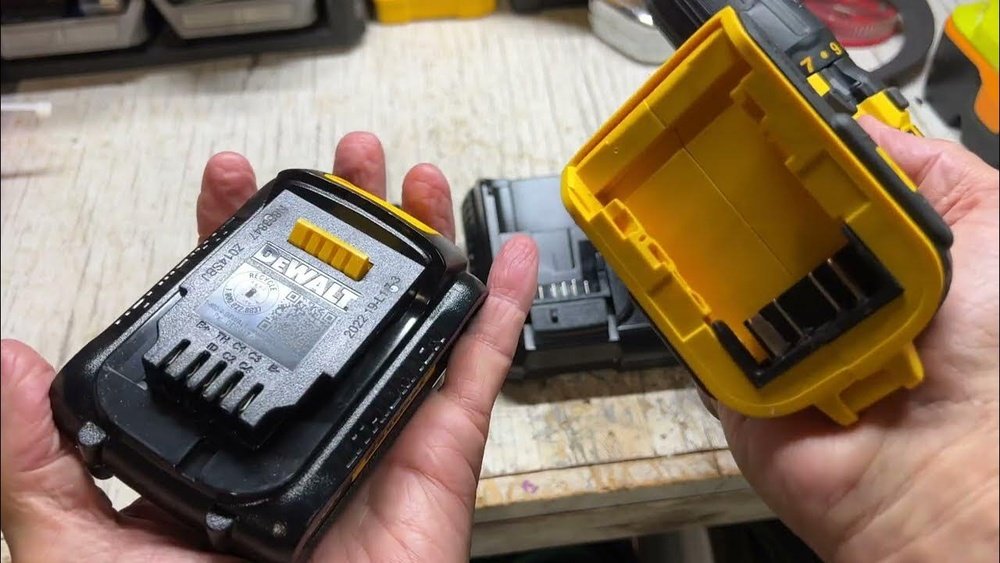
If you own a Dewalt cordless drill, you know how important it is to keep it charged and ready to go. But are you charging it the right way?
Using the wrong method can damage your battery or leave you stuck in the middle of a project. In this guide, you’ll discover simple, effective steps to charge your Dewalt cordless drill quickly and safely. By the end, you’ll feel confident that your drill is powered up and ready whenever you need it.
Keep reading to learn the best charging tips that save you time and protect your tool.
Dewalt Drill Battery Types
Dewalt cordless drills use different battery types. Each type affects how you charge and use the drill. Understanding these batteries helps you get the best performance and longer tool life.
Choosing the right battery type is important for your drilling tasks. It also impacts how long the drill runs before needing a recharge.
Lithium-ion Vs Nicd Batteries
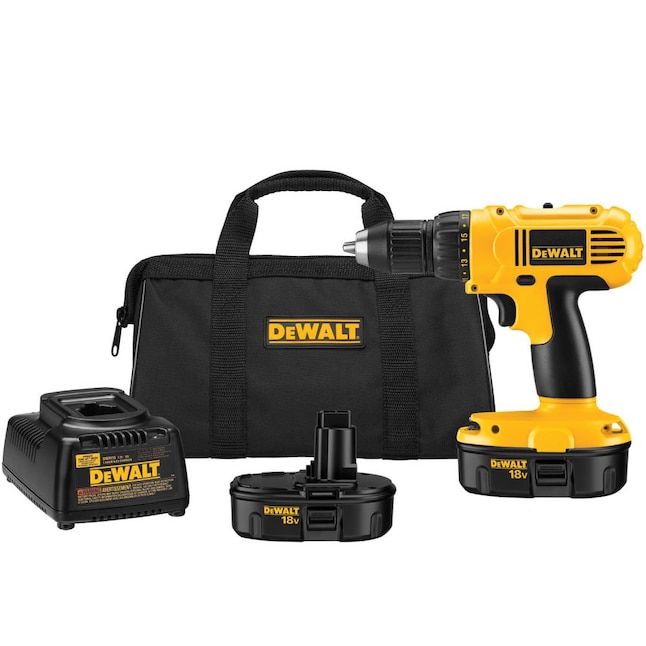
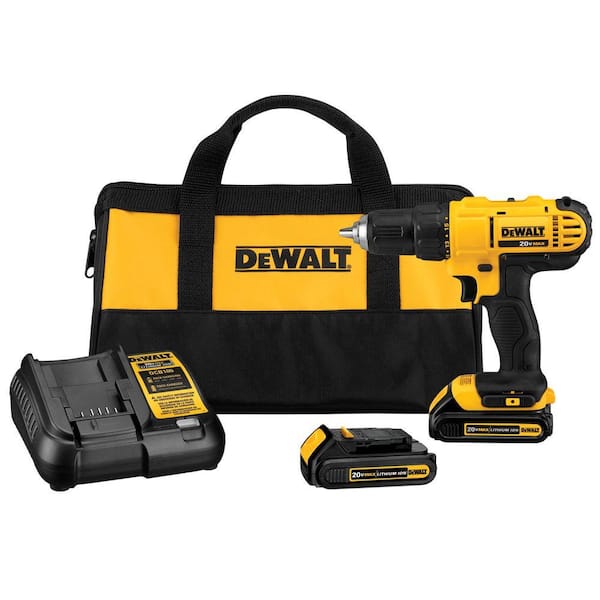
Lithium-Ion (Li-Ion) batteries are lighter and hold charge longer. They charge faster and do not suffer from memory effect. These batteries are common in newer Dewalt drills.
Nickel-Cadmium (NiCd) batteries are heavier and can lose capacity over time. They need full discharge before recharging to avoid memory effect. Older Dewalt models often use NiCd batteries.
Li-Ion batteries offer better power and longer run time. NiCd batteries are more durable in extreme temperatures.
Battery Compatibility
Not all Dewalt batteries fit every drill model. Always check your drill’s model number before buying a battery. Using the wrong battery can damage the tool or reduce performance.
Dewalt designs batteries to match specific voltage and size. Make sure the battery matches these specs for safe charging and use.
Use only Dewalt-approved chargers with your batteries. This ensures safe charging and protects battery life.
Choosing The Right Charger
Choosing the right charger for your Dewalt cordless drill is important. The charger affects how fast and safely your battery charges. Picking the wrong charger can harm your battery or drill. This section helps you select the best charger for your tool.
Original Vs Third-party Chargers
Original chargers come from Dewalt and match your drill perfectly. They provide the right power and protect the battery from damage. Third-party chargers cost less but may lack safety features. Some third-party options charge slower or cause battery wear. Using original chargers ensures longer battery life and better performance.
Charger Features To Look For
Choose chargers with overcharge protection. This feature stops charging once the battery is full. Fast charging saves time but can heat the battery. Pick chargers with cooling systems or temperature control. LED indicators show charging status clearly. A charger with multiple voltage support works with different batteries. These features keep your battery safe and ready to use.
Preparing For Charging
Preparing your Dewalt cordless drill for charging helps keep the battery healthy. Proper steps make sure the drill charges safely and quickly. Take a moment to get everything ready before plugging in the charger.
Checking Battery Status
First, check the battery’s current charge level. Most Dewalt batteries have a charge indicator. Press the button to see how much power is left. Avoid charging if the battery is already full. If the battery is very low, charge it soon to prevent damage.
Look for signs of damage on the battery. Cracks or leaks mean the battery should not be charged. Replace damaged batteries to avoid safety risks.
Safety Precautions
Charge the battery in a dry, cool place. Avoid direct sunlight or heat sources. Keep the charger on a flat surface during use.
Use only the charger made for your Dewalt battery. Other chargers can cause damage or danger. Never charge the battery near flammable materials.
Unplug the charger before inserting or removing the battery. This prevents sparks and accidents. Always monitor the battery while charging. Do not leave it unattended for long periods.
Step-by-step Charging Process
Charging a Dewalt cordless drill is simple and fast. The process helps keep your drill ready for work. Follow these clear steps for safe and efficient charging.
Removing The Battery From The Drill
First, turn off the drill. Hold the drill firmly. Press the battery release buttons on both sides. Slide the battery out carefully. Keep the battery away from dust and water.
Connecting The Battery To The Charger
Take the battery and charger. Match the battery terminals to the charger slots. Push the battery into the charger until it clicks. Check the battery sits firmly in place.
Plugging In And Charging Time
Plug the charger into a power outlet. A light on the charger will show charging status. Charging usually takes 30 to 60 minutes. Remove the battery once fully charged for best use.
Indicators During Charging
Knowing the indicators during charging helps you use your Dewalt cordless drill safely. These signals tell you the battery’s status and charging progress. Understanding them prevents overcharging and protects the battery life.
Led Light Meanings
The charger has LED lights that show different meanings. A red light means the battery is charging. A flashing red light may show a problem with the battery or charger. A green light means the battery is fully charged. No light can indicate the charger is not connected to power or the battery.
Charging Completion Signals
The green LED light signals charging completion. It means the battery is ready for use. Remove the battery from the charger to avoid overcharging. Some chargers beep or flash the green light when charging ends. Follow these signals to keep your drill working longer.
Credit: www.lowes.com
Troubleshooting Charging Issues
Charging problems with your DeWalt cordless drill can cause frustration. Knowing how to fix these issues saves time and extends the drill’s life. This guide covers common charging troubles and easy steps to solve them.
Battery Not Charging
Check if the battery fits properly in the charger. Loose connections stop charging. Clean battery contacts with a dry cloth to remove dirt or dust. A dirty contact blocks power flow.
Try charging another battery to see if the charger works. If the second battery charges, the first battery might be dead. Old batteries lose the ability to hold a charge and need replacement.
Charger Malfunctions
Inspect the charger for visible damage. Cracked cases or exposed wires are signs of malfunction. Do not use a damaged charger; it is unsafe.
Ensure the power outlet works by plugging in another device. No power means the charger won’t charge the battery. Try different outlets to rule out outlet problems.
Listen for unusual sounds or smells from the charger. Strange noises or burning smells indicate a fault. Stop using the charger and replace it if needed.
Maximizing Battery Life
Maximizing the battery life of your Dewalt cordless drill helps you work longer and save money. Proper care keeps the battery strong and reliable. Simple habits protect your battery from damage and wear. Follow these tips to get the best performance every time.
Charging Best Practices
Use the charger that comes with your Dewalt drill. Avoid cheap or fake chargers. Charge the battery fully before first use. Do not leave the battery on the charger for too long. Remove the battery once it reaches 100%. Avoid charging in very hot or cold places. Charge the battery at room temperature for best results. Do not let the battery drain completely before charging. Regular charging keeps the battery healthy.
Storage Tips
Store the battery in a cool and dry place. Avoid leaving the battery inside the drill when not in use. Remove the battery if storing the drill for a long time. Keep the battery away from direct sunlight. Store the battery at about 40-60% charge. Check the battery charge every few months during storage. Recharge if the battery is very low. Proper storage slows battery aging and extends its life.

Credit: www.youtube.com
Credit: www.homedepot.com
Frequently Asked Questions
How Do I Charge A Dewalt Cordless Drill Battery?
To charge, insert the battery into the Dewalt charger. Plug the charger into a power outlet. The LED light indicates charging status. Charge until the light shows fully charged, usually in 30-60 minutes.
Can I Use Any Charger For Dewalt Drill Batteries?
No, always use a Dewalt-compatible charger. Using the wrong charger can damage the battery or drill. Dewalt chargers are designed for specific battery types and ensure safe, efficient charging.
How Long Does It Take To Fully Charge A Dewalt Drill?
Charging time varies by battery size but usually takes 30 to 60 minutes. Larger batteries may take longer. Always follow the manufacturer’s instructions for best results.
Is It Safe To Charge Dewalt Batteries Overnight?
It’s not recommended to charge overnight. Overcharging may reduce battery life. Modern Dewalt chargers have protection circuits, but unplugging after full charge is best for battery health.
Conclusion
Charging your Dewalt cordless drill is simple and quick. Always use the correct charger for safety. Keep the battery clean and dry before charging. Avoid overcharging to extend battery life. Store the battery in a cool place when not in use.
Regular charging keeps your drill ready for any job. Follow these steps, and your drill will work well every time. Easy care means longer tool life and better performance. Stay prepared and get your work done without delays.
