


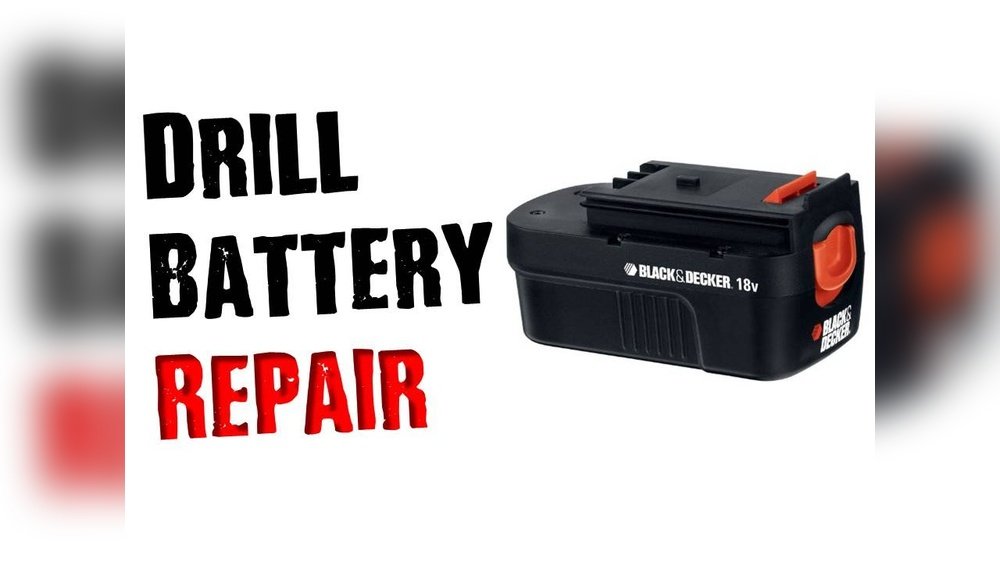
Is your cordless drill battery charger not working like it used to? You rely on it to keep your tools ready for any job, so a faulty charger can slow you down and cause frustration.
But before you rush out to buy a new one, there’s good news—you might be able to fix it yourself. You’ll discover simple, step-by-step solutions to get your charger back in action quickly. Keep reading, and you’ll learn how to save time, money, and avoid the hassle of replacing your equipment.
Common Charger Issues
Common charger issues can stop your cordless drill from working right. These problems often cause frustration and delay your work. Understanding these issues helps you fix them fast. Below are some frequent charger problems and how to spot them.
No Power Indication
The charger shows no lights or signs of power. This means the charger is not getting electricity. Check the outlet and power cord for damage. Make sure the plug fits tightly. A broken wire or fuse inside the charger can also cause this. Testing with a different outlet helps find the problem.
Slow Charging
The battery takes too long to charge or won’t charge fully. Dirt or corrosion on the battery contacts can cause slow charging. The charger itself may be weak or damaged. Cold weather also slows battery charging. Clean the contacts and try charging in a warmer place. Replace the charger if slow charging continues.
Overheating Charger
The charger becomes very hot during use. Overheating can damage the charger and battery. Poor ventilation or a blocked fan often causes heat build-up. Using a charger not designed for your battery also leads to overheating. Unplug the charger and let it cool down. Check for dirt or damage blocking airflow.

Credit: www.instructables.com
Safety Precautions
Fixing a cordless drill battery charger requires careful attention to safety. Working with electrical parts can be risky without the right precautions. Small mistakes may cause shocks or damage the charger. Follow these safety steps to protect yourself and your tools.
Unplugging And Handling
Always unplug the charger before starting any repair. This stops electricity from flowing and lowers shock risk. Handle the charger gently to avoid breaking wires or parts. Use dry hands to keep from slipping or getting shocked. Keep the work area clean and dry for safe handling.
Avoiding Short Circuits
Check wires for exposed or damaged areas before you begin. Avoid touching wires together to prevent short circuits. Use insulated tools designed for electrical work. Keep metal objects away from the charger’s contacts. Short circuits can cause sparks or fires, so stay alert.
Basic Troubleshooting Steps
Basic troubleshooting steps help identify simple problems with your cordless drill battery charger. These steps save time and avoid unnecessary repairs. Follow each step carefully. Each check can reveal common issues that block charging.
Checking The Power Source
Start by making sure the power outlet works. Plug another device into the same outlet. Does it turn on? No power means the outlet or circuit may have a problem. Try a different outlet in another room. Avoid using extension cords during this test.
Inspecting Charger And Cable
Look closely at the charger and cable. Check for cracks, cuts, or exposed wires. Any damage can stop the charger from working. Make sure the charger plugs fit tightly into the battery and the wall socket. Loose connections cause charging failure.
Cleaning Charger Contacts
Dirty contacts often stop charging. Use a soft cloth or a small brush to clean the metal contacts on the charger and battery. Remove dust, dirt, or rust. Clean contacts help electricity flow smoothly. Avoid using water or liquids that can cause damage.
Testing The Charger
Testing the charger is the first step to fix a cordless drill battery charger. It helps find out if the charger works properly. You can check if the charger gives the right power to the battery. This simple test saves time and money before buying a new charger. Use the right tools and follow safety steps to avoid accidents.
Using A Multimeter
A multimeter measures electrical values like voltage and current. To test the charger, set the multimeter to DC voltage mode. Connect the red probe to the charger’s positive output. Connect the black probe to the negative output. Check the reading on the multimeter screen. It should match the charger’s rated voltage. If the reading is zero or very low, the charger may be faulty.
Assessing Voltage Output
Check the voltage output by comparing it with the charger label. The label shows the voltage the charger must deliver. Use the multimeter to measure voltage while the charger is plugged in. A good charger shows a steady voltage close to the label value. A fluctuating or no voltage reading means the charger has a problem. This test helps decide if the charger needs repair or replacement.
Repairing Common Problems
Fixing a cordless drill battery charger often involves solving common problems. These issues usually include damaged cables, loose connections, and blown fuses. Repairing these parts can bring your charger back to life quickly. It saves money and avoids the need to buy a new charger.
Understanding how to repair these issues is simple. Each problem has clear signs and easy steps to fix. This guide helps you identify and repair these faults safely and effectively.
Replacing Damaged Cables
Damaged cables are a frequent cause of charger failure. Check the cable for cuts, frays, or exposed wires. Replace any damaged cable with a new one of the same type and rating. Use wire cutters to remove the damaged section. Strip the ends and connect the new cable securely. Always ensure the power is off before starting work.
Fixing Loose Connections
Loose connections cause inconsistent charging or no power at all. Open the charger casing carefully to inspect the wiring. Look for wires that are loose or disconnected. Tighten screws or re-solder wires that have come loose. Secure connections improve power flow and charger performance. Do this gently to avoid damaging the circuit board.
Resetting Internal Fuses
Some chargers have internal fuses that protect from power surges. A blown fuse stops the charger from working. Locate the fuse inside the charger housing. Remove it carefully and test it with a multimeter. Replace the fuse with one of the same type if it is blown. This often fixes the charger without more complex repairs.
Credit: www.youtube.com
When To Replace The Charger
Knowing when to replace your cordless drill battery charger saves time and avoids frustration. Chargers can fail over time and stop working safely. Detecting the right moment to replace the charger keeps your tools ready to use. It also prevents damage to the battery and drill. Watch for clear signs that the charger needs replacement. Choose a new charger that fits your drill perfectly for best results.
Signs Of Irreparable Damage
Look for cracks or melted plastic on the charger body. Exposed wires or loose connections mean danger and poor function. If the charger won’t turn on, even with different outlets, it may be broken. Strange smells or smoke during charging are serious warning signs. Overheating chargers can damage batteries and cause fire risks. Frequent charging failures or slow charging speed also signal problems.
Choosing A Compatible Replacement
Select a charger made for your drill’s brand and model. Check the voltage and amperage match your battery’s needs exactly. Using a wrong charger can harm your battery or drill. Buy from trusted sellers to avoid low-quality parts. Look for chargers with safety features like overcharge protection. Proper fit and secure connection ensure safe and efficient charging.
Tips To Extend Charger Lifespan
Extending the lifespan of a cordless drill battery charger saves money and time. Proper care helps the charger work well for many years. Small habits can make a big difference in keeping the charger healthy.
Proper Storage
Store the charger in a dry place away from direct sunlight. Avoid areas with extreme heat or cold. Keep it on a flat surface to prevent damage. Protect the charger from dust and moisture by using a cover or box.
Regular Maintenance
Clean the charger contacts often using a dry cloth. Check the cord and plug for any signs of wear or damage. Remove dirt or debris that may block the charging ports. Inspect the charger regularly to catch issues early.
Avoiding Overuse
Do not keep the charger plugged in longer than necessary. Unplug it once the battery is fully charged. Avoid charging batteries that are too hot or too cold. Give the charger breaks during heavy use to prevent overheating.
Credit: www.theartofdoingstuff.com
Frequently Asked Questions
How Do I Know If My Cordless Drill Charger Is Faulty?
Check if the charger’s LED light turns on. If not, test the outlet and charger cable for damage. A faulty charger won’t charge the battery or may overheat during use.
Can I Fix A Cordless Drill Charger Myself?
Yes, simple issues like loose connections or dirt buildup can be fixed at home. However, avoid opening sealed parts to prevent electric shock or further damage.
Why Is My Cordless Drill Battery Not Charging?
Battery issues or charger faults cause this. Clean the battery terminals and charger contacts. Test with a different charger or battery to isolate the problem.
How Do I Clean A Cordless Drill Battery Charger Safely?
Unplug the charger before cleaning. Use a dry cloth or soft brush to remove dust and debris from contacts. Avoid using water or chemicals.
Conclusion
Fixing a cordless drill battery charger is easier than you think. Start by checking the power source and connections. Clean any dirt or dust on the charger’s contacts. Test the charger with a different battery if possible. Replace any damaged parts carefully.
Regular maintenance helps prevent future problems. Save money by repairing instead of buying new. Keep your drill ready for any job. Simple steps can extend your charger’s life. Try these tips to get your charger working again. Don’t let a faulty charger stop your work.
