


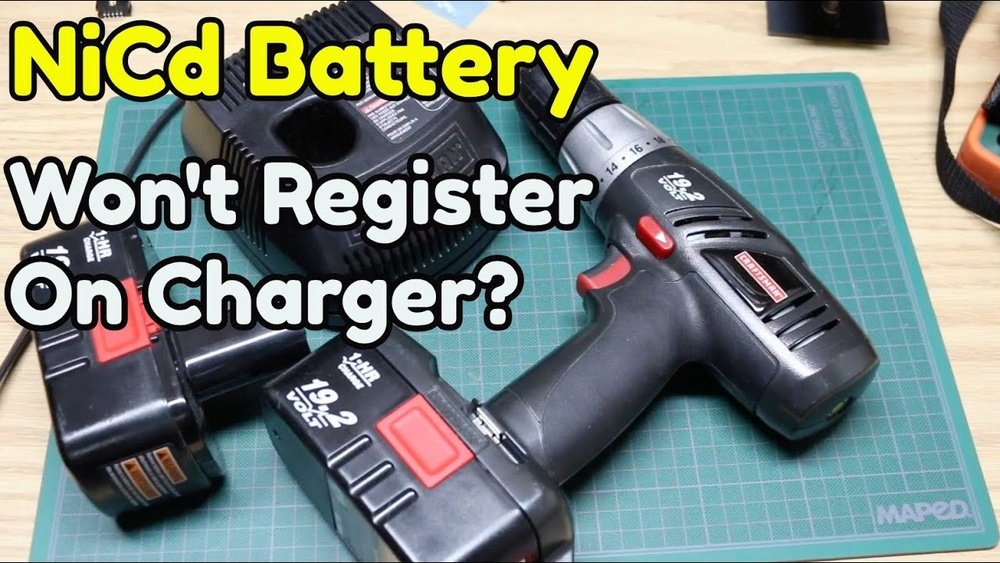
Are you tired of guessing when your Craftsman cordless drill is ready to use? Waiting too long or unplugging it too soon can waste your time and slow down your projects.
Knowing exactly when your drill is fully charged saves you effort and keeps your work on track. You’ll discover simple, clear signs to watch for so you never have to guess again. Keep reading to make your charging routine quick and hassle-free.

Credit: www.youtube.com
Signs Of Full Charge
Knowing when your Craftsman cordless drill is fully charged helps keep it ready for any job. Watching for clear signs avoids overcharging and battery damage. These signs are easy to spot and help you manage charging time well.
Led Indicator Lights
The LED lights on the charger show the battery’s charge status. A red light means charging is in progress. A green light signals the battery is fully charged. Some models may blink green before turning solid. Always check your drill’s manual for exact light meanings.
Charger Behavior
The charger changes how it works as the battery fills up. It may slow the charging speed near full charge. Some chargers stop supplying power completely once full. This protects the battery from overcharging. Listen for any unusual sounds or signs of overheating from the charger.
Battery Temperature
The battery feels warm during charging but should not get hot. A fully charged battery often cools down after the charger stops. If the battery stays very hot, unplug it immediately. Overheating can damage the battery and reduce its life. Regularly check the battery’s temperature during charging.

Credit: www.ebay.com
Charging Time Estimates
Knowing how long it takes to charge your Craftsman cordless drill helps plan your work better. Charging time estimates give a clear idea about when the drill will be ready to use. These estimates depend on different factors like battery size and charger type. Understanding these details can save time and avoid interruptions.
Typical Charge Duration
Most Craftsman cordless drills need about 30 to 60 minutes to fully charge. Smaller batteries charge faster, often in under 30 minutes. Larger batteries, like 4.0 Ah or more, can take up to an hour or longer. Newer models with fast chargers might finish charging quicker. Always check your drill’s manual for exact times.
Factors Affecting Charging Speed
Battery age impacts charging speed. Older batteries usually take longer to charge. Charger type also matters. Standard chargers are slower than fast chargers. Temperature can affect charging too. Charging in very cold or hot conditions may slow the process. Battery capacity plays a role. Bigger capacity means longer charging times. Keeping these factors in mind helps estimate charging duration better.
Using The Manual
The manual is the best guide for your Craftsman cordless drill. It has clear directions on charging and usage. Reading the manual helps you understand the drill’s specific features. It also explains how to know when the battery is fully charged. This step is important for maintaining battery life and performance.
Each drill model may have unique signs or lights that show charging status. The manual tells you what these indicators mean. It also gives tips on how to charge safely and correctly. Following the manual keeps your tool working well for a long time.
Model-specific Instructions
Different Craftsman cordless drill models have different charging signs. Some models use LED lights that change color when fully charged. Others may have a beep or a display screen to show battery status. The manual explains these details for your exact drill model.
Check the manual to find the charging time for your drill. Some batteries charge faster than others. Knowing the right time prevents overcharging or undercharging the battery. This helps keep the battery healthy and ready to use.
Safety Precautions
The manual also lists safety steps for charging your drill. It warns against using damaged chargers or batteries. Avoid charging the drill near water or extreme heat. These actions can cause injury or damage to your tool.
Always charge the battery on a flat, stable surface. Unplug the charger once the battery is full. This prevents overheating and extends battery life. The manual’s safety tips protect you and your drill during charging.
Battery Maintenance Tips
Taking good care of your Craftsman cordless drill battery helps it last longer. Proper maintenance keeps the battery healthy and ready to use. Follow simple steps to protect the battery from damage and loss of power.
Proper Charging Habits
Charge the battery only with the charger made for your drill. Avoid using chargers from other brands or tools. Charge the battery before it is completely empty. Waiting too long can harm the battery life.
Do not leave the battery on the charger for days after it is full. Remove it once the light shows it is fully charged. This practice prevents overcharging and keeps the battery safe.
Storage Recommendations
Store the battery in a cool, dry place away from direct sunlight. High heat or cold can damage the battery cells. If you do not use the drill for a long time, charge the battery halfway before storing it.
Check the battery charge every few months during storage. Recharge it if the power drops too low. This step stops the battery from losing its ability to hold a charge.
Troubleshooting Charging Issues
Sometimes the Craftsman cordless drill may not charge properly. This can cause frustration and delay your work. Troubleshooting charging issues helps you find the problem fast. It also saves money by avoiding unnecessary repairs or replacements.
Knowing what to check first makes the process easier. Start by looking at common problems. Then learn when the battery needs replacement. These steps help keep your drill ready to use.
Common Problems
The charger may not connect well to the battery. Dirt or debris can block the contact points. Clean them gently with a dry cloth. Another issue is a faulty charger or power outlet. Test the outlet with another device to confirm it works.
A damaged battery can stop charging. Look for swelling, leaks, or cracks. Overheating during charging is a warning sign. Avoid charging the battery in very hot or cold places. Check the drill’s manual for proper charging conditions.
When To Replace The Battery
Replace the battery if it won’t hold charge anymore. The drill may run out of power quickly. If charging takes much longer than usual, it is time to change the battery. A battery that heats up too much during charging is unsafe.
Old batteries lose capacity after many charge cycles. Craftsman batteries usually last a few years. Frequent use and poor care shorten battery life. Always use the correct charger to extend battery health.
Credit: www.reddit.com
Frequently Asked Questions
How Can I Tell If My Craftsman Cordless Drill Is Charged?
Look for the LED indicator on the charger or drill. A green light usually means fully charged. Check your user manual for specific color codes.
How Long Does It Take To Fully Charge A Craftsman Cordless Drill?
Charging time varies by model but generally takes 1 to 3 hours. Using the original charger ensures optimal charging speed and battery health.
What Happens If I Overcharge My Craftsman Cordless Drill Battery?
Most modern chargers prevent overcharging to protect battery life. However, avoid leaving the drill on charge for days to maintain battery performance.
Can I Use My Craftsman Drill While It Is Charging?
It depends on the model. Some drills allow “charge and use,” but it’s best to consult your manual to avoid battery damage.
Conclusion
Knowing when your Craftsman cordless drill is fully charged saves time and effort. Watch the charger lights closely for clear signals. Most models show green or steady lights when done. Avoid overcharging to keep the battery healthy longer. Keep your drill ready by charging after each use.
This simple step ensures your tool works strong every time. Stay aware, and your projects will go smoothly and fast. Simple habits make a big difference in tool care.
