


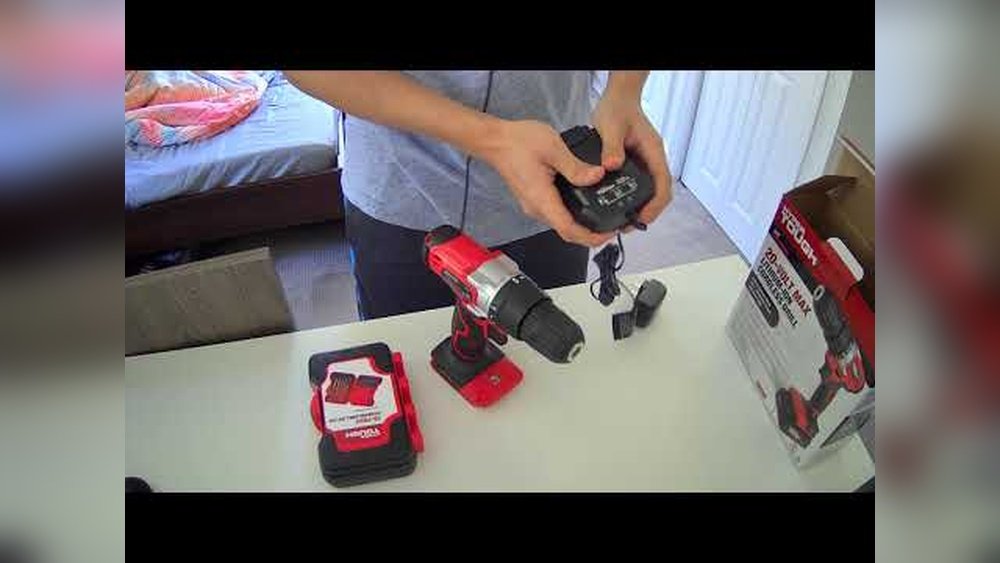
Are you ready to make your next project easier and faster? Knowing how to put a drill bit in your Hyper Tough cordless drill is the first step.
It might seem simple, but if you don’t do it right, you could waste time, damage your drill, or even hurt yourself. This guide will walk you through the process quickly and safely, so you can get straight to work with confidence.
Keep reading, and you’ll master this essential skill in no time.
Choosing The Right Drill Bit
Choosing the right drill bit is important for your Hyper Tough cordless drill. The correct bit makes drilling easier and protects your tool. Different tasks need different bits. Picking the best one saves time and effort.
Types Of Drill Bits For Hyper Tough
Hyper Tough drills work well with many bit types. Twist bits are common and good for wood and metal. Masonry bits handle brick and stone. Spade bits create large holes in wood. Each bit has a special shape for its job.
Selecting Bit Size And Material
Choose a bit size that fits your screw or hole size. Too big or small bits can cause problems. Bit materials include high-speed steel, cobalt, and carbide. Steel bits suit soft materials. Cobalt bits last longer on metal. Carbide bits are best for hard surfaces.

Credit: www.youtube.com
Preparing The Cordless Drill
Preparing your Hyper Tough cordless drill properly ensures smooth work. This step helps you avoid problems during drilling. A ready drill works better and lasts longer. Focus on checking power and safety before use.
Taking time to prepare improves your drilling experience. It keeps you safe and makes the task easier.
Checking Battery And Power Settings
Start by checking the battery charge. A full battery gives steady power to the drill. Low power causes slow drilling and stops work often. Remove the battery and inspect it for damage or dirt.
Insert the battery firmly back into the drill. Make sure it clicks into place. Check the power settings. Set the drill to the right speed for your task. Use low speed for small screws and high speed for drilling holes.
Ensuring Drill Safety Features
Inspect the drill’s safety features before starting. Check if the trigger lock works properly. This prevents the drill from starting by accident. Make sure the chuck is tight and secure. A loose chuck can cause the bit to slip out.
Wear safety glasses to protect your eyes. Keep your fingers away from the drill bit area. These simple steps reduce the risk of injury during use.
Opening The Chuck
Opening the chuck is the first step to insert a drill bit into your Hyper Tough cordless drill. The chuck holds the drill bit firmly in place during use. Understanding how to open it properly ensures safe and easy bit changes. This section explains how to find and open the keyless chuck on your drill.
Locating The Keyless Chuck
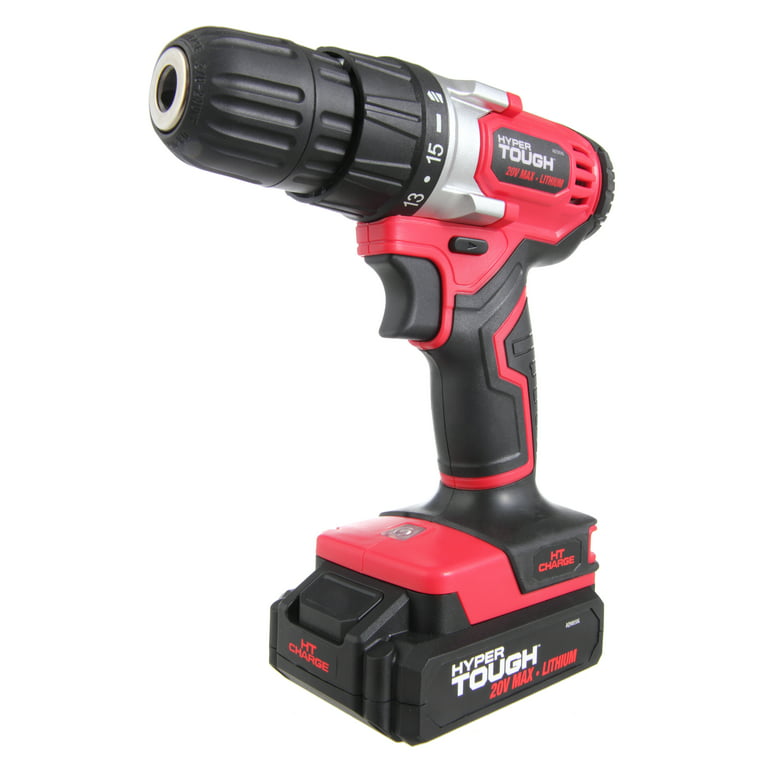
The keyless chuck is at the front of the drill. It looks like a round, ridged collar around the drill’s nose. This part grips the drill bit tightly. Your Hyper Tough cordless drill uses a keyless chuck, so no extra tools are needed to open it. Just your hand.
Turning The Chuck To Open
Hold the drill firmly with one hand. Use your other hand to twist the chuck counterclockwise. This loosens the grip on the drill bit. Turn until the jaws inside the chuck open wide enough for a bit. The chuck should turn smoothly without much force. Now, the chuck is open and ready for the drill bit.
Inserting The Drill Bit
Inserting the drill bit into your Hyper Tough cordless drill is simple. The right steps help the drill work well and last longer. Follow these easy instructions to put the drill bit in safely and correctly.
Aligning The Bit With The Chuck
Start by opening the chuck. Turn it counterclockwise to loosen. Hold the drill bit near the tip. Place the bit straight into the chuck. Make sure the bit fits well inside. The bit should go in easily without force.
Securing The Bit Firmly
Turn the chuck clockwise to tighten. Keep the bit straight as you tighten. Use both hands for a firm grip. Tighten until the bit does not move. Double check by pulling the bit gently. If it stays, you are ready to drill.
Tightening The Chuck
Tightening the chuck is an important step to secure the drill bit in your Hyper Tough cordless drill. The chuck holds the drill bit firmly during use. A loose bit can slip, causing poor drilling and possible injury. Proper tightening ensures safety and better control.
Hand-tightening Techniques
Start by placing the drill bit into the chuck jaws. Hold the drill with one hand. Use your other hand to turn the chuck collar clockwise. Turn it until you feel resistance. Then give it a firm twist to lock the bit in place. This method works well for most small to medium drill bits.
Using The Chuck Key If Needed
Some Hyper Tough models may come with a chuck key. This tool helps tighten the chuck more securely. Insert the key into the hole on the chuck. Turn the key clockwise to tighten the jaws around the bit. Tighten all sides evenly by moving the key around the chuck. Remove the key before starting the drill. This method is best for larger bits or tougher materials.
Credit: www.walmart.com
Testing The Bit Installation
Testing the bit installation is a key step after placing the drill bit in your Hyper Tough cordless drill. This step ensures the bit sits firmly and works safely. It helps you avoid any damage to the drill or workpiece.
Testing also confirms the bit does not slip or wobble during use. This protects your hands and improves drilling accuracy. Follow these simple checks before starting your project.
Running The Drill At Low Speed
Turn on the drill at a low speed setting. Keep your hands away from the bit. Watch the bit closely as it spins.
The bit should rotate smoothly without jerking or stopping. Low speed reduces risk if the bit is loose. This step shows if the bit is properly secured.
Checking For Wobble Or Slippage
Look carefully for any side-to-side movement of the bit. Wobbling means the bit is not tight enough. It can cause uneven holes and damage the drill.
Try to gently pull the bit with your hand. It should stay firmly in place. If it slips, tighten the chuck again and repeat the test.
Tips For Maintenance And Safety
Keeping your Hyper Tough cordless drill in good shape is key to its long life. Regular care helps the drill work smoothly and safely. Follow simple steps to maintain your tool and avoid accidents.
Cleaning The Chuck Regularly
Dust and dirt can build up inside the chuck. This makes it hard to hold the drill bit tight. Use a small brush or cloth to clean the chuck often. Open the chuck and remove any debris. This keeps the drill bit secure and stops slipping.
Storing Drill Bits Properly
Store drill bits in a dry place to stop rust. Use a drill bit case or box to keep them organized. Avoid throwing them in a drawer where they can get lost or damaged. Proper storage keeps bits sharp and ready to use.

Credit: www.walmart.com
Frequently Asked Questions
How Do I Insert A Drill Bit In Hyper Tough Drill?
Open the chuck by turning it counterclockwise. Insert the drill bit into the chuck. Tighten the chuck by turning it clockwise until secure.
What Type Of Drill Bits Fit Hyper Tough Cordless Drills?
Hyper Tough cordless drills typically fit standard 1/4-inch hex shank bits. Always check your drill’s chuck size for compatibility.
How To Tighten The Drill Bit Securely In The Chuck?
Hold the drill bit in place. Rotate the chuck clockwise firmly until the bit is tight and does not wobble.
Can I Use Any Drill Bit With Hyper Tough Cordless Drill?
Use drill bits compatible with your chuck size and task. Avoid oversized bits to prevent damage and ensure safety.
Conclusion
Putting a drill bit in your Hyper Tough cordless drill is simple. Start by opening the chuck and placing the bit inside. Tighten the chuck firmly by hand or with the drill’s key. Make sure the bit feels secure before use.
This keeps your work safe and efficient. Practice a few times to gain confidence. Soon, changing drill bits will feel natural and quick. Now, you can handle many projects with ease and confidence.
