


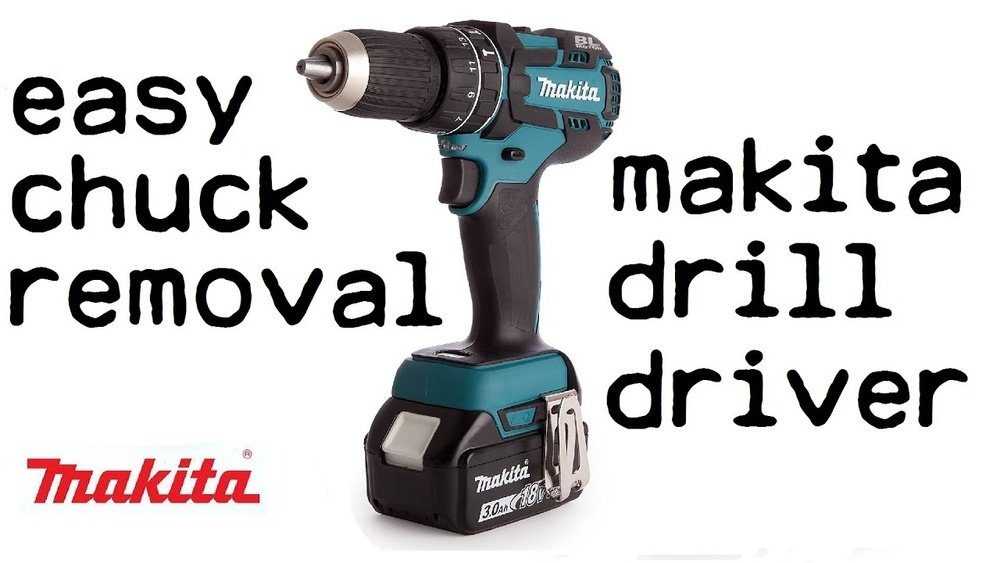
If you’ve ever struggled to remove a chuck from your Makita cordless drill, you’re not alone. It can feel frustrating when the chuck won’t budge, especially if you need to replace it or perform maintenance.
But don’t worry—this guide will walk you through simple, step-by-step instructions that anyone can follow. By the end, you’ll know exactly how to remove your drill’s chuck quickly and safely, saving you time and hassle. Ready to get started? Let’s dive in.

Credit: www.youtube.com
Tools Needed
Removing a chuck from a Makita cordless drill requires a few simple tools. Having the right tools makes the job easier and safer. Prepare everything before you start to save time and avoid frustration.
Allen Wrench (hex Key)
An Allen wrench is essential for loosening the screw inside the chuck. Most Makita drills use a 5mm or 6mm size. Check your drill’s manual or the screw size before choosing the wrench.
Screwdriver
A flathead or Phillips screwdriver may be needed to remove the screw inside the chuck. Some models have different screw types. Use the correct screwdriver to avoid damage.
Adjustable Wrench Or Spanner
This tool helps to grip and turn the chuck. An adjustable wrench fits most chuck sizes. It provides the torque needed to loosen tight parts.
Protective Gloves
Wear gloves to protect your hands from sharp edges and slipping tools. Gloves improve grip and reduce the risk of injury during the process.
Soft Cloth Or Rag
Use a cloth to clean the chuck and drill before and after removal. It keeps dirt away from the parts and helps you handle the tools better.

Credit: www.ereplacementparts.com
Safety Precautions
Safety is the top priority before removing a chuck from a Makita cordless drill. Taking simple steps can prevent injuries and damage. Always prepare your workspace and tools carefully.
Following safety rules helps you work faster and with confidence. This section covers key safety tips to keep in mind.
Turn Off And Remove The Battery
Always switch off the drill before starting. Remove the battery pack to avoid accidental starts. This stops the drill from turning on by mistake.
Wear Safety Gear
Use safety glasses to protect your eyes from dust and small parts. Gloves help protect your hands from sharp edges and slipping tools.
Use The Correct Tools
Choose the right wrench or key designed for your drill’s chuck. Wrong tools can slip and cause injury or damage the chuck.
Work On A Stable Surface
Place the drill on a flat, clean surface. This keeps the drill steady and prevents it from falling during the process.
Read The Manual
Check the Makita drill’s manual for specific instructions. Manufacturer guidelines help ensure safe and correct chuck removal.
Identify Your Chuck Type
Before removing the chuck from your Makita cordless drill, you must identify the chuck type. The chuck type affects how you remove it safely and correctly. Makita drills usually come with two common chuck types. Each type has a different method for removal and handling. Recognizing your chuck will save time and prevent damage to your tool.
Keyed Chuck
A keyed chuck uses a small metal key to tighten or loosen the drill bit. It has teeth that match the key’s gear. This type offers strong grip on the drill bit. To identify a keyed chuck, look for a small hole on the side of the chuck. This hole is where you insert the key. The key turns the gears inside, opening or closing the chuck jaws. Removing a keyed chuck may require loosening it with the key first.
Keyless Chuck
A keyless chuck does not need a key for tightening or loosening. You twist the chuck by hand to open or close it. This type is common on many cordless drills for quick bit changes. It usually has a smooth or textured sleeve for better grip. To identify a keyless chuck, check if you can turn the chuck sleeve easily by hand. It often has markings or arrows showing the twist direction. Removing a keyless chuck involves twisting the sleeve in the opposite direction to loosen it.
Prepare The Drill
Preparing the drill is the first step to safely remove the chuck from a Makita cordless drill. This process makes sure the drill is ready and prevents any damage or injury. Taking time to prepare helps the entire task go smoothly.
Start by making sure the drill is turned off. This is very important for safety. Also, remove the battery to stop any power from reaching the drill. Without power, the drill cannot accidentally turn on while you work on it.
Next, clean the drill’s exterior. Dirt and dust can make it hard to grip the chuck or see any screws. Use a dry cloth to wipe the drill’s body and the chuck area. This simple step helps you work better and avoid slipping.
Remove The Battery
Take out the battery from the drill. Press the release button and pull the battery away. Without the battery, the drill will not start. This step is very important to keep you safe.
Clean The Chuck Area
Use a soft cloth to clean the chuck and drill head. Remove dust, grease, and dirt. Clean tools work better and last longer. This also helps you see any screws or parts clearly.
Place The Drill On A Stable Surface
Put the drill on a flat, stable surface. This keeps it steady when you work on the chuck. A steady drill is easier and safer to handle. Avoid holding the drill in your hand during this step.
Remove A Keyed Chuck
Removing a keyed chuck from a Makita cordless drill is a straightforward process. The keyed chuck uses a gear system that tightens or loosens the drill bit. You need a special key to turn this chuck. This guide helps you remove the keyed chuck safely and easily.
Loosen The Chuck
Start by opening the chuck jaws wide. Insert the chuck key into one of the holes on the chuck. Turn the key counterclockwise to loosen the chuck. This step frees the jaws from the drill bit or any debris inside. Make sure the chuck is as loose as possible before moving to the next step.
Access The Retaining Screw
Look inside the chuck for a small screw at the center. This screw holds the chuck tightly on the drill shaft. Use a screwdriver to turn this screw clockwise to loosen it. Remove the screw completely and keep it safe. This step is important for removing the chuck without damage.
Unscrew The Chuck
Hold the drill firmly. Turn the chuck counterclockwise by hand. If it is tight, use the chuck key to help turn it. Continue turning until the chuck comes off the drill shaft. Now, the keyed chuck is removed and ready for cleaning or replacement.
Remove A Keyless Chuck
Removing a keyless chuck from a Makita cordless drill is simple. This type of chuck does not need a key to open or close. You can take it off by following a few clear steps. Doing this helps with maintenance or changing the chuck for a new one.
Before starting, make sure the drill is off and the battery is removed. This keeps you safe while working on the drill.
Loosen The Chuck By Hand
Hold the drill firmly. Turn the chuck counterclockwise with your hand. It may be tight, so use steady force. Keep turning until the chuck feels loose. This step frees the chuck from the drill shaft.
Remove The Retaining Screw
Look inside the chuck’s center hole. You will see a small screw. Use a screwdriver to turn this screw counterclockwise. It may be tight, so apply steady pressure. Removing this screw lets you pull off the chuck easily.
Detach The Chuck
Grip the chuck firmly with your hand. Pull it straight off the drill shaft. If it feels stuck, twist gently while pulling. The chuck will come free from the drill. Now, you can replace or clean the chuck as needed.
Troubleshooting Stuck Chucks
Sometimes the chuck on a Makita cordless drill gets stuck. This problem stops you from changing drill bits easily. Stuck chucks can happen due to dirt, rust, or tight locking. Simple fixes can often free the chuck without much hassle. Try these easy troubleshooting steps before using force or buying new parts.
Use Penetrating Oil
Penetrating oil helps loosen rust and dirt inside the chuck. Apply a small amount around the base of the chuck. Let it sit for 10 to 15 minutes. This allows the oil to seep into tight areas. Then, try turning the chuck gently to open it. Repeat if the chuck still feels stuck. Use light oil designed for tools to avoid damage.
Apply Gentle Taps
Gentle taps can help release a stuck chuck. Use a small hammer or the back of a screwdriver. Tap lightly around the chuck’s edge to break any rust or debris. Do not hit hard. Strong hits can damage the drill or chuck. After tapping, try to twist the chuck again. This method works well with penetrating oil.
Seek Professional Help
If the chuck stays stuck after trying simple fixes, ask a professional. A repair shop can safely remove the chuck without damage. Professionals have special tools for tough cases. Avoid forcing the chuck off yourself. This could harm the drill or cause injury. Trust experts to fix tricky problems quickly.

Credit: www.powertools.parts
Reinstalling Or Replacing The Chuck
Reinstalling or replacing the chuck on your Makita cordless drill is a simple task. It helps keep your drill working well and ready for any job. This process saves money and extends your tool’s life.
Follow clear steps to get the chuck back on or swap it out. Use the right tools and take your time. This way, the chuck fits tightly and works smoothly.
Preparing The Drill For Chuck Installation
Remove the battery for safety. Clean the spindle area to remove dust and debris. Check the threads and key parts for damage. This ensures a secure and smooth fit.
Attaching The New Or Reinstalled Chuck
Align the chuck with the drill spindle. Push it firmly into place. Use a wrench or chuck key to tighten the chuck securely. Tightening prevents wobbling during use.
Testing The Chuck After Installation
Insert a drill bit to test the chuck grip. Turn the drill on low speed to check stability. If the bit slips, retighten the chuck. A well-secured chuck improves drilling accuracy and safety.
Frequently Asked Questions
How Do I Remove A Chuck From A Makita Cordless Drill?
First, remove the drill battery for safety. Open the chuck jaws fully. Use an Allen key to loosen the chuck screw inside. Hold the chuck firmly and turn it counterclockwise to unscrew and remove it from the drill shaft.
What Tools Are Needed To Remove A Makita Drill Chuck?
You typically need an Allen wrench, a hammer, and possibly pliers. Ensure the drill battery is removed before starting. These tools help loosen the chuck screw and safely detach the chuck from the drill spindle.
Can I Remove The Makita Drill Chuck Without Special Tools?
Removing the chuck without the correct tools is difficult and may damage your drill. Using an Allen key and a wrench ensures safe and easy removal. Always follow the manufacturer’s instructions to avoid injury or tool damage.
How Do I Loosen A Stuck Chuck On A Makita Drill?
Apply penetrating oil to the chuck screw and let it sit for a few minutes. Use an Allen wrench to turn the screw counterclockwise. Tap gently with a hammer if needed. This helps break the rust or dirt holding the chuck tight.
Conclusion
Removing a chuck from a Makita cordless drill is simple with the right steps. Always ensure the drill is off and the battery is removed for safety. Use the correct tools to loosen and take off the chuck carefully. Taking your time helps avoid damage to the drill or chuck.
Now, you can replace or clean the chuck easily. Follow these easy tips next time you work on your drill. Practice makes the process faster and smoother each time.
