


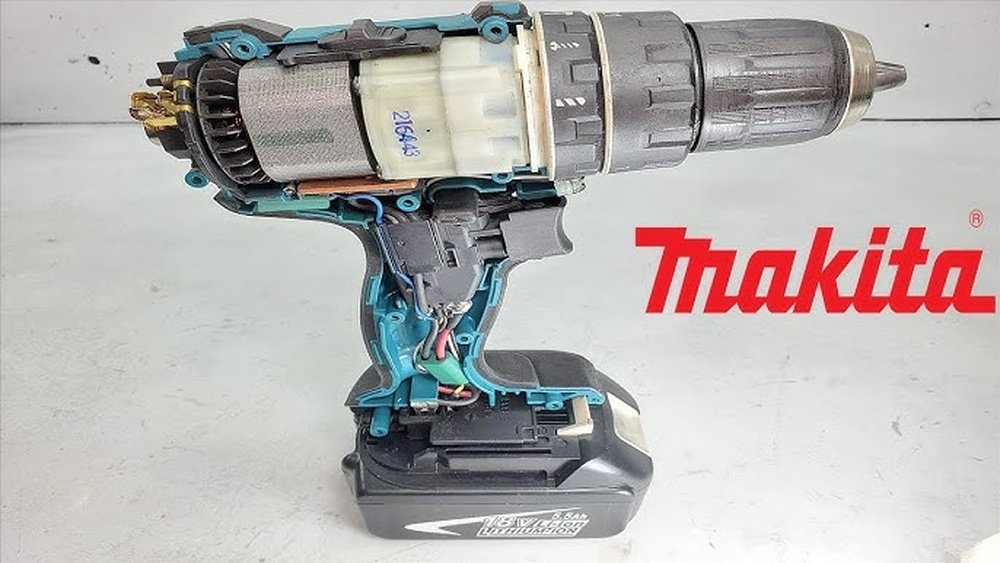
Is your Makita cordless drill acting up just when you need it most? You don’t have to toss it out or rush to buy a new one.
Fixing your drill might be easier than you think. In this guide, you’ll discover simple, step-by-step tips to get your tool working like new again. Whether it won’t start, won’t hold a charge, or has other common problems, you’ll find clear solutions here.
Keep reading, and you’ll save time, money, and frustration by repairing your Makita cordless drill yourself.
Common Issues With Makita Cordless Drills
Makita cordless drills are popular for their power and ease of use. Still, they can face problems over time. Knowing common issues helps fix them fast. This saves money and keeps your drill working well.
Battery Problems
Batteries lose charge after many uses. Sometimes, the drill won’t turn on. The battery may not hold power. Dirty or corroded battery contacts cause poor connection. Charging errors can stop the battery from charging fully. Always check the battery first.
Motor Malfunctions
The motor may stop running or run weakly. Dust and debris can block motor parts. Overheating can damage the motor. Worn brushes inside the motor reduce power. Strange noises often mean motor trouble. Regular cleaning helps prevent motor failure.
Trigger And Switch Failures
The trigger controls drill speed. A faulty trigger stops the drill from starting. Switches can wear out from heavy use. Loose or broken wires cause connection issues. Sometimes the drill runs without pressing the trigger. Testing the trigger and switch is important.
Chuck And Bit Issues
The chuck holds the drill bit tight. It may become loose or stuck. Dirt and rust cause the chuck to jam. Bits can slip during use if the chuck does not grip well. Regularly cleaning and tightening the chuck prevents problems. Changing worn bits improves performance.
Essential Tools And Safety Tips
Repairing a Makita cordless drill requires the right tools and safety care. Using proper tools makes the job easier and better. Safety helps prevent accidents and keeps you safe during repair. This section explains the tools needed and important safety tips.
Required Repair Tools
You need a few basic tools to fix a Makita cordless drill. A set of screwdrivers, both flathead and Phillips, helps remove screws. A small wrench or pliers can loosen or tighten nuts and bolts. A multimeter tests electrical parts for power and continuity. A soldering iron fixes broken wires or connections. Clean cloths help wipe parts during repair. Having these tools ready speeds up the repair process.
Safety Precautions
Always remove the battery before starting any repair. This prevents accidental power on and injury. Wear safety glasses to protect your eyes from dust and small parts. Work in a clean, well-lit area to avoid losing small pieces. Keep fingers clear of sharp edges and moving parts. Avoid wearing loose clothes or jewelry that might get caught. Follow these simple safety steps to stay safe during the repair.
Diagnosing The Problem
Diagnosing the problem is the first step to fix a Makita cordless drill. It helps find what part needs repair or replacement. Careful inspection saves time and money.
Start by checking common trouble spots. Each part plays a role in drill performance. Understanding these parts leads to accurate diagnosis.
Testing The Battery
The battery is the main power source for the drill. Remove it and check its charge level. Use a multimeter to measure voltage. A weak battery often causes the drill not to start. Try another battery if available. Fully charged batteries ensure proper drill function.
Inspecting The Motor
The motor drives the drill bit. Look for signs of damage or wear. Listen for unusual noises when running the drill. Burnt smells or smoke mean motor issues. Check for loose wires or debris inside. A faulty motor stops the drill from working.
Checking The Trigger And Switch
The trigger controls power to the motor. Press it to see if the drill responds. Test the switch for continuity with a multimeter. A broken switch stops electricity flow. Dirt or dust can block trigger movement. Clean or replace parts as needed.
Examining The Chuck
The chuck holds the drill bit in place. Check for tightness and proper grip. A loose chuck causes bit slipping. Remove debris or rust around the chuck. Test if the chuck rotates smoothly. Fix or replace if it jams or breaks.
Fixing Battery-related Issues
Battery problems often cause Makita cordless drills to stop working well. Fixing these issues can save money and time. Start by checking the battery condition and connections. Simple steps can improve battery life and drill performance.
Follow easy tips to clean, replace, and charge the battery properly. This helps the drill run longer and stay strong.
Cleaning Battery Contacts
Dirty battery contacts block power flow. Use a dry cloth or fine sandpaper to clean them. Make sure both the battery and drill contacts are clean. Avoid using water or liquids. Clean contacts improve connection and power delivery.
Replacing The Battery Pack
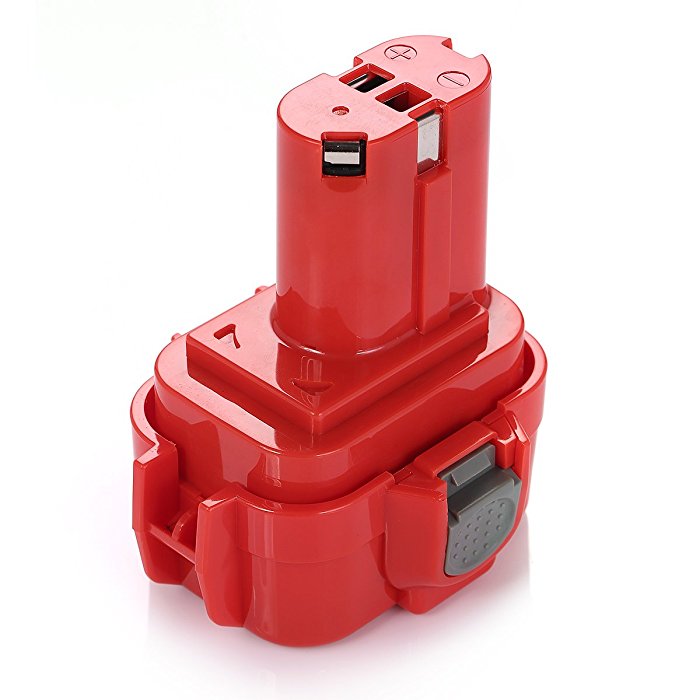
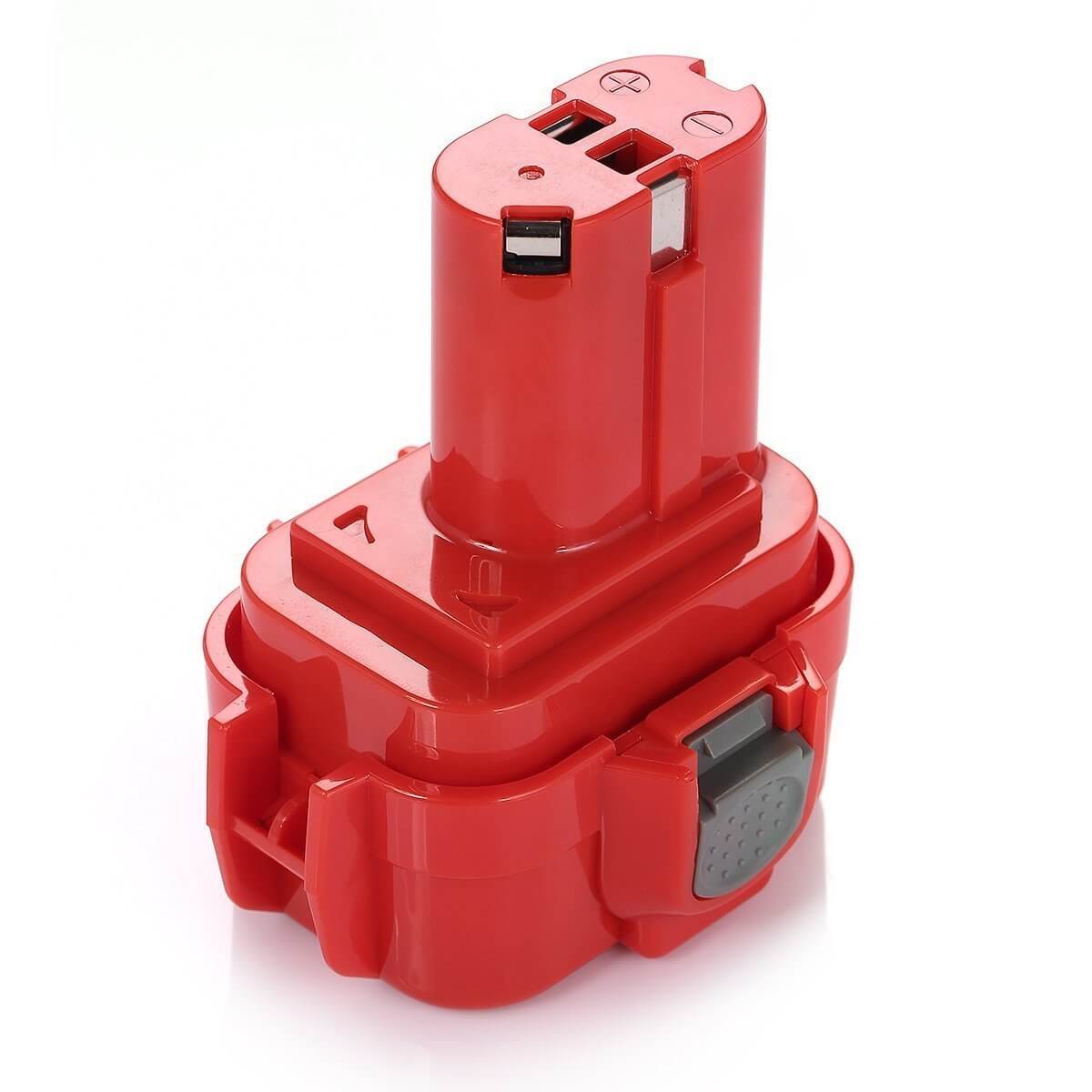
Old batteries lose charge quickly. If the drill runs short or won’t start, the battery may need replacement. Buy a battery pack that matches your Makita model. Remove the old battery carefully and insert the new one. Test the drill to check power and performance.
Charging Tips For Longevity
Use the original Makita charger for best results. Charge the battery fully before first use. Avoid overcharging by unplugging the charger when done. Store batteries in a cool, dry place. Charging right keeps batteries healthy and lasts longer.
Repairing Motor And Electrical Components
Repairing the motor and electrical parts of a Makita cordless drill is key to restoring its power. These parts often wear out or get dirty over time. Fixing them can bring your drill back to life without buying a new one.
Focus on cleaning, replacing worn parts, and checking wiring. Each step helps ensure the drill runs smoothly and safely. Follow these simple tasks to repair the core components.
Cleaning And Lubricating The Motor
Start by removing dust and dirt from the motor. Use a small brush or compressed air to clean inside. Dirt blocks airflow and causes overheating.
After cleaning, apply a small amount of light oil to the motor bearings. This reduces friction and noise. Avoid using too much oil to prevent damage.
Keep the motor dry and clean for better performance and longer life.
Replacing Brushes
Check the carbon brushes inside the motor. Worn brushes cause poor contact and reduce power. Remove the old brushes carefully with a screwdriver.
Buy the correct size of replacement brushes for your Makita model. Insert new brushes securely in their holders. Test the drill to ensure smooth motor operation.
Replace brushes regularly to keep the motor running well.
Fixing Wiring Connections
Inspect all wiring for loose or broken connections. Poor wiring leads to power loss or drill failure. Tighten loose wires with a small screwdriver or solder broken ones carefully.
Use electrical tape to cover exposed wires and prevent shorts. Check the battery contacts too and clean them if needed.
Good wiring is crucial for safe and efficient drill operation.
Credit: www.powerextra.com
Resolving Trigger And Switch Problems
Trigger and switch problems are common issues in Makita cordless drills. These parts control the power flow and speed. When they fail, the drill may not start or stop working properly. Fixing these problems can bring your drill back to life quickly. Basic tools and a little patience are all you need.
Testing The Trigger Switch
Begin by removing the battery for safety. Open the drill casing with a screwdriver. Locate the trigger switch inside the handle. Use a multimeter to test the switch’s continuity. Press the trigger and check if the meter shows a connection. No connection means the switch is faulty. Test carefully to avoid damaging other parts.
Replacing Faulty Switches
Find a replacement switch that fits your Makita model. Remove the old switch by disconnecting its wires. Keep track of wire positions to connect the new switch correctly. Solder or clip the wires to the new switch. Reassemble the drill casing and insert the battery. Test the drill to ensure the new switch works well.
Chuck And Bit Maintenance
The chuck and bit are key parts of your Makita cordless drill. They hold the drill bit in place and help you work smoothly. Proper maintenance keeps your drill working well and lasts longer.
Cleaning the chuck and bit regularly prevents rust and dirt buildup. Checking for wear helps avoid slipping or damage during use. Small fixes can save money and effort.
Tightening Or Replacing The Chuck
First, remove the drill’s battery for safety. Hold the drill firmly. Turn the chuck sleeve counterclockwise to open it. Tighten the chuck by turning it clockwise to secure the bit.
If the chuck is loose or damaged, replace it. Use a wrench to remove the old chuck. Screw in the new chuck by hand. Tighten it with the wrench to secure firmly.
Removing Stuck Bits
Stuck bits can slow your work and damage the drill. Hold the drill firmly and try to turn the chuck sleeve counterclockwise. Use pliers for extra grip on the bit if needed.
Apply a small amount of lubricant around the bit base. Let it sit a few minutes to loosen rust or debris. Gently wiggle the bit back and forth while pulling it out.

Credit: www.youtube.com
Preventive Care For Makita Drills
Preventive care is key to keeping your Makita cordless drill working well. Small habits can stop big problems. Caring for your drill extends its life and saves money on repairs. Follow simple steps to protect your tool every day.
Regular Cleaning
Dust and dirt can harm your drill’s parts. Clean it after each use. Use a soft cloth or brush to remove debris. Avoid water or harsh chemicals. Clean vents to stop overheating. Keep the drill dry to prevent rust.
Proper Storage
Store your drill in a cool, dry place. Avoid wet or hot areas. Use the original case if possible. Keep the battery separate if storing long-term. Proper storage prevents damage and battery drain. Organize your workspace to avoid dropping the drill.
Routine Inspection
Check your drill regularly for wear and tear. Look at the battery, chuck, and switches. Tighten loose parts to avoid accidents. Replace worn parts early to keep the drill safe. Regular checks help spot problems before they grow.
Credit: www.mtobattery.com
Frequently Asked Questions
How Do I Fix A Makita Cordless Drill Not Charging?
Check the battery and charger for damage. Clean the contacts and try a different charger. Replace the battery if it won’t hold charge.
Why Is My Makita Drill Making Unusual Noises?
Unusual noises often mean worn gears or motor issues. Inspect the drill, lubricate moving parts, or replace damaged components.
How Can I Replace The Drill Chuck On A Makita?
Remove the chuck by loosening the screw inside. Unscrew the chuck from the spindle and fit the new one securely.
What Causes A Makita Drill To Overheat Quickly?
Overheating can result from prolonged use, clogged vents, or motor problems. Allow cooling breaks and clean air vents regularly.
Conclusion
Repairing a Makita cordless drill can save time and money. Start by checking the battery and connections. Clean any dirt or dust inside the drill. Replace worn-out parts carefully. Test the drill after each step to ensure it works. Taking small steps makes the process easier.
You don’t need to be an expert. Patience and careful work bring good results. Keep your drill in good shape for longer use. Regular maintenance helps avoid future problems. Try these simple tips to fix your drill today.
