


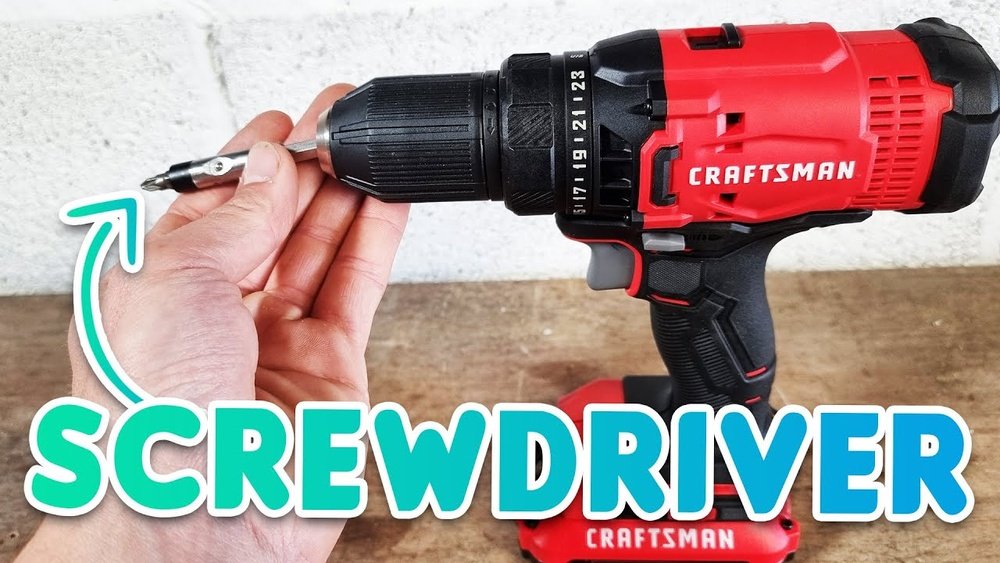
Are you ready to make your DIY projects easier and faster? Knowing how to use a Craftsman cordless drill can save you time and effort on any task.
Whether you’re assembling furniture, hanging shelves, or fixing something around the house, this powerful tool is your best friend. In this guide, you’ll discover simple steps to master your drill, unlock its full potential, and avoid common mistakes that slow you down.
Keep reading, and soon you’ll feel confident handling your Craftsman cordless drill like a pro.

Credit: www.youtube.com
Choosing The Right Drill
Choosing the right Craftsman cordless drill is important for your projects. The right drill makes your work easier and faster. Not all drills are the same. Each one has features that suit different tasks. Knowing what to pick helps you get the best tool for your needs.
Types Of Craftsman Cordless Drills
Craftsman offers several types of cordless drills. The most common are compact drills, mid-size drills, and hammer drills. Compact drills are small and light. They are good for simple tasks and tight spaces. Mid-size drills have more power and can handle tougher jobs. Hammer drills add a hammering action to drill into hard materials like concrete. Choose the type that matches your usual projects.
Battery Options And Life
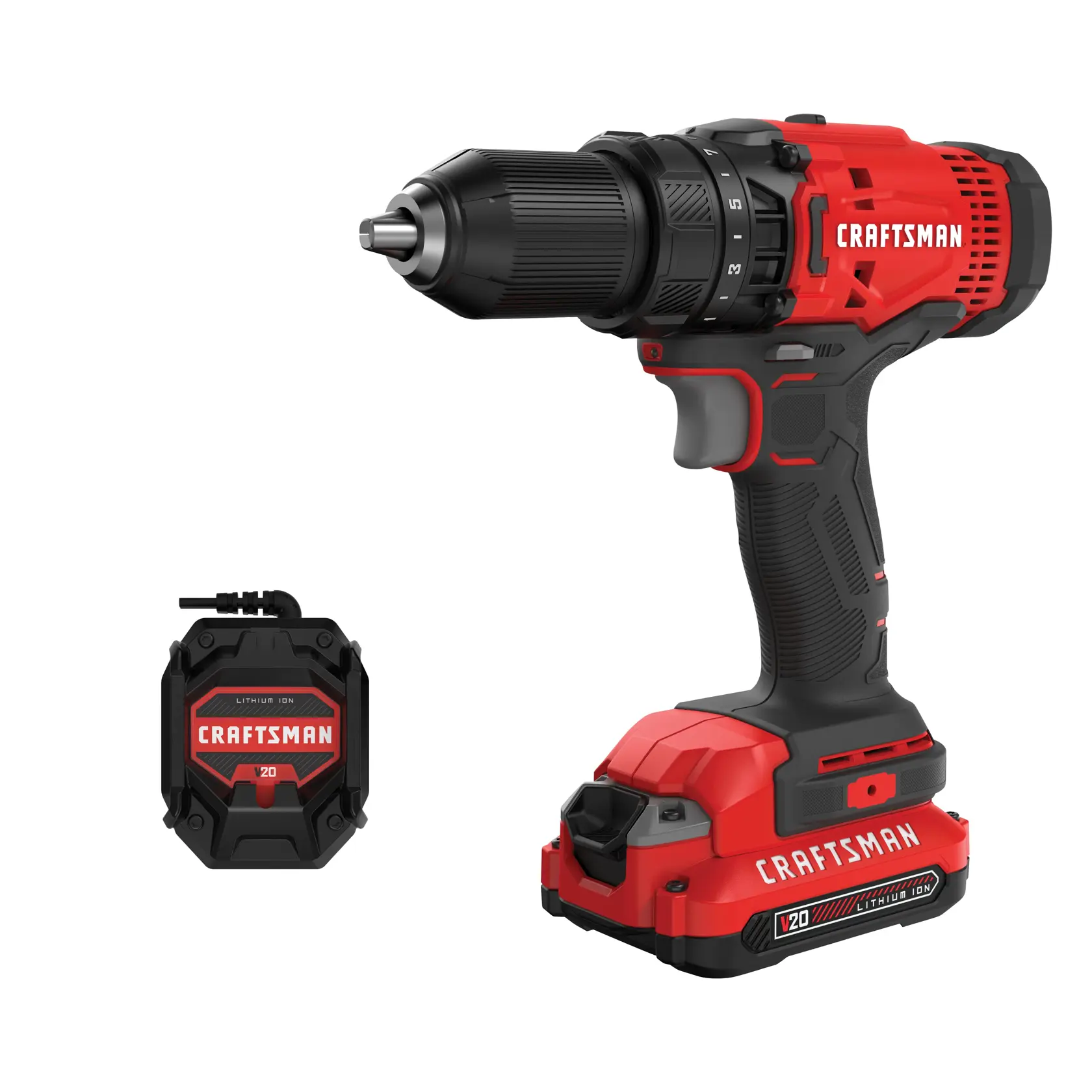
Craftsman cordless drills use lithium-ion batteries. These batteries last longer and charge faster than older types. Battery voltage shows power; higher volts mean more strength. Typical options are 12V, 18V, and 20V. Higher voltage works well for heavy jobs. Battery life depends on how much work you do and the drill’s power. Some drills come with two batteries so you can swap one out while the other charges.
Key Features To Consider
Look at the drill’s clutch settings. A clutch controls how much torque the drill uses. This stops screws from stripping or breaking. Check the drill’s speed settings. Multiple speeds help with different materials and tasks. A comfortable grip and lightweight design reduce hand fatigue. LED lights can help you work in dark spaces. Also, look for a drill with a good warranty for peace of mind.

Credit: www.lowes.com
Preparing Your Drill
Preparing your Craftsman cordless drill is the first step for any project. Proper setup ensures safety and efficient work. Follow these simple steps to get your drill ready quickly. This section covers charging the battery, installing the battery pack, and attaching drill bits.
Charging The Battery
Start by placing the battery in the charger. Use the charger that comes with your drill. Plug the charger into a power outlet. Let the battery charge fully before use. A full charge gives the best power and lasts longer. Avoid using the drill while the battery is charging.
Installing The Battery Pack
Hold the drill firmly and align the battery pack with the slot at the bottom. Slide the battery pack in until it clicks. Check that it fits tightly and does not wobble. A secure battery ensures steady power during work. To remove, press the release button and pull the battery out carefully.
Attaching Drill Bits
Choose the right drill bit for your task. Open the chuck by turning it counterclockwise. Insert the drill bit into the chuck as far as it goes. Tighten the chuck by turning it clockwise until the bit is secure. Make sure the bit is straight and does not wiggle. A firm bit helps you drill accurately and safely.
Basic Drill Settings
Understanding the basic drill settings of your Craftsman cordless drill is important. These settings help control how the drill works on different materials. Proper use of these settings makes drilling easier and safer. You can adjust speed, torque, and direction for better results. Let’s explore these basic settings step by step.
Adjusting Speed And Torque
Your Craftsman cordless drill has different speed levels. Low speed is good for heavy work like drilling into metal or wood. High speed is best for light tasks like driving screws. Torque controls the drill’s turning force. More torque means more power to drill tough materials. Less torque helps avoid damage to soft materials or small screws. Adjust speed and torque to fit your task.
Setting The Clutch
The clutch controls how much force the drill uses before it stops turning. Use the clutch to protect screws and materials from stripping. Turn the clutch ring to a low number for light tasks. Choose a higher number for tougher jobs. The clutch helps prevent overdriving screws and breaking drill bits. Check the clutch setting before starting your work.
Using The Forward And Reverse Switch
The forward and reverse switch changes the drill’s rotation direction. Use forward mode to drill holes or drive screws in. Use reverse mode to remove screws or back out drill bits. This switch is easy to find near the trigger. Always check the switch before starting to avoid mistakes. Switching direction helps fix jams and keeps your work smooth.
Drilling Techniques
Using the right drilling technique makes your work easier and safer. Different materials need different approaches. This section explains how to drill into wood, metal, and masonry with your Craftsman cordless drill.
Drilling Into Wood
Start with a sharp wood drill bit. Secure the wood on a flat surface. Hold the drill steady and start at low speed. Increase speed as the bit enters the wood. Keep the drill straight to avoid angled holes. Pull the bit out occasionally to clear sawdust. This prevents overheating and keeps the hole clean.
Drilling Into Metal
Use a metal drill bit, usually cobalt or titanium. Clamp the metal piece firmly to stop movement. Mark the spot with a center punch to guide the drill. Use a slow speed to prevent bit damage. Apply light pressure and let the drill do the work. Add a few drops of oil to cool the bit. Clean metal shavings from the hole often.
Drilling Into Masonry
Select a masonry bit with a carbide tip. Wear safety glasses and a mask to protect from dust. Use the hammer mode on your drill if available. Start drilling slowly to set the hole. Increase speed but keep steady pressure. Remove the bit periodically to clear debris. Avoid forcing the drill; let it break the material gently.
Safety Tips
Safety is very important when using a Craftsman cordless drill. It helps prevent accidents and injuries. Follow these safety tips every time you use the drill.
Wearing Protective Gear
Always wear safety glasses to protect your eyes from dust and debris. Use gloves to keep your hands safe from sharp objects. Ear protection helps reduce noise from the drill. Wear closed-toe shoes to protect your feet from falling tools or materials.
Handling The Drill Safely
Hold the drill firmly with both hands. Keep your fingers away from the drill bit. Do not force the drill; let it work at its own speed. Always turn off and unplug the drill before changing bits or making adjustments.
Maintaining A Secure Workspace
Keep your work area clean and free of clutter. Make sure the surface you work on is stable and strong. Check for any loose wires or objects that can cause tripping. Good lighting helps you see clearly and work safely.
Maintenance And Care
Proper maintenance and care keep your Craftsman cordless drill working well. Regular attention helps the drill last longer and perform better. Small steps can prevent big problems.
Cleaning The Drill
Clean the drill after every use. Use a dry cloth to wipe off dust and dirt. Avoid water or harsh chemicals that can damage parts. Check the vents for dust and clear them gently. Keep the chuck free of debris to hold bits tightly.
Storing The Battery
Remove the battery after finishing your work. Store it in a cool, dry place away from direct sunlight. Avoid very hot or cold areas to protect battery life. Charge the battery before storing if it is low. Do not leave the battery on the charger for long periods.
Troubleshooting Common Issues
If the drill does not start, check the battery charge first. Make sure the battery is fully inserted. If the drill runs slowly, clean the chuck and check the battery health. For unusual noises, stop using the drill and inspect it. Replace worn parts to avoid damage and keep the drill safe.
Advanced Uses
Using a Craftsman cordless drill goes beyond simple drilling tasks. You can perform advanced jobs with the right techniques. These tasks help you get more from your drill and complete projects faster.
Using Attachments And Accessories
Attachments expand the drill’s functions. You can add wire brushes to clean surfaces. Sanding drums help smooth wood or metal. Mixing paddles blend paint or drywall mud. Screwdriver bits allow easy fastening. Each accessory fits securely into the drill chuck. Changing attachments is quick and simple.
Drilling At Angles
Not all drilling is straight. Sometimes, angled holes are necessary. Use a drill guide for precise angles. Hold the drill steady and check the angle before drilling. Practice on scrap wood to build confidence. Angled drilling helps in tight spots and creative projects.
Combining With Other Tools
The drill works well with other tools. Use clamps to hold materials steady. A level ensures straight holes. Mark drilling spots with a pencil or awl. Combine these tools to improve accuracy. This teamwork makes your work neater and easier.
Credit: www.craftsman.com
Frequently Asked Questions
How Do I Start Using A Craftsman Cordless Drill?
First, charge the battery fully. Insert the battery into the drill. Adjust the chuck to fit the drill bit. Set the torque and speed. Then, press the trigger to start drilling.
What Safety Tips Should I Follow With This Drill?
Always wear safety glasses and gloves. Keep your hands away from the drill bit. Use clamps to secure your workpiece. Avoid loose clothing and work in a well-lit area.
How Do I Change Drill Bits On A Craftsman Drill?
Hold the drill firmly. Rotate the chuck counterclockwise to loosen it. Remove the old bit. Insert the new bit straight into the chuck. Tighten the chuck clockwise until secure.
What Maintenance Is Needed For A Cordless Drill?
Clean the drill regularly with a dry cloth. Avoid exposing it to moisture. Charge the battery after each use. Store the drill in a cool, dry place to extend its life.
Conclusion
Using a Craftsman cordless drill is simple and effective. Start with the right drill bit and check the battery charge. Hold the drill steady and apply gentle pressure while drilling. Always wear safety gear to protect yourself. Practice on scrap material before working on your project.
With a bit of care, your drill will last long and work well. Keep it clean and store it in a dry place. Enjoy the ease of drilling without cords. This tool helps you finish tasks faster and with less effort.
Give it a try today!
