



If you’ve just got your hands on a Black and Decker 20V cordless drill, you might be wondering how to make the most of it. This powerful tool can handle a wide range of tasks, from simple home repairs to more complex projects.
But to get the best results, you need to know how to use it correctly and safely. In this guide, you’ll discover step-by-step instructions and insider tips that will help you unlock the full potential of your drill. Ready to become confident and efficient with your new tool?
Keep reading, and you’ll be drilling like a pro in no time.
Credit: www.walmart.com
Getting To Know Your Drill
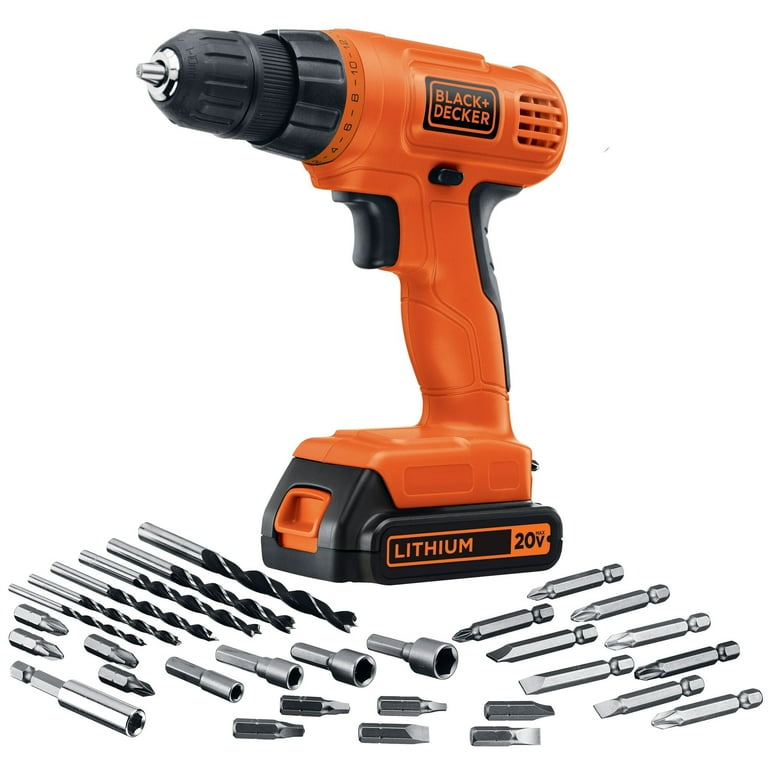
Getting to know your Black and Decker 20V cordless drill is the first step to using it well. This drill is designed for easy use and strong performance. Learning about its parts and features helps you work safely and efficiently. Let’s explore the main things to know before starting your project.
Key Features
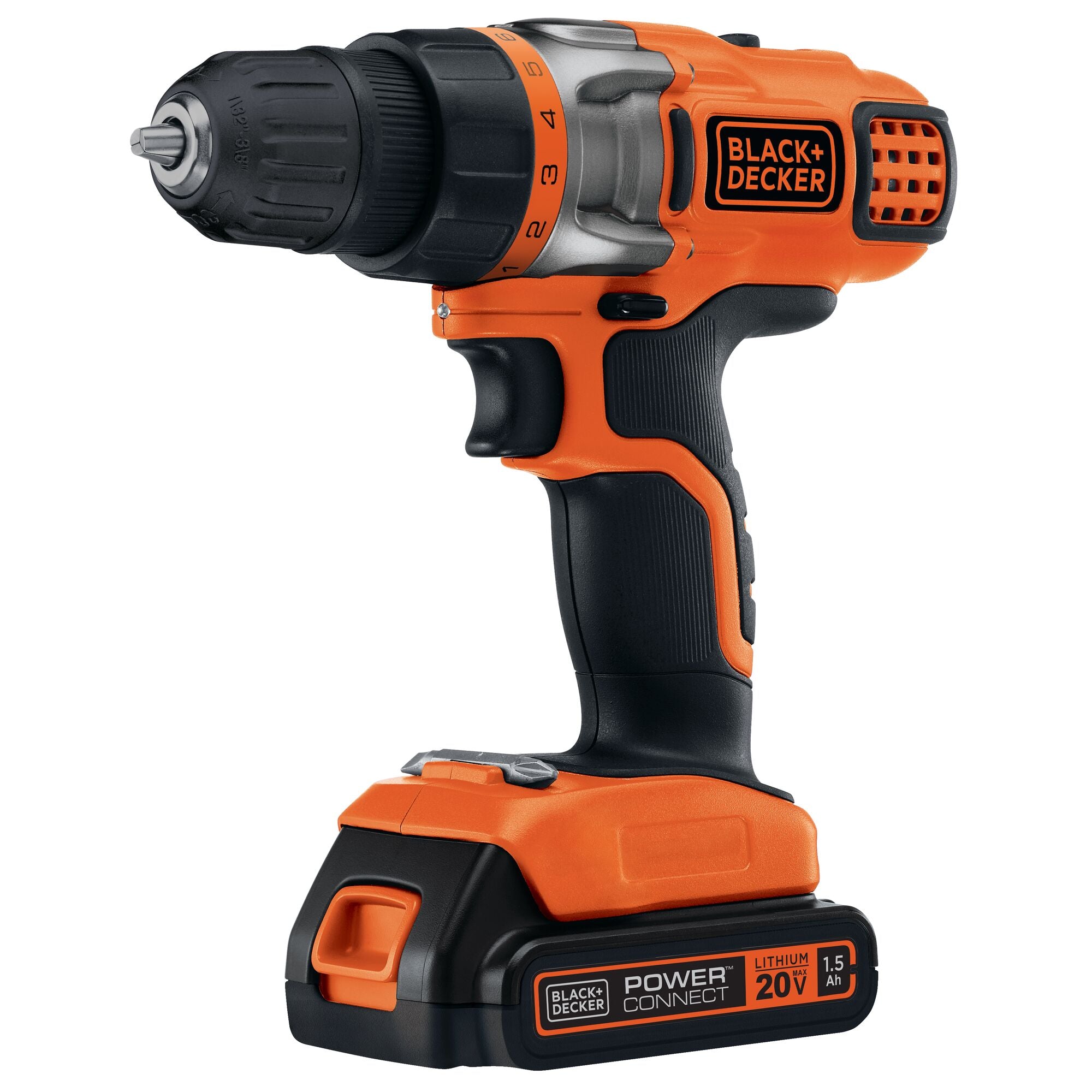
The drill runs on a 20-volt battery for strong power. It has a variable speed trigger to control drilling speed. The compact design makes it easy to hold and use in tight spaces. It also offers forward and reverse modes for drilling and removing screws. An LED light helps you see in dark spots. The drill’s keyless chuck lets you change bits quickly.
Parts And Components
The main parts include the handle, trigger, and chuck. The handle fits your hand comfortably. The trigger controls the drill’s power and speed. The chuck holds the drill bit firmly. Above the trigger, there is a switch for changing direction. The body houses the motor and battery slot. Understanding these parts helps you use the drill correctly.
Battery And Charger
The drill uses a rechargeable 20V lithium-ion battery. Lithium-ion batteries hold charge longer and weigh less. The battery slides into the base of the drill. The charger plugs into a standard outlet. It charges the battery in a few hours. Always remove the battery before storing the drill. This keeps the battery safe and ready for your next job.
Preparing For Use
Preparing your Black and Decker 20V cordless drill is key before starting any project. Proper setup ensures smooth operation and safety. Follow these simple steps to get your drill ready fast.
Charging The Battery
First, fully charge the battery for the best power. Insert the battery into the charger. Plug the charger into a power outlet. Wait until the charging light turns green. This means the battery is ready to use. Avoid using the drill while charging the battery.
Installing Drill Bits
Choose the right drill bit for your task. Hold the drill with one hand. Turn the chuck counterclockwise to open it. Insert the drill bit into the chuck. Turn the chuck clockwise to tighten it. Make sure the bit is secure and straight. Loose bits can cause accidents or damage.
Adjusting Settings
Set the drill speed based on your work. Use low speed for drilling into metal or wood. Use high speed for driving screws. Adjust the torque to control drilling force. Higher torque for tough materials, lower for soft ones. Check the direction switch to select forward or reverse. This helps in driving screws in or removing them.
Basic Drilling Techniques
Basic drilling techniques help you use the Black and Decker 20V cordless drill safely and well. Good drilling starts with the right speed, grip, and understanding of materials. This guide breaks down these key skills. Follow these tips to drill clean and straight holes every time.
Choosing The Right Speed
The drill has multiple speed settings for different tasks. Use low speed for hard materials like metal. High speed works best for soft materials like wood. Start slow to keep control. Increase speed as needed. This prevents damage to the drill bit and material.
Proper Grip And Stance
Hold the drill firmly with both hands. One hand on the handle, the other supporting the front. Stand with feet shoulder-width apart. Keep your body balanced and stable. This helps control the drill and keeps holes straight. Avoid leaning or twisting your body.
Drilling Into Different Materials
Wood requires a sharp wood bit and steady pressure. Drill slowly to avoid splintering. Metal needs a metal bit and light oil to cool the bit. Use slow speed and firm pressure. For plastic, use a sharp bit and moderate speed. Too fast can melt the plastic. Adjust your technique for each material.
Advanced Tips And Tricks
Using the Black and Decker 20V cordless drill is simple, but some tips can help you work smarter. These advanced tricks save time and protect your drill. They also help you handle tough jobs with ease.
Using The Hammer Function
The hammer function is great for drilling into hard surfaces like brick or concrete. Switch to hammer mode by turning the drill’s selector. Press the trigger gently to start slowly. Increase speed as needed. Use a masonry bit for best results. Keep the drill steady and straight for clean holes.
Maximizing Battery Life
Charge the battery fully before use. Avoid letting the battery drain completely. Store the battery in a cool, dry place. Remove the battery from the drill if not used for days. Use the drill at moderate speeds to save power. Turn off the drill between tasks to save energy.
Troubleshooting Common Issues
If the drill won’t start, check the battery charge first. Make sure the battery clicks into place. If the drill stops suddenly, the battery may be overheated. Let it cool down before trying again. For slow drilling, clean the chuck and bits. Replace worn-out drill bits for better results.
Maintenance And Safety
Proper maintenance and safety are important for using the Black and Decker 20V cordless drill. Keeping the drill clean and stored well helps it work longer. Following safety rules protects you from injuries. Here are some simple tips to help maintain your drill and stay safe while using it.
Cleaning Your Drill
Remove dust and dirt from the drill after each use. Use a soft cloth to wipe the surface. Avoid using water or harsh chemicals. Clean the drill bit and chuck to keep them working smoothly. Check for any damage or wear on parts regularly.
Storing Properly
Store the drill in a dry place to prevent rust. Keep it in its case or a safe spot. Remove the battery if you won’t use the drill for a long time. Charge the battery before storing to keep it healthy. Avoid storing the drill in extreme temperatures.
Safety Precautions
Wear safety glasses to protect your eyes from debris. Keep hair and loose clothes away from the drill. Hold the drill firmly with both hands during use. Use the right drill bit for the material you work on. Turn off and remove the battery before changing bits or cleaning.
Credit: www.blackanddecker.com

Credit: www.blackanddecker.com
Frequently Asked Questions
How Do I Operate The Black And Decker 20v Drill?
To operate, insert a charged battery into the drill. Select the desired torque setting. Press the trigger to start drilling. Release to stop.
What Drill Bits Fit The Black And Decker 20v Drill?
The drill fits standard 1/2-inch shank bits. It supports wood, metal, and masonry bits for versatile use.
How Long Does The Black And Decker 20v Battery Last?
Battery life varies by use but typically lasts 30 to 60 minutes of continuous drilling on one charge.
How Do I Charge The Black And Decker 20v Drill Battery?
Place the battery in the charger. Connect to power. The indicator light shows when charging is complete.
Conclusion
Using the Black and Decker 20V cordless drill is simple and effective. This tool helps you complete many home projects with ease. Keep the battery charged for best results. Choose the right drill bit for each task. Hold the drill steady and apply gentle pressure.
Safety matters—wear goggles and work carefully. Practice a few times to build confidence. This drill fits well in your hand and is light to carry. Enjoy the freedom of cordless drilling anywhere. With these tips, your projects will go smoothly and quickly.
