


Are you ready to get the most out of your Dewalt Impact Drill Driver? Whether you’re a beginner or someone looking to sharpen your skills, this powerful tool can make your projects faster and easier.
But only if you know how to use it right. In this guide, you’ll discover simple steps and expert tips that will help you handle your Dewalt Impact Drill Driver like a pro. Keep reading, and you’ll soon feel confident tackling any job with precision and ease.
Your next project is about to get a lot smoother.
Dewalt Impact Drill Driver Features
The Dewalt Impact Drill Driver offers many features that make it reliable and easy to use. It is designed to handle tough jobs with efficiency. Understanding its features helps users get the best performance.
This tool is popular for both professionals and DIYers. It combines power and precision in a compact design. The features are made to support various drilling and driving tasks.
Key Components
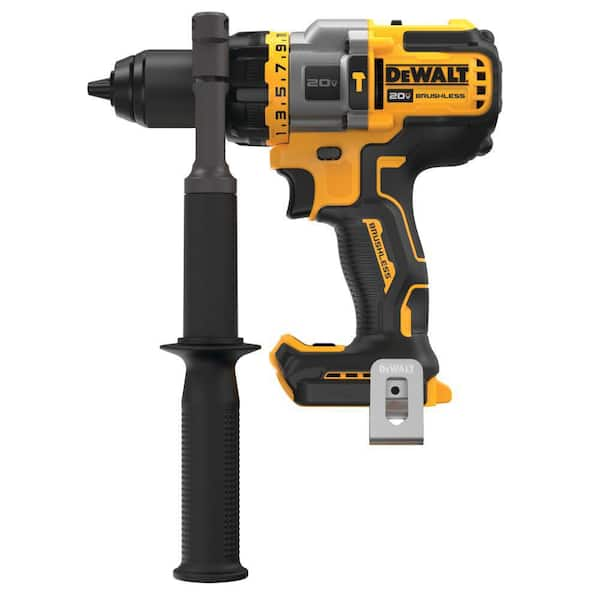
The drill driver has several important parts. The chuck holds the drill bit tightly for accurate work. The trigger controls the speed with simple pressure.
The handle is comfortable and provides a strong grip. There is a built-in LED light to brighten dark work areas. The belt hook keeps the tool handy when not in use.
Power And Torque
Power is essential for drilling through hard materials. Dewalt impact drivers deliver strong torque for tough jobs. This force helps drive screws quickly and securely.
The variable speed setting allows better control over power. Users can adjust the speed for delicate or heavy work. This flexibility improves precision and safety during use.
Battery Types
Dewalt offers different battery options for this tool. Lithium-ion batteries provide long run time and fast charging. They are lightweight, helping reduce user fatigue.
The batteries are also removable, allowing quick swaps on the job. This feature keeps work moving without long breaks. Battery indicators show the remaining power clearly.
Choosing The Right Drill Bits
Choosing the right drill bits is important for using your Dewalt impact drill driver effectively. The right bits make your work easier and protect the tool from damage. Different jobs need different bits. Knowing the types and compatibility helps you pick the best ones.
Types Of Bits
There are many types of drill bits. Twist bits are common for wood, metal, and plastic. Spade bits are good for drilling larger holes in wood. Masonry bits work well with concrete and brick. Brad-point bits provide precise holes in wood. Use the bit that fits your material and task.
Compatibility Tips
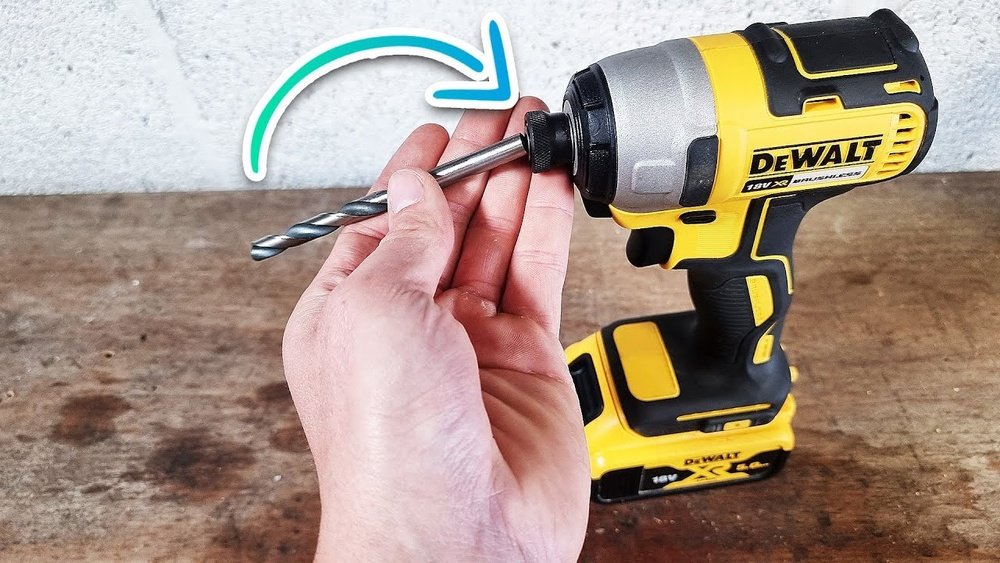
Check if the drill bit fits the Dewalt impact drill driver chuck size. Most Dewalt drivers use 1/4-inch hex shank bits for a secure fit. Avoid bits with round shanks; they may slip. Choose impact-rated bits for heavy-duty tasks. Using the right bits extends tool life and improves safety.
Preparing For Use
Preparing your Dewalt impact drill driver is the first step before starting any project. Proper preparation ensures safety and better tool performance. This section covers key steps to get your tool ready for use.
Charging The Battery
Start by fully charging the battery. Insert the battery into the charger until it clicks. Plug the charger into a power outlet. A light indicator shows charging progress. Wait until the light signals a full charge. Using a fully charged battery improves power and runtime.
Installing Drill Bits
Choose the right drill bit for your task. Open the chuck by turning it counterclockwise. Insert the drill bit into the chuck firmly. Turn the chuck clockwise to tighten it. Make sure the bit is secure and straight. Proper installation prevents slipping and damage.
Adjusting Settings
Check the speed settings on your drill driver. Use low speed for driving screws and high speed for drilling holes. Adjust the torque setting based on the material hardness. Higher torque is for tough materials, lower for soft ones. Set the impact mode if your drill has one. Correct settings improve control and efficiency.

Credit: www.youtube.com
Operating The Drill Driver
Operating the Dewalt Impact Drill Driver safely and effectively requires attention to detail. This tool offers power and control for many tasks. Proper handling improves your results and prevents accidents. Learn the best way to hold, control speed, and drill with this tool.
Proper Grip And Stance
Hold the drill driver firmly with both hands. One hand on the handle and the other supporting the front. Keep your fingers away from the trigger until ready. Stand with feet shoulder-width apart. This stance keeps you balanced and steady. Bend your knees slightly for better control.
Speed And Torque Control
Adjust the speed using the trigger pressure. Light pressure for slow speed; press harder for faster speed. Use the torque settings to match the task. Low torque for soft materials, high torque for hard surfaces. This prevents damage to the drill bit and material.
Drilling Techniques
Start drilling with slow speed to create a guide hole. Increase speed as the bit penetrates the surface. Apply steady pressure, not too hard, to avoid slipping. Pull the drill back slowly after finishing the hole. Clean the bit often to keep drilling smooth.
Safety Precautions
Using a Dewalt impact drill driver safely is very important. This tool is strong and fast. It can cause injuries if used carelessly. Follow safety rules to protect yourself and others around you. Safety helps you finish your work without trouble.
Protective Gear
Wear safety glasses to protect your eyes from dust and debris. Use ear protection to avoid loud noise damage. Gloves can protect your hands from sharp edges and vibration. Wear a dust mask if you work in a dusty place. Choose clothes that fit well and avoid loose sleeves. Proper gear keeps you safe and comfortable.
Avoiding Common Hazards
Check the drill and bits before use. Do not use damaged or worn parts. Keep your hands away from the spinning bit. Hold the drill firmly with both hands. Work in a clean, well-lit area to see clearly. Do not force the drill; let it work at its speed. Keep cords away from the drill path. Avoid distractions to stay focused on the task.
Maintenance Tips
Proper maintenance helps your Dewalt impact drill driver last longer. It keeps the tool working well and safe to use. Small daily care steps avoid big problems later. Follow these easy tips to take good care of your drill driver.
Cleaning The Tool
Wipe the drill driver after each use. Use a dry cloth to remove dust and dirt. Avoid water or harsh chemicals that can damage parts. Clean the vents gently to stop dust build-up. Keep the chuck free from debris for smooth operation.
Battery Care
Charge the battery fully before first use. Avoid letting the battery drain completely. Store batteries in a cool, dry place. Remove the battery from the tool when not in use. Use only the charger made for your Dewalt battery.
Storage Recommendations
Store the drill driver in its case or a safe spot. Keep it away from moisture and extreme temperatures. Avoid leaving the tool in direct sunlight. Make sure the tool is clean and dry before storing. Proper storage protects the drill driver and extends its life.
Troubleshooting Common Issues
Using a Dewalt Impact Drill Driver can sometimes come with small problems. These issues are common and easy to fix. Knowing how to solve them saves time and effort. This section helps you handle these problems quickly.
Battery Problems
Battery issues stop your drill from working well. Check if the battery is charged fully. Clean the battery contacts to remove dirt or dust. Try using another battery to see if the problem continues. Replace old batteries that do not hold charge anymore.
Drill Bit Slippage
Drill bit slippage happens when the bit does not stay tight. Make sure the chuck is locked firmly around the bit. Use the correct size bit for your job. Replace worn or damaged bits to avoid slipping. Tighten the chuck by hand or with a key for a better grip.
Unusual Noises
Strange sounds from your drill need attention. Stop using the drill if noises are loud or odd. Check for loose parts and tighten them. Clean any dust or debris inside the drill. If noises continue, have a professional check the tool to avoid damage.

Credit: kaz-metiz.com
Credit: www.homedepot.com
Frequently Asked Questions
How Do I Operate A Dewalt Impact Drill Driver?
To operate, insert the battery, select the right bit, and adjust torque settings. Hold firmly, press the trigger, and drill smoothly for best results.
What Drill Bits Work With Dewalt Impact Drivers?
Dewalt impact drivers work well with hex-shank bits, screwdriver bits, and impact-rated drill bits. Use bits designed for impact tools to ensure durability and performance.
How To Adjust Torque On A Dewalt Impact Driver?
Turn the clutch ring to select torque settings. Higher numbers mean more torque for tougher jobs; lower numbers prevent overdriving screws.
Can I Use A Dewalt Impact Driver For Drilling Holes?
Yes, Dewalt impact drivers can drill small to medium holes using appropriate drill bits. For larger holes, consider a drill designed for heavy-duty drilling.
Conclusion
Using the Dewalt impact drill driver is simple and effective. Always check the drill settings before starting work. Hold the tool firmly for better control and safety. Change bits carefully to suit your project needs. Regular maintenance keeps the drill working well longer.
Practice with small projects to build confidence. This tool helps complete tasks faster and with less effort. Enjoy your work and stay safe while drilling.
