


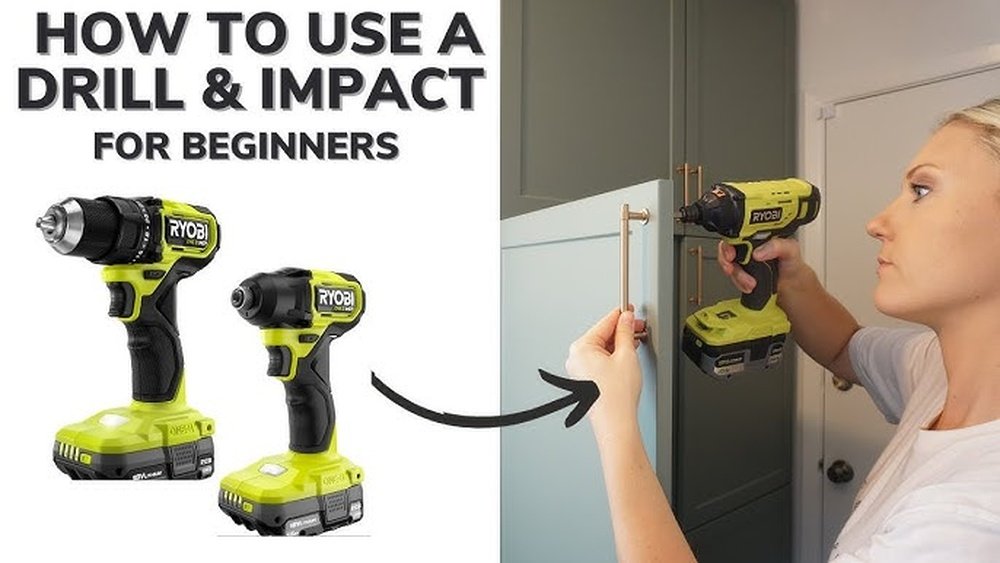
Are you ready to take your DIY projects to the next level? Learning how to use an impact driver can save you time and effort, making tough jobs feel easy.
Whether you’re a beginner or just want to work smarter, this guide will show you exactly how to get the most out of your impact driver. Keep reading, and you’ll discover simple tips and tricks that can transform the way you work—no confusing jargon, just clear steps you can follow right away.
Your projects deserve the power and precision an impact driver offers, and by the end of this article, you’ll know exactly how to use it like a pro.
Choosing The Right Impact Driver
Choosing the right impact driver is important for your projects. It helps you work faster and easier. Picking the best tool depends on what tasks you want to do. Knowing the types, features, and power options will guide you to the right choice.
Types Of Impact Drivers
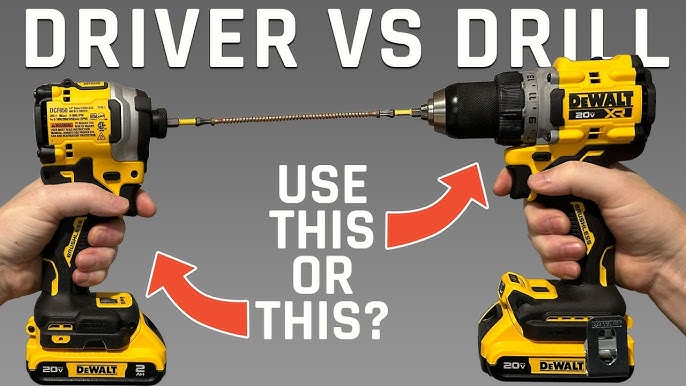
There are several types of impact drivers. Some are compact for small jobs. Others are heavy-duty for tough tasks. Cordless impact drivers offer freedom of movement. Corded ones provide constant power without batteries. Choose a type based on your project needs.
Key Features To Look For
Look for features that improve control and comfort. A good grip helps you hold the tool firmly. Variable speed settings let you adjust power. LED lights help you see in dark spaces. Check the torque level to match your work.
Battery Vs Corded Options
Battery-powered impact drivers give more mobility. They work well for outdoor or remote jobs. Corded drivers do not need charging. They provide steady power for long tasks. Think about where and how often you will use the tool.
Credit: www.youtube.com
Essential Accessories
Essential accessories make using an impact driver easier and safer. These add-ons help you work better and keep your tools in good shape. They fit different tasks and improve your control. Knowing what to use helps you get the best results.
Bits And Attachments
Bits come in many shapes and sizes. Choose the right bit for screws or bolts. Use magnetic bits to hold screws firmly. Attachments like socket adapters expand your driver’s use. They help reach tight spots or turn nuts easily.
Safety Gear
Wear safety glasses to protect your eyes from flying debris. Gloves protect your hands from sharp edges and vibration. Ear protection reduces noise from the impact driver. Use a dust mask if you work in dusty places. Safety gear prevents injuries and keeps you comfortable.
Maintenance Tools
Keep your impact driver clean with a soft brush or cloth. Use lubricant on moving parts to avoid rust. Check battery health with a tester or charger. Tighten screws and bolts on the driver regularly. Good maintenance extends the tool’s life and improves performance.
Basic Operation Techniques
Understanding the basic operation techniques of an impact driver is essential for safe and effective use. These techniques help you work faster and avoid mistakes. This section explains how to hold and position the tool, set torque levels, and switch directions. Each step is simple but important.
Holding And Positioning
Hold the impact driver firmly with both hands. One hand on the handle, the other supporting the tool if needed. Keep your wrist straight to reduce fatigue. Position the driver perpendicular to the screw or bolt. This ensures better control and prevents slipping.
Setting Torque Levels
Torque controls the power applied to screws. Start with a low torque setting for small screws or soft materials. Increase torque for larger screws or harder materials. Adjust torque gradually to avoid stripping or breaking screws. Check the user manual for torque settings specific to your model.
Switching Directions
Most impact drivers have a switch to change rotation direction. Push the switch left for tightening screws. Push it right for loosening screws. Always stop the tool before switching directions. This prevents damage to the motor and parts.

Credit: uk.worx.com
Step-by-step Usage Guide
Using an impact driver can make many tasks easier. This guide breaks down the process into clear steps. Follow these steps to use your impact driver safely and efficiently.
Preparing The Work Area
Clear the space around your work area. Remove loose items that could cause accidents. Ensure good lighting to see your work clearly. Wear safety glasses to protect your eyes. Keep your hands dry and clean for a better grip.
Inserting And Securing Bits
Select the correct bit for your task. Pull back the chuck to open the bit holder. Insert the bit fully into the holder. Release the chuck to lock the bit in place. Check the bit is firmly secured before starting.
Starting And Controlling The Driver
Hold the driver with a firm grip. Position the bit at the screw head. Press the trigger gently to start the driver. Increase speed as needed for the task. Keep the driver steady to avoid slipping.
Finishing And Removing Screws
Slow down the driver near the end. Stop pressing the trigger once the screw is flush. For removal, reverse the driver’s direction. Keep the bit aligned with the screw. Remove the screw carefully to avoid damage.
Common Mistakes To Avoid
Using an impact driver can make many tasks easier. But beginners often make mistakes that cause problems. Avoid these common errors to work better and safer. Follow simple tips to get the best results with your tool.
Overtightening Screws
One common mistake is overtightening screws. It can strip the screw head or damage the material. Stop driving as soon as the screw feels tight. Let the impact driver do the work without forcing it. This saves your project and the tool.
Using Incorrect Bits
Using the wrong bit can cause slipping and damage. Always choose bits that fit the screw heads exactly. Worn or loose bits reduce control and increase risk. Replace old bits often to keep tasks smooth and safe.
Ignoring Safety Precautions
Ignoring safety rules can lead to injury. Always wear safety glasses and gloves. Keep your hands clear from moving parts. Use the tool in well-lit areas and steady positions. Safety protects you and helps you finish jobs well.
Troubleshooting Tips
Troubleshooting your impact driver helps keep your tool working well. Problems can stop your work. Quick fixes get you back on track fast. Here are common issues and simple solutions.
Driver Not Starting
Check if the battery is properly connected. Sometimes, loose batteries stop the driver from starting. Press the trigger firmly. Dirt or dust can block the switch. Clean the driver’s surface carefully. If it still won’t start, try another battery or charger. Faulty parts may need a professional check.
Battery Issues
Battery not holding charge? It may be old or damaged. Use the correct charger for your battery type. Avoid overcharging; it reduces battery life. Store batteries in a cool, dry place. Keep spare batteries charged and ready. Replace the battery if it drains quickly or won’t charge.
Bit Slipping Or Stripping
Bits slip when they don’t fit tight. Choose the right bit size for screws. Clean bits and driver chuck regularly. Worn or damaged bits cause stripping. Replace bits showing wear or damage. Tighten the chuck firmly around the bit. Use steady pressure to avoid slipping while driving screws.
Advanced Techniques
Advanced techniques with an impact driver help you do more than just basic screwing. They improve your skills and make tasks easier. This section covers using the tool for drilling, working with various materials, and saving battery power. Each tip will help you use your impact driver smarter and faster.
Using Impact Driver For Drilling
Impact drivers can drill holes, not just drive screws. Use a hex-shank drill bit for best fit. Start with low speed to avoid damage. Hold the tool steady and apply firm pressure. Increase speed once the bit bites into the material. This method works well for wood and soft metals.
Working With Different Materials
Different materials need different approaches. For wood, use sharp bits and moderate speed. For metal, select high-speed steel bits and use steady pressure. Avoid overheating by pausing often. For masonry, use special bits and a hammer drill mode if available. Adjust your technique to protect both the tool and material.
Maximizing Battery Life
Save battery by using the correct speed and power settings. Use the lowest speed that works for the task. Turn off the tool when not in use. Charge batteries before they are completely empty. Keep batteries cool and store them properly. These habits extend battery life and keep your driver ready.
Learning From Youtube Tutorials
YouTube tutorials offer a great way to learn how to use an impact driver. These videos show real tools in action. They break down complex steps into easy parts. Watching tutorials helps build confidence before starting your own projects.
Choosing the right videos is important. Some channels teach better than others. Good tutorials focus on safety, tool handling, and practical tips. Let’s explore how to find and use these videos well.
Finding Reliable Channels
Start by searching for channels that specialize in tools and DIY. Look for those with many subscribers and positive comments. Check if the creator explains things clearly and shows the full process. Avoid videos with confusing instructions or poor video quality.
Following Step-by-step Videos
Pick videos that guide you through each step slowly. Pause and replay parts to understand better. Pay attention to how the impact driver is held and used. Step-by-step tutorials make learning easier, even for beginners.
Engaging With The Community
Read comments to see what others say about the tutorial. Ask questions if something is unclear. Many creators reply and give extra advice. Joining discussions helps you learn from others’ experiences too.

Credit: vicentetorns.com
Frequently Asked Questions
What Is An Impact Driver Used For?
An impact driver is used for driving screws and bolts with high torque. It works well on tough materials like wood and metal. It reduces hand strain and speeds up fastening tasks, making it ideal for construction and DIY projects.
How Do I Choose The Right Impact Driver Bit?
Choose bits that fit your screw heads perfectly. Use high-quality, durable bits to prevent stripping. Ensure the bit size matches your screws. Magnetic bits help hold screws in place during use.
Can Beginners Safely Use An Impact Driver?
Yes, beginners can safely use impact drivers by following instructions. Start with low speed and practice on scrap materials. Always wear safety gear and keep a firm grip to control the tool.
How To Maintain An Impact Driver For Longevity?
Keep the impact driver clean and dry after use. Regularly check and tighten screws and parts. Lubricate moving parts as recommended. Store it in a cool, dry place to prevent damage.
Conclusion
Using an impact driver on YouTube helps you learn fast. Videos show clear steps and real examples. You can see how tools work in action. Practice along with the videos to improve skills. Watch different channels to find your style.
Keep safety in mind while working. With time, your confidence will grow. Enjoy making projects easier and faster. Start watching and try using your impact driver today.
