


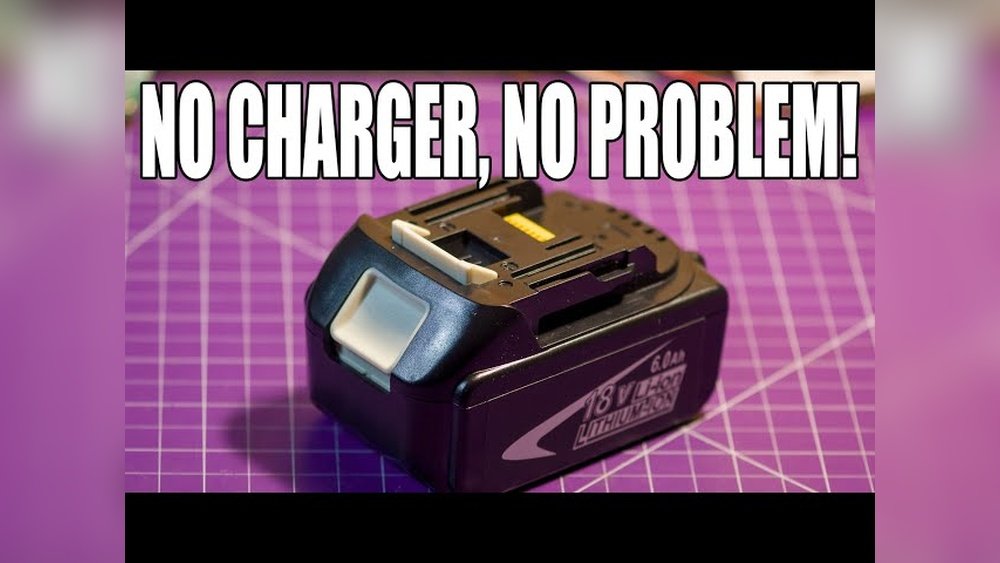
Have you ever found yourself in the middle of a project, only to realize your cordless drill battery is dead—and the charger is nowhere to be found? It’s frustrating, right?
But what if you could quickly charge that battery without the original charger? You’ll discover simple, safe ways to power up your cordless drill battery when you’re stuck without a charger. Keep reading, because mastering this trick could save your tools—and your time—when you need them most.
Common Cordless Drill Battery Types
Cordless drill batteries come in different types. Each type has unique features and charging needs. Knowing the battery type helps in handling it safely. It also guides you in finding ways to charge it without a charger.
Lithium-ion Batteries
Lithium-ion batteries are common in modern cordless drills. They are light and hold charge for a long time. These batteries do not suffer from memory effect. They charge quickly but need a proper charger to avoid damage.
Nickel-cadmium Batteries
Nickel-cadmium batteries are older but still in use. They are tougher and can work in cold weather. These batteries lose capacity if not fully discharged before charging. Charging them without a charger requires care to avoid overcharging.
Nickel-metal Hydride Batteries
Nickel-metal hydride batteries offer more capacity than nickel-cadmium. They are safer and less toxic. These batteries can be charged without a charger, but slowly and carefully. Overcharging can shorten their lifespan.

Credit: www.rtk-holding.ru
Risks Of Charging Without A Charger
Charging a cordless drill battery without the proper charger can seem like a quick fix. It may save time in the short term. Yet, this method carries serious risks. These risks affect the battery’s health, your safety, and the tool’s lifespan. Understanding these dangers helps avoid costly damage and accidents.
Battery Damage
Using the wrong charger can harm the battery cells. The battery may overheat or swell. This damage reduces the battery’s ability to hold a charge. It can also cause permanent failure. Once damaged, the battery often cannot be repaired.
Safety Hazards
Improper charging can lead to sparks or fires. Batteries may leak harmful chemicals when damaged. Overheating can cause burns or explosions. Charging without a proper charger increases these risks. Safety should always come first to prevent accidents.
Reduced Battery Life
Charging methods not designed for the battery lower its lifespan. The battery may lose capacity faster than usual. This means fewer hours of work per charge. It also leads to more frequent replacements, increasing overall costs.
Essential Tools For Alternative Charging
Charging a cordless drill battery without its original charger requires some basic tools. These tools help you safely connect power and check the battery’s condition. Knowing the right tools makes the process easier and safer.
Below are the essential tools needed for alternative charging methods. Each tool plays a key role in ensuring the battery charges correctly and avoids damage.
Multimeter
A multimeter measures voltage, current, and resistance. It helps check the battery’s voltage before and during charging. This tool ensures the battery is not overcharged or undercharged. Using a multimeter prevents damage and extends battery life.
Power Supply Options
You need a reliable power source to charge the battery. Common options include a DC power supply or a compatible car charger. These provide steady voltage and current. Choose a power supply with adjustable settings to match the battery’s requirements. Avoid using random power sources to prevent hazards.
Basic Wiring Tools
Basic wiring tools include wire cutters, strippers, and alligator clips. These tools help connect the battery terminals to the power source safely. Good wiring tools ensure firm connections and prevent short circuits. Use insulated tools to avoid electric shocks.
Charging Using A Usb Cable
Charging a cordless drill battery without its charger might seem tough. Using a USB cable is a simple and handy solution. This method works well for small batteries. It lets you power up your drill with devices like power banks or laptops. Safety matters a lot during this process. Follow the steps carefully to avoid damage or injury.
Identifying Battery Voltage
Check the battery label for voltage details. Most cordless drill batteries show volts like 12V or 18V. USB cables usually provide 5V power. Match the battery voltage with the USB power source. For higher voltage batteries, multiple USB ports may be needed. Use a multimeter if the voltage is unclear. Correct voltage ensures safe and effective charging.
Connecting Wires Safely
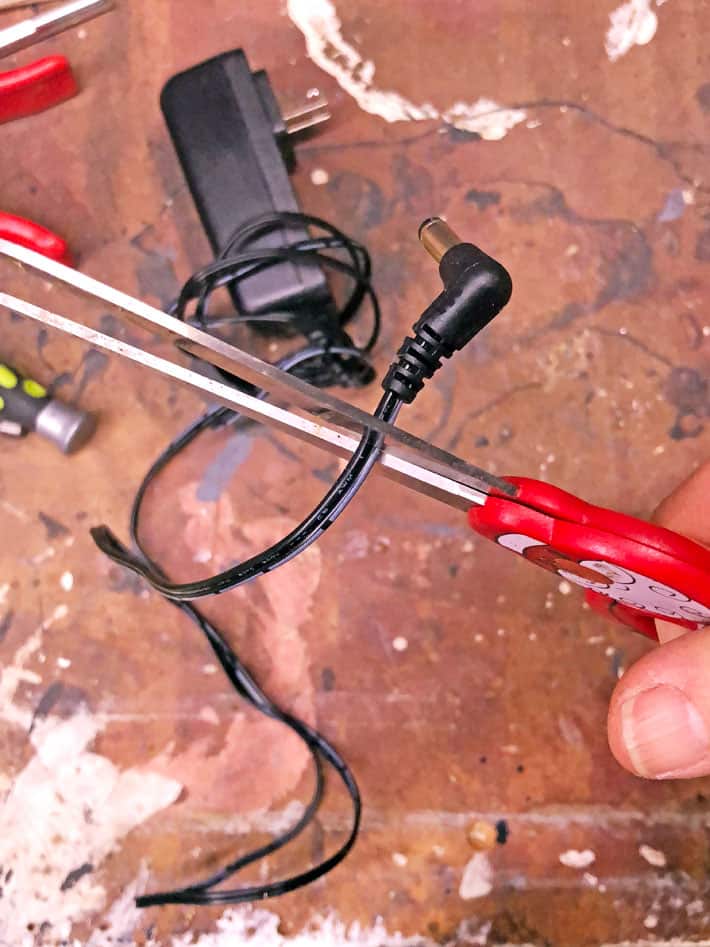
Strip the USB cable to expose red and black wires. Red is positive (+), black is negative (-). Connect the red wire to the battery’s positive terminal. Attach the black wire to the negative terminal. Secure connections with electrical tape or clips. Avoid touching wires together to prevent short circuits. Always work on a non-metal surface to reduce risk.
Monitoring Charging Progress
Watch the battery while charging for any heat or swelling. Check the battery voltage with a multimeter during the process. Charging time depends on battery size and USB power output. Stop charging immediately if the battery gets hot. Unplug the USB cable once the battery reaches full charge. Proper monitoring keeps the battery safe and extends its life.
Using A Car Battery Charger
Using a car battery charger can be a practical way to charge a cordless drill battery without its original charger. This method uses the power from your car battery charger to refill the drill battery. It requires careful steps to avoid damage to the battery or charger. Follow the instructions below to charge safely and correctly.
Setting Correct Voltage
Check your cordless drill battery’s voltage rating first. Most drill batteries are 12V or 18V. Adjust the car battery charger to match this voltage exactly. Using the wrong voltage can harm the battery or cause overheating. Always set the charger on a low amp setting for safety.
Connecting Terminals Properly
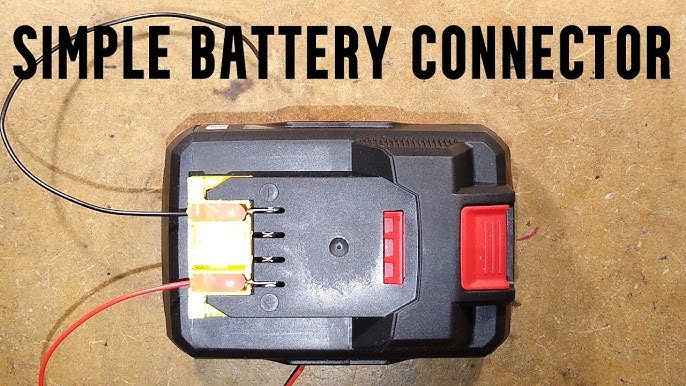
Identify the positive (+) and negative (-) terminals on both the drill battery and car charger. Connect the positive terminal of the charger to the positive terminal of the drill battery. Do the same for the negative terminals. Make sure the connections are tight and secure. Loose connections can cause sparks or damage.
Precautions To Take
Never leave the battery unattended while charging. Monitor the battery temperature regularly. Stop charging if the battery feels hot or starts to swell. Use protective gloves and eye protection. Charge in a well-ventilated area. Avoid charging near flammable materials to reduce fire risk.
Diy Solar Panel Charging Method
Charging a cordless drill battery without a charger is possible using solar power. The DIY solar panel charging method uses sunlight to power your battery. This eco-friendly way saves money and works well outdoors. It needs basic tools and careful setup to charge safely and efficiently.
Selecting The Right Panel
Choose a solar panel with a voltage close to your battery’s rating. For most cordless drill batteries, a 12V panel works well. Pick a panel with enough wattage to provide steady current. Around 10 to 20 watts is usually enough for small batteries. Make sure the panel is durable and weather-resistant for outdoor use.
Wiring For Battery Charging
Use proper wires to connect the solar panel and battery. Connect the panel’s positive lead to the battery’s positive terminal. Attach the panel’s negative lead to the battery’s negative terminal. Include a blocking diode to stop current from flowing back at night. Check all connections for tightness and safety to avoid sparks or shorts.
Optimizing Charge Efficiency
Place the solar panel facing direct sunlight for maximum energy. Adjust the panel angle to catch the sun during peak hours. Keep the panel clean from dust and debris to improve output. Monitor the battery voltage to avoid overcharging. A simple charge controller can help maintain safe charging levels.
Jump-starting With Another Battery
Jump-starting a cordless drill battery using another battery is a practical way to get power without a charger. This method involves transferring charge from a working battery to the dead one. It can save time and keep your work going.
Choosing A Compatible Battery
Pick a battery with the same voltage as the dead one. Different voltage batteries can cause damage or fail to charge. Also, check the battery type, like lithium-ion or nickel-cadmium. Using the same type ensures safe and effective charging.
Safe Connection Techniques
Connect the positive terminal of the charged battery to the positive terminal of the dead battery. Do the same for the negative terminals. Use insulated wires to avoid short circuits. Keep the batteries on a non-metal surface while charging. Never touch the terminals together directly.
Charging Duration Guidelines
Allow the batteries to stay connected for about 15 to 30 minutes. Check the battery temperature often. Stop the process if it becomes hot. This short charge can give enough power for a quick drill use. Do not overcharge or leave batteries connected too long.
Credit: www.theartofdoingstuff.com
Maintenance Tips For Battery Longevity
Taking care of your cordless drill battery helps it last longer. Proper maintenance keeps the battery healthy and ready to use. Small habits can prevent damage and improve performance. Follow these simple tips to extend battery life.
Proper Storage Practices
Store the battery in a cool, dry place. Avoid extreme heat or cold, which can harm the battery. Keep it away from direct sunlight and moisture. Remove the battery from the drill if you won’t use it for weeks. This prevents slow power loss and damage.
Regular Battery Checks
Check your battery often for damage or leaks. Look for cracks or swelling on the surface. Test the battery charge level before use. Replace or recycle batteries that show signs of wear. Regular checks stop small problems from becoming bigger.
Avoiding Overcharging
Do not leave the battery on the charger too long. Overcharging reduces battery life and causes overheating. Charge the battery only until it is full. Unplug the charger after the battery reaches 100%. This habit keeps your battery safe and efficient.
When To Replace Your Battery
Knowing when to replace your cordless drill battery is important. A battery that no longer holds charge can stop your work. It can also cause frustration and delay your projects. Recognizing the right time to get a new battery saves money and effort. Below are key points to help you decide.
Signs Of Battery Failure
The battery drains quickly even after a full charge. The drill stops working suddenly without warning. The battery feels hot or swollen during use. It takes much longer to charge than before. These are clear signs the battery is failing.
Cost Vs. Repair Considerations
Replacing a battery may cost less than repairing the drill. Repairing old batteries is often not effective or safe. Buying a new battery ensures better performance and longer life. Compare prices of new batteries and repairs before deciding. Choose the option that saves money and time.
Disposal Of Old Batteries
Old batteries contain harmful chemicals and must be disposed safely. Do not throw batteries in regular trash. Take them to a recycling center or a battery collection site. Proper disposal protects the environment and follows local rules. Always handle old batteries with care to avoid leaks or damage.
Credit: www.youtube.com
Frequently Asked Questions
How Can I Charge A Cordless Drill Battery Without A Charger?
You can use a universal battery charger, a power supply, or a USB charging adapter. Always match voltage and polarity to avoid damage or hazards.
Is It Safe To Charge Drill Batteries Without The Original Charger?
Charging without the original charger can be risky. Use compatible devices and follow safety precautions to prevent overheating, damage, or injury.
Can A Car Charger Charge A Cordless Drill Battery?
Yes, some car chargers with adjustable output can charge drill batteries. Ensure voltage compatibility and use proper connectors for safety.
How Long Does It Take To Charge Without The Original Charger?
Charging time varies by method and battery capacity. It may take longer than the original charger, so monitor progress carefully.
Conclusion
Charging a cordless drill battery without a charger can be done safely. Take care to follow the right steps and use proper tools. Avoid shortcuts that might damage the battery or cause harm. Always check the battery’s condition before starting.
Keep safety in mind at all times. This way, you can keep your drill ready for use when needed. Remember, patience and caution help prevent accidents. Stay prepared and handle batteries with care to extend their life.
