


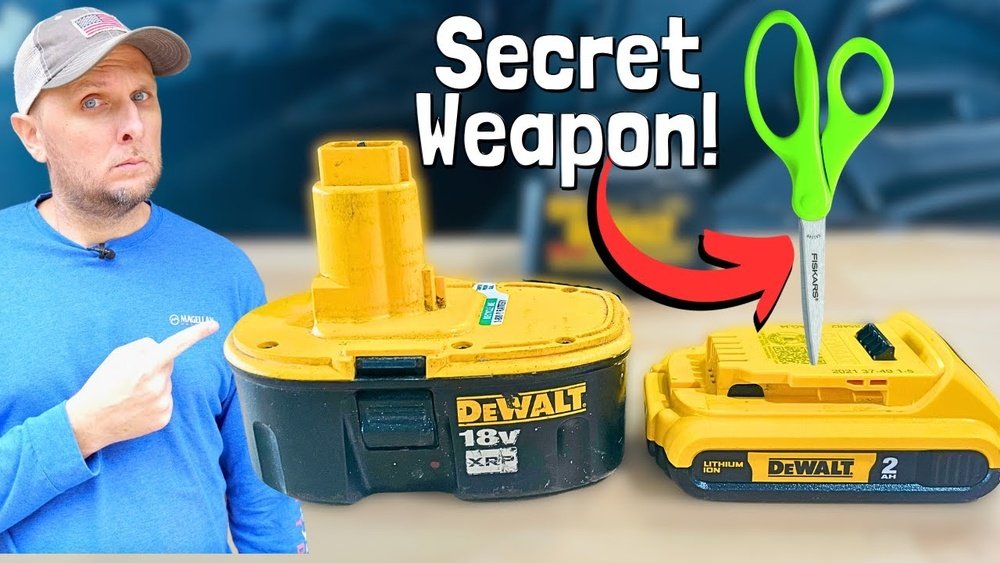
Is your cordless drill battery not holding a charge like it used to? You’re not alone, and the good news is you might not need to buy a new one just yet.
Resetting your cordless drill battery can bring it back to life and save you time and money. In this guide, you’ll learn simple, effective steps to reset your battery and get your drill working like new again. Keep reading—you’re just a few easy actions away from powering up your tools with confidence!
Signs Of A Faulty Battery
Knowing the signs of a faulty cordless drill battery helps you fix it early. Batteries wear out over time and stop working well. Spotting problems saves time and money.
Reduced Run Time
The battery does not last as long as before. Your drill stops working quickly during use. A shorter run time means the battery holds less charge. This is a common sign the battery is failing.
Slow Charging
The battery takes too long to charge fully. Charging may also stop before the battery is full. Slow charging shows the battery or charger might be damaged. This reduces your drill’s readiness for work.
Overheating Issues
The battery becomes very hot during use or charging. Overheating can damage the battery’s cells inside. It also makes the drill unsafe to use. Heat problems often mean the battery is faulty.
Credit: www.youtube.com
Safety Tips Before Resetting
Resetting a cordless drill battery needs care and attention. Safety is the top priority before starting the reset process. Taking the right precautions can stop accidents and protect you from harm.
Follow these simple safety tips to make your work safe and smooth. Prepare well and handle tools carefully. Your safety depends on the steps you take now.
Proper Handling
Always hold the battery firmly but gently. Avoid dropping or shaking the battery. Rough handling can damage cells inside. Keep metal objects away to stop short circuits. Handle the battery with clean, dry hands only.
Using Protective Gear
Wear safety glasses to protect your eyes. Use gloves to prevent cuts or burns. A mask helps if dust or fumes appear. Protective gear keeps you safe from unexpected sparks or leaks. Do not skip these important safety tools.
Work Area Preparation
Choose a clean, dry, and well-lit place to work. Remove flammable materials from the area. Keep a fire extinguisher nearby just in case. Work on a non-slip surface to avoid accidents. Organize tools before you start the reset process.
Basic Reset Methods
Basic reset methods help fix most cordless drill battery issues. These simple steps often restore battery function. They take little time and require no special tools. Follow each method carefully for best results.
Power Cycling The Battery
Power cycling means fully draining and then fully charging the battery. Use the drill until the battery stops working. Then charge it completely without interruption. This process can reset the battery’s internal system. It helps clear minor faults and improves battery life.
Cleaning Battery Contacts
Dirty contacts can stop the battery from working well. Use a dry cloth or small brush to clean the metal contacts. Remove dust, dirt, and rust gently. Clean contacts help the battery connect properly with the drill. This simple step often solves charging problems.
Re-seating The Battery Pack
Sometimes the battery pack does not fit right. Remove the battery from the drill carefully. Check for any damage or debris in the slot. Place the battery back firmly until it clicks. A good fit improves power flow and may reset the battery connection.
Credit: www.amazon.com
Advanced Reset Techniques
Advanced reset techniques help fix cordless drill batteries deeply. These methods go beyond simple charging and discharging. They improve battery life and restore power performance. Use tools and careful steps to reset batteries correctly.
Using A Battery Analyzer
A battery analyzer tests the battery’s health and charge level. Connect the analyzer to the battery terminals carefully. The device shows voltage, capacity, and internal resistance. This data helps decide if the battery needs reset or replacement. Some analyzers have a reset function to recalibrate the battery cells.
Manual Battery Calibration
Manual calibration balances the battery’s charge and discharge cycles. Fully charge the battery first. Then, run it down completely by using the drill until it stops. Repeat this cycle two or three times. This process helps the battery management system learn the battery’s real capacity. It can improve battery life and accuracy.
Resetting Battery Management System
The battery management system (BMS) controls battery safety and performance. Sometimes, it needs a reset to fix errors or shutdowns. To reset, remove the battery from the drill. Wait for 10 to 15 minutes. Press the drill trigger for a few seconds to release stored energy. Reinstall the battery and charge it fully. This resets the BMS and can fix many battery issues.
Charging Tips To Extend Battery Life
Taking care of your cordless drill battery is key to keeping it strong and lasting longer. Proper charging habits help maintain battery power and prevent damage. Following simple tips can save you money and frustration.
Optimal Charging Cycles
Charge the battery before it gets completely empty. Partial charges are better than full discharges. Try to keep the battery level between 20% and 80%. This helps avoid stress on the battery cells. Regular charging cycles extend the battery’s life.
Avoiding Overcharging
Do not leave the battery on the charger for too long. Overcharging heats the battery and causes wear. Use a charger with an automatic shut-off feature. Remove the battery once it is fully charged. This keeps the battery safe and healthy.
Using The Right Charger
Always use the charger made for your drill’s battery. Different batteries need different chargers. Using the wrong charger can damage the battery or cause poor performance. Check the charger’s voltage and connector type before use. Stick to original or recommended chargers only.
When To Replace The Battery
Knowing when to replace your cordless drill battery saves time and effort. Batteries wear out after many charges. Using a weak battery can slow your work. It can also cause the drill to stop suddenly. Replacing the battery ensures your drill runs well and lasts longer.
Signs Replacement Is Needed
Notice if the battery drains fast. It may not hold a charge like before. The drill might lose power or stop during use. Swelling or leaking of the battery is a clear warning. Overheating during charging is another sign. If your drill’s performance drops, check the battery first.
Choosing Compatible Batteries
Always pick a battery designed for your drill model. Check the voltage and size match exactly. Use original or trusted brand batteries for safety. Avoid cheap or low-quality batteries; they may damage your drill. Compatibility ensures the drill works properly and lasts longer. Read the drill’s manual for specific battery types.
Disposal And Recycling Options
Old batteries contain harmful chemicals. Do not throw them in the trash. Take them to a battery recycling center or hazardous waste site. Many stores offer battery recycling programs. Proper disposal protects the environment and public health. Always follow local rules for battery disposal.
Troubleshooting Common Issues
Troubleshooting common problems with your cordless drill battery can save time and money. Most issues have simple fixes you can try at home. Knowing what to check helps you get your drill working again fast.
Battery Not Charging
Check the charger connection first. Make sure the charger plug fits securely into the battery and the power outlet. Dirt or dust on the contacts can stop charging. Clean them gently with a dry cloth. Try a different outlet to rule out power problems. If the battery still won’t charge, it may be old or damaged. Replacing the battery might be necessary.
Drill Not Powering On
Ensure the battery is fully charged and properly inserted. Sometimes the battery clicks in but doesn’t make full contact. Remove and reinsert the battery firmly. Check the drill’s power switch and trigger for damage or dirt. A stuck trigger can prevent power flow. If the drill still won’t turn on, the internal wiring or motor could be faulty.
Intermittent Power Loss
Intermittent power means the drill works sometimes but cuts out unexpectedly. Loose battery connections often cause this. Remove the battery and clean the contacts on both battery and drill. Inspect for cracked or worn wires inside the drill. Test with another battery if possible. Replace any damaged parts to restore consistent power.
Credit: www.reddit.com
Frequently Asked Questions
How Do I Reset A Cordless Drill Battery Safely?
To reset a cordless drill battery, fully discharge it first. Then, recharge it completely without interruption. This process recalibrates the battery and can improve performance.
Can Resetting A Cordless Drill Battery Improve Its Life?
Yes, resetting can help restore battery capacity. It recalibrates the internal cells, preventing inaccurate charge readings and prolonging battery life when done properly.
How Long Does It Take To Reset A Cordless Drill Battery?
Resetting usually takes a full discharge and full charge cycle. This can take several hours depending on battery size and charger speed.
What Tools Do I Need To Reset A Cordless Drill Battery?
No special tools are needed. You just need the cordless drill, its battery, and the original charger to perform the reset correctly.
Conclusion
Resetting a cordless drill battery can save time and money. Follow simple steps to bring your battery back to life. Regular care helps batteries last longer and work better. Keep your tools ready for any project. With these tips, your drill battery stays strong.
Try the process carefully and enjoy smoother work. Small actions make a big difference in battery health. Stay prepared and keep your cordless drill powered up.
