


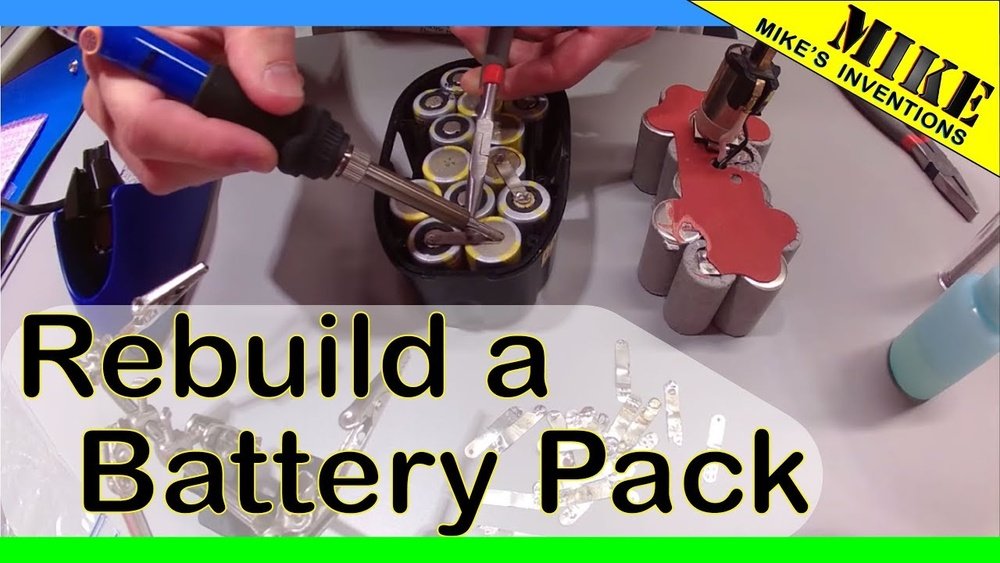
Is your Dewalt 18 Volt cordless drill not working like it used to? Before you rush to buy a new one, what if you could bring your drill back to life yourself?
Rebuilding your drill can save you money and give you a sense of pride in fixing something with your own hands. In this guide, you’ll find simple, clear steps to rebuild your Dewalt drill, even if you’re not a tech expert.
Keep reading, and by the end, your drill will be ready to tackle any project again. Ready to get started? Let’s dive in!
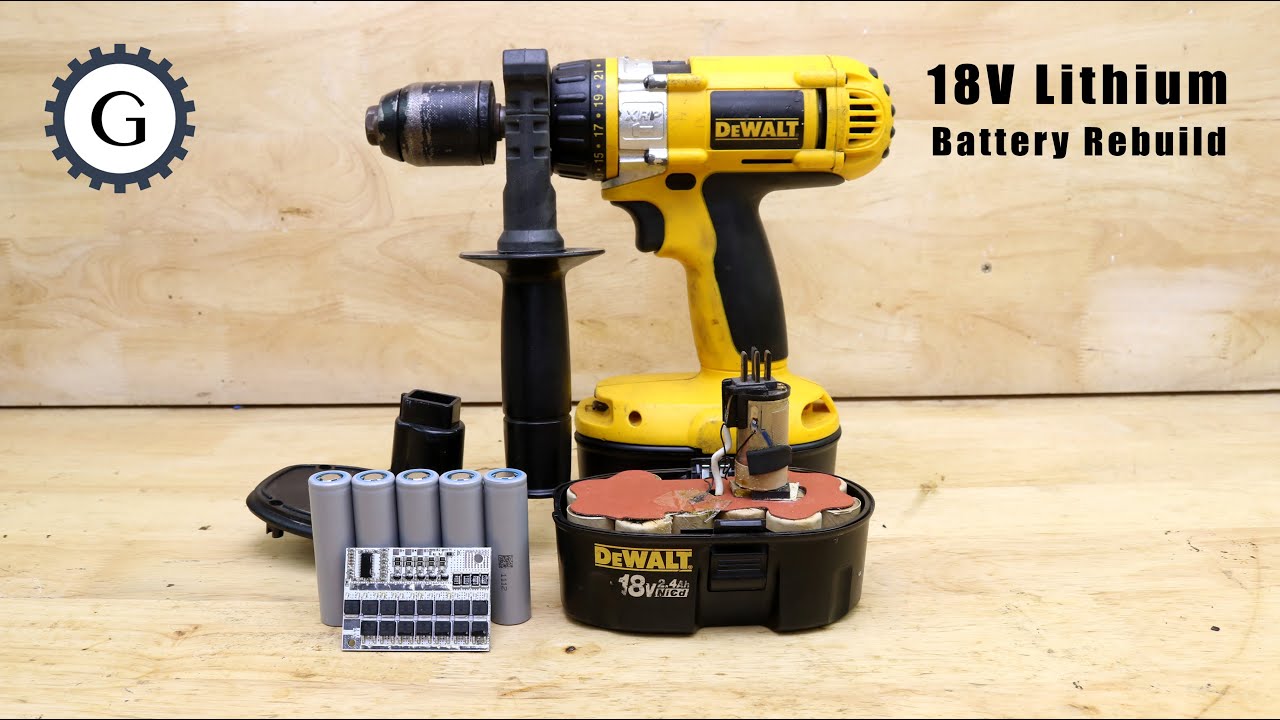
Credit: www.youtube.com
Tools And Materials Needed
Before rebuilding a Dewalt 18 Volt cordless drill, gather the right tools and materials. Having everything ready makes the process easier and faster. It helps you avoid interruptions and mistakes.
Essential Tools
You need a few basic tools. A small screwdriver set is important for removing screws. A pair of needle-nose pliers helps with small parts. A multimeter checks the battery and electrical parts. A soldering iron is useful for fixing wires. A soft brush cleans dust and dirt from inside the drill.
Replacement Parts
Some parts wear out and need replacing. A new battery pack restores power. Brushes and springs inside the motor might need swapping. The switch or trigger button can fail and require replacement. Look for original Dewalt parts or good-quality alternatives. Keep the drill’s model number handy to find the right pieces.
Safety Gear
Safety is important when working with power tools. Wear safety glasses to protect your eyes. Use gloves to avoid cuts and burns. Work in a well-lit area to see small parts clearly. Keep a clean workspace to prevent accidents. Always disconnect the battery before starting repairs.
Disassembling The Drill
Disassembling your DeWalt 18 Volt cordless drill is the first key step in rebuilding it. This process helps you access the internal parts that may need repair or replacement. Taking your time and being careful during disassembly prevents damage and makes reassembly easier.
Removing The Battery
Start by removing the battery pack from the drill. Press the release buttons on the sides of the battery. Pull the battery away from the drill firmly. Always remove the battery to avoid any electric shock or accidental start.
Opening The Housing
Locate the screws on the drill’s outer casing. Use a suitable screwdriver to remove all screws. Keep the screws safely for reassembly later. Gently separate the two halves of the drill’s housing. Avoid using force to prevent breaking the plastic parts.
Taking Out Internal Components
Carefully lift out the internal parts like the motor and gearbox. Note how each part fits inside the housing. Take photos to help during reassembly. Handle all components with care to avoid damage. Keep parts organized on a clean surface.
Inspecting Components
Before rebuilding your Dewalt 18 Volt cordless drill, start by inspecting its key parts. Careful inspection helps find worn or broken components. This step saves time and ensures your drill works well after repair.
Checking The Motor
Remove the motor cover to see inside. Look for dirt, dust, and signs of wear. Check if the motor spins freely without noise. Listen for grinding or rough sounds. Clean the motor with a soft brush if dirty. Replace the motor if it shows burn marks or smells burnt.
Examining The Gears
Open the gear housing carefully. Inspect each gear tooth for chips or cracks. Gears must move smoothly without sticking. Grease the gears lightly to reduce friction. Replace any damaged gears to avoid future problems. Proper gear function is key for drill power and speed.
Testing The Switch And Wiring
Check the switch by pressing it several times. It should click and feel firm. Look at the wiring for loose connections or broken wires. Use a multimeter to test electrical continuity. Fix or replace faulty wires and switches. Secure connections keep your drill safe and reliable.

Credit: www.lacuencana.com.ec
Cleaning And Repairing Parts
Cleaning and repairing parts is a key step in rebuilding a Dewalt 18 Volt cordless drill. Dirt and wear can reduce the drill’s performance. Proper cleaning and fixing keep it working smoothly and extend its life.
Removing Dirt And Debris
Start by opening the drill carefully. Use a soft brush to remove dust and dirt inside. Compressed air helps clear out small particles from tight spaces. Clean the drill’s vents and motor area well. Avoid using water, as it may damage electrical parts.
Lubricating Moving Parts
Apply a small amount of light machine oil to gears and bearings. This reduces friction and noise. Use grease for the chuck and other heavy-use parts. Lubrication helps parts move freely and prevents rust. Wipe off any extra oil to avoid dirt buildup.
Fixing Or Replacing Damaged Components
Check all parts for cracks, breaks, or wear. Replace damaged gears, brushes, or springs with new ones. Repair loose wires or connections using proper tools. Make sure the battery contacts are clean and tight. Using original parts ensures better fit and function.
Reassembling The Drill
Reassembling the drill is a key step after cleaning and repairing its parts. Proper reassembly ensures the drill works smoothly and safely. Take your time to put everything back in the right place. Follow each step carefully for the best results.
Aligning Internal Components
Start by placing the motor and gears back inside the drill body. Make sure each part fits snugly in its slot. Check the alignment of the trigger switch and wiring. Misalignment can cause the drill to malfunction or not start.
Use a small screwdriver to gently adjust parts if needed. Ensure the chuck is properly seated on the spindle. This keeps the drill bit tight during use. Double-check all internal parts before closing the housing.
Securing The Housing
Once internal parts are aligned, fit the two halves of the drill housing together. Press firmly to avoid gaps or loose areas. Insert all screws into their correct holes. Tighten screws evenly to keep the housing secure.
Do not overtighten screws as this can crack the plastic. Use a magnetic screwdriver for easier screw placement. Check for any leftover parts outside the drill before finishing. A tight housing protects the internal components from dust and damage.
Reinstalling The Battery
Slide the battery pack into its slot at the base of the drill. It should click into place with a secure fit. Test the battery release button to confirm it locks properly. A loose battery can cause power interruptions during work.
Charge the battery fully before the first use after reassembly. This helps the drill run at full power. Keep the battery contacts clean for better connection. Your Dewalt 18 Volt cordless drill is now ready to use again.
Testing The Rebuilt Drill
Testing the rebuilt DeWalt 18 Volt cordless drill is a crucial step. It ensures the tool works safely and effectively. Carefully check every function before regular use. This process helps identify any issues early. It also confirms the rebuild was successful.
Powering On
Insert the battery securely into the drill. Press the power button or trigger gently. Listen for any unusual sounds. The drill should start smoothly without delays. If it does not turn on, check the battery and connections. Make sure everything fits properly and is clean.
Checking Speed And Functionality
Test the drill at different speed settings. The drill should respond immediately to changes. Check the forward and reverse functions. The chuck must hold the drill bit tightly. Try drilling into a scrap piece of wood. Notice if the drill runs smoothly without stalling. This confirms the motor and gears work well.
Troubleshooting Common Issues
If the drill does not power on, check the battery charge. Loose wiring inside may cause power failure. Listen for grinding or strange noises. These might mean gear problems or motor damage. If speed changes are slow or unresponsive, inspect the trigger switch. Clean or replace faulty parts as needed. Testing thoroughly avoids future breakdowns and keeps the drill reliable.
Maintenance Tips For Longevity
Maintaining your Dewalt 18 Volt cordless drill helps it last longer and work better. Simple care steps keep the drill in good shape. These tips save money and avoid repair troubles. Follow these easy habits for a strong, reliable drill.
Regular Cleaning
Clean your drill after every use. Wipe dirt and dust from the surface with a dry cloth. Use a small brush to clear debris from vents and crevices. Avoid water or harsh chemicals that may damage parts. Clean drills run cooler and last longer.
Proper Battery Care
Charge the battery fully before the first use. Avoid letting the battery drain completely. Store batteries in a cool, dry place away from heat. Use the charger made for your Dewalt battery only. Proper care keeps battery life strong and reliable.
Safe Storage Practices
Store the drill in its case or a dry spot. Keep it away from moisture and extreme temperatures. Avoid leaving the drill in direct sunlight or cold places. Secure storage prevents rust, corrosion, and damage. A well-stored drill is ready for work anytime.

Credit: batteryrepair.wordpress.com
Frequently Asked Questions
How Do I Disassemble A Dewalt 18v Cordless Drill?
Start by removing the battery and screws from the casing. Carefully separate the housing to access internal parts. Keep track of all small components to avoid loss during reassembly.
What Tools Are Needed To Rebuild A Dewalt 18v Drill?
You will need screwdrivers, pliers, a multimeter, and replacement parts. A clean workspace and proper lighting help ensure accuracy during the rebuild process.
How Can I Test The Motor After Rebuilding?
Reconnect the battery and briefly power on the drill. Listen for smooth operation and check for unusual noises or vibrations indicating motor issues.
What Common Parts Require Replacement During Rebuilding?
Typically, brushes, bearings, and switches wear out. Inspect each component for damage or wear and replace as needed to restore drill performance.
Conclusion
Rebuilding a Dewalt 18 Volt cordless drill saves money and extends its life. Follow each step carefully and take your time. Small fixes can make a big difference in performance. Your drill will feel almost new again. Keep your tools working well to get the best results.
Try this guide and enjoy fixing your drill yourself. Simple repairs bring great satisfaction and useful skills. Don’t throw away a good drill too soon. Give it a chance to work like new.
