


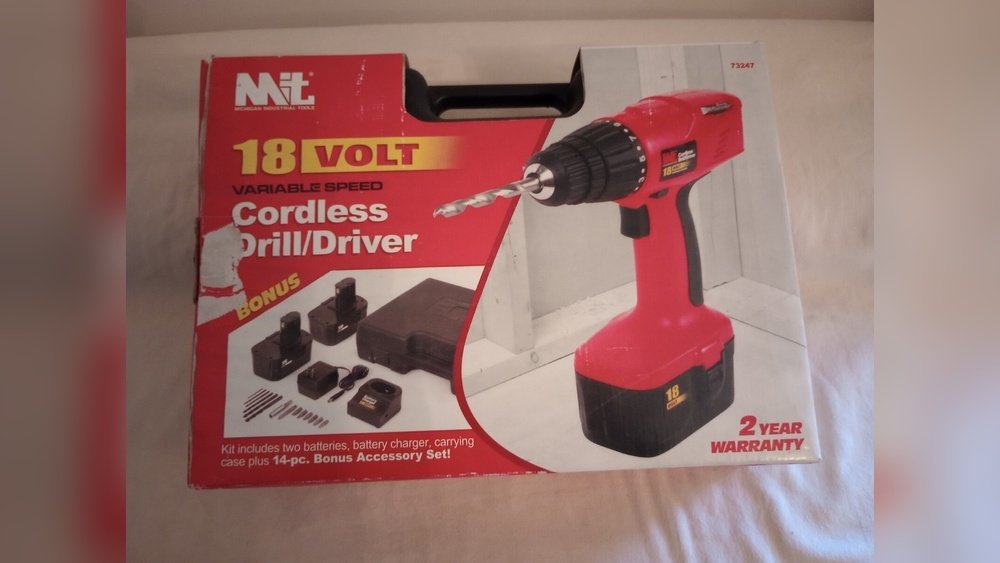
If you’ve got a Michigan Industrial Tool Cordless Drill 12V in your hands, you’re already one step closer to making your projects easier and faster. But are you using it to its full potential?
This guide will show you exactly how to get the most out of your drill, whether you’re a beginner or just want to work smarter. By the end, you’ll feel confident and ready to tackle any task with power and precision.
Let’s dive in and unlock the true power of your cordless drill!
Choosing The Right Drill
Choosing the right drill is important for your projects. The right drill makes work easier and faster. Not all drills are the same. Some drills fit better with certain tasks. The Michigan Industrial 12V cordless drill is a strong choice for light to medium jobs. Understanding its features and the correct drill bits helps you get the best results.
Key Features Of Michigan Industrial 12v Drill
This drill is lightweight and easy to handle. It has a 12-volt battery that lasts long. The cordless design gives freedom to move around. It offers variable speed control for different tasks. The drill has a comfortable grip to reduce hand fatigue. Its compact size allows use in tight spaces. The built-in LED light helps you see in dark areas.
Selecting Compatible Drill Bits
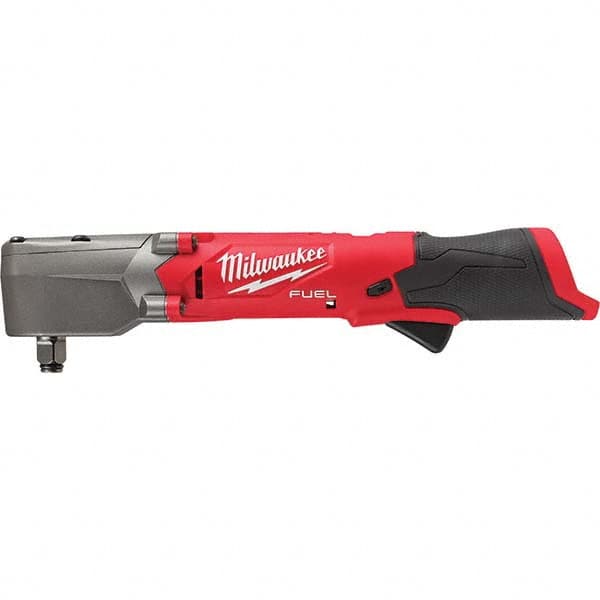
Choose drill bits made for 12V cordless drills. The drill accepts standard bits with a 3/8-inch chuck. Use bits designed for the material you work with. For wood, use wood drill bits. For metal, use metal drill bits. Always check the bit size fits your drill’s chuck. Proper bits improve drilling speed and accuracy. Avoid using worn or damaged bits to prevent accidents.
Credit: www.mscdirect.com
Charging And Battery Care
Proper charging and battery care keep your Michigan Industrial Tool Cordless Drill 12V running longer. Batteries lose power over time if not handled well. Taking simple steps helps maintain strong battery life and ensures the drill works when needed. Follow these tips for safe charging and smart battery use.
Charging The 12v Battery Properly
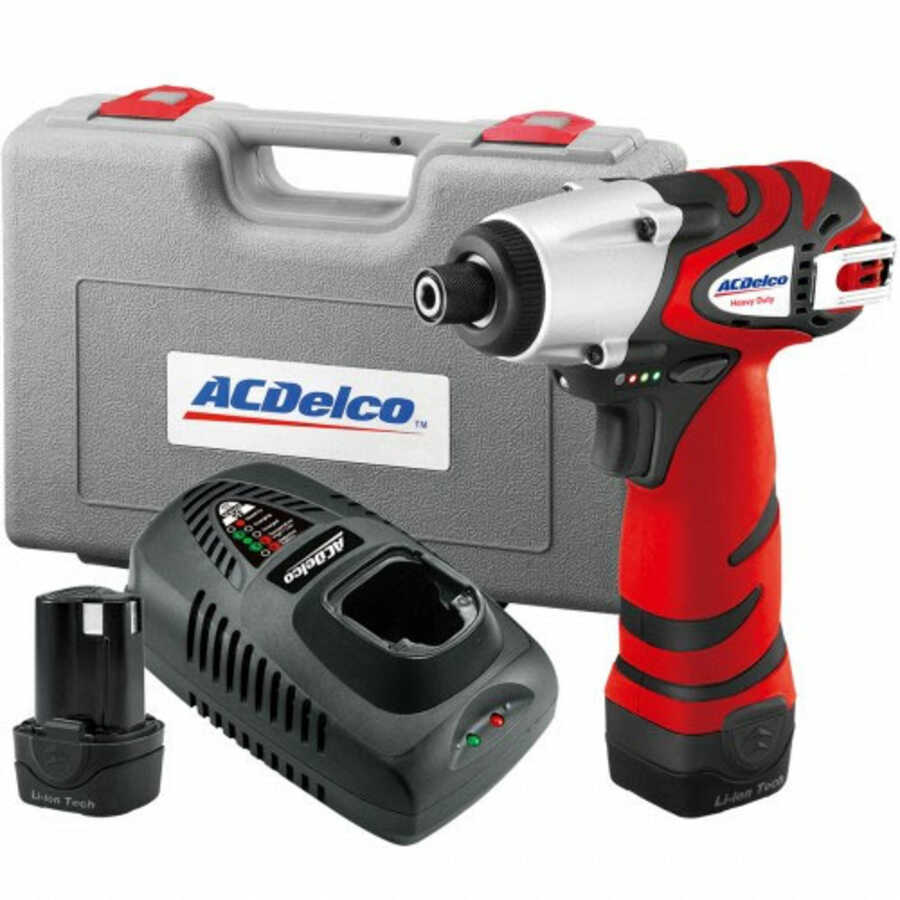
Use the charger that comes with your drill. Connect the battery firmly into the charger. Plug the charger into a wall outlet. Charge the battery in a dry place at room temperature. Avoid charging in very hot or cold areas. Wait until the battery is fully charged before unplugging. Do not leave the battery on the charger for days. This can harm battery health.
Maximizing Battery Lifespan
Store the battery in a cool, dry place when not in use. Avoid letting the battery drain completely before recharging. Partial charges help keep the battery healthy. Use the drill regularly to keep the battery active. Clean the battery contacts with a dry cloth. Avoid exposing the battery to water or dust. Replace the battery if it loses power quickly or heats up during use.
Basic Operation Tips
Understanding the basic operation of the Michigan Industrial Tool Cordless Drill 12V is key. It helps you use the tool safely and efficiently. This section covers simple tips to get started with your drill. You will learn how to power the drill on and off. Also, how to adjust speed and torque settings for different tasks.
Powering On And Off
Locate the power switch on the drill handle. Press it firmly to turn the drill on. You will hear the motor start running. To stop the drill, release the switch. The drill stops immediately. This on/off control is easy to use with one hand. Always turn off the drill before changing bits or making adjustments.
Adjusting Speed And Torque Settings
The drill has a variable speed trigger. Press lightly for slow speed. Press harder for faster speed. This helps control drilling precision. Torque settings control the drill’s twisting force. Use low torque for soft materials like wood. Use higher torque for hard materials like metal. Adjust the torque ring near the chuck. Select the right setting to avoid damage to screws or the drill bit.
Credit: www.toolsource.com
Drilling Techniques
Drilling techniques vary by material type. Using the Michigan Industrial Tool Cordless Drill 12V correctly improves results. Each surface needs a different approach. This section explains how to drill into wood, metal, and plastic. Follow these tips to work safely and efficiently.
Drilling Into Wood
Start with a sharp drill bit made for wood. Mark the spot to drill with a pencil. Hold the drill steady and start at low speed. Push gently to avoid splintering the wood. Increase speed as the bit goes deeper. Clear sawdust often to keep the hole clean. Stop once you reach the desired depth.
Handling Metal Surfaces
Use a metal drill bit for best results. Secure the metal piece firmly before drilling. Apply light oil on the drill bit to reduce heat. Begin drilling at low speed to prevent slipping. Use steady pressure but do not force the drill. Pause occasionally to cool the drill bit. Finish by cleaning metal shavings from the area.
Working With Plastic Materials
Choose a drill bit designed for plastic materials. Clamp the plastic to stop it from moving. Drill at a medium speed to avoid melting. Use gentle pressure to prevent cracking. If needed, back the drill out to clear debris. Smooth the edges of the hole with sandpaper after drilling. Handle plastic carefully during and after drilling.
Safety Measures
Using a Michigan Industrial Tool Cordless Drill 12V safely is very important. This tool is powerful and needs careful handling. Following safety measures helps prevent injuries and damage. Always prepare before starting your drilling task.
Protective Gear Recommendations
Wear safety glasses to protect your eyes from flying debris. Use gloves to avoid hand cuts and improve grip. Ear protection keeps your hearing safe from loud noise. Choose sturdy shoes to protect your feet from dropped tools. Dress in close-fitting clothes to avoid getting caught in the drill.
Avoiding Common Hazards
Check the drill and battery before use to ensure they work well. Keep your work area clean to avoid tripping or slipping. Hold the drill firmly with both hands to control it better. Never force the drill; let it work at its speed. Avoid drilling near water or wet areas to prevent shocks. Always remove the battery before changing drill bits or cleaning.
Maintenance And Troubleshooting
Proper maintenance keeps your Michigan Industrial Tool Cordless Drill 12V working well. Regular care prevents damage and extends tool life. Troubleshooting helps fix small problems fast. This saves time and money. Follow these steps to maintain and troubleshoot your drill.
Cleaning And Storage Tips
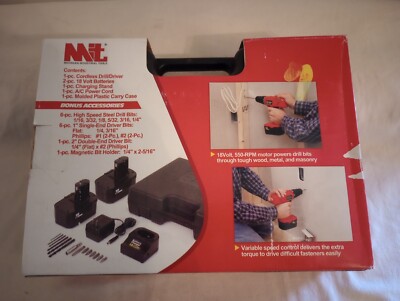
After use, wipe the drill with a dry cloth. Remove dust and dirt from vents and moving parts. Avoid water or harsh chemicals that damage the tool. Store the drill in a cool, dry place. Keep it away from direct sunlight and moisture. Charge the battery fully before storing for a long time. Use the original case or a safe box for storage.
Resolving Common Issues
If the drill won’t start, check the battery charge first. Make sure the battery is inserted properly. Clean the contacts between the battery and drill. If the drill stops suddenly, let it cool down. Overheating can cause automatic shutoff. Tighten loose parts if you hear strange noises. Replace worn drill bits to maintain performance. For persistent problems, consult the user manual or a professional.
Advanced Uses
Advanced uses of the Michigan Industrial Tool Cordless Drill 12V extend its value beyond basic drilling. You can handle tougher tasks and create more detailed work. The drill’s power and versatility support many projects at home or in the workshop.
Using the right accessories and attachments makes the drill more useful. You can switch between drilling, driving screws, or sanding with ease. This expands your ability to complete different jobs efficiently.
Using Accessories And Attachments
The drill works well with many attachments. Drill bits of various sizes allow you to make precise holes in wood, metal, or plastic. Screwdriver bits help drive screws faster and with less effort.
Sanding attachments let you smooth surfaces quickly. Wire brushes can clean rust or paint from metal parts. You can even use hole saws to cut larger holes for pipes or cables.
Changing accessories is simple. Just pull out the current bit and insert the new one. This saves time and keeps your work moving smoothly.
Diy Project Ideas
Try building simple furniture like shelves or small tables. The drill makes assembling parts fast and secure. You can also create garden planters or birdhouses with basic tools.
Use the drill for home repairs, such as fixing loose cabinet doors or hanging pictures. It helps you complete these tasks without calling a professional.
For hobbyists, the drill assists in crafting models or custom decorations. Its compact size lets you work in tight spaces comfortably.
Credit: www.ebay.com
Frequently Asked Questions
How To Charge A Michigan Industrial Tool Cordless Drill 12v?
Charge the drill using the supplied charger. Connect it to a power outlet and attach the battery. Charging takes about 1-2 hours for a full battery. Always charge in a dry, cool place to maintain battery life and performance.
What Materials Can The 12v Cordless Drill Handle?
This drill is suitable for wood, plastic, and light metal drilling. It works well for home DIY projects and light construction tasks. Avoid using it on very hard metals or concrete for optimal tool longevity.
How To Change Drill Bits On The Michigan Industrial Tool?
To change bits, unlock the chuck by twisting it counterclockwise. Remove the old bit and insert the new one firmly. Tighten the chuck by twisting clockwise to secure the bit in place.
What Safety Tips Should I Follow Using This Cordless Drill?
Always wear protective eyewear and gloves when using the drill. Keep fingers clear of the rotating bit. Ensure the drill is off before changing bits or batteries to prevent accidents.
Conclusion
Using a Michigan Industrial Tool Cordless Drill 12V is simple and effective. It offers good power for many tasks around the home or workshop. Keep the battery charged to avoid interruptions. Choose the right drill bit for each job. Hold the drill firmly and work slowly for best results.
With practice, you can complete projects faster and easier. This tool makes drilling more convenient without cords. Give it a try and see how it fits your needs. Small jobs become easier with the right tool in hand.
