


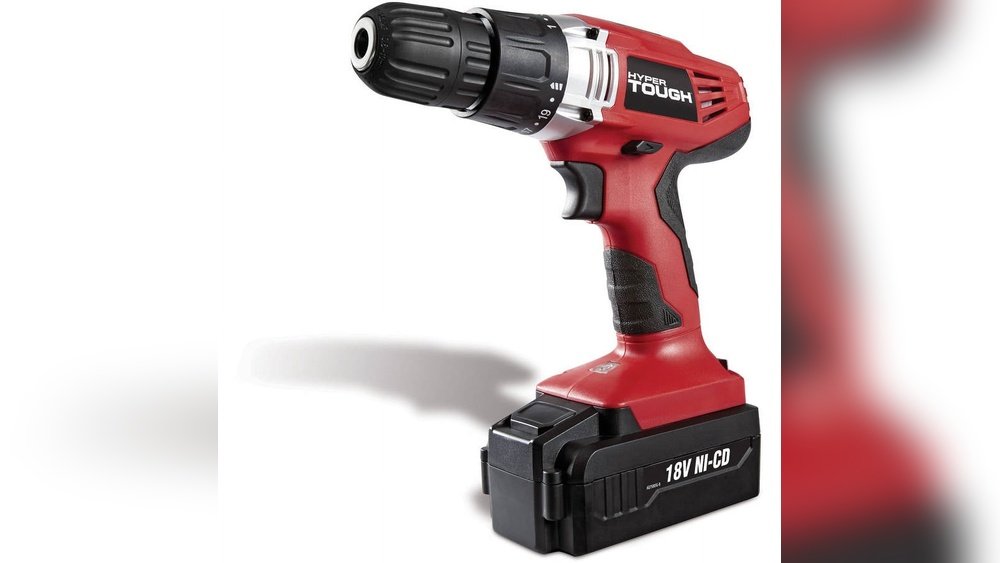
Are you ready to make your DIY projects easier and faster? The Hyper Tough 18 Volt Cordless Drill is a powerful tool designed to help you tackle any task with confidence.
But if you’re new to cordless drills or want to get the most out of yours, knowing how to use it correctly is key. You’ll discover simple steps and expert tips that will turn you into a drill pro in no time.
Keep reading, and you’ll learn how to handle your drill safely, choose the right settings, and achieve perfect results every time. Your next project just got a whole lot smoother!

Credit: www.liftingitalia.com
Features Of Hyper Tough 18v Drill
The Hyper Tough 18V drill offers several useful features for everyday tasks. It is designed to be easy to use and reliable. This drill fits well for both beginners and those with some experience in DIY projects.
Below are key features that make this drill a solid choice for home and workshop use.
Battery And Charging
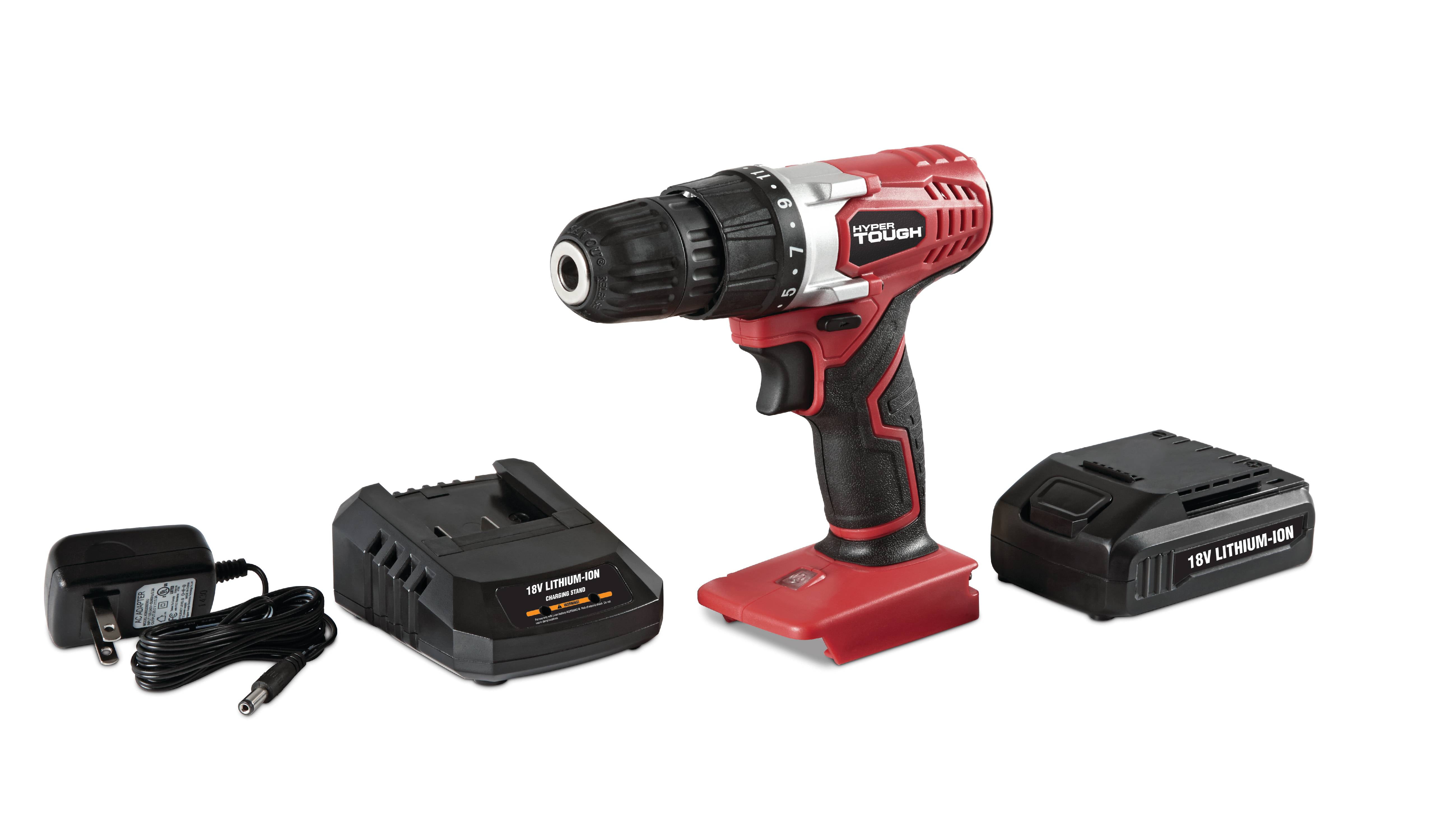
The drill uses an 18-volt lithium-ion battery. It delivers steady power for most jobs. The battery charges quickly, usually within an hour. This means less waiting and more work done. The battery is also removable, making it easy to swap with a spare.
Speed Settings
The drill has two speed options. Low speed helps with precise drilling and screwing. High speed is good for fast drilling through wood or metal. The switch between speeds is simple and clear. This control allows better handling of different materials.
Chuck And Bits
The drill features a 3/8-inch keyless chuck. It holds drill bits tightly without extra tools. Changing bits is fast and tool-free. The chuck fits common drill and screwdriver bits. This adds to the drill’s versatility for many tasks.
Ergonomic Design
The drill has a comfortable grip that fits well in your hand. It is lightweight, reducing fatigue during use. The balanced design helps with control and accuracy. A built-in LED light brightens dark work areas, improving visibility.
Preparing The Drill For Use
Preparing your Hyper Tough 18 Volt Cordless Drill for use is the first step toward a smooth project. This section guides you through key tasks to get the drill ready. Each task is simple but important for safety and performance.
Charging The Battery
Start by charging the battery fully. Use the charger that comes with your drill. Plug it into a power outlet and insert the battery. A full charge helps the drill work longer and stronger. Wait until the charger light shows the battery is ready.
Installing The Battery
After charging, slide the battery into the drill base. Push it in firmly until you hear a click. This sound means the battery is locked in place. Check if the battery fits tight and does not wobble. A secure battery ensures steady power during work.
Selecting The Right Drill Bit
Pick a drill bit suitable for your task. Check the material you will drill into. Use a wood bit for wood, a metal bit for metal, and a masonry bit for concrete. Insert the bit into the drill chuck. Tighten the chuck to hold the bit firmly. This avoids slipping or damage while drilling.
Operating The Drill Safely
Operating the Hyper Tough 18 Volt cordless drill safely is important to prevent injuries and get the best results. Following basic safety steps helps you control the drill well and work with confidence. Using the right grip, setting the correct speed, and choosing the proper mode are key parts of safe operation.
Proper Grip And Stance
Hold the drill firmly with both hands. One hand should grip the handle, and the other should support the front or side. Keep your fingers away from the drill bit and moving parts.
Stand with your feet shoulder-width apart. This stance keeps you balanced and steady. Avoid leaning too far forward or backward to reduce the risk of falling.
Adjusting Speed And Torque
Set the drill speed based on the material you work on. Use a lower speed for soft materials like wood and higher speed for harder materials like metal.
Adjust the torque to control the drill’s twisting force. Low torque helps with delicate tasks, while high torque works better for tough jobs. Start low and increase as needed.
Using Forward And Reverse Modes
Use forward mode to drill holes or drive screws in. The drill bit turns clockwise in this mode.
Switch to reverse mode to remove screws or back the drill bit out. The bit turns counterclockwise here. Always stop the drill before changing modes to avoid damage.
Credit: www.liftingitalia.com
Techniques For Drilling
Drilling is a basic skill needed for many projects. Using the Hyper Tough 18 Volt Cordless Drill correctly makes tasks easier and safer. Different materials need different drilling techniques. Understanding these techniques helps you get clean holes and avoid damage.
Drilling Into Wood
Choose a wood drill bit for clean cuts. Start with a slow speed to keep control. Hold the drill steady and press gently. Let the drill bit do the work. Avoid pushing too hard to stop wood from splitting. Clear wood chips often by pulling the drill bit out slowly.
Drilling Into Metal
Use a metal drill bit made for hard surfaces. Mark the spot with a center punch to stop slipping. Use a low speed and steady pressure. Apply cutting oil to keep the bit cool. Pull the drill out frequently to clear metal shavings. Wear safety glasses to protect your eyes from sparks.
Drilling Into Masonry
Select a masonry bit with a carbide tip. Use the drill in hammer mode if available. Start with a slow speed to position the hole. Increase speed and apply firm pressure while drilling. Pause often to avoid overheating the bit. Remove dust from the hole with a brush or blower.
Maintenance Tips
Keeping your Hyper Tough 18 Volt Cordless Drill in good shape helps it work longer. Proper care avoids problems and keeps the drill ready for any job. Simple steps can make a big difference in its life and performance.
Cleaning The Drill
Remove dust and dirt after each use. Use a soft brush or cloth to clean the drill’s surface. Avoid water or harsh chemicals that can damage parts. Clean the chuck carefully to keep it working smoothly.
Battery Care
Charge the battery fully before first use. Avoid letting the battery drain completely. Store the battery in a cool, dry place. Use the charger designed for your drill to prevent damage.
Storing The Tool
Store the drill in a dry area away from heat. Keep it in its case or a safe spot to avoid falls. Remove the battery if you won’t use the drill for a long time. This protects the drill and battery from damage.

Credit: www.liftingitalia.com
Troubleshooting Common Issues
Troubleshooting common issues with the Hyper Tough 18 Volt Cordless Drill helps keep it working well. Problems may happen during use. Knowing simple fixes saves time and stress.
Each issue has clear steps to follow. Fixing them often does not need a professional. This guide covers the most frequent problems users face.
Drill Not Starting
Check if the battery is fully charged. A low battery can stop the drill from starting.
Make sure the battery is securely attached to the drill. Loose connection can cause power failure.
Inspect the trigger switch for dirt or damage. Clean or replace it if needed.
Try pressing the trigger firmly. Sometimes, the drill needs a strong press to activate.
Battery Not Holding Charge
Charge the battery using the correct charger supplied with the drill.
Allow the battery to cool before charging if it feels hot.
Store the battery in a cool, dry place when not in use.
Replace the battery if it loses power quickly or does not hold charge.
Chuck Problems
Ensure the chuck is tightened properly around the drill bit.
Clean the chuck to remove dirt or debris that may block it.
Lubricate the chuck with a small amount of oil if it feels stiff.
Do not force the chuck open or closed, as this can cause damage.
Accessories And Attachments
Accessories and attachments enhance the use of the Hyper Tough 18 Volt Cordless Drill. They expand the drill’s function and make tasks easier. Choosing the right accessory helps complete jobs faster and with better results.
Bit Sets
Bit sets include various drill and driver bits. These bits fit into the drill’s chuck and suit different tasks. Use screwdriver bits for screws and drill bits for holes. Some sets have special bits for wood, metal, or plastic. Having many bits saves time and improves efficiency.
Drill Attachments
Drill attachments add new uses to your cordless drill. A hole saw attachment lets you cut large holes. Wire brushes clean rust or paint. Right angle attachments help reach tight spaces. Mixing these attachments with the drill makes it a multi-tool. It helps complete diverse jobs with one device.
Carrying Cases
Carrying cases protect the drill and accessories. They keep everything organized and easy to carry. A good case has compartments for bits and batteries. It prevents loss and damage during transport. Using a case keeps your drill ready for any job.
Frequently Asked Questions
How Do I Change The Drill Bit On Hyper Tough 18v Drill?
To change the drill bit, first turn off the drill. Then, twist the chuck counterclockwise to loosen. Insert the new bit and tighten the chuck clockwise until secure. Ensure the bit is centered for accurate drilling.
What Type Of Batteries Does Hyper Tough 18v Use?
The Hyper Tough 18V drill uses rechargeable 18-volt lithium-ion batteries. These batteries offer long-lasting power and quick recharging. Always use batteries designed specifically for this drill to ensure optimal performance and safety.
How To Maximize Battery Life For Hyper Tough Drill?
To maximize battery life, fully charge before use and avoid over-discharging. Store batteries in a cool, dry place. Remove batteries from the drill when not in use for extended periods. Regularly clean battery contacts for better connection.
Can Hyper Tough 18v Drill Be Used For Metal Drilling?
Yes, the Hyper Tough 18V drill can drill metal. Use a metal drill bit and start with a slow speed. Apply steady pressure and avoid overheating the bit for best results.
Conclusion
Using the Hyper Tough 18 Volt Cordless Drill is simple and effective. It helps finish tasks quickly and with less effort. The drill’s cordless design adds great freedom to your work. Remember to charge the battery fully before use. Choose the right drill bit for each job.
Keep safety in mind and wear protective gear. Regular maintenance keeps the drill working well for a long time. This drill suits both beginners and experienced users. Try it out and see how it makes your projects easier.
