


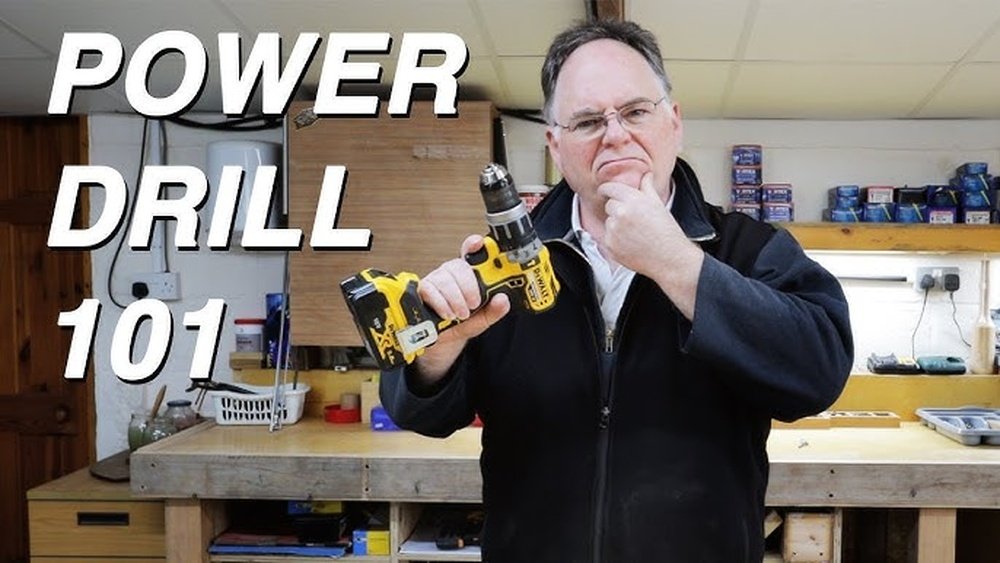
If you’ve just got your hands on a Dewalt cordless drill, you might be wondering how to get the most out of it. This powerful tool can make your projects faster and easier, but only if you know how to use it right.
Imagine finishing your home repairs or DIY tasks without struggling or wasting time. In this guide, you’ll discover simple steps to master your Dewalt cordless drill, even if you’re a beginner. By the end, you’ll feel confident and ready to tackle any drilling or fastening job like a pro.
Keep reading to unlock the full potential of your drill and make every project a success.

Credit: www.housebeautiful.com
Choosing The Right Dewalt Drill
Choosing the right Dewalt cordless drill is important for your projects. It helps you work faster and easier. Picking a drill that fits your needs saves time and effort. Understanding the types, features, and battery options will guide your choice.
Types Of Dewalt Cordless Drills
Dewalt offers many drill types. The common ones include drill drivers, hammer drills, and impact drivers. Drill drivers are good for everyday drilling and screw driving. Hammer drills work well on hard surfaces like concrete. Impact drivers deliver high torque for tough screws. Each type fits different tasks and skill levels.
Key Features To Consider
Look at drill speed and torque for power control. Variable speed helps with delicate or strong drilling. Check the drill’s weight and size for comfort during use. An ergonomic handle reduces hand strain. A built-in LED light improves visibility in dark areas. Also, consider if the drill has a keyless chuck for easy bit changes.
Battery Options And Life
Dewalt cordless drills use lithium-ion batteries. These batteries last longer and charge faster than older types. Battery voltage affects drill power and runtime. Higher voltage means more power but adds weight. Choose a battery that fits your project needs. Extra batteries help you work without long breaks. Check how long the battery holds charge before buying.
Preparing Your Drill For Use
Preparing your Dewalt cordless drill before use is important for safety and efficiency. Proper setup ensures the drill works well and lasts longer. Follow simple steps to get your drill ready for any task.
Charging The Battery
Start by charging the battery fully. Connect the battery pack to the charger. Plug the charger into a power outlet. Wait until the indicator light shows the battery is full. A fully charged battery gives the drill maximum power and runtime.
Installing The Battery Pack
After charging, slide the battery pack into the drill handle. Push it until it clicks into place. Make sure it fits snugly and does not wobble. A secure battery connection prevents power loss during use. To remove, press the release button and pull the battery out.
Selecting The Correct Drill Bit
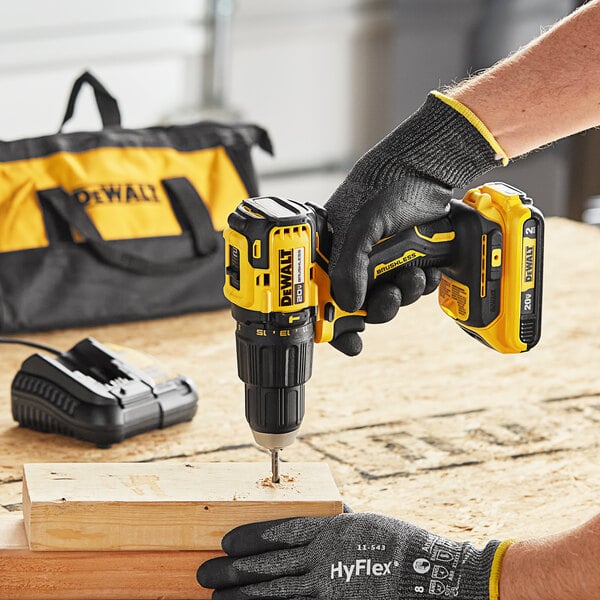
Choose the right drill bit for your task. Match the bit size to your screw or hole size. Insert the bit into the drill’s chuck. Tighten the chuck by turning it clockwise. A tight chuck holds the bit firmly. Loose bits can slip or cause damage.
Operating The Drill Safely
Operating a Dewalt cordless drill safely is essential for every user. It helps prevent accidents and keeps the work smooth. Understanding how to use the drill correctly reduces risks. Follow these steps to stay safe and work efficiently.
Safety Gear And Precautions
Always wear safety glasses to protect your eyes. Use ear protection if the noise is loud. Wear gloves to avoid cuts and blisters. Avoid loose clothes or jewelry that might get caught. Work in a clean area to prevent slips or falls. Keep the drill away from water to avoid electric shock.
Holding The Drill Properly
Hold the drill firmly with both hands. Keep your fingers away from the drill bit. Stand with your feet shoulder-width apart for balance. Keep the drill straight to the work surface. Do not force the drill; let it work at its pace. Keep your body weight behind the drill for control.
Adjusting Speed And Torque Settings
Set the drill speed depending on the material you work on. Use low speed for hard materials and high speed for soft ones. Adjust the torque to control the drill’s power. Low torque prevents overdriving screws or damaging materials. High torque helps with tougher jobs. Always check settings before starting to avoid mistakes.
Step-by-step Drilling Process
Using a Dewalt cordless drill is simple when you follow the right steps. This guide breaks down the drilling process. It helps beginners work safely and with confidence.
Marking The Drilling Spot
Start by marking the exact spot where you want to drill. Use a pencil or a marker for clear visibility. A small indentation helps keep the drill bit from slipping. This step ensures accuracy and cleaner holes.
Starting The Drill
Hold the drill firmly with both hands. Place the drill bit on the marked spot. Press the trigger gently to start the drill at a low speed. This prevents sudden jerks and keeps the drill steady.
Applying The Right Pressure
Push the drill forward with steady, even pressure. Avoid pressing too hard; let the drill do the work. Too much pressure can damage the drill bit or the material. Keep your hands steady for a clean hole.
Drilling Through Different Materials
Wood requires medium speed and light pressure for smooth holes. For metal, use slow speed and firm pressure to avoid overheating. Masonry needs a hammer drill mode and steady pressure. Adjust speed and pressure to fit each material.
Changing Drill Bits
Changing drill bits on a Dewalt cordless drill is quick and simple. It lets you switch bits for different jobs. Properly changing bits ensures safety and better performance.
Releasing The Chuck
Hold the drill firmly. Turn the chuck counterclockwise to loosen it. The chuck is the part that holds the bit. Keep turning until the bit can move freely. Some models have a keyless chuck, making this step easy.
Inserting A New Bit
Pick the right bit for your task. Insert the bit straight into the chuck. Push it in as far as it will go. Make sure the bit is centered. This helps the drill work smoothly and safely.
Securing The Bit Properly
Turn the chuck clockwise to tighten it. Hold the bit in place while tightening. Check that the bit does not wobble. A tight bit prevents accidents and improves control. Give the bit a gentle pull to test security.
Credit: www.webstaurantstore.com
Maintaining Your Dewalt Drill
Maintaining your Dewalt cordless drill keeps it working well for a long time. Regular care prevents problems and helps the drill perform at its best. Simple steps can extend the life of your tool and save you money on repairs.
Cleaning After Use
After every job, wipe the drill with a dry cloth. Remove dust and dirt from vents and moving parts. Use a small brush to clean tight areas. Avoid water or harsh chemicals that can damage the drill. Store the drill in a dry place to stop rust and corrosion.
Battery Care Tips
Charge the battery fully before first use. Avoid letting the battery drain completely. Remove the battery from the drill if you do not use it for a long time. Store batteries in a cool, dry place. Clean the battery contacts with a dry cloth to keep good connection.
Troubleshooting Common Issues
If the drill won’t start, check the battery charge first. Tighten the chuck if the drill bit slips. Listen for unusual noises, which could mean internal damage. Clean or replace worn drill bits for better performance. Contact Dewalt support if problems continue after basic fixes.
Enhancing Performance With Accessories
Using accessories with your Dewalt cordless drill can improve its performance a lot. Accessories help you do different tasks with the same drill. They can make your work faster and easier. You can use various attachments and tools made for Dewalt drills. These will help you handle many projects with one tool.
Using Drill Attachments
Drill attachments change the way your drill works. You can add bits for drilling holes in wood, metal, or plastic. Some attachments help with driving screws quickly. Others can mix paint or grout. Using the right attachment saves time and effort. It also protects your drill from damage.
Recommended Dewalt Accessories
Dewalt offers many useful accessories. A set of drill bits covers most jobs. A right-angle attachment helps drill in tight spaces. A magnetic bit holder keeps screws close while working. Battery packs with higher capacity give longer work time. Carrying cases keep your drill and accessories organized.
Upgrading For Specific Projects
Different projects need different tools. For woodworking, use spade bits or hole saws. For metal, use high-speed steel bits. Masonry bits work best on brick or concrete. For heavy jobs, upgrade to a more powerful battery. Choosing the right accessory makes your project easier and more precise.

Credit: www.youtube.com
Frequently Asked Questions
How Do I Charge A Dewalt Cordless Drill Battery?
To charge your Dewalt cordless drill, insert the battery into the charger. Plug the charger into a power outlet. The charging light will indicate when the battery is fully charged. Always use the charger that came with your drill for best results.
What Drill Bit Sizes Work With Dewalt Cordless Drills?
Dewalt cordless drills typically accept drill bits ranging from 1/16 inch to 1/2 inch. Always check your drill’s chuck size to ensure compatibility. Using the correct drill bit size ensures efficient drilling and prevents damage to the tool or material.
How Do I Adjust Torque Settings On A Dewalt Drill?
To adjust torque, rotate the clutch ring located behind the chuck. Higher numbers increase torque for tougher materials. Lower settings prevent overdriving screws in softer materials. Adjust torque based on your project to avoid damage and achieve precise results.
Can I Use A Dewalt Cordless Drill For Metal Drilling?
Yes, Dewalt cordless drills can drill metal when equipped with the correct metal drill bits. Use high-speed steel or cobalt bits for best performance. Start at a slow speed and apply steady pressure to avoid overheating the bit.
Conclusion
Using a Dewalt cordless drill becomes easy with practice and care. Always check the battery before starting your work. Choose the right drill bit for each task. Hold the drill firmly and apply steady pressure. Keep the drill clean and store it safely after use.
These steps help you work better and last longer with your drill. Try small projects first to gain confidence. Soon, you will feel comfortable using your Dewalt cordless drill every day. Simple tools, smart use.
