


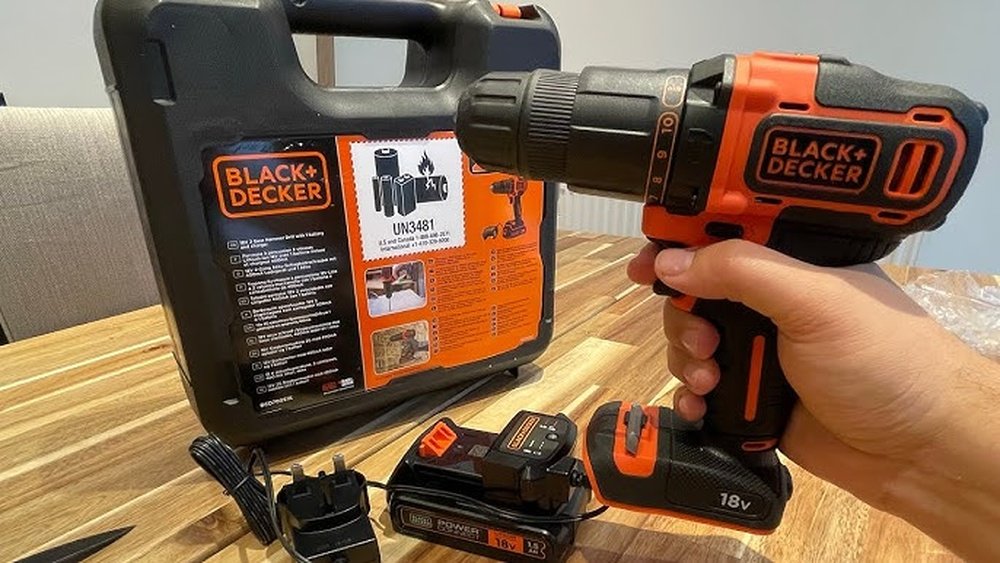
Struggling to fit your Black and Decker cordless drill into its case? You’re not alone.
It can be tricky to know exactly how to place the drill and accessories so everything fits perfectly and stays protected. Imagine opening your case and finding every piece in its spot, ready to go whenever you need it. In this guide, you’ll learn simple, step-by-step tips to organize your drill and case like a pro.
Keep reading, and you’ll never worry about your drill slipping or getting damaged during storage again.

Credit: www.youtube.com
Choose The Right Case
Choosing the right case for your Black and Decker cordless drill matters. The right case keeps the drill safe and easy to carry. It also helps store accessories neatly. Picking a case that fits well protects your tool from damage. It makes your work more efficient and organized. Let’s explore how to select the best case for your drill.
Original Vs Universal Cases
Original cases come from Black and Decker. They fit the drill perfectly. These cases have shaped compartments for the drill and bits. Universal cases fit many brands and types of drills. They may not hold the drill as tightly. Some universal cases have adjustable sections. They offer more space but less exact fit. Choose original for a perfect fit. Choose universal for more flexibility and storage.
Material And Durability
Case material affects how well it protects your drill. Hard plastic cases resist drops and impacts. They keep dust and water out. Soft cases are lighter and easier to carry. They offer less protection from heavy hits. Check the quality of zippers and handles. Strong zippers last longer without breaking. Comfortable handles make carrying easier. A durable case keeps your drill safe for years.
Prepare The Drill And Accessories
Before placing your Black and Decker cordless drill into its case, you need to prepare it properly. This step helps protect the drill and keeps all parts organized. Cleaning and sorting the accessories makes storage easier and safer.
Taking a few minutes to prepare the drill can extend its life. It also ensures everything fits neatly inside the case. Follow the simple steps below to get started.
Remove Loose Parts
Start by taking off any loose parts from the drill. This includes drill bits, batteries, and attachments. Removing these parts prevents damage during storage. It also avoids clutter inside the case.
Place the loose parts in their designated slots or compartments. Keep small items together to avoid losing them. This step makes it easier to find the parts later.
Clean The Drill
Wipe the drill with a dry or slightly damp cloth. Remove dust, dirt, and debris from the surface. Pay attention to the vents and battery area. Clean parts help the drill work better next time.
Do not use harsh chemicals or soak the drill in water. Let the drill dry completely before storing it. A clean drill fits better and stays in good condition.
Organize The Case Layout
Organizing the case layout helps keep your Black and Decker cordless drill and its accessories safe. It also makes finding each item quick and easy. A neat layout prevents damage and saves space inside the case. Follow simple steps to arrange everything in order.
Designate Space For Drill
First, find a spot for the drill itself. Choose a section that fits the drill snugly. This stops the drill from moving inside the case. Use molded areas or foam inserts if available. Make sure the drill handle and chuck fit well. A secure space protects the drill during transport.
Arrange Batteries And Bits
Next, organize the batteries and bits around the drill. Keep batteries in a separate compartment to avoid contact. Store bits in a small box or holder to prevent loss. Group bits by size or type for quick access. This order saves time and keeps everything tidy. Proper arrangement also extends battery life.
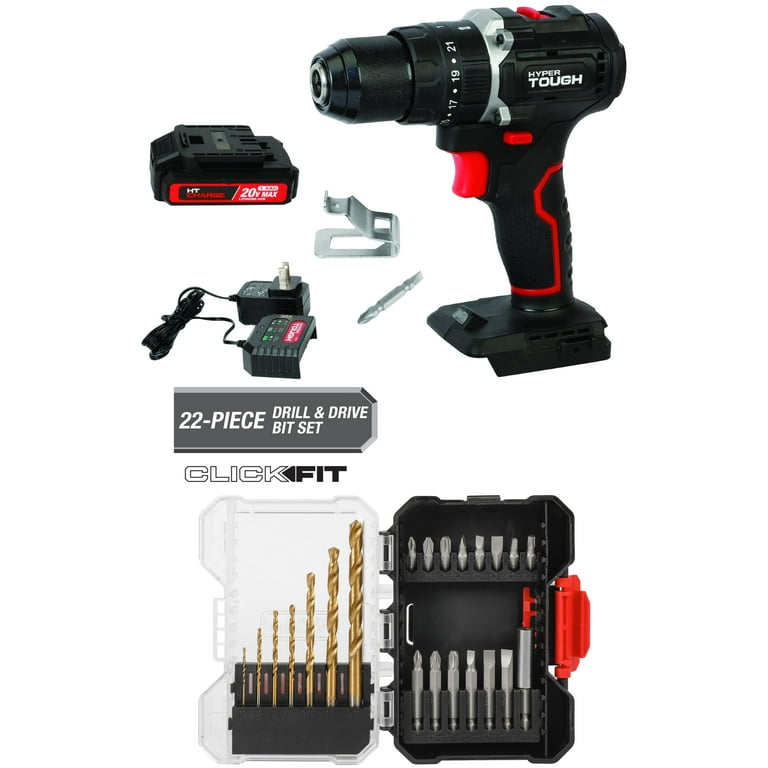
Credit: www.walmart.com
Place The Drill Securely
Placing the Black and Decker cordless drill securely in its case is important. It keeps the drill safe from damage and stops it from moving during transport. Proper placement also helps you find the drill quickly next time. Follow these simple steps to make sure your drill fits perfectly inside the case.
Positioning Tips
Start by holding the drill with the handle facing up. Place the drill’s body into the main compartment of the case. Align the battery end with the bottom section of the case. Make sure the drill sits flat and does not tilt. Check that the drill bit or chuck points away from other tools.
Ensuring A Snug Fit
Press the drill gently into the foam or molded plastic inside the case. The drill should fit tight without forcing it. Avoid gaps that let the drill move around. If the drill feels loose, adjust its angle slightly. A snug fit protects the drill during transport and storage.
Store Batteries Safely
Storing batteries safely is key to keeping your Black and Decker cordless drill ready to use. Proper storage protects the battery from damage and extends its life. It also keeps your tools organized and easy to find.
Battery Placement Options
Place the batteries in the case’s designated slots. Most Black and Decker cases have special compartments for batteries. If your case lacks a slot, use a small plastic container inside the case. Make sure the batteries fit snugly and don’t move around. Keep batteries separate from metal objects to avoid short circuits.
Avoiding Damage
Store batteries away from heat and direct sunlight. High temperatures can reduce battery life and cause leaks. Avoid storing batteries in damp or wet places to prevent corrosion. Do not store batteries fully drained; charge them halfway before storage. Always check batteries for cracks or leaks before putting them in the case.
Add Drill Bits And Accessories
Adding drill bits and accessories to your Black and Decker cordless drill case keeps your tools ready and organized. It saves time and prevents loss of small parts. Proper placement inside the case protects the bits and accessories from damage.
Careful arrangement makes it easy to find the right bit or accessory quickly. This helps you work more efficiently on any project.
Using Compartments And Holders
Most Black and Decker cases have built-in compartments. These are perfect for storing drill bits of different sizes. Use holders designed for small parts to keep screws and other accessories secure.
Place bits upright in their slots to avoid damage. Keep frequently used accessories in the most accessible compartments. This reduces the time spent searching during a job.
Maximizing Space
Use all available space wisely to fit more items. Stack flat accessories like sanding pads or small wrenches neatly. Avoid overfilling compartments, as this can cause damage.
Group similar items together to save space. Use small containers inside the case for tiny parts. This keeps everything tidy and prevents pieces from moving around.
Close And Secure The Case
Closing and securing the Black and Decker cordless drill case keeps your tool safe. A proper close stops the drill from moving inside. It also protects the drill from dust and damage. Follow simple steps to ensure the case is tightly closed.
Check For Proper Closure
Make sure the drill fits well inside the case. Align the drill and accessories in their spots. Slowly close the lid without forcing it. Listen for a click or snap sound. This sound shows the case is properly closed. If the lid feels loose, open and try again.
Use Of Locks Or Latches
The case has locks or latches to keep it shut. Press or slide these locks into place. They hold the lid tightly. Check each lock to ensure it is secure. Locked latches stop the case from opening by accident. This keeps your drill safe during transport.
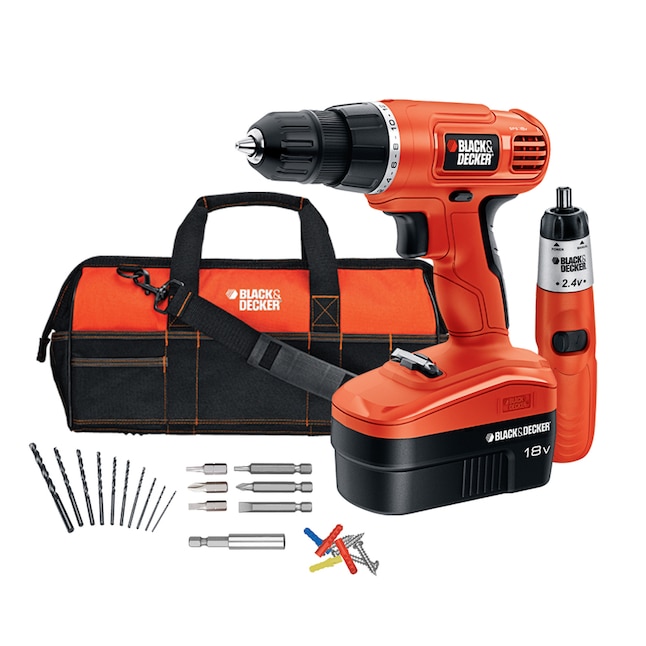
Credit: www.lowes.com
Maintenance Tips For The Case
Keeping your Black and Decker cordless drill case clean and in good shape helps protect your drill. A well-maintained case stops dirt and damage. It also makes storing and carrying the drill easier. Follow these simple tips to care for the case. This keeps your drill safe and ready to use.
Cleaning The Case
Wipe the case with a damp cloth to remove dust and dirt. Use mild soap if the case is very dirty. Avoid harsh chemicals that can damage the plastic. Dry the case completely before putting the drill back inside. Clean the case regularly to keep it fresh and neat.
Regular Inspections
Check the case often for cracks or broken parts. Look at the hinges and latches to ensure they work well. Fix small problems early to avoid bigger damage. Replace the case if it no longer holds the drill safely. Regular checks keep your drill protected and easy to carry.
Frequently Asked Questions
How Do I Properly Fit Black And Decker Cordless Drill In Case?
Start by aligning the drill with the case’s molded compartments. Place the drill securely, ensuring it fits snugly without forcing it. Insert any accessories like bits or chargers into their specific slots for organized storage.
Can I Store Battery And Charger Inside The Drill Case?
Yes, most Black and Decker drill cases have designated spaces for the battery and charger. Always place them in their compartments to prevent damage and keep everything organized for easy access.
What Precautions Ensure The Drill Fits Without Damage?
Avoid forcing the drill into the case. Check for any dirt or debris in compartments. Always handle the drill gently and store it in a clean, dry case to protect it from scratches and moisture.
Is It Necessary To Remove The Battery Before Storing The Drill?
It’s recommended to remove the battery before storage. This prevents accidental power-on and prolongs battery life. Store the battery separately in its case or a cool, dry place.
Conclusion
Fitting your Black and Decker cordless drill into its case keeps it safe and ready. Start by placing the drill carefully inside the molded space. Make sure the battery fits snugly and the charger has its spot. Close the case firmly to avoid any movement during transport.
Taking these simple steps helps protect your drill and keeps everything organized. Now, your tool is easy to carry and store. Ready for your next project anytime.
