


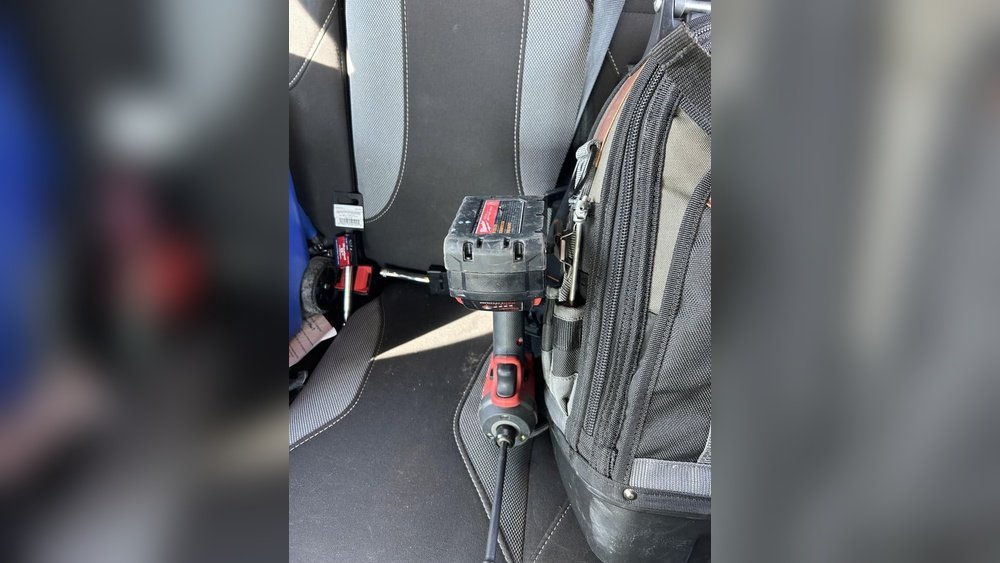
Have you ever wondered if it’s safe to leave your cordless drill battery on the charger all the time? Maybe you’re worried about damaging your battery or shortening its life.
Or perhaps you simply want to know the best way to keep your drill ready whenever you need it. You’ll discover the truth about charging habits that can save your battery and keep your tool working like new. Keep reading to learn the simple steps you can take to protect your investment and avoid costly mistakes.
Cordless Drill Battery Basics
Understanding cordless drill batteries helps you use them safely and efficiently. These batteries power your drill and affect how long it works. Knowing the basics helps you keep the battery healthy and ready for use.
Batteries come in different types. Each type has unique features and care needs. Proper charging keeps the battery strong and extends its life.
Types Of Batteries
Most cordless drills use lithium-ion or nickel-cadmium batteries. Lithium-ion batteries last longer and weigh less. They hold charge well and recharge faster. Nickel-cadmium batteries are heavier and suffer from memory effect. Memory effect means they lose capacity if not fully discharged. New drills mostly use lithium-ion for better performance. Knowing your battery type helps in proper charging and storage.
How Charging Works
Chargers send electric current to the battery to refill its energy. Smart chargers stop charging when the battery is full. This prevents overcharging, which can damage the battery. Some chargers have indicators to show charging status. Leaving a battery on the charger after full charge usually is safe with smart chargers. Old chargers may not stop, risking battery damage. Always use the charger made for your battery type.
Risks Of Overcharging
Leaving a cordless drill battery on the charger for too long can cause problems. Overcharging happens when the battery stays connected after it is fully charged. This can create risks that affect the battery’s health and safety.
Battery Damage
Overcharging can damage the battery’s cells. The battery may heat up and lose its ability to hold charge. This reduces the battery’s life and performance. Over time, the battery will need to be replaced more often. Protecting the battery means unplugging it once fully charged.
Fire Hazards
Excess heat from overcharging can cause fire hazards. Batteries can swell, leak, or even catch fire. This risk increases if the charger is left on for many hours. A fire can damage your home and cause injury. It is safer to remove the battery promptly after charging.
Modern Charger Safety Features
Modern cordless drill chargers have smart features to protect batteries. These features help prevent overcharging and extend battery life. They make it safe to leave a battery on the charger for some time.
Understanding these safety features can ease concerns about battery damage. It also helps users charge batteries more effectively and safely.
Automatic Shutoff
Most modern chargers stop charging when the battery is full. This automatic shutoff protects the battery from extra charge. It prevents overheating and reduces wear on the battery cells. The charger senses the battery level and cuts power at the right time. This feature keeps the battery healthy and ready for use.
Trickle Charging
Trickle charging is a low, steady charge after full power. It keeps the battery topped up without overcharging. This method maintains battery capacity without stress. The charger switches to trickle mode after automatic shutoff. It allows leaving the battery on the charger safely for longer periods.
Manufacturer Recommendations
Manufacturer recommendations guide proper use of cordless drill batteries. These guidelines help keep batteries safe and long-lasting. Following them avoids damage and keeps your tools ready to work.
Charging Time Limits
Manufacturers set charging time limits to protect batteries. Leaving batteries on the charger too long can cause overheating. Overcharging reduces battery life and performance. Some chargers have automatic shut-off to prevent this. Always follow the charger’s instructions for charging times.
Storage Guidelines
Battery storage rules keep batteries healthy during downtime. Store batteries in a cool, dry place away from direct sunlight. Avoid extreme temperatures that can harm the battery. Some brands suggest storing batteries at around 40-60% charge. Proper storage prevents battery damage and keeps charge capacity stable.
Best Practices For Battery Care
Taking care of your cordless drill battery helps it last longer and work better. Good habits protect the battery from damage. This saves money and keeps your tool ready for use. Follow simple steps to care for the battery and charger.
Proper care also keeps the battery safe. Overcharging or wrong storage can cause problems. Use the charger and battery as the maker suggests. This keeps the battery healthy and reliable.
Proper Charging Habits
Charge the battery only until it is full. Leaving it on the charger too long can harm it. Remove the battery from the charger once charged. Use the charger designed for your battery model. Avoid using fast chargers unless approved by the maker. Charge the battery at room temperature for best results.
Avoiding Extreme Temperatures
Keep the battery away from heat and cold. High temperatures can cause the battery to overheat. Cold temperatures reduce battery performance and capacity. Store and charge batteries in a dry place at room temperature. Never leave batteries in direct sunlight or near heaters. Protect the battery from freezing to keep it working well.

Credit: www.ebay.com
Signs Of Battery Problems
Knowing the signs of battery problems can save your cordless drill. Batteries wear out over time and may cause issues. Spotting these signs early helps avoid unexpected tool failure. Watch for changes in how your drill performs and looks.
Reduced Performance
One common sign is reduced battery power. Your drill may run shorter than before. It might take longer to charge fully. The drill could feel weaker or slow during use. These issues show the battery is losing its strength.
Physical Damage
Check the battery for any cracks or dents. Swelling or leaking is a serious warning sign. Damaged batteries can be dangerous and should not be used. Physical damage often means the battery cannot hold charge properly. Replace the battery if you notice these problems.
Safe Disposal And Recycling
Safe disposal and recycling of cordless drill batteries protect the environment. These batteries contain chemicals that can harm soil and water. Proper handling keeps these toxins away from nature and people. Learning how to dispose of them safely helps reduce pollution and waste.
Environmental Impact
Cordless drill batteries have metals and chemicals. These can leak if thrown in regular trash. Leaked chemicals pollute soil and water. Wildlife and plants suffer from this pollution. Recycling recovers useful materials and prevents waste. It lowers the need for new raw materials. This helps save natural resources and energy.
Disposal Locations
Many stores and recycling centers accept used batteries. Some hardware stores have special collection bins. Local waste facilities often take batteries safely. Check with your community for nearby drop-off spots. Never throw batteries in the trash or landfill. Use these locations to keep the environment safe. Proper disposal supports a cleaner and healthier planet.

Credit: www.ebay.com
Credit: www.stinehome.com
Frequently Asked Questions
Can I Leave A Cordless Drill Battery Charging Overnight?
Yes, most modern cordless drill batteries have overcharge protection. Leaving them overnight usually won’t harm the battery or charger. However, avoid prolonged charging beyond 24 hours to preserve battery health and lifespan.
Does Leaving A Drill Battery On Charger Reduce Battery Life?
Constantly leaving a battery on the charger can slightly reduce its overall lifespan. It may cause mild overheating or stress on battery cells. It’s best to remove the battery once fully charged to maintain optimal battery performance.
Is It Safe To Leave A Lithium-ion Drill Battery Charging?
Yes, lithium-ion batteries in cordless drills are designed with safety features. Leaving them on the charger for reasonable periods is safe. Avoid using damaged chargers or batteries to prevent risks like overheating or fire.
How Long Should I Charge A Cordless Drill Battery?
Charging times vary by battery type and charger. Typically, it takes 1-3 hours to fully charge. Refer to your drill’s manual for specific charging times to avoid overcharging and extend battery life.
Conclusion
Leaving a cordless drill battery on the charger for a short time is usually safe. Avoid long periods to keep the battery healthy and lasting longer. Always check your charger’s instructions for the best advice. Proper care helps your drill work well when you need it.
A little attention keeps your tools ready and your work smooth. Simple habits make a big difference in battery life. Keep charging smart and your drill will stay reliable.
