


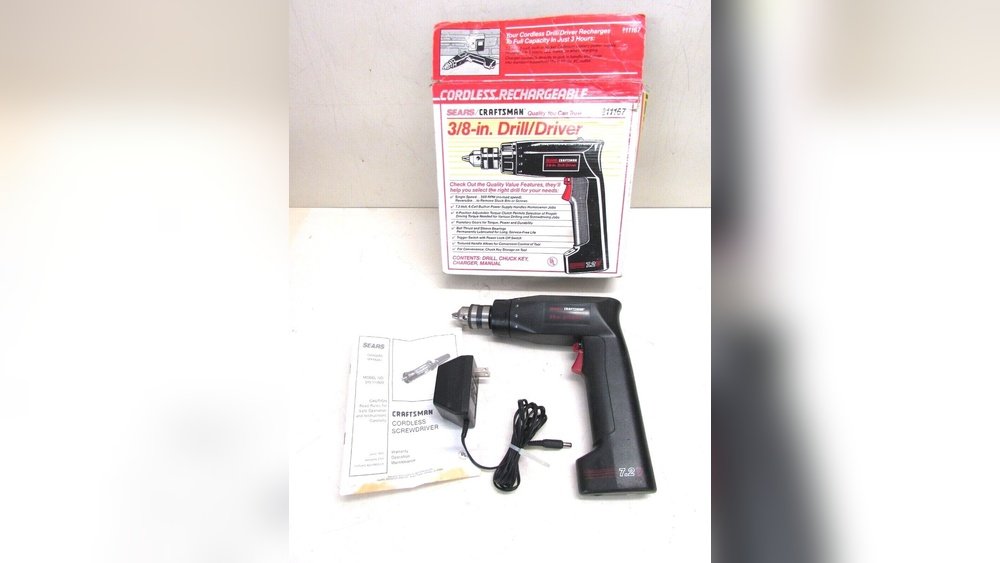
If your Craftsman cordless drill isn’t working as expected, the problem might be as simple as the switch. Knowing how to check the switch can save you time, frustration, and even money on repairs.
In this guide, you’ll learn easy steps to test the switch yourself, so you can get your drill back in action quickly. Whether you’re a DIY enthusiast or just need your drill for a quick job, understanding this simple fix will put you in control.
Keep reading to discover how to check the switch on your Craftsman cordless drill with confidence.

Credit: www.ebay.com
Identifying The Switch Location
Finding the switch on a Craftsman cordless drill is the first step to using it correctly. The switch controls the drill’s power and speed. Knowing where it is helps you start and stop the drill safely. This section explains how to identify the switch location easily.
Common Switch Types On Craftsman Drills
Most Craftsman cordless drills have a trigger switch. It sits under the handle where your fingers rest. Pressing this trigger powers the drill. Some models have a separate forward and reverse switch near the trigger. This switch changes the drill’s rotation direction. Other drills might include a speed selector switch on top. This switch adjusts drilling speed for different tasks.
Visual Features To Spot The Switch
The main switch usually looks like a small lever or button. It is often black or dark gray. The trigger switch fits naturally under your fingers. Look for a curved part on the handle. The forward/reverse switch is small and near the trigger. It may have arrows showing direction. The speed selector is a slider or dial on the drill’s top. These features stand out by their shape and position. Spotting them helps you control the drill better.

Credit: www.lowes.com
Tools Needed For Checking The Switch
Checking the switch on a Craftsman cordless drill needs the right tools. These tools help you inspect the switch safely and accurately. Having the proper equipment makes the process easier and prevents damage to the drill. Below are the essential tools and safety gear you need before starting your inspection.
Basic Tools For Inspection
Start with a small screwdriver set. These help open the drill casing carefully. A multimeter is essential to test the switch’s electrical function. Use the multimeter to check for continuity. Needle-nose pliers can help handle small parts inside the drill. A flashlight or headlamp provides clear light inside the drill. Keep a clean cloth nearby to wipe any dust or dirt.
Safety Gear Recommendations
Wear safety glasses to protect your eyes from dust and debris. Use gloves to avoid cuts from sharp parts. Ensure your work area is dry and clean to avoid accidents. Avoid loose clothing or jewelry that can get caught in the drill. Work on a flat, stable surface to keep the drill steady. These safety steps help keep you safe during the inspection process.
Step-by-step Switch Testing
Testing the switch on a Craftsman cordless drill helps find problems with power or operation. This step-by-step guide breaks down the process into clear, easy actions. Follow each step carefully to check if the switch works correctly or needs replacement.
Power Off And Battery Removal
Always start by turning off the drill. Remove the battery to avoid electric shock or accidental starts. Keep the drill on a flat surface for safety. This step protects both you and the tool.
Accessing The Switch Mechanism
Open the drill’s casing by removing screws with a screwdriver. Find the switch inside, usually near the trigger. Handle the parts gently to avoid damage. Take note of wire connections for reassembly later.
Using A Multimeter To Test Continuity
Set your multimeter to the continuity or resistance mode. Place the probes on the switch terminals carefully. Press the trigger to see if the multimeter signals a connection. No beep or reading means no continuity.
Interpreting Test Results
A beep or low resistance reading shows the switch works fine. No signal or infinite resistance means the switch is faulty. Replace the switch if it fails the test. This simple check saves time and money on repairs.
Troubleshooting Common Switch Issues
Troubleshooting common switch issues on a Craftsman cordless drill helps keep the tool working well. The switch controls the power and speed of the drill. Problems with the switch can stop the drill from working or make it act unpredictably. Knowing how to spot switch problems saves time and effort.
Signs Of A Faulty Switch
A faulty switch shows clear signs. The drill may not start when you press the trigger. Sometimes, the drill starts and stops randomly. The trigger might feel loose or stuck. The drill could run only at one speed, ignoring your control. Strange noises or sparks near the switch are warning signs. These problems point to a switch that needs attention.
Temporary Fixes Before Replacement
Temporary fixes can help before you replace the switch. First, clean around the switch with compressed air. Dust and debris can block the switch. Tighten any loose screws on the switch housing. Check the battery contacts and clean them if dirty. Use a small spray of electrical contact cleaner for stuck switches. Avoid using water or too much liquid. These steps may restore the switch function for a short time.
Replacing The Switch
Replacing the switch on a Craftsman cordless drill can restore its function quickly. The switch controls the power and speed of the drill. When it fails, the drill won’t work properly. Changing the switch is a simple fix that saves money and time. Follow clear steps to replace the switch safely and correctly.
Finding The Right Replacement Part
Start by identifying your drill’s model number. Check the label on the drill or in the manual. Use this number to find the exact switch replacement. Visit the Craftsman website or trusted tool parts stores. Avoid generic switches that may not fit or work well. Getting the right part ensures smooth operation after the repair.
Disassembly Tips For Safe Replacement
Remove the battery before opening the drill. This prevents accidental starts and electric shock. Use the correct screwdriver to open the drill case. Keep screws in a small container to avoid losing them. Gently separate the drill halves without forcing parts. Locate the switch connected to wires inside the drill. Note how the wires connect to avoid mistakes during reassembly.
Reassembling And Testing The Drill
Attach the new switch by connecting wires exactly as before. Place the switch securely in its slot. Close the drill casing carefully, aligning all parts. Tighten screws firmly, but do not over-tighten. Insert the battery and press the switch. The drill should start and stop smoothly. Test the speed control to confirm full function. Your drill is ready for use again.
Credit: www.craftsman.com
Maintaining Your Craftsman Drill Switch
Maintaining the switch on your Craftsman cordless drill helps keep it working well. A well-kept switch avoids sudden stops and starts. It also extends the drill’s life. Small efforts to care for the switch save money and time later.
Cleaning Tips To Prevent Switch Problems
Dust and dirt can block the switch. Clean the drill often. Use a soft brush or cloth. Avoid water or harsh cleaners. Compressed air can blow out dirt inside the switch. Clean gently to avoid damage. Keep the switch dry to stop rust.
Regular Inspection Schedule
Check the switch every few weeks. Press the switch several times. Feel for any stickiness or delays. Look for cracks or loose parts. Tighten screws if needed. Early checks catch problems early. Fixing small issues prevents big repairs.
Frequently Asked Questions
How Do I Locate The Switch On A Craftsman Cordless Drill?
The switch on a Craftsman cordless drill is usually near the handle. It’s a trigger-style button you press to start the drill. Look just above the grip where your index finger naturally rests.
How Can I Test If The Switch On My Drill Works?
Press the trigger switch gently while holding the drill. If the drill motor runs smoothly, the switch works. If there’s no response, the switch might be faulty or the battery may need charging.
What Should I Do If The Switch On My Drill Is Stuck?
If the switch is stuck, unplug the battery first. Try gently moving the trigger back and forth. If it remains stuck, clean around it or consider professional repair to avoid further damage.
Can A Faulty Switch Affect Drill Performance?
Yes, a faulty switch can cause inconsistent power or failure to start. It interrupts the electrical flow, making the drill unreliable or unusable.
Conclusion
Checking the switch on a Craftsman cordless drill is simple and quick. Start by removing the battery for safety. Then, inspect the switch for dirt or damage. Test the switch by moving it back and forth to feel if it clicks.
Clean any dust or debris around the switch. If the drill does not turn on, the switch might need replacement. Regular checks help keep your drill working well. Follow these easy steps to avoid problems and save time. Now, you can handle your cordless drill with confidence.
