


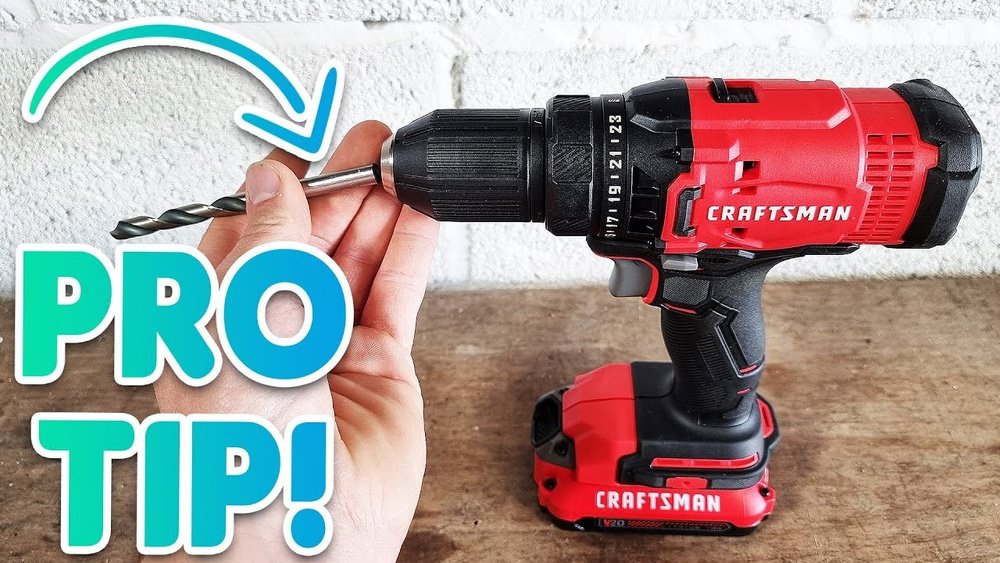
If you’ve ever struggled to remove the chuck from your Craftsman cordless drill, you’re not alone. It can be tricky, especially if you’re not sure where to start or what tools you need.
But don’t worry—once you know the right steps, it becomes a simple task that saves you time and frustration. In this guide, you’ll discover clear, easy-to-follow instructions that will help you remove the chuck quickly and safely. Keep reading, and you’ll have your drill ready for any project in no time.
Tools Needed
Removing the chuck from a Craftsman cordless drill requires a few simple tools. Having the right tools ready makes the process smooth and safe. Each tool plays a specific role to help you complete the task easily.
Keep your workspace clean and organized. Lay out the tools before starting. This preparation saves time and avoids frustration.
Adjustable Wrench
An adjustable wrench helps to loosen the chuck’s securing bolt. It fits different bolt sizes. You need a sturdy wrench for a firm grip.
Allen Wrench (hex Key)
Most Craftsman drill chucks use a hex bolt inside. The Allen wrench fits into this bolt. It allows you to unscrew the chuck safely.
Screwdriver
A flathead or Phillips screwdriver may be needed. It helps remove any covers or screws holding the chuck in place. Choose the screwdriver that matches your drill’s screws.
Cloth Or Rag
A cloth protects your hands and the drill. It provides grip while turning the wrench. Also, it prevents scratches on the drill body.
Safety Precautions
Always remove the battery before starting to work on the drill. Wear safety glasses to protect your eyes from debris. Use proper tools to avoid slipping or injury while removing the chuck.
Wear Protective Gear
Always wear safety glasses to protect your eyes from dust and debris. Gloves can protect your hands from sharp edges or pinches. Use a dust mask if working in a dusty area.
Disconnect The Battery
Remove the battery before starting any work on the drill. This step prevents accidental starts and electric shocks. Double-check that the drill is off and unplugged.
Work In A Clean Area
Keep your workspace tidy and well-lit. Clear away clutter to avoid tripping or knocking tools over. Good lighting helps you see small parts clearly.
Use The Right Tools
Select the correct wrench or tool to loosen the chuck. Using wrong tools can cause damage or injury. Handle tools carefully to maintain control.
Follow Manufacturer Instructions
Read the Craftsman drill manual before removing the chuck. Manuals provide specific safety tips and steps. Following instructions reduces risk of damage or injury.
Locate The Chuck
Locating the chuck on a Craftsman cordless drill is the first step to removing it safely. The chuck holds the drill bit firmly in place. Knowing exactly where it sits helps to avoid damage. It also makes the removal process much quicker and easier.
The chuck is at the front of the drill. This is the part that spins when you drill into wood, metal, or other materials. It grips the drill bit tightly, so it does not slip during work.
Identify The Drill’s Front End
The chuck is at the tip of the drill’s front end. This area is usually cylindrical and larger than the rest of the drill body. It may have ridges or a textured surface for grip.
Look For The Adjustable Collar
The chuck has an adjustable collar or sleeve. This collar rotates to open or close the jaws inside the chuck. It helps to hold different sizes of drill bits securely.
Check For The Keyless Or Keyed Chuck Type
Craftsman cordless drills often have keyless chucks. These can be turned by hand to loosen or tighten. Some older models use a chuck key, a small tool that fits into holes on the chuck.
Note The Chuck’s Size And Shape
The chuck usually measures about 3/8 inch to 1/2 inch in diameter. It is round and tapers slightly. This shape allows for easy gripping during removal or replacement.
Unlock The Chuck
To remove the chuck from your Craftsman cordless drill, you must first unlock the chuck. This step frees the drill bit and prepares the chuck for removal. Unlocking the chuck is simple and requires only a few basic actions.
Twist To Loosen
Hold the drill firmly with one hand. Use your other hand to twist the chuck counterclockwise. This motion loosens the grip on the drill bit. Keep twisting until the chuck opens fully. Now, the chuck is unlocked and ready for the next step.
Use Chuck Key If Available
Some Craftsman drills include a chuck key. This tool fits into the holes on the chuck. Insert the key and turn it to loosen the chuck. The chuck key gives extra force to unlock tight chucks. Use it if twisting by hand is too hard.
Remove The Chuck
Removing the chuck from a Craftsman cordless drill is a simple task. It helps when you need to replace or fix the chuck. This process requires just a few tools and some careful steps.
Understanding how to remove the chuck ensures safe and proper handling. Let’s explore the steps to remove it easily.
Unscrew The Chuck
First, power off the drill and remove the battery. This prevents accidental starts.
Open the chuck jaws fully by twisting the chuck collar. Use the drill’s keyless mechanism or chuck key.
Look inside the chuck for a small screw. Turn it clockwise to loosen. This screw holds the chuck in place.
Use a screwdriver to remove the screw completely. Keep it safe for later use.
Hold the drill firmly. Twist the chuck counterclockwise to unscrew it from the spindle.
If it turns easily, continue until the chuck comes off completely.
Handle Stubborn Chucks
Sometimes, the chuck may be tight or stuck. This happens due to dirt or rust buildup.
Apply a small amount of penetrating oil around the chuck base. Let it sit for 10 minutes.
Tap gently on the chuck with a rubber mallet. This helps loosen stuck parts.
Use a strap wrench for better grip and twist the chuck again. Avoid metal tools that may damage the drill.
If still stuck, repeat oil application and tapping. Patience is key to avoid damage.

Credit: www.instructables.com
Clean And Inspect
Cleaning and inspecting the chuck of your Craftsman cordless drill is important. Dirt and debris can cause the chuck to stick or not hold bits well. Regular care helps your drill work better and last longer.
Take time to clean the chuck carefully after removing it. Check every part for damage or wear. This keeps the drill safe and reliable for your projects.
Cleaning The Chuck Thoroughly
Use a soft brush to remove dust and dirt. You can use a cloth dampened with mild soapy water. Avoid soaking the chuck or using strong chemicals.
Make sure to clean inside the jaws where the drill bit fits. Dirt here can stop the bit from gripping tightly.
Inspecting The Chuck For Damage
Look closely for cracks or worn parts. Check the jaws for smooth movement. They should open and close easily.
If you see rust or corrosion, use a light oil to protect the metal. Replace the chuck if parts look broken or too worn.
Lubricating Moving Parts
Apply a small amount of lubricant to the chuck’s moving parts. This helps the jaws move smoothly and prevents rust.
Wipe off any extra oil to avoid dirt sticking to it later.
Reattach Or Replace Chuck
After removing the chuck from your Craftsman cordless drill, the next step is to reattach it or replace it. This ensures your drill works well and holds the drill bits firmly. A properly attached chuck improves your drilling accuracy and safety.
Reattaching the chuck is simple with the right tools. Replacing it might be necessary if the old chuck is worn out or damaged. Both processes require care and attention to detail.
How To Reattach The Chuck
Start by cleaning the drill spindle and chuck threads. Dirt and debris can prevent a tight fit. Place the chuck on the spindle and twist it clockwise by hand. Use a wrench to tighten it securely. Avoid overtightening, which can damage the threads.
Steps To Replace The Chuck
Choose a replacement chuck that matches your drill model. Remove the old chuck completely by unscrewing it counterclockwise. Align the new chuck with the spindle threads. Screw it in by hand, then tighten with a wrench. Test the chuck by inserting a drill bit and running the drill.
Tools Needed For Chuck Attachment
You need a hex key or Allen wrench for most Craftsman chucks. A pipe wrench or adjustable wrench helps tighten or loosen the chuck. Keep a clean cloth handy to wipe parts before attaching. Using the right tools makes the job easier and safer.

Credit: www.northerntool.com
Test The Drill
Removing the chuck from a Craftsman cordless drill is simple with the right steps. Start by loosening the chuck jaws, then use a wrench or hex key to unscrew it. This helps maintain or replace drill parts easily.
Prepare The Drill For Testing
Before testing, ensure the drill is properly assembled. Insert the battery securely to avoid power loss. Hold the drill firmly in your hand for safety.
Power On And Check Rotation
Turn the drill on using the trigger switch. Watch the chuck carefully as it spins. It should rotate smoothly without wobbling or noise.
Test The Chuck Grip
Insert a drill bit into the chuck. Tighten the chuck by turning it clockwise. Try pulling the bit gently; it should hold firmly in place.
Check Forward And Reverse Functions
Switch the drill to reverse mode. Observe the chuck spinning in the opposite direction. Switch back to forward and verify normal rotation again.
Listen For Unusual Sounds
Run the drill at different speeds. Listen closely for grinding or clicking noises. Such sounds may indicate a problem with the chuck.

Credit: www.youtube.com
Frequently Asked Questions
How Do I Remove The Chuck From A Craftsman Cordless Drill?
To remove the chuck, first loosen the drill bit. Then, open the chuck jaws fully. Use an Allen wrench to unscrew the chuck from the drill spindle by turning it counterclockwise. Finally, pull the chuck off the drill shaft carefully.
What Tools Are Needed To Remove The Chuck?
You typically need an Allen wrench or hex key to remove the chuck. Some models may require a screwdriver or pliers. Check your drill manual for specific tools. Having a cloth or gloves helps for grip and safety during removal.
Can I Remove The Chuck Without Damaging The Drill?
Yes, you can remove the chuck safely by following the correct steps. Avoid using excessive force. Always ensure the drill is powered off and the battery is removed. Using the right tools prevents damage to the chuck or drill spindle.
Why Would I Need To Remove The Chuck From My Drill?
Removing the chuck allows you to replace or repair it. It helps clean debris inside the drill. You may also need to switch to a different chuck type for specific tasks. This maintains drill performance and extends tool life.
Conclusion
Removing the chuck from a Craftsman cordless drill is simple with clear steps. Always make sure the drill is off and the battery is removed first. Use the right tool to loosen the chuck screw, then twist the chuck to take it off.
Taking your time helps avoid damage. Now, you can replace or clean the chuck easily. This quick process keeps your drill working well for many projects. Practice a few times to feel more confident with the task.
