


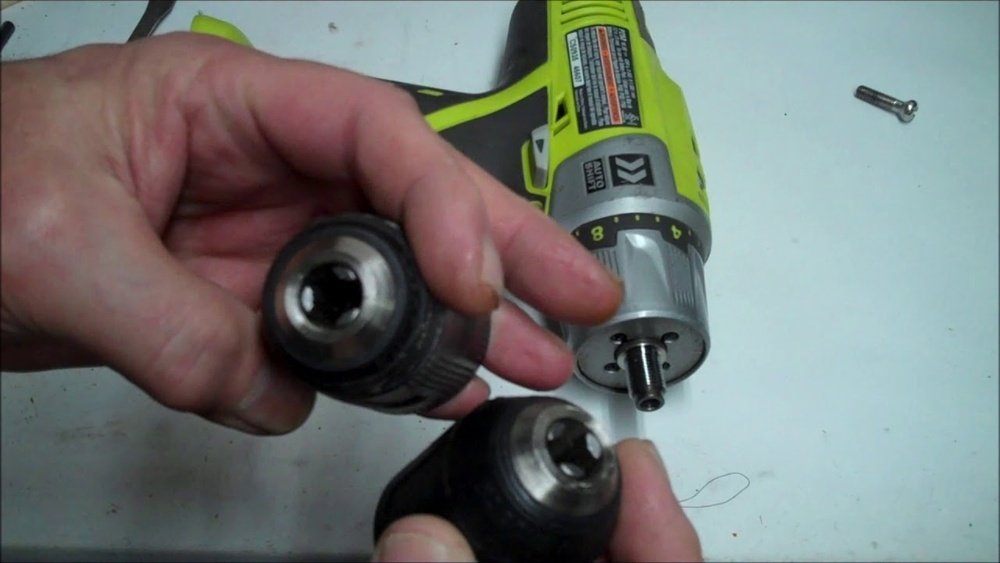
If you’ve ever struggled with a loose or stuck chuck on your Ryobi cordless drill, you’re not alone. Changing the chuck might seem tricky, but it’s actually a simple fix that can save you time and money.
In this guide, you’ll learn exactly how to change the chuck on your Ryobi drill quickly and safely—no special tools or skills needed. Keep reading, and you’ll have your drill working like new in no time.

Credit: www.youtube.com
Preparing Your Ryobi Drill
Start by turning off the Ryobi cordless drill and removing the battery. Loosen the chuck by twisting it counterclockwise to release the drill bit. Then, pull out the old chuck and place the new one in its place.
Safety Precautions
Start by turning off your Ryobi drill. Remove the battery to prevent accidental starts. Always work in a clean, well-lit space. Wear safety glasses to protect your eyes from dust and debris. Avoid loose clothing and tie back long hair. Keep your hands dry and clean for a secure grip. Follow these steps to stay safe during the chuck change.
Tools Needed
Gather all necessary tools before starting. You will need a chuck key or an Allen wrench, depending on your drill model. A clean cloth helps to wipe away dirt and grease. A small hammer may be useful for stubborn chucks. Having everything ready makes the process faster and easier.
Removing The Old Chuck
Removing the old chuck from your Ryobi cordless drill is a simple task. It helps to replace a worn-out or damaged chuck. Follow these steps carefully to avoid any damage to your drill. The process starts with locating the chuck screw. Then, you unscrew it to free the chuck.
Locating The Chuck Screw
First, find the chuck screw inside the chuck. Open the chuck jaws fully. Look inside the center of the chuck. You will see a small screw. This screw holds the chuck tightly on the drill shaft. It often has a left-hand thread. This means you turn it clockwise to loosen it.
Unscrewing The Chuck
Use a screwdriver that fits the chuck screw perfectly. Turn the screw clockwise to remove it. Hold the drill firmly to stop it from turning. After removing the screw, open the chuck jaws completely. Grip the chuck with your hand and turn it counterclockwise. This will loosen the chuck from the drill shaft. Sometimes, it may need a little force. Use a wrench or pliers carefully if needed. Once loose, pull the chuck off the drill.
Installing The New Chuck
Installing the new chuck on your Ryobi cordless drill is a simple process. This step is important to ensure your drill works properly with different drill bits. Follow the steps carefully to fit the chuck securely and correctly.
Aligning The New Chuck
Start by placing the drill on a flat surface. Hold the new chuck so its hole matches the drill’s spindle. Push the chuck firmly onto the spindle. Make sure it slides in straight without wobbling. Proper alignment helps the chuck hold drill bits tightly.
Securing The Chuck
Turn the chuck clockwise by hand to tighten it. Use a wrench or pliers to secure it firmly. Avoid over-tightening to prevent damage. Check if the chuck spins smoothly. A well-secured chuck keeps your drill bits safe during use.

Credit: www.reddit.com
Testing The New Chuck
After installing the new chuck on your Ryobi cordless drill, testing it is important. This step ensures the chuck works well and holds drill bits tightly. Testing helps avoid problems during your projects. Follow these simple checks to confirm your new chuck functions properly.
Attaching Drill Bits
Start by inserting a drill bit into the chuck. Hold the drill firmly and turn the chuck sleeve clockwise. Tighten it until the bit feels secure. Try pulling the bit gently to check if it slips. A properly tightened chuck holds the bit firmly in place.
Checking For Proper Function
Power on the drill at low speed. Watch the drill bit to see if it spins smoothly. Listen for unusual sounds like grinding or clicking. Stop the drill and loosen the chuck to remove the bit. Repeat the process with different bits to ensure consistent performance.
Troubleshooting Common Issues
Troubleshooting common issues is key when changing the chuck on a Ryobi cordless drill. Small problems can stop your work and cause frustration. Knowing how to solve these issues saves time and effort.
Some problems happen often. They are easy to fix with simple steps. This guide helps you understand what to do if the chuck will not tighten or if the drill does not work smoothly.
Chuck Not Tightening
A chuck that does not tighten can be unsafe. The drill bit may slip or fall out. First, check for dirt or debris inside the chuck. Clean it with a brush or cloth. Next, try to tighten the chuck by hand. Use the drill’s key if your model has one.
Sometimes, the chuck may be stuck. Use some light oil on the moving parts. Let it sit for a few minutes. Then, try tightening again. Avoid forcing the chuck too hard. This may cause damage.
Drill Not Operating Smoothly
A drill that does not run smoothly can slow down your work. Check the battery charge first. A low battery can cause poor performance. Remove the chuck and inspect the drill’s spindle. Dirt or rust can cause rough movement.
Clean the spindle and chuck parts with a dry cloth. Apply a small amount of lubricant if needed. Reattach the chuck carefully. Test the drill at low speed before full use. This helps ensure smooth operation.
Maintenance Tips For Your Drill Chuck
Maintaining your Ryobi cordless drill chuck is important for its long life. Clean and lubricate the chuck regularly. This keeps it working smoothly. A well-maintained chuck holds drill bits tightly. It also reduces wear and tear on your drill.
Cleaning The Chuck
Remove dust and dirt from the chuck often. Use a small brush or a cloth to clean inside the chuck. Open the jaws fully and clean between them. Avoid using water to prevent rust. Use compressed air to blow out hard-to-reach places. Clean the chuck before storing the drill.
Lubricating Moving Parts
Apply a small amount of light machine oil to the moving parts. Focus on the jaws and the rotating sleeve. Use oil sparingly to avoid attracting dust. Move the chuck jaws back and forth to spread the oil evenly. Lubrication keeps the chuck turning smoothly. Do this every few months or after heavy use.
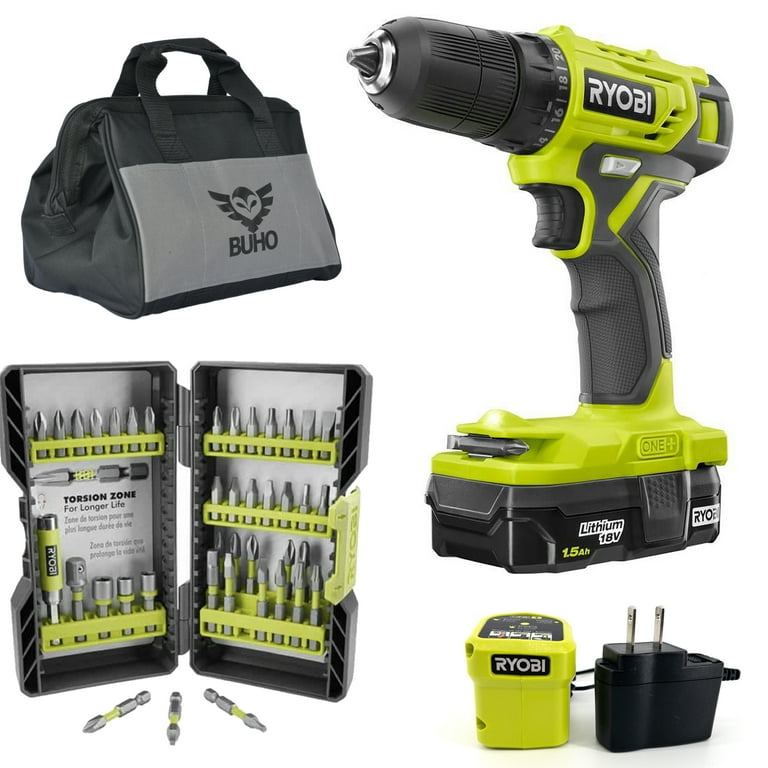
Credit: www.walmart.com
Frequently Asked Questions
How Do I Remove The Old Chuck From A Ryobi Drill?
To remove the old chuck, first remove the drill bit. Then, loosen the chuck sleeve by turning it counterclockwise. Use an Allen wrench to unscrew the chuck from the spindle. Finally, pull the chuck off the drill shaft carefully.
What Tools Are Needed To Change A Ryobi Drill Chuck?
You need an Allen wrench or hex key, usually 3/32 inch, to remove the chuck screw. A pair of pliers or a wrench can help loosen the chuck. No additional tools are typically required for most Ryobi cordless drill models.
How To Install A New Chuck On A Ryobi Cordless Drill?
Align the new chuck on the drill spindle and screw it clockwise by hand. Tighten the chuck securely using the Allen wrench on the chuck screw. Finally, test the chuck by opening and closing it to ensure proper installation.
Can I Change The Chuck Without Removing The Battery?
Yes, you can change the chuck without removing the battery, but it’s safer to remove it. Removing the battery prevents accidental activation, reducing the risk of injury. Always follow safety precautions when handling power tools.
Conclusion
Changing the chuck on a Ryobi cordless drill is simple and quick. You only need a few steps to do it right. This helps keep your drill working well and ready for any job. Taking care of your tools saves time and money.
Now, you can switch bits easily and work with confidence. Try it yourself and see how smooth the process feels. A small fix can make a big difference in your work.
