


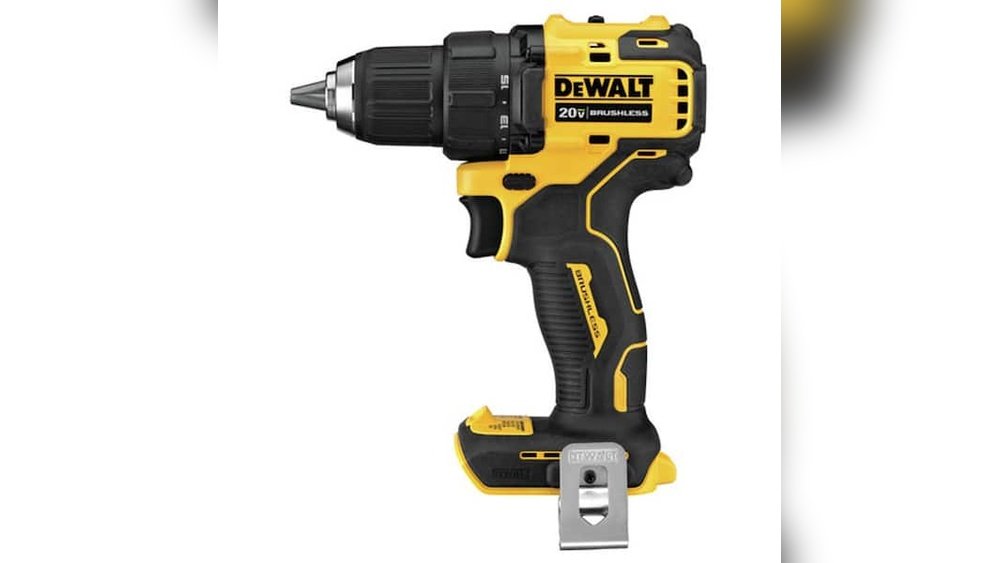
Looking to buy a cordless drill driver but not sure where to start? Choosing the right one can save you time, effort, and frustration on your projects.
You want a tool that feels comfortable in your hand, has enough power, and lasts through the job. But with so many options out there, how do you know which drill driver is the best fit for you? Keep reading, and you’ll discover simple tips that make picking the perfect cordless drill driver easy and stress-free.
Your next project will thank you!
Choosing The Right Drill Driver
Choosing the right drill driver is important for your projects. The right tool makes work easier and faster. Knowing the types, features, and battery options helps pick the best drill driver. This guide breaks down what to focus on for a smart choice.
Types Of Cordless Drill Drivers
There are mainly three types of cordless drill drivers. Compact drills are small and light, good for simple tasks. Standard drills offer more power for most jobs. Hammer drills add a hammering action for drilling into hard materials like concrete. Choose a type based on your needs and the work you plan to do.
Key Features To Consider
Look at the drill’s power, speed, and size. Power shows how strong the drill is. Speed controls how fast the drill bit spins. Variable speed helps adjust for different materials. Check the chuck size to fit various drill bits. A comfortable grip and balanced weight reduce hand fatigue. Some drills have extra features like LED lights and torque settings for better control.
Battery Types And Performance
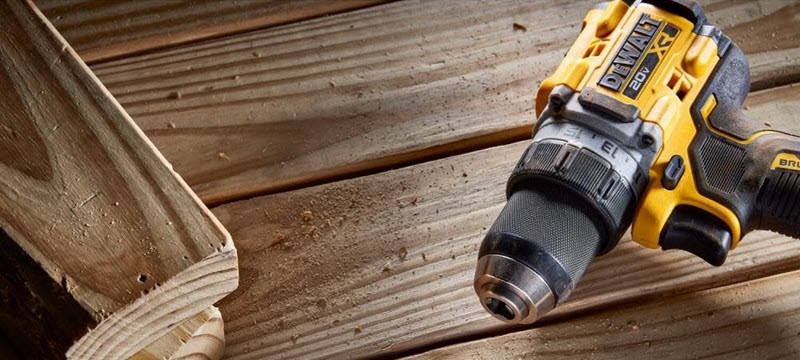
Batteries affect how long and strong your drill works. Lithium-ion batteries are common and last longer. They charge faster and hold power well. Nickel-cadmium batteries are cheaper but heavier and have less capacity. Battery voltage tells you the power level; higher volts mean more power. Also, check the amp-hour rating for how long the battery lasts during use.
Credit: blog.acmetools.com
Power And Performance Factors
Power and performance are key factors when choosing a cordless drill driver. These determine how well the tool can handle different tasks. Knowing what to expect helps you pick the right drill for your needs. The right power level means your work will be easier and faster. Performance depends on a few important features that affect the drill’s strength and control.
Voltage And Torque Explained
Voltage shows the drill’s power source strength. Higher voltage usually means more power. Most cordless drills range from 12V to 20V or more. Torque measures the twisting force the drill can apply. It affects how well the drill drives screws or drills holes. Higher torque is good for tough jobs like drilling into hard wood or metal. Look for a drill with adjustable torque to avoid damaging materials.
Speed Settings And Control
Speed controls how fast the drill spins. Different tasks need different speeds. Low speed is better for driving screws to prevent stripping. High speed works best for drilling holes. Many drills offer two-speed settings or variable speed triggers. This gives you better control over the work. Smooth speed control helps with precision and safety.
Brushless Vs Brushed Motors
Brushless motors are newer and more efficient. They last longer and run cooler. These motors use less battery power, giving more runtime. Brushed motors are simpler and usually cost less. They wear out faster due to brush friction. Brushless drills offer better performance for heavy use. Brushed drills may be fine for occasional light tasks.
Battery Life And Charging
Battery life and charging are key factors for cordless drill drivers. Good battery life means longer work without stopping. Fast charging helps you get back to work quickly. Knowing about battery capacity, charging options, and care tips can save time and effort. This section explains what to check before buying.
Battery Capacity And Runtime
Battery capacity shows how much power a battery holds. It is measured in ampere-hours (Ah). Higher capacity means longer runtime. Choose a battery with enough capacity for your tasks. A 2.0Ah battery works for small jobs. For heavy work, pick 4.0Ah or more. Runtime depends on power use and drill speed. More power means shorter runtime.
Charging Time And Options
Charging time varies by charger and battery type. Some batteries charge in 30 minutes. Others need 1 to 2 hours. Quick chargers save work time. Some drills support USB or car chargers. This adds convenience for outdoor use. Always check charger type before buying. Fast charging keeps projects moving without long delays.
Battery Maintenance Tips
Proper battery care extends its life. Avoid full discharge to keep battery healthy. Store batteries in a cool, dry place. Clean battery contacts regularly. Use the charger made for your battery. Remove the battery from the drill if not used for long. Follow these tips to keep your drill ready for action.
Ergonomics And Design
Ergonomics and design play a big role in choosing a cordless drill driver. A well-designed drill feels good in your hand. It helps you work longer without feeling tired or sore. Comfort and ease of use make a big difference during any project.
Weight And Balance
The weight of the drill affects how easy it is to use. A heavy drill can cause arm pain quickly. The right balance keeps the drill steady and easy to control. Look for a model that feels light but solid. Balanced weight helps you work faster and with more accuracy.
Grip Comfort And Materials
A soft grip makes holding the drill easier. Rubber or textured grips prevent slipping. Good grip materials reduce hand strain and improve safety. Check if the handle fits your hand size well. Comfortable grips allow you to work longer without discomfort.
Size And Portability
Compact drills are easier to carry around. Smaller size helps when working in tight spaces. Portability means you can take the drill anywhere. Choose a drill that fits in your toolbox or bag easily. Size matters for convenience and quick access during tasks.
Additional Features To Look For
Choosing a cordless drill driver involves more than just power and battery life. Additional features can make your work easier and more precise. These features improve control, visibility, and flexibility during tasks.
Led Lights And Clutch Settings
LED lights brighten the work area. They help you see clearly in dark spaces. This reduces mistakes and improves accuracy. Clutch settings control the drill’s torque. Adjusting the clutch prevents overdriving screws. It protects materials from damage and extends tool life.
Speed And Direction Controls
Speed control lets you adjust how fast the drill spins. Different tasks need different speeds. Slow speed is good for driving screws, fast speed for drilling holes. Direction control changes rotation from forward to reverse. This helps remove screws or back out drill bits easily.
Accessory Compatibility
Check if the drill works with many accessories. This includes drill bits, screwdriver bits, and sanding attachments. More compatibility means more tasks you can do. It saves money and space by using one tool for many jobs.
Credit: www.homedepot.com
Budgeting And Brand Selection
Setting a clear budget helps narrow down cordless drill driver choices. Knowing how much to spend saves time and avoids overspending. Picking a trusted brand ensures quality and durability. Balancing price and brand reputation leads to a smart purchase.
Price Ranges And What To Expect
Entry-level drills cost between $40 and $80. These models suit light tasks and occasional use. Mid-range drills range from $80 to $150. They offer better power and longer battery life. High-end drills cost over $150. Expect advanced features and stronger motors here. Price often reflects battery quality and drill speed.
Top Brands And Models
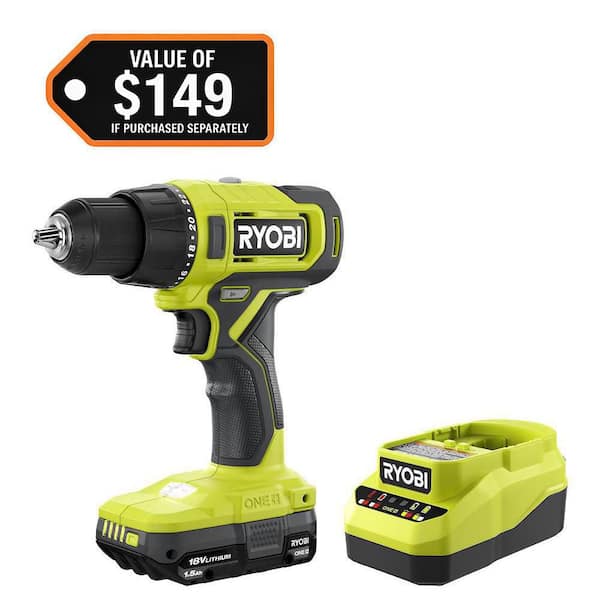
Brands like DeWalt, Makita, and Bosch are popular. They make reliable drills with good performance. Ryobi and Black+Decker offer budget-friendly options. These fit beginners or light users well. Check reviews to find models that suit your needs. Trusted brands often provide better safety and build quality.
Warranty And Customer Support
A solid warranty protects your investment. Most brands offer one to three years of coverage. Read warranty terms carefully to understand limits. Good customer support helps with repairs and questions. Choose brands with easy contact options. This saves hassle if issues appear later.
Where To Buy And How To Save
Finding the right place to buy a cordless drill driver can save money and time. Choosing where to shop affects price, variety, and convenience. Knowing the best options helps get a good deal without stress.
Online Vs In-store Shopping
Online stores offer wide selections and easy price comparison. You can read many reviews before buying. Delivery comes straight to your door, saving travel time.
In-store shopping lets you see and hold the drill. Staff can answer questions and give advice. Immediate purchase means no waiting for shipping.
Seasonal Sales And Discounts
Sales often happen during holidays or special events. Black Friday, Cyber Monday, and summer sales lower prices. Signing up for store newsletters alerts you to deals early.
Clearance sales also offer good discounts on last-season models. Timing your purchase around these events saves money.
Second-hand And Refurbished Options
Used cordless drills cost less and still work well. Check condition carefully before buying. Refurbished drills come tested and repaired by professionals.
Both options reduce waste and offer budget-friendly tools. Buy from trusted sellers or stores with return policies.
Maintenance And Safety Tips
Keeping your cordless drill driver in good shape is key for safety and long life. Regular maintenance helps the tool work better and last longer. Following safety tips protects you and others during use.
Proper Storage And Cleaning
Store your drill in a dry, cool place. Avoid damp areas to stop rust and damage. Clean the drill after each use. Wipe dust and debris from vents and surfaces. Use a soft cloth and mild cleaner. Remove the battery before cleaning. This prevents accidental starts and electrical issues.
Safe Operating Practices
Always wear safety goggles to protect your eyes. Use gloves for a better grip and hand safety. Check the drill bit is tight before starting. Hold the drill firmly with both hands. Keep your work area clear of clutter. Avoid loose clothing or jewelry that can catch. Turn off the drill before changing bits or batteries.
Troubleshooting Common Issues
If the drill won’t start, check the battery charge. Clean battery contacts if they look dirty or rusty. If the drill slows down, the battery might be weak. Let it cool if the drill overheats. Inspect the drill bit for wear or damage. Replace worn bits for better performance. Listen for unusual noises; they may signal problems inside.

Credit: www.skil.com
Frequently Asked Questions
What Features Should I Look For In A Cordless Drill Driver?
Look for battery life, torque, speed settings, and ergonomic design. Also, check for keyless chuck and weight for ease of use.
How Long Does A Cordless Drill Driver Battery Last?
Battery life varies by model and usage but typically lasts 1 to 3 hours on a full charge.
Which Battery Type Is Best For Cordless Drills?
Lithium-ion batteries are best. They are lightweight, have longer life, and retain charge well compared to other types.
What Torque Level Is Ideal For Home Use Drills?
A torque level between 300 and 500 inch-pounds suits most home projects, offering enough power without risking damage.
Conclusion
Choosing the right cordless drill driver can make your work easier. Focus on battery life, power, and comfort. Check the drill’s speed settings and chuck size. Think about the tasks you plan to do. Don’t forget to read user reviews for real opinions.
A good drill fits your needs and budget. Take your time to compare different models. This helps you find a drill that lasts long. Ready to tackle your projects with confidence? A smart choice today saves trouble tomorrow.
