


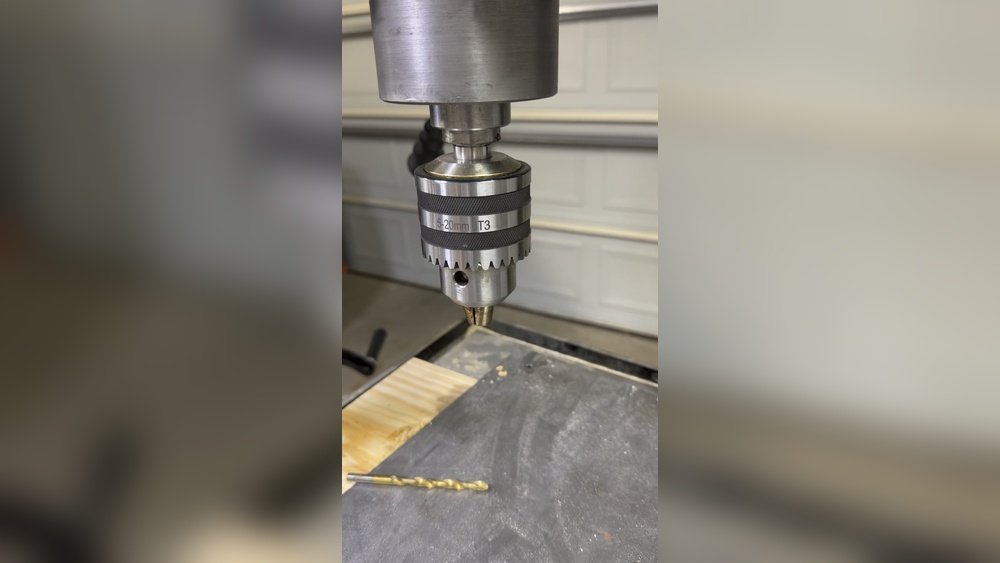
When you pick up your cordless drill, you expect it to work smoothly and accurately. But have you ever noticed the drill bit wobbling a little when it spins?
That wobble is called runout, and too much of it can ruin your work or even damage your tools. So, how much runout is actually okay in your cordless drill? Knowing the right answer can save you time, frustration, and money.
Keep reading to find out what runout means, how to measure it, and the perfect limits you should aim for to keep your drill running like new.
Runout Basics
Understanding runout is important for using cordless drills well. Runout affects how straight the drill bit spins. Too much runout can cause problems during drilling. It can reduce accuracy and damage the drill or workpiece. Knowing the basics helps you spot issues and keep your drill running smoothly.
This section explains what runout is, the types of runout, and why it happens in cordless drills.
What Is Runout
Runout means the wobble or deviation of the drill bit as it spins. It shows how much the bit moves away from the center line. A small runout means the bit spins closely to the center. A large runout means the bit moves more, causing uneven holes. Runout is measured in thousandths of an inch or millimeters.
Types Of Runout
There are two main types of runout: radial and axial. Radial runout is the side-to-side wobble of the drill bit. Axial runout is the up-and-down movement along the drill’s axis. Both types affect drilling quality. Radial runout usually causes uneven holes. Axial runout can cause drill bit chatter and poor surface finish.
Causes Of Runout In Cordless Drills
Runout happens for several reasons in cordless drills. Worn or damaged chucks can let the bit slip and wobble. Bent drill bits cause uneven spinning. Dirt or debris inside the chuck can stop the bit from seating correctly. Poor manufacturing or assembly can also lead to higher runout. Regular checks and maintenance help reduce runout problems.
Measuring Runout
Measuring runout in a cordless drill helps keep your work precise. Runout means how much the drill bit wobbles when it spins. Too much wobble can cause mistakes or damage. Checking runout is simple with the right tools and steps. This section explains how to measure runout clearly.
Tools For Measuring Runout
You need specific tools to measure runout accurately. A dial indicator is the best tool. It shows small changes in the drill bit’s position. You also need a stand to hold the dial indicator steady. A flat surface to place the drill helps too. These tools ensure you get correct readings.
Step-by-step Measurement Process
First, secure your cordless drill on a flat surface. Next, attach the dial indicator to the stand. Place the dial indicator’s tip on the drill bit’s side. Slowly turn the drill bit by hand. Watch the dial indicator as the bit spins. Note the highest and lowest readings. The difference shows the runout amount.
Interpreting Measurement Results
Small runout is normal, but too much is bad. A runout under 0.005 inches is usually okay. More than 0.010 inches means the drill bit wobbles too much. High runout can cause drill bit wear and poor holes. If runout is high, check the chuck or replace the drill bit. Accurate runout keeps your drill working well.
Acceptable Runout Levels
Runout in a cordless drill means how much the drill bit moves off center while spinning. Some runout is normal but too much can cause problems. Knowing the acceptable runout levels helps you keep your drill working well and your work accurate. This section explains the common standards and effects of runout.
Industry Standards
Most cordless drills allow a runout of about 0.05 mm to 0.15 mm. This small range keeps the drill bit spinning smoothly. Tools with runout above this range may cause uneven holes and faster wear. Manufacturers and experts agree that staying within this limit ensures good performance.
Manufacturer Recommendations
Each drill brand gives its own runout limits. Check the user manual or technical sheet for exact numbers. Usually, premium models have tighter runout limits, often under 0.1 mm. Following these guidelines protects your drill and improves your work results.
Impact Of Excessive Runout
Too much runout causes the drill bit to wobble. This wobbling makes holes bigger or uneven. It also wears out drill bits faster. Excessive runout can damage the drill chuck and reduce battery life. Keeping runout low saves money and effort in the long run.

Credit: www.pawnamerica.com
Factors Affecting Runout
Runout in a cordless drill affects drilling accuracy and tool life. Several factors influence how much runout occurs. Understanding these helps keep your drill working well and your projects precise.
Chuck Quality And Type
The chuck holds the drill bit tightly. A high-quality chuck reduces runout by gripping evenly. Keyless chucks often have more runout than keyed ones. Metal chucks tend to be more precise than plastic ones. Choosing a good chuck lowers wobble during drilling.
Drill Bit Condition
Worn or bent drill bits increase runout. New, straight bits spin smoothly and reduce vibration. Inspect bits before use. Replace any with damage or wear. Sharp bits also cut better and cause less stress on the drill.
Spindle Wear And Maintenance
The spindle connects the chuck to the motor. Over time, wear can cause more runout. Regular cleaning and lubrication keep the spindle running true. Check for loose parts and fix them quickly. Proper care extends drill life and improves accuracy.
Reducing Runout
Runout in a cordless drill means the bit wobbles during use. This wobble can cause poor drilling accuracy and faster wear. Reducing runout helps the drill work better and last longer. Simple steps can lower runout significantly.
Proper Chuck Installation
Install the drill chuck tightly and straight. A loose or crooked chuck increases runout. Use the right tools to secure the chuck firmly. Check alignment before each use to avoid wobbling.
Regular Maintenance Tips
Keep the drill clean and free of dust. Dirt inside the chuck causes uneven holding of bits. Lubricate moving parts to reduce friction and wear. Regularly inspect the chuck for damage or wear signs.
Upgrading Components
Replace worn chucks with high-quality, low-runout models. Consider using drill bits designed for less wobble. Upgrading bearings can also improve drill stability. Better parts mean smoother and more accurate drilling.

Credit: www.reddit.com
Troubleshooting Runout Issues
Runout in a cordless drill can cause problems with your work. It means the drill bit does not spin perfectly straight. This can lead to uneven holes or damage to your tools and materials. Troubleshooting runout issues early can save time and money. The key is to spot symptoms and try simple fixes first. If these do not work, professional help might be needed. Below are steps to guide you through this process.
Common Symptoms
One sign of runout is wobbling drill bits. You may notice the bit moves side to side while spinning. Another symptom is uneven or oversized holes. The drill may also vibrate more than usual. Sometimes, bits slip out of the chuck easily. These signs show the drill is not running true.
Quick Fixes
Start by cleaning the chuck and drill bit. Dirt and debris can cause poor grip and wobble. Tighten the chuck firmly but avoid overtightening. Check if the drill bit is bent or worn out. Replace damaged bits right away. Try using a different drill bit to see if the problem persists. Lubricate the chuck if it feels stiff. These simple steps often reduce runout.
When To Seek Professional Help
If runout continues after quick fixes, get expert advice. Internal parts like bearings or the spindle may be damaged. Professionals can inspect and repair these components. Avoid using the drill with severe runout. It can cause more damage or injury. A repair shop or manufacturer service center is the best option for complex issues.
Runout’s Effect On Drilling Performance
Runout in a cordless drill affects how well the drill works. It means the drill bit is not perfectly straight when it spins. This small wobble can change how the drill cuts and how strong the drill stays over time. Understanding runout helps choose the right drill and keep it working well.
Accuracy And Precision
Runout reduces the drill’s accuracy. The bit moves side to side, not straight. This causes holes to be larger or uneven. For tasks needing exact holes, even small runout can be a problem. Less runout means cleaner and more precise holes every time.
Tool Life And Durability
Runout causes extra wear on the drill parts. The wobbling bit puts stress on the chuck and bearings. This stress makes parts wear out faster. A drill with low runout stays strong and lasts longer. Keeping runout low protects your investment.
Safety Considerations
High runout can be unsafe. The wobbling bit can slip or break. This may cause injury or damage to your work. Using a drill with minimal runout helps keep control. It reduces the chance of accidents during drilling.
Credit: www.canadianmetalworking.com
Frequently Asked Questions
What Is Acceptable Runout In A Cordless Drill?
Acceptable runout in a cordless drill is typically under 0. 1 mm. Excessive runout can reduce drilling accuracy and cause bit wobble. Keeping runout minimal ensures smooth operation and longer tool life.
How Does Runout Affect Cordless Drill Performance?
Runout causes the drill bit to wobble, leading to imprecise holes. It also increases wear on the chuck and drill bit. Minimizing runout improves drilling accuracy and tool durability.
Can I Measure Runout On My Cordless Drill?
Yes, you can measure runout using a dial indicator or runout gauge. Place the tool in the chuck and rotate it slowly. The gauge will show any deviation from true rotation.
What Causes Excessive Runout In Cordless Drills?
Excessive runout often results from a worn chuck, bent drill bit, or spindle misalignment. Regular maintenance and proper bit installation help reduce runout issues.
Conclusion
A small amount of runout in a cordless drill is normal. Usually, less than 0. 1 mm is acceptable. Too much runout can cause problems with drilling accuracy. It can also wear down drill bits faster. Regularly check your drill for runout to keep it working well.
Simple tools can help you measure runout at home. Keeping runout low ensures better results and longer tool life. Remember, a steady drill makes your work easier and safer.
