


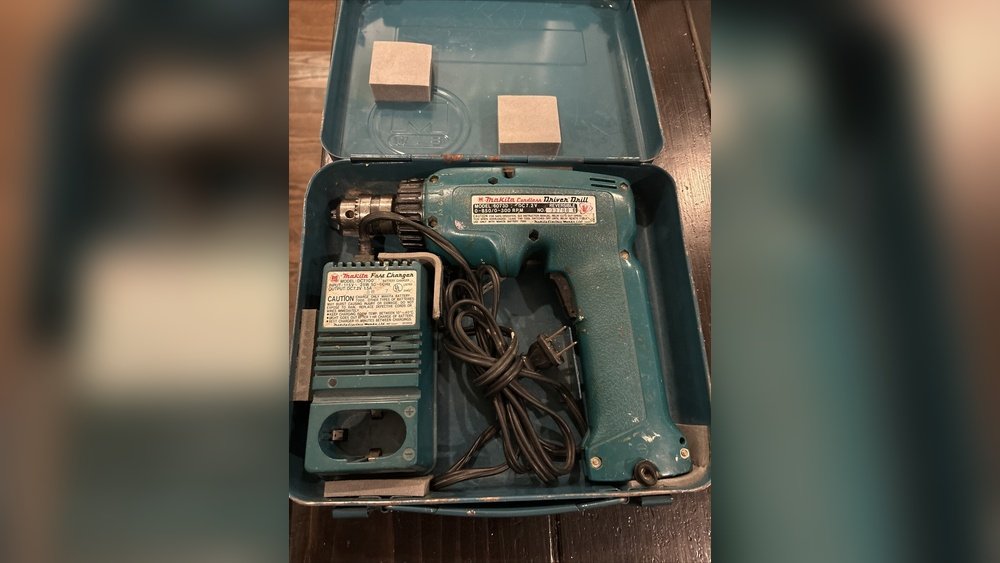
Have you ever grabbed your cordless drill only to find it won’t charge? It’s frustrating, right?
You depend on your drill to get jobs done quickly, but when the battery charger stops working, everything comes to a halt. You might be wondering—do cordless drill battery chargers actually go bad? Understanding what happens to your charger can save you time, money, and headaches.
Keep reading to discover the signs of a failing charger and what you can do to fix the problem before it slows you down.
How Cordless Drill Chargers Work
Cordless drill chargers power the drill’s battery for use without cords. They connect the battery to electricity and control the energy flow. This process helps the battery store energy safely and efficiently.
Chargers have simple parts. Each part plays a role in charging the battery correctly. Understanding these parts helps spot problems if the charger stops working.
Power Supply And Conversion
The charger plugs into a wall outlet for power. It changes high voltage AC power to low voltage DC power. This lower voltage is safe for the battery to store energy.
Charging Circuit
The charging circuit controls how electricity flows into the battery. It makes sure the battery charges at the right speed and does not overheat. This circuit helps protect the battery and charger from damage.
Battery Connection
The charger connects directly to the battery terminals. It uses a dock or clips to secure the battery. A firm connection ensures the battery gets the correct charge.
Charging Indicators
Most chargers have lights to show charging status. A red light means charging is in progress. A green light means the battery is fully charged. These signals help users know when the battery is ready.
Common Causes Of Charger Failure
Battery chargers for cordless drills can stop working over time. Understanding common causes of charger failure helps you spot problems early. This knowledge can save you time and money.
Chargers face wear and tear from daily use. Small issues can lead to complete failure if not addressed. Let’s explore typical reasons why chargers go bad.
Physical Damage
Dropping or hitting the charger can break internal parts. Cracked casing or bent pins stop proper connection. Moisture or dirt entering damaged areas causes shorts.
Overheating
Charging for too long or in hot places overheats the charger. Heat weakens electronic components and wiring. Overheating often causes permanent failure or slower charging.
Power Surges
Sudden spikes in electricity can harm the charger’s circuits. Power surges come from storms or faulty wiring. Surge protection helps but doesn’t always prevent damage.
Wear And Tear
Repeated plugging and unplugging wears out connectors. Internal parts age and lose effectiveness after years of use. Normal wear reduces charging speed and reliability.
Poor Quality Components
Cheap chargers use low-grade materials and designs. These fail faster under normal use. Investing in a good charger extends lifespan and performance.
Signs Your Charger Is Failing
Knowing the signs of a failing cordless drill battery charger helps avoid sudden power loss. Early detection saves time and money. It also keeps your tools ready for use. Watch for these clear signals that your charger may need replacement or repair.
No Power Indicator
The power indicator light shows if the charger is working. If the light does not turn on, the charger might be dead. No light means no power flow to the battery. This is often the first sign of charger failure.
Battery Not Charging
The battery should gain power during charging. If the battery stays the same or loses power, the charger may be faulty. Test with another battery to confirm. A failing charger cannot supply the correct voltage.
Overheating Charger
Chargers get warm but should not become very hot. Excess heat signals internal problems. Overheating can damage the charger and battery. Stop using the charger if it feels too hot to touch.
Unusual Noises
A working charger is usually quiet. Strange sounds like buzzing or clicking suggest trouble inside. These noises mean electrical issues or loose parts. Unusual sounds often mean the charger is near failure.
Testing Your Charger’s Performance
Testing your cordless drill battery charger helps find out if it works well. This step saves time and money by avoiding unnecessary replacements. Simple tests can reveal common problems quickly. Follow easy methods to check your charger’s performance accurately.
Visual Inspection
Start by looking closely at the charger. Check for cracks, dents, or broken parts. Look at the power cord for cuts or frays. Make sure the plug is clean and not bent. Dust or dirt on the contacts can stop charging. Clean gently with a dry cloth. A damaged charger often shows visible signs.
Using A Multimeter
A multimeter measures electric current and voltage. Set it to DC voltage mode. Plug the charger into a power source. Touch the multimeter probes to the charger’s output terminals. The reading should match the charger’s label voltage. A low or zero reading means a problem. This test shows if the charger supplies power correctly.
Charging With A Different Battery
Try charging another battery with the same charger. Use a battery that fits and works properly. If the new battery charges well, your charger is fine. If it does not, the charger might be faulty. This test confirms if the charger or battery causes the issue. It helps avoid wrong conclusions.
Diy Fixes For Charger Issues
Charger problems can stop your cordless drill from working. Many issues can be fixed without buying a new charger. Simple steps can bring your charger back to life. Try these easy fixes to save time and money.
Cleaning The Contacts
Dirty contacts can block power flow. Use a soft cloth or fine sandpaper to clean the metal parts. Remove dust and grime carefully. Clean contacts help the charger connect well to the battery. Check the contacts regularly to keep them clean.
Resetting The Charger
Some chargers have a reset button or switch. Press it to restart the charger’s system. Unplug the charger for a few minutes before resetting. This can clear minor errors and restore normal function. Try resetting if the charger stops working suddenly.
Replacing Fuses
A blown fuse can stop the charger from charging. Open the charger case carefully to find the fuse. Replace it with a fuse of the same type and rating. Use a multimeter to check if the fuse is good. Always unplug the charger before replacing fuses.
Credit: www.homedepot.com
When To Replace Your Charger
Knowing when to replace your cordless drill battery charger is important. A bad charger can damage your battery or stop your drill from working. Recognizing signs of a failing charger helps avoid frustration and extra costs.
Signs Of A Faulty Charger
Your charger might be bad if it no longer charges the battery fully. If the battery takes much longer to charge than before, this could be a problem. Sometimes, the charger gets very hot during use, which is unsafe. Also, look for any visible damage like frayed wires or cracks.
Charger Not Powering On
A charger that won’t turn on is a clear sign it needs replacement. Check if the power outlet works with other devices first. If the charger still shows no signs of life, it may be broken inside. Do not try to fix it yourself, as this can be dangerous.
Battery Not Holding Charge
If your battery dies quickly even after charging, the charger might be the cause. A failing charger may not fully charge the battery, reducing its life. Testing with another charger can confirm if your charger is at fault.
Unusual Noises Or Smells
Buzzing sounds or burning smells from the charger are warning signs. These issues indicate internal damage or short circuits. Stop using the charger immediately to prevent fire hazards or electric shocks.
Tips To Extend Charger Lifespan
Extending the lifespan of your cordless drill battery charger saves money and avoids frustration. Taking simple steps can keep your charger working well for years. These tips help protect the charger from damage and wear.
Proper Storage
Store the charger in a cool, dry place. Avoid areas with high heat or moisture. Keep it away from direct sunlight and dust. Use the original case or a protective box if possible. Proper storage prevents internal damage and corrosion.
Avoiding Overuse
Do not leave the charger plugged in all the time. Overusing can cause overheating and reduce its lifespan. Charge batteries only when needed. Unplug the charger once the battery is full. This practice keeps the charger components safe.
Regular Maintenance
Clean the charger regularly with a dry cloth. Remove dust and dirt from vents and connectors. Check the power cord for any signs of damage. Replace damaged cords immediately to avoid hazards. Regular care ensures the charger runs smoothly and lasts longer.

Credit: www.homedepot.com
Credit: tuppens.com
Frequently Asked Questions
Do Cordless Drill Battery Chargers Wear Out Over Time?
Yes, cordless drill battery chargers can wear out due to age or frequent use. Components degrade, causing slower or failed charging. Regular inspection helps identify issues early and ensures optimal performance.
How Can I Tell If My Drill Charger Is Faulty?
Signs of a faulty charger include no power indicator, slow charging, or no charge at all. If your battery doesn’t charge after multiple attempts, the charger may be defective and need replacement.
Can A Bad Charger Damage My Cordless Drill Battery?
Yes, a malfunctioning charger can overcharge or undercharge the battery. This damages battery cells, reducing lifespan and performance. Always use compatible, well-maintained chargers to protect your battery.
How Often Should I Replace My Cordless Drill Battery Charger?
Typically, replace your charger every 3-5 years or when it shows signs of failure. Proper care and storage can extend its life, but frequent issues mean it’s time for a new charger.
Conclusion
Cordless drill battery chargers can wear out over time. Signs include slow charging or no power at all. Regular care helps extend charger life. Replace chargers that no longer work well. This keeps your tools ready for any job. Taking simple steps saves money and frustration.
Keep an eye on your charger’s performance. Stay prepared and avoid unexpected tool downtime.
