


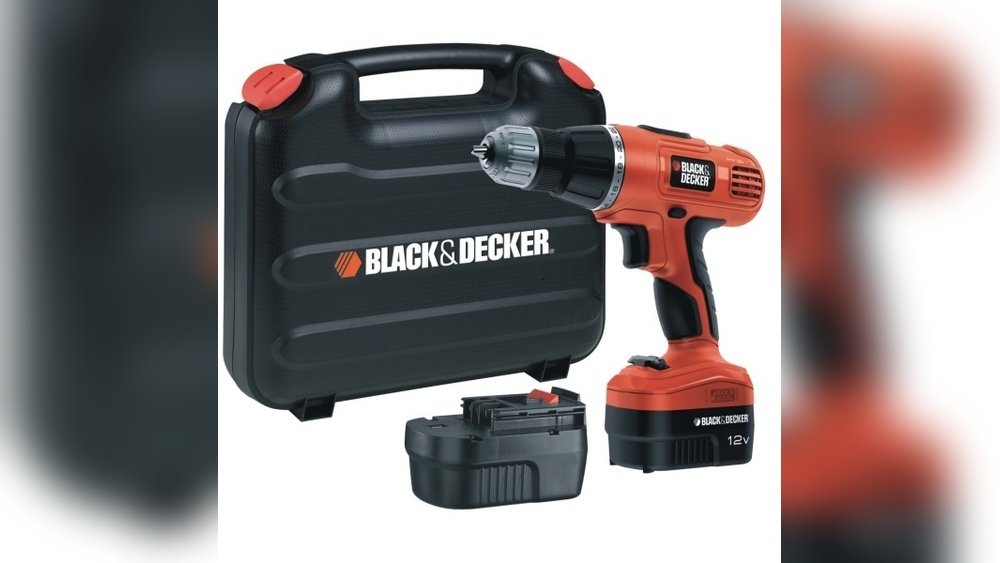
If you’ve ever stopped mid-project because your cordless drill ran out of power, you know how frustrating it can be. You might wonder, “How long should I really charge my drill to get the best performance?” Charging it too little means you’ll run out of battery quickly.
Charging it too long could waste your time or even harm the battery. You’ll discover the ideal charging times to keep your drill ready for action when you need it most. Let’s make sure your cordless drill is always powered up and ready to go!

Credit: www.youtube.com
Cordless Drill Charging Basics
Cordless drills have become a staple for home projects and professional work. Knowing how to charge them properly saves time and extends battery life. Charging basics help users get the most from their tools.
Understanding different battery types and the factors affecting charging time is key. These details influence how long a drill takes to be ready for use again.
Types Of Batteries
Cordless drills use mainly three battery types: Nickel-Cadmium (NiCd), Nickel-Metal Hydride (NiMH), and Lithium-Ion (Li-Ion). Each has unique features affecting charging speed and battery life.
NiCd batteries are older and take longer to charge. They also suffer from memory effect, reducing capacity over time. NiMH batteries charge faster than NiCd and hold more power. They are less common now but still used.
Li-Ion batteries are the most popular today. They charge quickly and last longer. Li-Ion batteries are lighter and have no memory effect, making them ideal for cordless drills.
Charging Time Factors
Several factors affect how long a cordless drill takes to charge. Battery type plays a big role, as seen earlier. Larger batteries need more time to reach full charge.
The charger quality also matters. Fast chargers can fill batteries quicker, but not all drills support them. Temperature impacts charging speed too; very cold or hot conditions slow it down.
Battery age affects charging time. Old batteries may take longer and hold less charge. Always use the charger recommended by the drill manufacturer to ensure safety and efficiency.
Credit: www.reddit.com
Typical Charging Times
Knowing the typical charging time of a cordless drill helps plan your work better. Different battery types need different charging times. This section explains how long standard and modern batteries take to charge.
Standard Nicd And Nimh Batteries
Nickel-Cadmium (NiCd) and Nickel-Metal Hydride (NiMH) batteries are common in older drills. These batteries usually take 1 to 3 hours to fully charge. The exact time depends on the battery capacity and charger power. NiCd batteries can suffer from memory effect, so full charging and discharging cycles are important. NiMH batteries charge faster than NiCd but still require a couple of hours.
Modern Lithium-ion Batteries
Lithium-Ion batteries are popular in new cordless drills. They charge much faster than NiCd or NiMH types. Most lithium-ion batteries reach full charge in 30 minutes to 1 hour. These batteries do not have memory effect, so partial charging is safe. Fast chargers also help reduce charging time without damaging the battery. Lithium-ion batteries last longer and hold charge better.
Fast Charging Options
Fast charging options help save time when charging cordless drills. These chargers fill the battery much quicker than standard chargers. Fast charging is useful for busy projects or quick fixes. It lets you get back to work sooner with less wait.
Quick Chargers Explained
Quick chargers use higher power to charge batteries faster. They deliver more current safely to speed up charging. Some quick chargers can fully charge a drill battery in 30 minutes. Not all drills support fast charging, so check your drill’s manual. Using a quick charger with the right battery prevents damage and keeps the battery healthy.
Charging Safety Tips
Always charge your cordless drill in a dry place. Avoid charging near water or in extreme heat. Use only the charger that came with your drill or a compatible one. Never leave the battery charging unattended for long periods. Remove the battery from the charger once it is fully charged. These steps help avoid overheating and protect the battery life.
Extending Battery Life
Extending the battery life of your cordless drill saves money and hassle. A well-cared-for battery lasts longer and works better. Small steps in charging and storing can make a big difference. Follow clear habits to keep your battery healthy and ready to use.
Proper Charging Habits
Charge the battery only when needed. Avoid leaving it plugged in all the time. Overcharging can harm battery cells. Use the charger that came with your drill. Fast chargers are fine but avoid cheap, unknown brands. Stop charging once the battery is full. Avoid letting the battery drain completely. Partial charges are better than deep discharges. Charge in a cool, dry place to prevent damage.
Storage Best Practices
Store the battery in a cool, dry spot. Heat and moisture shorten battery life. Remove the battery from the drill if storing for a long time. Keep the battery at about half charge during storage. Check the battery charge every few months. Recharge if the battery level gets too low. Avoid freezing temperatures or direct sunlight. Proper storage keeps the battery healthy and ready to go.
Troubleshooting Charging Issues
Charging problems with cordless drills can stop your work. Knowing how to fix these issues saves time and frustration. This section helps you understand common charging problems and how to solve them. It also explains when it is time to replace the battery.
Common Problems And Fixes
One common problem is the drill not charging at all. Check if the charger is plugged in and the outlet works. Sometimes, dirt or dust in the charging port blocks the connection. Clean the port gently with a dry cloth or brush.
If the drill charges slowly, the battery or charger may be old. Try charging another battery with the same charger to find the issue. Overheating during charging can cause the charger to stop. Let the charger cool down before trying again.
When To Replace Batteries
Batteries lose power over time. If your drill does not hold a charge for long, it is time to replace the battery. Swollen or leaking batteries are dangerous and need immediate replacement. Also, if the drill stops working during use, the battery may be faulty.
Use only batteries recommended by the drill’s brand. This keeps your tool safe and working well. Regularly check battery health and replace it as needed for best performance.
Charging Accessories And Upgrades
Charging accessories and upgrades help you get the most from your cordless drill. They offer more convenience and can speed up the charging process. These tools also help extend battery life and improve your work efficiency.
Portable Charging Stations
Portable charging stations let you charge your drill anywhere. They are small and easy to carry. Perfect for job sites without power outlets. Some models include extra USB ports to charge other devices. These stations keep your drill ready for use all day.
Battery Packs And Compatibility
Extra battery packs keep you working without long breaks. Having more batteries means one charges while you use the other. Check compatibility before buying new packs. Not all batteries fit every drill model. Using the right battery protects your drill and ensures safety.

Credit: www.reddit.com
Frequently Asked Questions
How Long Does It Take To Fully Charge A Cordless Drill?
Typically, a cordless drill takes 30 minutes to 3 hours to fully charge. Charging time depends on the battery type and charger quality. Lithium-ion batteries generally charge faster than NiCd batteries. Always refer to the manufacturer’s instructions for exact charging times.
Can I Use A Cordless Drill While Charging It?
Most cordless drills are not designed for use during charging. Using them while charging can cause battery damage or safety risks. It’s best to wait until the drill is fully charged before operating. Check your drill’s manual for specific guidelines.
How Often Should I Charge My Cordless Drill Battery?
Charge your cordless drill battery after each use or when the charge is low. Avoid letting the battery drain completely to extend its lifespan. Regular charging helps maintain battery health and ensures the drill is ready when needed.
Does Charging Time Vary By Battery Type?
Yes, charging time varies by battery type. Lithium-ion batteries charge faster, typically within 30-60 minutes. NiCd and NiMH batteries take longer, often 1-3 hours. Battery capacity and charger output also affect charging duration.
Conclusion
Knowing how long to charge a cordless drill saves time and effort. Most drills take about one to three hours for a full charge. Charging too long can harm the battery’s life. Always follow the charger instructions for best results.
A fully charged drill works better and lasts longer. Keep your battery healthy by not overcharging or letting it drain completely. This simple step helps your drill stay ready for any job. Charge smart, work efficiently, and enjoy smooth drilling every time.
