


Are you ready to make your DIY projects easier and faster? Learning how to use your Black and Decker cordless drill can save you time and effort on every task.
Whether you’re hanging shelves, assembling furniture, or fixing something around the house, this powerful tool is designed to help you get the job done right. You’ll discover simple steps and expert tips that will turn you into a confident drill user.
Keep reading, and soon you’ll be handling your Black and Decker cordless drill like a pro!

Credit: www.blackanddecker.com
Choosing The Right Drill
Choosing the right Black and Decker cordless drill is important for your projects. A drill that fits your needs makes work faster and easier. It helps to know the types, features, and battery life before buying. This guide explains what to consider for the best drill.
Types Of Black And Decker Cordless Drills
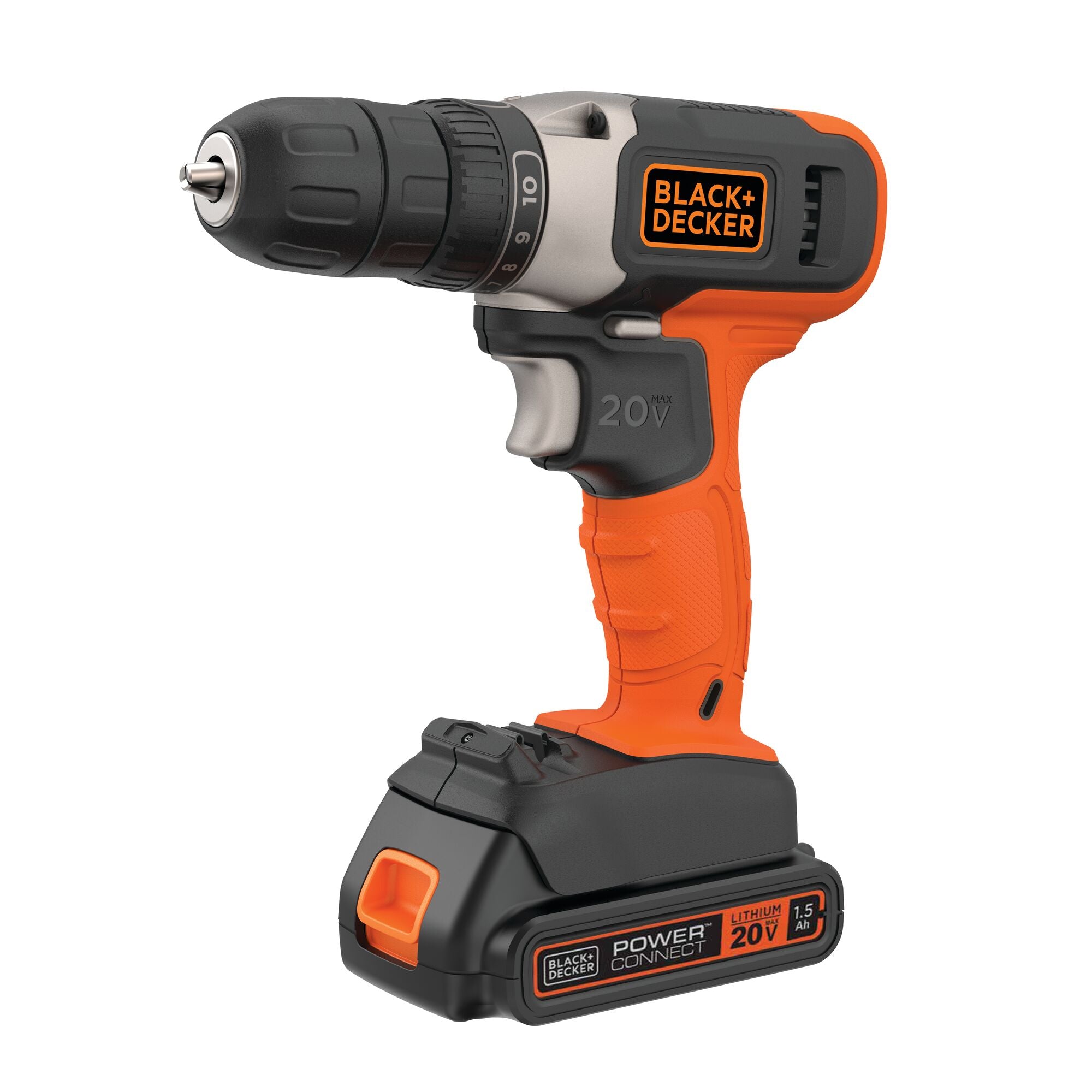
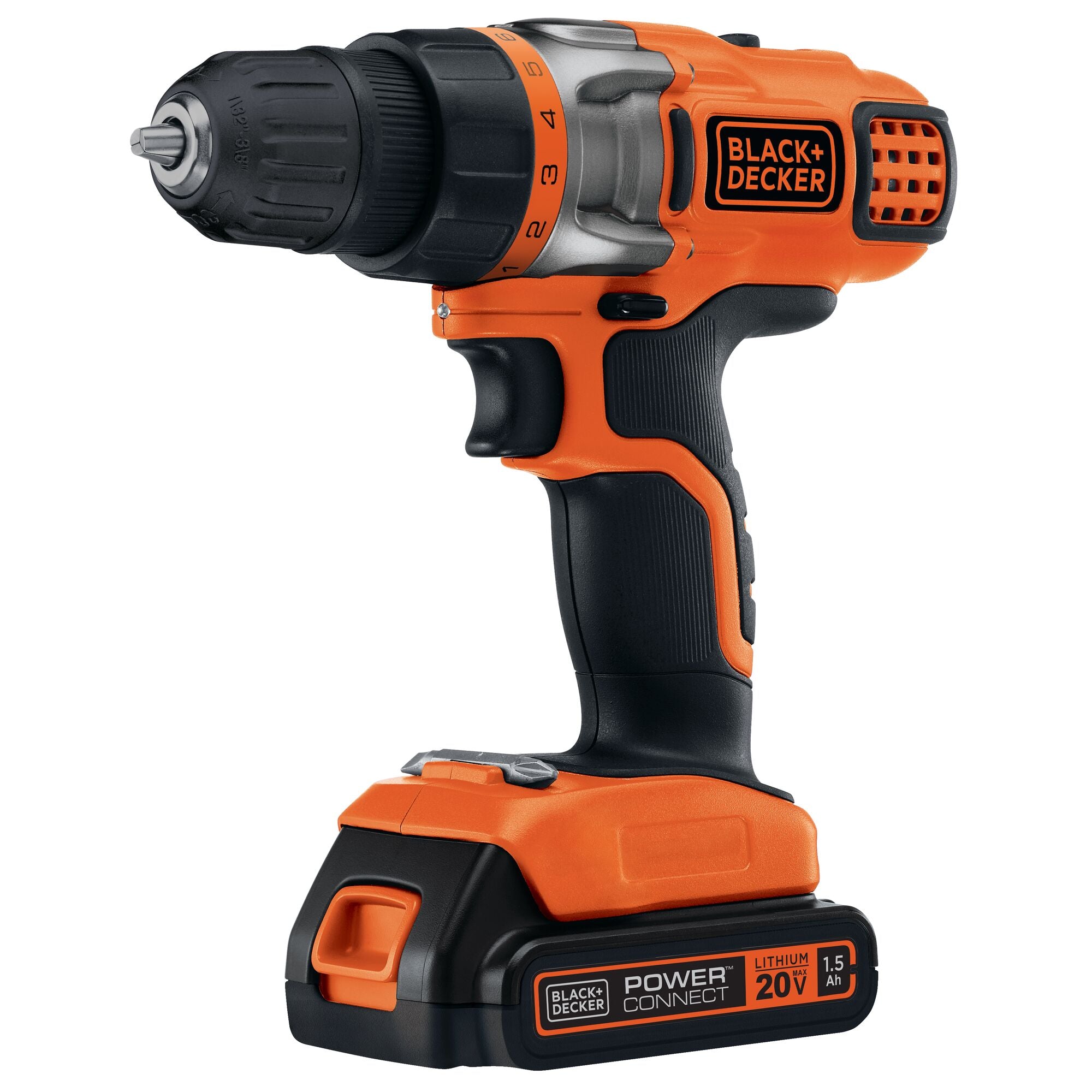
Black and Decker offers different cordless drills for various jobs. Some drills are compact and light for small tasks. Others have more power for heavy-duty work. There are drill drivers, hammer drills, and impact drivers. Choose a type that matches your usual projects.
Key Features To Consider
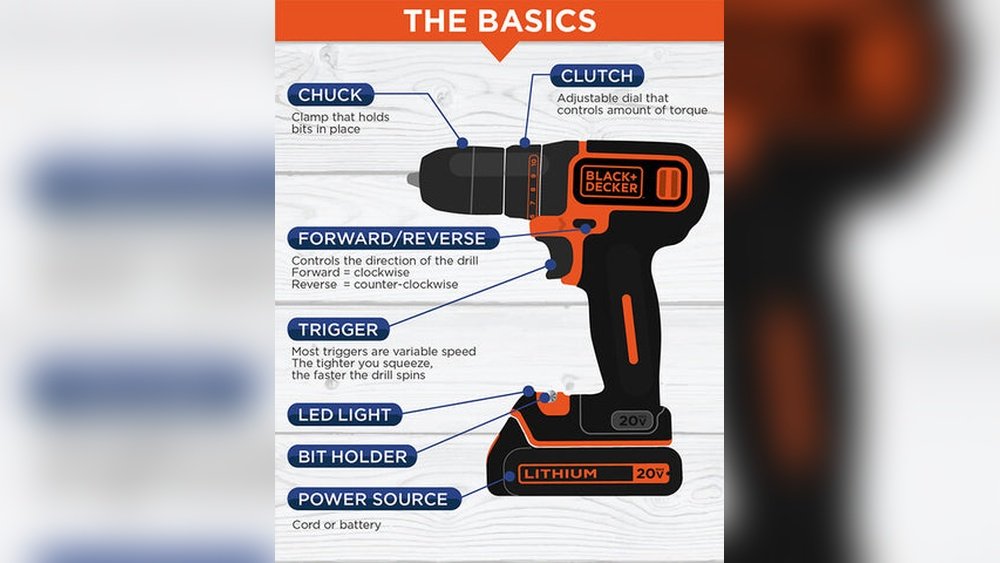
Look for important features when picking a drill. Check the drill’s speed settings. Variable speed helps control the drilling process. The chuck size matters too; 3/8-inch or 1/2-inch are common. A keyless chuck is easier to use. Some drills have built-in lights to see better in dark spots.
Battery Options And Life
Battery type and life affect how long you can work. Black and Decker uses lithium-ion batteries that last longer and charge faster. Look for drills with batteries that hold power well. Extra batteries can keep you working without waiting to charge. Check the voltage; higher voltage means more power for tough jobs.
Credit: www.blackanddecker.com
Preparing Your Drill
Preparing your Black and Decker cordless drill is key to a smooth project. This step ensures your drill works well and lasts longer. Follow these simple steps to get your drill ready for use.
Each part of the preparation helps your drill perform at its best. Start with charging the battery. Then attach the right drill bit. Finally, adjust the settings for your task.
Charging The Battery
Place the battery in the charger that came with your drill. Plug the charger into a power outlet. Let the battery charge fully before use. A full charge gives you the longest run time. Avoid using the drill if the battery is low.
Attaching The Drill Bit
Choose the correct drill bit for your project. Hold the drill firmly. Open the chuck by turning it counterclockwise. Insert the drill bit into the chuck. Tighten the chuck by turning it clockwise until secure. Check the bit does not wobble or slip.
Adjusting The Settings
Look at the speed settings on your drill. Choose a low speed for screws or soft materials. Use a higher speed for drilling into harder materials. Set the torque control to avoid overdriving screws. Adjust these settings before starting your work.
Basic Drilling Techniques
Basic drilling techniques help you get clean and accurate holes. Using your Black and Decker cordless drill properly makes the job easier. This section covers how to hold the drill, start it, and control speed and pressure. Follow these simple steps for better results.
Holding The Drill Correctly
Hold the drill with your dominant hand on the handle. Use your other hand to support the front for balance. Keep your wrist straight and firm. This helps you control the drill and avoid slipping. Stand steady and position your body behind the drill.
Starting The Drill
Place the drill bit on the spot you want to drill. Press the trigger slowly to start the drill. Begin at a low speed to avoid the bit slipping. Once the bit grips the surface, increase the speed. Keep the drill steady and straight during the start.
Controlling Speed And Pressure
Adjust the speed based on the material you drill. Use low speed for metal and high speed for wood. Apply steady, gentle pressure. Do not push too hard, or you may break the bit. Let the drill do the work while you guide it carefully.
Safety Tips
Using a Black and Decker cordless drill safely is very important. This tool can be powerful and fast. Without care, accidents can happen. Follow safety tips to protect yourself and others. Learn the right way to handle the drill and avoid common errors.
Protective Gear To Wear
Always wear safety glasses to protect your eyes from dust and debris. Use gloves to keep your hands safe from sharp edges. Wear ear protection if you use the drill for a long time. Choose sturdy shoes to avoid slipping or dropping the drill on your feet.
Safe Handling Practices
Hold the drill with both hands for better control. Keep your fingers away from the drill bit. Make sure the battery is charged but not damaged. Turn off the drill before changing bits. Work in a clean, dry area to avoid slips and falls.
Avoiding Common Mistakes
Do not force the drill into the material. Let the drill bit do the work. Avoid wearing loose clothes or jewelry that can get caught. Check the drill bit for damage before each use. Never point the drill at yourself or others.
Maintenance And Care
Keeping your Black and Decker cordless drill in good shape helps it last longer. Regular care prevents problems and keeps the drill working well. Simple maintenance steps save money and time.
Cleaning The Drill
After each use, wipe the drill with a dry cloth. Remove dust and dirt from vents and moving parts. Avoid using water or harsh chemicals. Use a small brush to clean tight spots. Keep the chuck free of debris to hold bits firmly.
Storing The Battery
Store the battery in a cool, dry place away from heat. Avoid leaving the battery fully charged or completely empty for long times. Remove the battery from the drill if not used for weeks. Check the battery terminals for dirt and clean gently if needed.
Troubleshooting Common Issues
If the drill does not start, check the battery charge first. Loose or dirty battery contacts can cause power loss. Listen for unusual sounds, which may mean worn parts. If the drill overheats, stop and let it cool. Replace worn bits and parts to keep the drill safe and efficient.
Credit: www.blackanddecker.com
Project Ideas For Beginners
Starting with a Black and Decker cordless drill can feel exciting and a bit tricky. Beginners often need clear projects to build confidence. Simple tasks help you learn the drill’s functions and improve your skills. This section shares easy project ideas perfect for new users. Each idea uses the drill in a practical way. You will find tasks that fit your home, hobbies, and creativity.
Simple Home Repairs
Fixing small issues around the house is a great start. Tighten loose screws on cabinets and door handles. Assemble shelves or fix drawer slides with ease. Repairing curtain rods or hanging picture frames works well too. These tasks teach you how to control the drill carefully. They also improve your hand-eye coordination and precision.
Diy Furniture Projects
Building small furniture is a fun way to practice. Try making a simple stool or a wooden crate. Use the drill to join parts with screws quickly. Creating a birdhouse is another beginner-friendly project. These projects help you learn measuring, drilling, and screwing. Enjoy making useful items for your home.
Craft And Hobby Uses
The drill is handy for arts and crafts projects too. Use it to drill holes in wood, plastic, or soft metals. Create custom jewelry holders or wooden signs. It also helps in making garden planters or small boxes. These crafts improve your control and precision with the drill. Plus, they let you express creativity while learning.
Frequently Asked Questions
How Do I Charge A Black And Decker Cordless Drill?
To charge the drill, connect the battery to the charger. Plug it into a power outlet. Charging usually takes 1-3 hours.
What Drill Bit Sizes Fit A Black And Decker Drill?
Black and Decker drills typically accept bits from 1/16 inch to 1/2 inch. Check your model’s manual for exact sizes.
How Do I Change The Drill Bit On This Drill?
Turn the chuck counterclockwise to loosen it. Insert the new bit. Tighten the chuck by turning it clockwise until secure.
Can I Use A Black And Decker Cordless Drill For Metal?
Yes, use a metal drill bit and the correct speed setting. Always wear safety glasses when drilling metal.
Conclusion
Using a Black and Decker cordless drill is simple and handy. Charge the battery well before use. Choose the right drill bit for your task. Hold the drill steady and apply gentle pressure. Start drilling slowly, then increase speed as needed.
Always wear safety gear like goggles and gloves. Store the drill in a dry place after use. Practice often to build confidence and skill. This tool helps with many home projects and repairs. Enjoy your work with ease and safety.
